
Omatchday
Omatchday is an Omarchy bar widget for following football without taking over the desktop. It adds a compact button to the bar and opens the match center only when you need it.
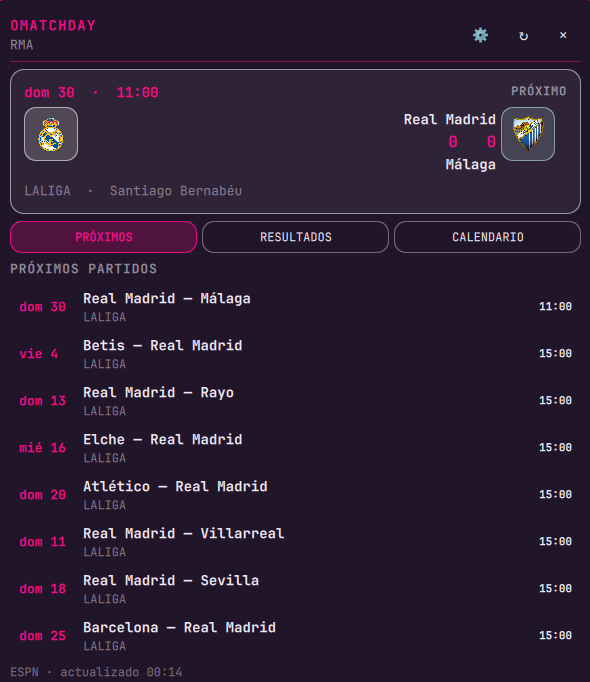
Screenshots
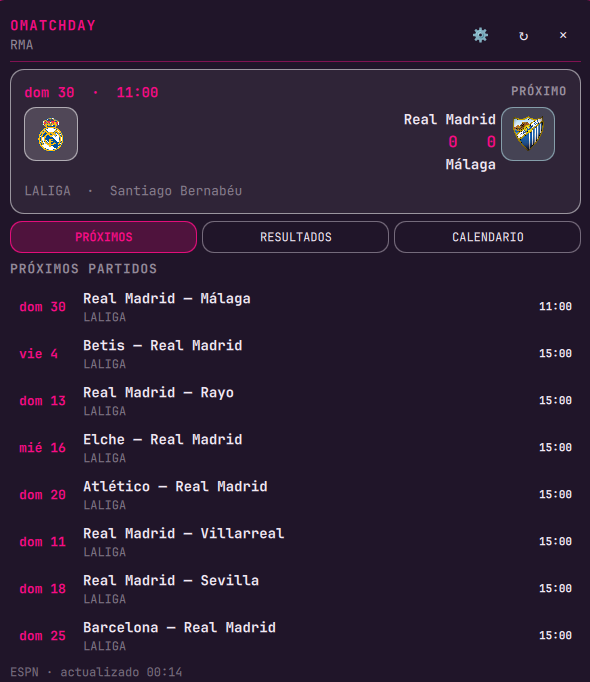
These are current captures from Omatchday running in the Omarchy shell:
Features
- Compact bar button:
⚽. The tooltip shows the next fixture abbreviation or the live score (⚽+ARS vs COV · 12:00, orArsenal — Coventry · LIVE 2:1) using the active theme accent. - Popover anchored to the bar button; it does not create a permanent desktop surface.
- Works alongside Agenda, Weather, and other Omarchy popouts through the bar's native coordination.
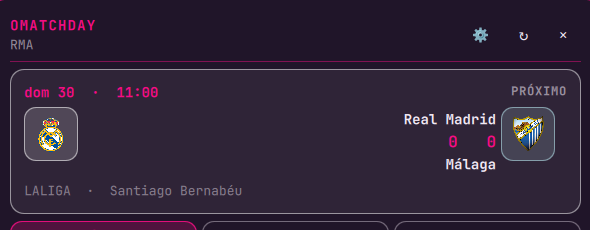
- Highlighted next fixture with team crests, kickoff time, competition, and venue.
- Upcoming fixtures, results, and monthly calendar views.
LIVE,FULL TIME, andUPCOMINGstates.- Multiple teams and leagues, selected directly in the settings panel.
- Colors derived from the active theme and team accent.
- Click a fixture to open its details in the browser.
- Manual refresh with middle-click or from the popover. Pull down on the list to refresh as well.
- Notifications one hour before kickoff and when a match goes live.
- Visual cache of the last known state while the data source refreshes.
Install from GitHub
omarchy plugin add https://github.com/brm-src/omatchday.git --enable --yes
To update an existing installation:
omarchy plugin update io.github.brm-src.omatchday --yes
omarchy-shell shell rescanPlugins
The plugin becomes available in the bar widget list. If it does not appear automatically, add io.github.brm-src.omatchday to bar.layout.right in ~/.config/omarchy/shell.json.
Remove Omatchday
Disable it without deleting its files:
omarchy plugin disable io.github.brm-src.omatchday
Remove it completely:
omarchy plugin remove io.github.brm-src.omatchday --yes
The local configuration may remain at ~/.config/omarchy/omatchday/config.json. Delete it only if you also want to remove your teams and preferences:
rm -f ~/.config/omarchy/omatchday/config.json
Configure teams and notifications
Open Omatchday and press ⚙. Choose a league, select one or more teams, and enable match notifications. No terminal is required. Changes are stored at ~/.config/omarchy/omatchday/config.json with mode 600.
A terminal assistant is also available as a fallback:
bash ~/.config/omarchy/plugins/io.github.brm-src.omatchday/configure-omatchday.sh
The assistant queries ESPN's live team catalog and lets you select teams by number. Example league codes:
eng.1— Premier Leagueesp.1— LaLigaita.1— Serie Ager.1— Bundesligafra.1— Ligue 1mex.1— Liga MXconmebol.libertadores— Copa Libertadores
Controls
- Left-click the bar button: open or close the popover.
- Middle-click: refresh data.
Esc: close.Tab: move to the next bar popout.- Click a fixture: open its details in the browser.
- In the popover: switch between upcoming fixtures, results, and calendar.
⚙: open the built-in configuration.
The widget also exposes a small IPC surface for keyboard launchers and scripts:
omarchy-shell io.github.brm-src.omatchday open
omarchy-shell io.github.brm-src.omatchday close
omarchy-shell io.github.brm-src.omatchday toggle
Advanced configuration
{
  "leagues": ["eng.1", "esp.1"],
  "teams": [
    {
      "id": "359",
      "name": "Arsenal",
      "shortName": "Arsenal",
      "abbreviation": "ARS",
      "logo": "https://a.espncdn.com/i/teamlogos/soccer/500/359.png",
      "color": "e20520",
      "alternateColor": "003399"
    }
  ],
  "daysBack": 45,
  "daysForward": 90,
  "refreshMinutes": 15
}
Omatchday queries ESPN's public API over HTTPS. It requires no API key, OAuth, or custom proxy. Coverage and rate limits depend on ESPN; the plugin shows errors instead of inventing data.
Development and validation
python3 -m unittest discover -s tests -v
python3 -m py_compile omatchday.py
qmllint -I /usr/share/omarchy/shell main.qml Panel.qml
omarchy plugin validate .
bash -n configure-omatchday.sh
git diff --check
License
MIT.