
Kirinuki
切り抜き — a clipping, cut out and kept.
A capture preview for Omarchy Quattro, in the spirit of Shottr. Take a screenshot and a small card drops next to the pointer with the shot in it — annotate, copy, save, run OCR, or pin it to the screen. Nothing touches your screenshots folder until you press Save.
Kirinuki is the clipping; Tensaku, Omarchy's own annotator, is the red pen you take to it.
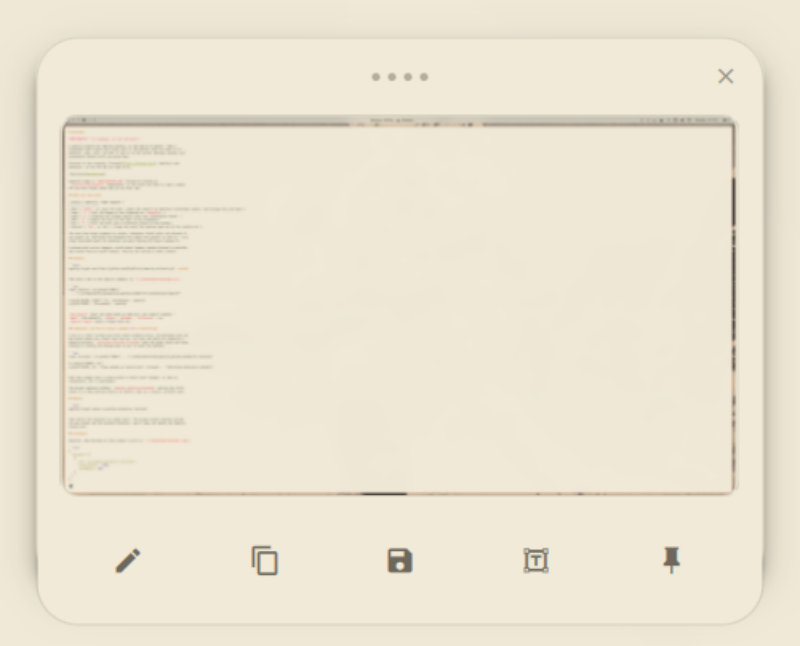
Captures stage in $XDG_RUNTIME_DIR instead of landing in
~/Pictures/Screenshots immediately, so the shots you took to read a number
off and then forgot about age out on their own.
What the card does
| Action | Shortcut | What happens |
|---|---|---|
| Edit | Enter, or click the shot |
Opens the capture in Omarchy's screenshot editor, then brings the card back |
| Copy | C |
Puts the image on the clipboard as image/png |
| Save | S |
Promotes the staged capture into your screenshots folder |
| OCR | O |
Copies the text in the shot to the clipboard |
| Pin | P |
Turns the shot into a frameless always-on-top window |
| Discard | Esc, or the ✕ |
Drops the card; the capture ages out of the scratch dir |
The card also drags anywhere on screen, dismisses itself after six seconds if you ignore it, and holds the keyboard only while the pointer is over it — so a stray keystroke meant for whatever you were typing into never reaches it.
A pinned shot can be dragged, scroll-wheel zoomed, double-clicked to annotate, and closed from its hover toolbar. Pins do not survive a shell restart.
Install
omarchy plugin add https://github.com/ByteMirror/omarchy-kirinuki.git --enable
Then bind a key to the capture command. In ~/.config/hypr/bindings.lua:
local capture = os.getenv("HOME")
  .. "/.config/omarchy/plugins/io.github.bytemirror.kirinuki/bin/capture"

o.bind("SUPER + SHIFT + S", "Screenshot", capture)
o.bind("PRINT", "Screenshot", capture)
bin/capture takes the same modes as Omarchy's own capture command —
smart (the default), region, windows, fullscreen — so
capture region binds a region-only key.
Optional: one key to close a window or a hovered pin
A pin is a layer surface and never takes keyboard focus, and Hyprland runs its
own binds before any client sees the key, so a pin can never be closed by a
keybind directly. bin/close-hovered-or-window asks the panel first and falls
through to closing the window when no pin is under the pointer:
local kirinuki = os.getenv("HOME") .. "/.config/omarchy/plugins/io.github.bytemirror.kirinuki"

hl.unbind("SUPER + W")
o.bind("SUPER + W", "Close window or hovered pin", kirinuki .. "/bin/close-hovered-or-window")
Pins also always have a close button in their hover toolbar, so this is convenience, not a requirement.
The plugin replaces nothing. omarchy-capture-screenshot and any key still
bound to it keep working exactly as before; this is a second, parallel path.
Remove
omarchy plugin remove io.github.bytemirror.kirinuki
Then delete the keybinds you added above. The plugin writes nothing outside its own folder and the scratch directory, and it does not modify any Omarchy config file.
Configure
Optional. Add settings to this plugin's entry in ~/.config/omarchy/shell.json:
{
  "plugins": [
    {
      "id": "io.github.bytemirror.kirinuki",
      "dismissAfter": 8000,
      "cardWidth": 380
    }
  ]
}
| Key | Default | Meaning |
|---|---|---|
dismissAfter |
6000 |
Milliseconds an untouched card lingers; 0 keeps it up until dismissed |
cardWidth |
340 |
Width of the shot inside the card, in logical pixels |
maxImageHeight |
240 |
Tallest the shot gets before it stops growing |
pinMaxWidth |
520 |
Widest a fresh pin opens |
Environment variables, all optional:
| Variable | Default | Meaning |
|---|---|---|
KIRINUKI_JPEG |
0 |
Set to 1 to transcode captures to JPEG |
KIRINUKI_JPEG_QUALITY |
92 |
JPEG quality when the above is on |
KIRINUKI_STAGING_DIR |
$XDG_RUNTIME_DIR/kirinuki |
Where captures wait (created private, 0700) |
KIRINUKI_KEEP_MINUTES |
1440 |
Age at which an unsaved capture is dropped |
KIRINUKI_MAX_BYTES |
67108864 |
Largest capture, in bytes, that will be decoded or written |
KIRINUKI_MAX_PIXELS |
80000000 |
Largest capture, in pixels, that will be decoded |
KIRINUKI_MAX_DIMENSION |
32768 |
Longest side, in pixels, that will be decoded |
KIRINUKI_MAX_TEXT_BYTES |
1048576 |
Most OCR text that may reach the clipboard |
KIRINUKI_TIMEOUT |
20 |
Seconds any one image or OCR run may take |
Omarchy's own OMARCHY_SCREENSHOT_DIR, OMARCHY_SCREENSHOT_EDITOR and
OMARCHY_OCR_LANGS are honoured as they are; this plugin does not shadow them.
Dependencies
Everything the plugin runs is listed here.
Shipped with Omarchy Quattro, already present on a stock install:
| Command | Used for |
|---|---|
omarchy-capture-screenshot |
Taking the capture |
omarchy-shell |
Summoning the panel over the shell's IPC |
omarchy-notification-send |
Result notifications |
hyprctl |
Pointer position and monitor geometry |
jq |
Reading the plugin id and building the summon payload |
python3 |
bin/open, the one place a capture is opened (see below); standard library only |
wl-copy |
Clipboard |
tensaku / tensaku-edit |
Annotation — Omarchy's default OMARCHY_SCREENSHOT_EDITOR |
Optional, and not part of the Omarchy package set. Install them with your package manager if you want these features; without them the plugin runs normally and the affected button says what is missing:
| Package | Needed for |
|---|---|
tesseract plus a language pack (e.g. English) |
The OCR button |
imagemagick |
JPEG mode, and copying a JPEG capture to the clipboard as PNG |
No sudo or pkexec is required. The plugin runs no installer, installs no
packages or background services, downloads nothing at runtime, and ships no
prebuilt binary. Like every Omarchy plugin it runs unsandboxed inside the
omarchy-shell process — read the source before you enable it.
What it writes
| Path | When |
|---|---|
$XDG_RUNTIME_DIR/kirinuki/ |
Every capture, until saved or aged out |
| Your screenshots folder | Only when you press Save |
| The clipboard | Only when you press Copy or OCR |
Notes
Bare letters are used as shortcuts on purpose: Hyprland grabs its own binds
before a focused surface sees the key, and every stock Omarchy bind carries at
least SUPER, so a single letter is unambiguous while the card has focus.
The panel only ever acts on a capture of yours. A path reaching it — over the
shell's IPC, from a keybind, from anywhere else — is accepted only if it names
a .png/.jpg/.jpeg inside the staging dir or your screenshots folder, and
only what is actually there decides the rest.
A name is used exactly once, to open the file, and that open is what has to be
safe — so it happens in bin/open, a small Python program, because a shell
cannot pass flags to open(2). It opens the trusted root directory, steps
down through any subdirectories on directory descriptors
(openat with O_DIRECTORY|O_NOFOLLOW, each one a directory of yours that
nobody else can write into), and opens the capture itself relative to that
descriptor with O_RDWR|O_NOFOLLOW|O_NONBLOCK|O_NOCTTY. A symlink at any
component makes the open fail rather than be followed, so there is no interval
between "is not a link" and "open" for one to be planted in; a FIFO cannot stall
it; a device cannot be reached. What was opened is then judged by fstat on the
descriptor — a regular file, yours, within the size ceiling — and its header is
read from that descriptor and checked against the extension and the dimension
ceilings.
Only then does bin/open hand the descriptor down as fd 3 and run the helper
beneath it: Copy, Save, OCR and Edit each read /dev/fd/3 and never the path
again. Save writes from that descriptor to a temp file beside the destination
and renames it into place, so a symlink planted at the predictable destination
name is replaced, never written through. Edit hands the editor a private
scratch copy and folds each save back into the held inode. The panel itself
only displays the image; every side effect is opened and verified afresh at the
moment of use, and a descriptor it did not open itself is never trusted.
Decoding is bounded as well: the size, pixel, dimension, output-size and wall-clock ceilings in the table above apply to every image and OCR run, so a malformed or hostile file fails instead of taking the desktop shell down with it.
omarchy-shell kirinuki state answers open or closed, and
omarchy-shell kirinuki ping answers ok — enough to tell a wedged panel
from a missing one in a bug report.
License
MIT. See LICENSE.