
Omahero
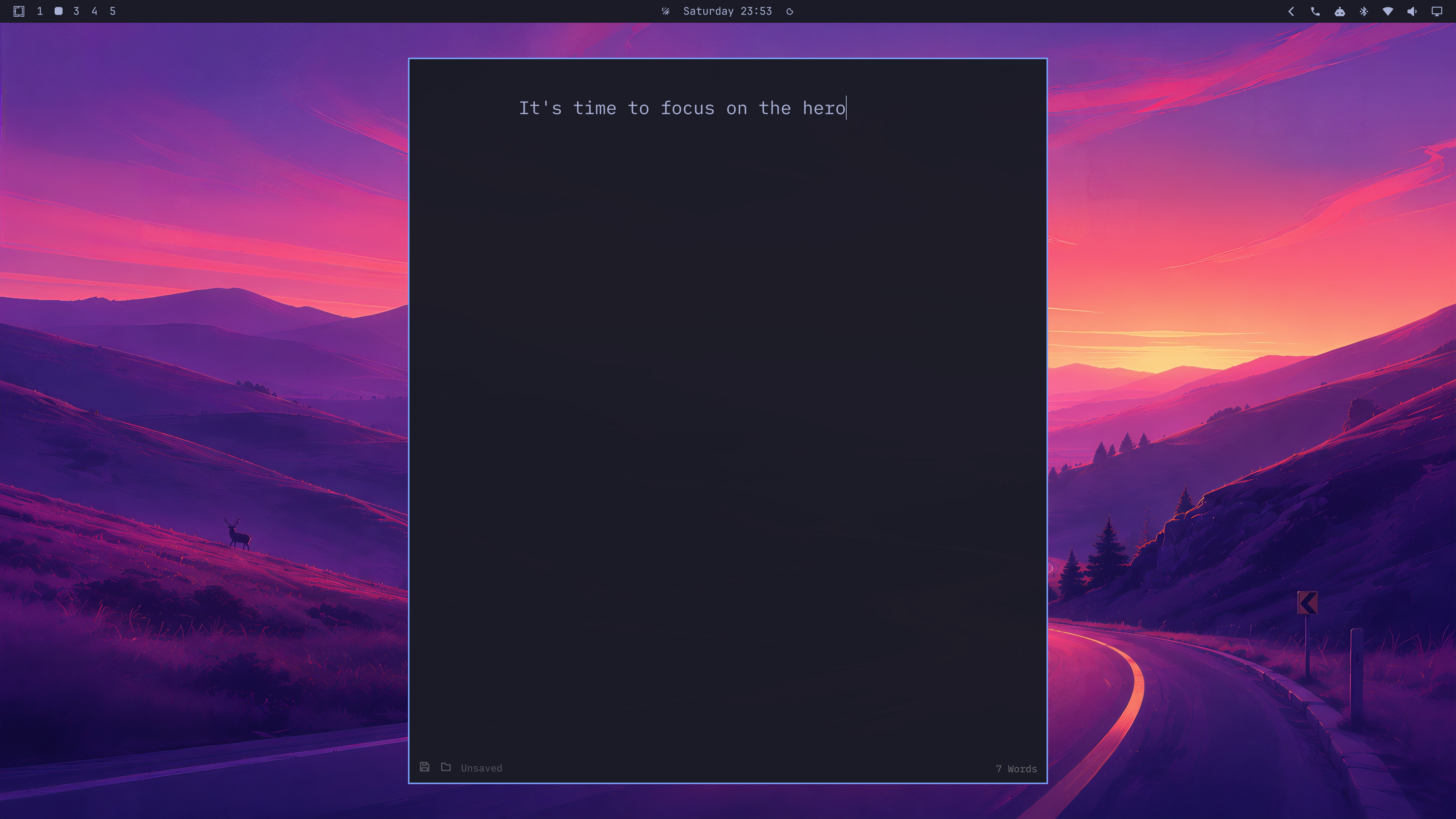
Make one window the hero
Install · Use · Configure · Security · Remove
</div>Omahero is a focus mode for Omarchy that hides all other windows and restores the layout when you leave.
Install
Requires Omarchy Quattro; no additional packages beyond its standard Hyprland and Python 3 runtime.
omarchy plugin add https://github.com/camerontucker/omahero.git --enable
On first launch, confirm Super + H or choose another shortcut. Nothing is written until you confirm.
Local checkout: ./install.sh --shortcut "SUPER + H"
Use
Super + H— toggle Hero modeSuper + Alt + H— cycle prose, square, and landscape shapesEscape— leave Hero mode
Shape and Escape shortcuts exist only while Hero mode is active. Shape choices are remembered per app.
Configure (~/.config/omahero/config.json)
{
  "prose_width": 840,
  "square_size": 900,
  "landscape_width": 1400,
  "landscape_ratio": 1.6,
  "default_shape": "prose",
  "shape_shortcut": "SUPER + ALT + H",
  "vertical_margin": 48,
  "dim_strength": 0.0,
  "other_windows_opacity": 0.0,
  "bar_opacity": null
}
Update
omarchy plugin update io.github.camerontucker.omahero
Security
Omahero runs as unsandboxed user code, reads Hyprland window metadata, and temporarily changes window state. It does not read window contents, clipboard data, credentials, or network resources. See SECURITY.md.
Recovery
If the hero window closes, press Super + H to restore the surviving windows.
Remove
~/.config/omarchy/plugins/io.github.camerontucker.omahero/uninstall.sh
omarchy plugin remove io.github.camerontucker.omahero
Development
PYTHONDONTWRITEBYTECODE=1 python3 -m unittest discover -s tests -v
bash -n install.sh uninstall.sh
omarchy plugin validate .
/usr/lib/qt6/bin/qmllint -I /usr/share/omarchy/shell HeroService.qml
git diff --check