
Omarchy Menu Plus
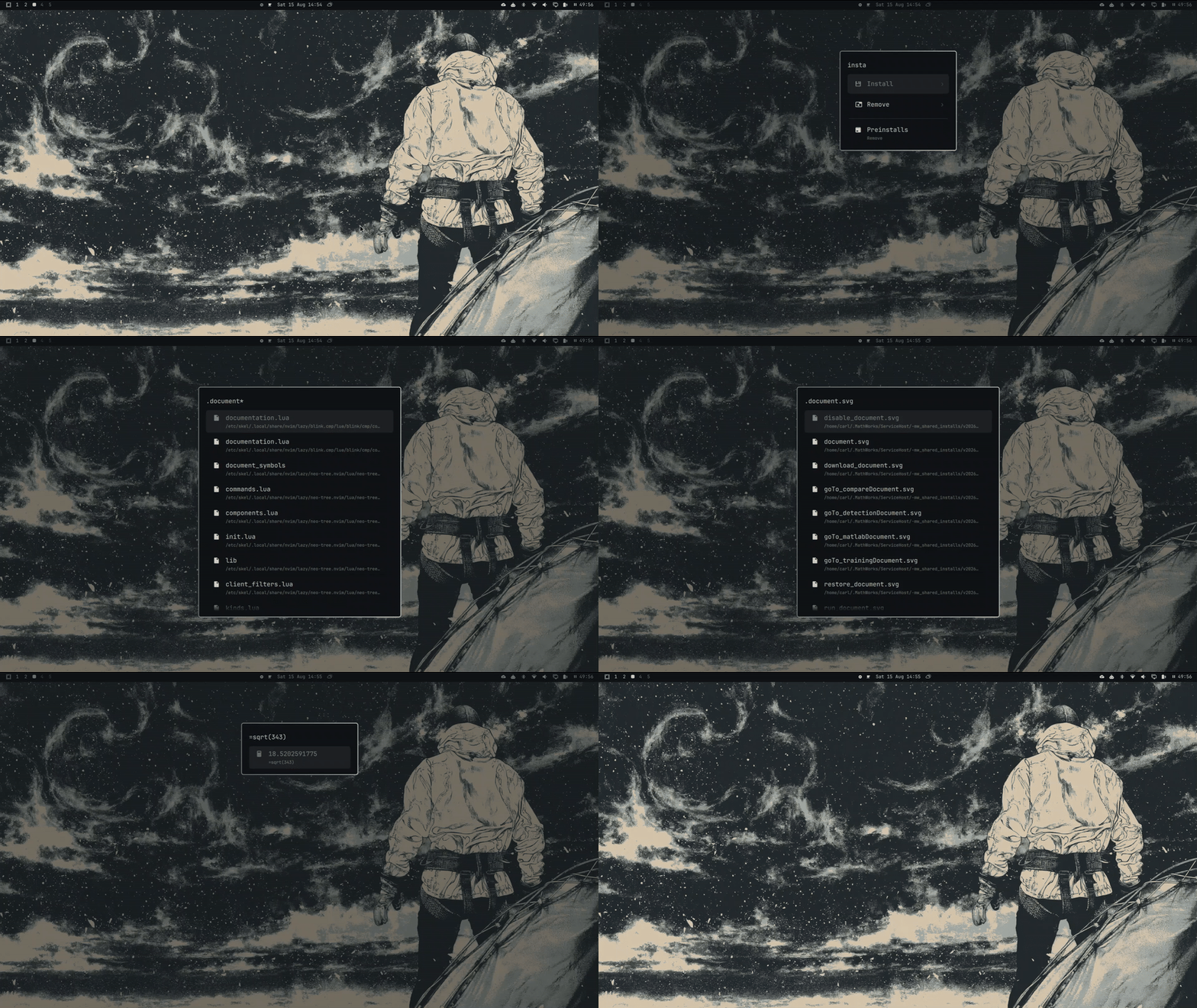
A drop-in replacement for Omarchy's
built-in Super + Space menu (omarchy.menu) that brings back the search
modes lost when Omarchy 4.0 ("quattro") replaced walker/elephant:
.query— live, whole-filesystem file search (vialocate), opening the selected file with its default app.=expr— an inline calculator (+ - * / % ^, plussqrt,pow,sin/cos/tan,log,round,pi,e, and more), copying the result to your clipboard on Enter.!amount currency to currency— a live currency converter (e.g.!420 usd to dkk,!$420 to dkk,!2usd to dkk), copying the result to your clipboard on Enter. Drop the amount (!usd to dkk) to get the plain exchange rate for one unit ("kurs").
Type ? on its own for a built-in cheat-sheet of these modes and the
field keys.
It also turns the query line into a proper text field: a movable caret, working numpad, and mark / copy / cut / paste — see Editing the field.
Everything else about the menu — apps, settings, power, fonts, etc. — is
completely unchanged; this is the stock omarchy.menu source with the modes
above layered on top.
Install
omarchy plugin add https://github.com/CarlOscarHMJ/omarchy-menu-plus
This replaces your default Omarchy menu. Enabling this plugin uses the
same clonedFrom mechanism as omarchy plugin clone — it automatically
disables the stock omarchy.menu and repoints Super + Space, the taskbar
menu button, and the omarchy-menu CLI at this plugin instead. No keybinding
or config changes are needed; it "just works" as a transparent replacement.
Remove
omarchy plugin remove io.github.carloscarhmj.omarchy-menu-plus
Removing (or disabling) it automatically restores the stock omarchy.menu.
Usage
| Type | Result |
|---|---|
firefox |
normal app/menu search, unchanged |
.bashrc |
live file search — every file whose name contains "bashrc" |
.report*pdf |
wildcard search — files containing both "report" and "pdf" anywhere in the name |
=4*23 |
92 |
=sqrt(16) |
4 |
=pow(2,10)+round(pi) |
1027 |
!420 usd to dkk |
2714.46 DKK |
!$420 to dkk |
2714.46 DKK (symbols work on either side, and as the target too) |
!2usd to dkk |
12.86 DKK (a missing space between amount and code is fine) |
!usd to dkk |
1 USD = 6.4315 DKK — the plain rate, no amount needed |
!100 EUR to £ |
85.45 GBP |
? |
a cheat-sheet of every mode above plus the field keys |
Currency codes and symbols are case-insensitive and recognized in any
position (usd 420 to dkk works too), and the space between the amount and
the code is optional (2usd, usd2, 2 usd all parse the same). Supported
symbols: $ (USD), £ (GBP), € (EUR), ¥ (JPY), ₹ (INR), ₩ (KRW) —
anything else, use the 3-letter ISO code.
File search results open with the file's default app on Enter. Calculator,
currency, and exchange-rate results copy to your clipboard on Enter (the
rate copies as the bare number). The ? cheat-sheet rows do nothing on
Enter — they're just a reference.
Editing the field
The query line behaves like a real single-line text field rather than a plain string you can only append to.
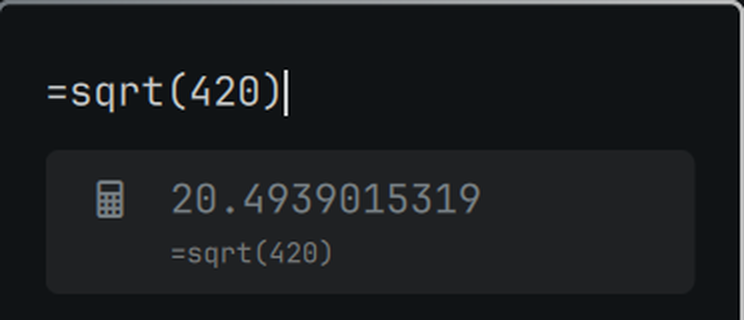
- Movable caret.
←/→move through the text;Ctrl + ←/Ctrl + →jump by word;Home/Endgo to the ends. Typing andBackspace/Deleteact at the caret, not just at the end — so you can fix a typo in the middle of=sqrt(420)without retyping the rest.←at the very start of an empty field still steps back up the menu, and→at the very end still activates the highlighted row, so nothing you already do changes. - Numpad. The number-pad digits,
. , + - * /andEnterall work in the field (the stock menu ignored them). Handy for=calculations. - Nordic
^. On layouts where^is a dead key (e.g. Danish), it's inserted literally here so=2^10works without the extra space.
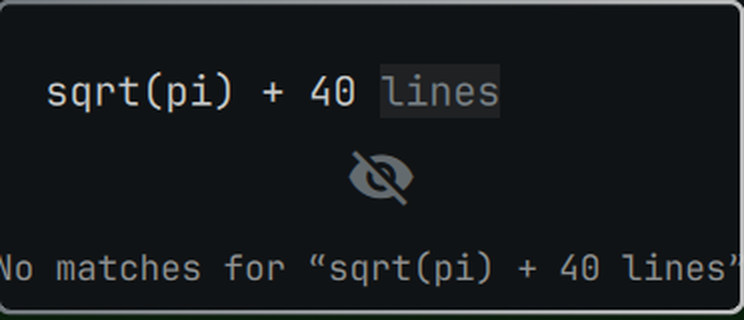
- Mark a section.
Shift + ←/Shift + →(andShiftwithCtrl/Home/End) extend a selection from the caret;Ctrl + Aselects the whole field. Typing,BackspaceorDeletereplaces the selection. - Copy / cut / paste.
Ctrl + Ccopies the selection,Ctrl + Xcuts it,Ctrl + Vpastes clipboard text at the caret (replacing any selection). Copy/cut go out throughwl-copy; paste reads back throughwl-paste, with newlines flattened to spaces so a multi-line clipboard stays on one line.
Dependencies
plocate— required for file search. Not installed by default on Omarchy; install and enable its index updater:
Without it,sudo pacman -S plocate sudo systemctl enable --now plocate-updatedb.timer.querysearch will just return no results (nothing breaks, it silently finds nothing).gtk-launch,xdg-terminal-exec,xdg-mime,wl-copy/wl-paste,curl— all standard on an Omarchy install already, no extra setup needed.- Network access — currency conversion calls the free
Frankfurter API (ECB reference rates, no API
key required). Offline, or if the request fails,
!queryjust returns no result.
Why this exists / how file-open works
On at least some setups, plain xdg-open hangs indefinitely when called
from a detached process with no window context (it goes through
xdg-desktop-portal, which needs one). File search results are opened via
the bundled scripts/smart-open.sh instead, which
resolves the .desktop file via gtk-launch directly without touching the
portal. Terminal-based default apps (e.g. nvim as the default text editor)
are additionally wrapped in xdg-terminal-exec so they get a real TTY.
Credit / license
This is a fork of Omarchy's built-in omarchy.menu plugin
(shell/plugins/menu/ in basecamp/omarchy,
MIT licensed) with the features above added. See LICENSE.