
Omahub
← All plugins
C

Bongo Cat

by chip-davis

A cat in the bar that bongos every time you type

Security review

Review recommended · 3 findings

Deterministic scan — not a security guarantee

Medium
Risk level
Medium
Analyzed commit
dfed5cc
Scanned
1 month ago
  • Command runs with sudo, elevating the process beyond the plugin environment.

    sudo usermod -aG input $USER, then log out/in) to enable key detection"
  • Docs sudo README.md:19

    Command runs with sudo, elevating the process beyond the plugin environment.

    sudo usermod -aG input $USER
  • Docs sudo README.md:13

    Command runs with sudo, elevating the process beyond the plugin environment.

    sudo pacman -S libinput-tools

Automated analysis only — not a security guarantee.

AI advisory review

No obvious issues detected

Language-model assessment · ~deepseek/deepseek-v4-flash-latest — advisory only

Low
AI risk level
Low
Recommendation
install
Model
~deepseek/deepseek-v4-flash-latest
Analyzed commit
dfed5cc
Reviewed
1 month ago

The plugin is a harmless widget that displays a cat animation based on keyboard input. It runs `libinput debug-events` to detect key presses, which requires the user to have appropriate permissions. The sudo commands flagged by the scan are only in documentation and tooltip text, not executed by the plugin itself. No malicious behavior detected.

  • Requires user to manually grant input group permissions via sudo (documented, not executed by plugin)
  • Reads keyboard input events, which could be a privacy consideration if the user is unaware
How this check works

This review combines the deterministic scan (the rule-based results above) with an independent look at the plugin's code by a language model. The model reads a trimmed sample of the repository's files, the manifest, and the README, then gives a plain-language risk level and a recommendation: install (no notable danger), review (look closer first), or avoid (clearly dangerous).

It runs on the same analyzed commit as the deterministic scan and is strictly advisory — it is not a security guarantee and never blocks a plugin by itself. A human moderator still reviews plugins before they are listed.

AI advisory only — automated analysis, not a security guarantee.

Install
$ omarchy plugin add https://github.com/chip-davis/omabongo --enable
Other #bar

Bongo Cat — Omarchy Quattro bar widget

A cat in the Omarchy bar that bongos every time you type.
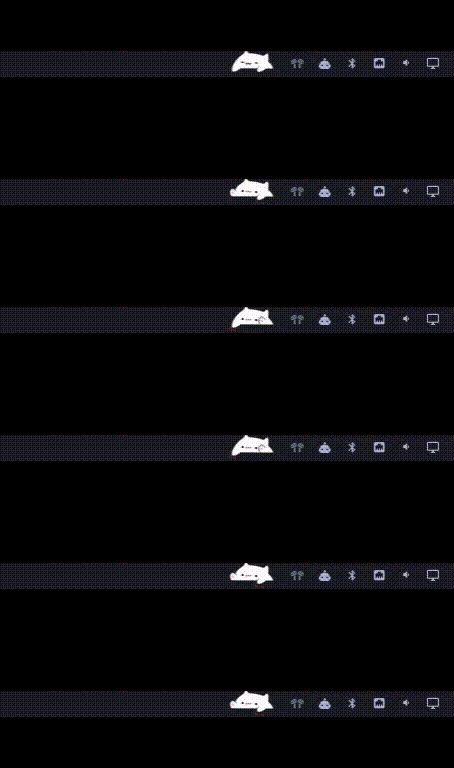
omabongo

Requirements

Keypress detection shells out to libinput debug-events, which comes from a separate package from the libinput library Hyprland already depends on:

sudo pacman -S libinput-tools

It also needs your user account in the input group:

sudo usermod -aG input $USER

Then log out and back in (or reboot) for the group change to apply.

Install (published)

omarchy plugin add https://github.com/chip-davis/omabongo.git --enable

Config

Edit / create ~/.config/omabongo/config.json. Supported options:

Key Type Default Controls
scale number 2.2 sprite size multiplier of barSize
sleepAfterMs number 20000 inactivity time before sleeping
tapDurationMs number 110 how long his paws are down
upDurationMs number 60 how long his paws pop up between taps
sleepEnabled bool true controls if bongocat goes to sleep
alternatePaws bool false true = strict L/R/L/R, false = random paw each tap

Uninstall

Uninstall with

omarchy plugin remove io.github.chip-davis.omabongo

License

MIT — see LICENSE. The cat sprites in assets/ are derived from wayland-bongocat; see THIRD_PARTY_NOTICES.md.