
Normarchy
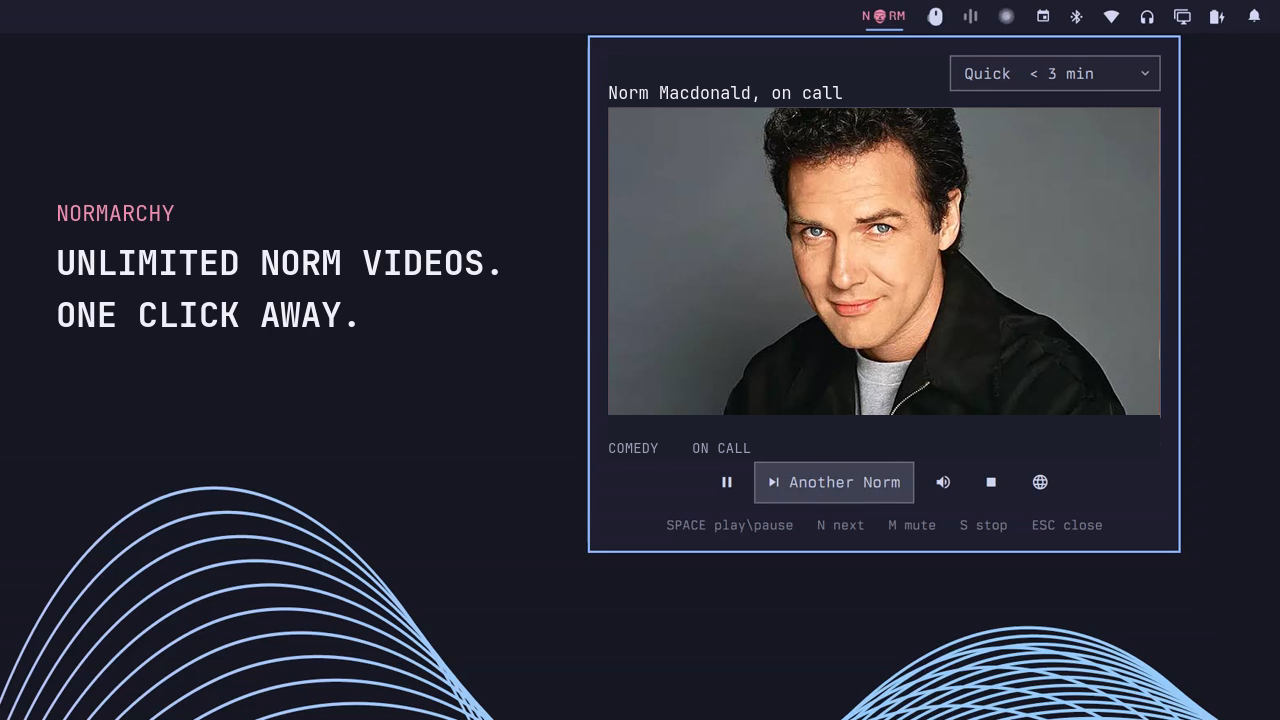
Unlimited Norm Macdonald videos, one click away. Normarchy puts a compact wordmark in the Omarchy bar and plays a random clip in a native anchored panel without opening a browser tab.
Install
Normarchy targets the Omarchy Quattro shell:
omarchy plugin add https://github.com/ctl0v0/normarchy.git --enable
The widget defaults to the right side of the bar. Move it at any time with the normal Omarchy bar controls.
Use
Click NORM in the bar to open Normarchy and start a random video. Select
Another Norm to cycle immediately. Clicking elsewhere leaves the panel
visible and the video playing while the desktop receives the click normally.
Choose a duration from the panel:
- Quick: under 3 minutes
- Classic: 3 to 15 minutes
- Long: 15 minutes or longer
- Anything: the full enabled catalog
The selected duration is the only setting Normarchy persists.
Controls
| Input | Action |
|---|---|
Space |
Play or pause |
N or Right Arrow |
Another Norm |
R |
Replay |
M |
Mute |
S |
Stop playback |
O |
Open the original YouTube page |
Esc |
Hide the panel while playback continues |
| Middle-click the wordmark | Stop playback immediately |
Optional shortcut
Add this to ~/.config/hypr/bindings.lua for Super+Ctrl+Shift+N:
hl.bind("SUPER + CTRL + SHIFT + N", hl.dsp.exec_cmd([[omarchy-shell shell summon io.github.ctl0v0.normarchy '{}']]), { description = "Start Normarchy" })
The plugin deliberately does not install a keybinding or modify user configuration on its own.
Requirements
- Omarchy Quattro with Qt Multimedia
python3yt-dlpcurl- Network access to YouTube
These runtime dependencies are present on the Omarchy installation Normarchy targets. The plugin requires no account, cookies, API key, elevated privileges, background system service, or installer.
Playback and privacy
Normarchy stores links and metadata only. It never downloads or caches video
files. A Python helper asks the installed yt-dlp for a temporary combined
YouTube stream, then exposes that stream through a tokenized HTTP endpoint bound
only to 127.0.0.1. Small byte ranges are forwarded with curl so Qt
Multimedia can seek and play reliably.
Stopping playback terminates the helper and invalidates the local URL. Using Normarchy makes normal media and thumbnail requests to YouTube. The globe button opens the original YouTube page when native playback is restricted or unsupported.
Remove
omarchy plugin remove io.github.ctl0v0.normarchy
If you added the optional shortcut, remove its line from
~/.config/hypr/bindings.lua separately. Normarchy does not install any other
files outside its plugin directory.
Catalog
The production catalog is curated separately from discovery candidates. A candidate reaches production only after editorial review, metadata extraction, format selection, and bounded byte-range probes using the same format policy as the player. Reaction videos, AI recreations, misleading uploads, and semantic duplicates are rejected.
See CONTRIBUTING.md for suggestions, discovery, review, promotion, and health checks.
Development
Validate the repository metadata and catalog anywhere with Python:
python3 scripts/catalog_pipeline.py validate
python3 -m unittest discover -s scripts/tests -p 'test_*.py'
On Omarchy, run the complete manifest, QML, catalog, and model suite:
bash tests/static.sh
Disclaimer
Normarchy is an unofficial fan project. It is not affiliated with or endorsed by the estate of Norm Macdonald, YouTube, Netflix, Omarchy, Basecamp, or 37signals. Third-party names, trademarks, video titles, thumbnails, and hosted media remain the property of their respective owners. Normarchy does not bundle or redistribute third-party media.
License
Normarchy's original source code is available under the MIT License. That license does not grant rights to third-party names, trademarks, or linked media.