
Dual Monitor Workspaces for Omarchy
A complete dual-monitor workspace pattern for Omarchy Quattro: two independent five-workspace banks, predictable keyboard navigation, safe cross-monitor window movement, and workspace indicators scoped to each screen.
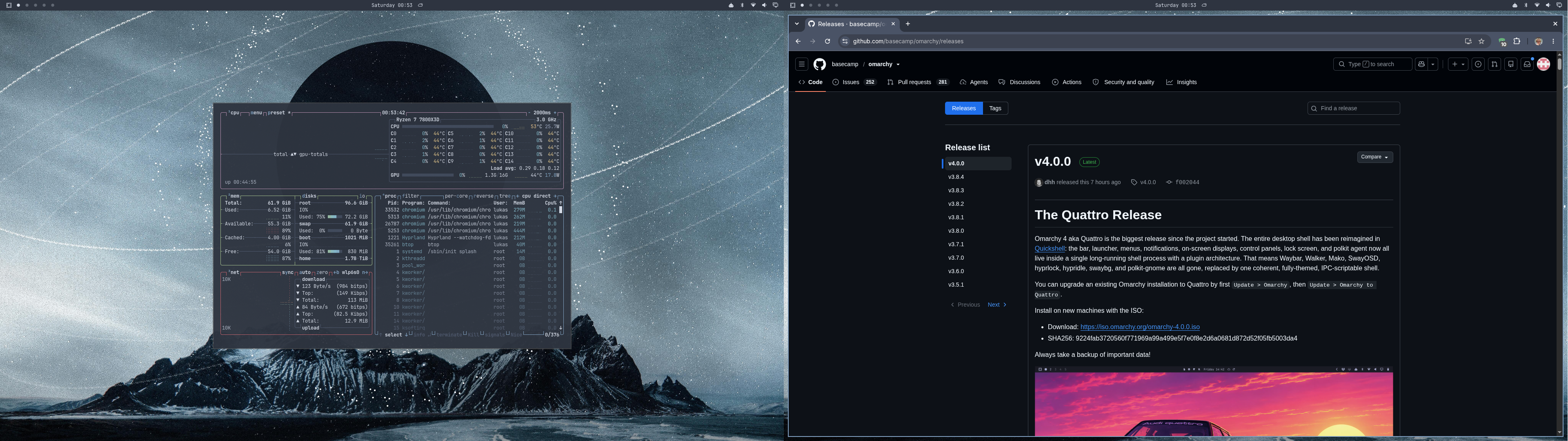
The included bar widget is the visual part of the setup. It shows five dots on each monitor; the focused workspace is bright, occupied workspaces are muted, and empty persistent workspaces are dim. Clicking a dot activates that monitor's corresponding Hyprland workspace.
Install
omarchy plugin add https://github.com/derluke/omarchy-dual-monitor-workspaces.git --enable
omarchy plugin disable omarchy.workspaces
omarchy bar move io.github.derluke.dual-monitor-workspaces --section left --after omarchy.menu
This installs the per-screen indicator without editing Hyprland. Complete the workspace setup below to enable independent workspace banks and shortcuts.
Configure dual-monitor workspaces
For five persistent workspaces per monitor, use the Lua version of split-monitor-workspaces. It requires Hyprland 0.55 or newer. Follow its release-branch guidance so the package version matches your installed Hyprland version.
An opt-in Omarchy example is included at
examples/dual-monitor-workspaces.lua.
Review it, replace the monitor names, and append it to
~/.config/hypr/bindings.lua. It configures:
Super+1..5: first monitor workspace 1..5Super+Ctrl+1..5: second monitor workspace 1..5- Add
Shift: move the active window and follow it - Add
Shift+Alt: move the active window silently Super+Tab/Super+Shift+Tab: cycle within the focused monitorSuper+Ctrl+Shift+Left/Right: move a window to a connected adjacent monitor
The directional move is guarded: it does nothing when no monitor exists in that direction.
Configure
The default maximum is five dots. Change it inline in
~/.config/omarchy/shell.json if desired:
{
  "id": "io.github.derluke.dual-monitor-workspaces",
  "count": 5
}
Persistent workspace rules are recommended so empty dots remain visible.
Remove
omarchy plugin remove io.github.derluke.dual-monitor-workspaces
omarchy plugin enable omarchy.workspaces --section left
Removing the widget does not remove any separately installed Hyprland package or changes copied manually from the example.
Permissions and dependencies
The bar component runs inside omarchy-shell, reads Quickshell's Hyprland workspace
model, and dispatches workspace activation when clicked. It executes no shell
commands, makes no network requests, and requires no elevated privileges.
Runtime requirements:
- Omarchy 4 (Quattro)
- The built-in Omarchy bar
- Quickshell's Hyprland integration
The external split-monitor-workspaces Lua package provides the independent
persistent workspace banks. The indicator can run without it, but the complete
dual-monitor behavior documented by this project requires it.
License
MIT. This widget was derived from Omarchy's built-in workspace widget.