
Cassandra — Event Watcher for Omarchy
Cassandra is a bar widget for the Omarchy shell that watches the machine's events where Argus watches its resources: failed systemd units, journal errors, and coredumps — the disasters that scroll past unseen. The bar shows a calm glyph while nothing is wrong, and per-kind counts in the theme's urgent color when something is.
She spoke the truth. This time, listen.

What the bar says
- — all quiet: no failed units, no new crashes, no new errors
- N — N systemd units (system or user) are currently failed
- N — N programs dumped core since you last looked
- N err — N journal errors (priority ≤ 3) since you last looked
"Since you last looked" means since the panel was last closed — a glance at the bar answers "did anything happen while I was away?", and opening the panel resets the counters.
Panel tabs
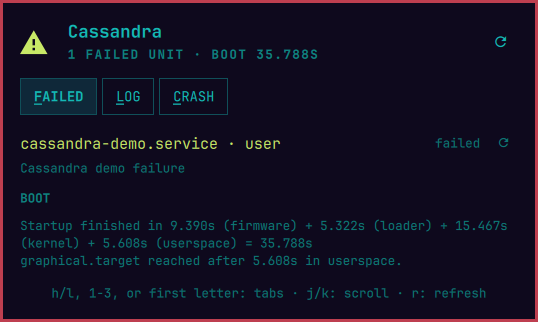
- FAILED — every failed unit (system and user scope) with its
description and a restart button (after confirmation), plus boot timing
from
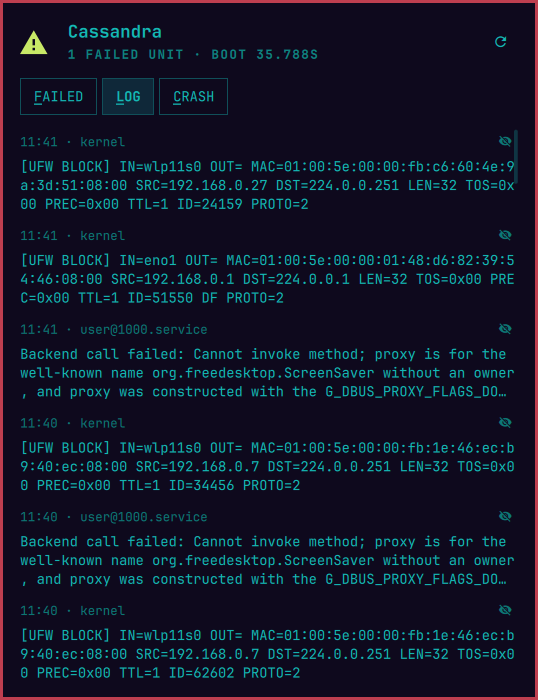
systemd-analyze - LOG — recent journal warnings and errors with time and source; noisy sources (looking at you, UFW) can be muted per source — muted entries stay out of the bar's error count too
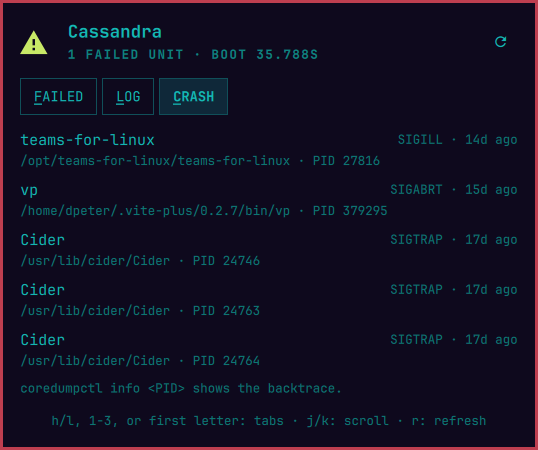
- CRASH — recorded coredumps with program, signal, and age;
coredumpctl info <PID>shows the backtrace
Opening the panel lands on the tab with the worst news.
 |
 |
 |
Alerts
A unit that newly enters the failed state, or a fresh coredump, fires one critical desktop notification — "Unit restic-backup.service failed — Nightly restic backup", "vp crashed with SIGABRT (PID 379295)". Units already failed when the shell starts are shown but not re-announced. The last ten alerts are kept in the panel.
alertCommand runs a shell command on every fired alert with the
details in CASSANDRA_ALERT_KEY/TEXT/CRITICAL/AT environment
variables — pipe your machine's bad news anywhere:
"alertCommand": "curl -s -d \"$CASSANDRA_ALERT_TEXT\" https://ntfy.sh/my-box"
Interactions
- Bar button: left click opens the panel, middle click refreshes, right
click opens
journalctl -fin a terminal - Panel:
h/lor ←/→ switch tabs,1–3or a tab's first letter jump straight to it,j/kor ↑/↓ scroll,rrefreshes,Esccloses
Install
git clone https://github.com/diegopluna/omarchy-cassandra \
  ~/.config/omarchy/plugins/io.github.diegopluna.cassandra
omarchy plugin enable io.github.diegopluna.cassandra
Needs journal read access, which Omarchy's default user (in wheel) has.
No daemon, no root: one short bash sampler (systemctl --failed,
journalctl -o json, coredumpctl --json=short) every 10 seconds,
costing ~10ms. All dependencies (bash, systemd's own tools) ship with
every Omarchy install. MIT licensed.
Uninstall
omarchy plugin disable io.github.diegopluna.cassandra
rm -rf ~/.config/omarchy/plugins/io.github.diegopluna.cassandra
Disabling removes the widget from the bar; the only state Cassandra
writes is its own entry in ~/.config/omarchy/shell.json.
Settings
Inline settings on the widget's entry in shell.json:
| Key | Default | Meaning |
|---|---|---|
intervalSec |
10 |
Poll interval in seconds (5–120) |
alerts |
"On" |
Desktop notification on new failures and crashes |
alertCommand |
— | Shell command run on every fired alert |
mutedSources |
[] |
Log sources muted from the LOG tab (managed in the panel) |
IPC
omarchy-shell io.github.diegopluna.cassandra toggle
omarchy-shell io.github.diegopluna.cassandra tab LOG
omarchy-shell io.github.diegopluna.cassandra metrics   # failed units, counts, alerts as JSON
Cassandra sees every disaster before you feel it. Whether you believe her is, as ever, up to you.