
Network Checker
Bar widget for Omarchy Quattro. It pings the hosts in your config and checks their ports. Offline machines light up on the bar.
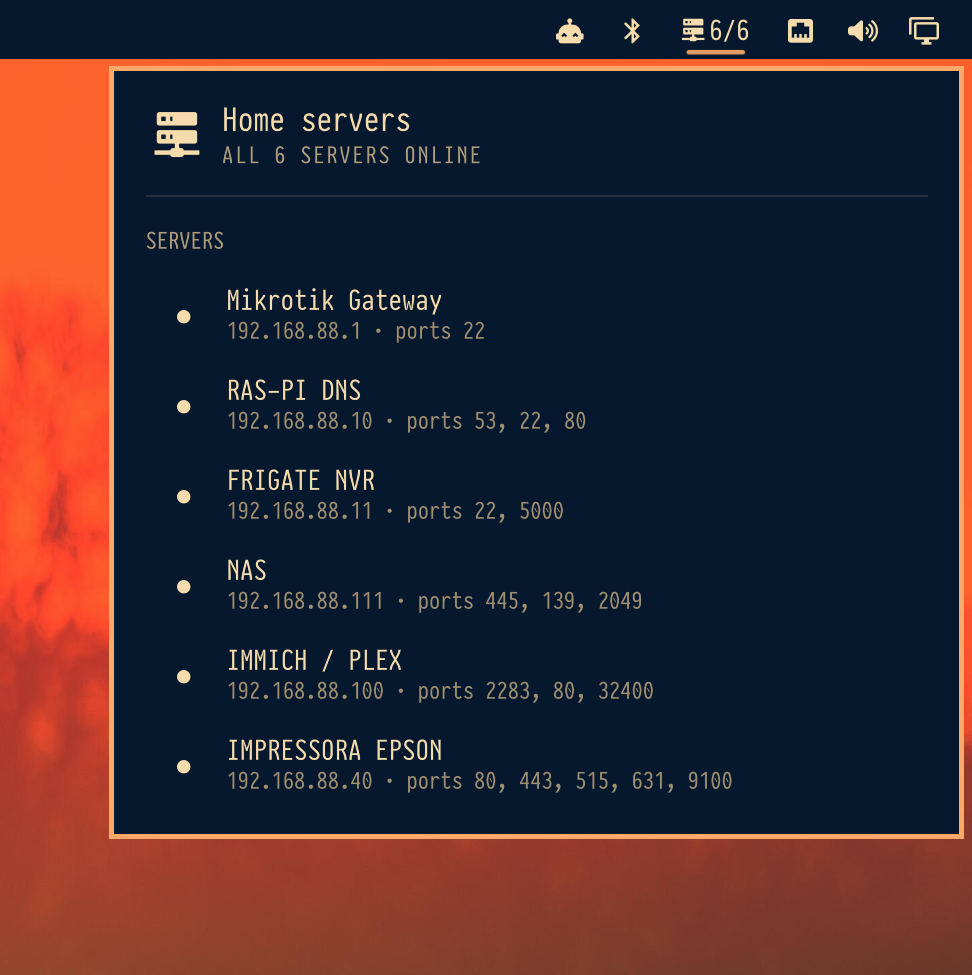
Install
omarchy plugin add https://github.com/dr-moreira/omarchy-network-checker.git --enable
That is enough to enable the widget. Then add your hosts:
mkdir -p ~/.config/network_checker
cp ~/.config/omarchy/plugins/io.github.dr-moreira.network-checker/checker/config.example.toml \
  ~/.config/network_checker/config.toml
Edit ~/.config/network_checker/config.toml. The widget already speaks that file; no compiler is required.
[[servers]]
name = "NAS"
host = "192.168.1.10"
ports = [22, 445]
Usage
- Left click — open or close the list
- Middle or right click — refresh
- Click a row — copy the host (
wl-copy) r— refresh- Escape — close
omarchy bar move io.github.dr-moreira.network-checker --section right
omarchy-shell shell summon io.github.dr-moreira.network-checker '{}'
omarchy-shell shell hide io.github.dr-moreira.network-checker
Settings
On the io.github.dr-moreira.network-checker bar entry in ~/.config/omarchy/shell.json:
| Key | Default | Meaning |
|---|---|---|
refreshIntervalSec |
60 |
How often to poll |
command |
empty | Optional checker binary (network_checker) |
configFile |
empty | Optional TOML path (--file) |
Needs python3, ping (iputils), and wl-copy to copy a host.
Optional Rust CLI
The same report is available from the bundled Rust program if you want a standalone binary or --daemon notifications:
PLUGIN="$HOME/.config/omarchy/plugins/io.github.dr-moreira.network-checker"
cargo build --release --manifest-path "$PLUGIN/checker/Cargo.toml"
cp "$PLUGIN/checker/target/release/network_checker" ~/.local/bin/network_checker
network_checker --json
network_checker --daemon
network_checker --file ~/.config/network_checker/config.toml
Point the widget at it with "command": "/home/you/.local/bin/network_checker".
Remove
omarchy plugin remove io.github.dr-moreira.network-checker
Your ~/.config/network_checker/config.toml is left in place.
License
MIT