
HomeLab Launcher for Omarchy
A fast, keyboard-first home for everything you host and visit. HomeLab Launcher turns Super + Y into a clean command center for servers, dashboards, tools, and favorite links — styled automatically by the active Omarchy theme.
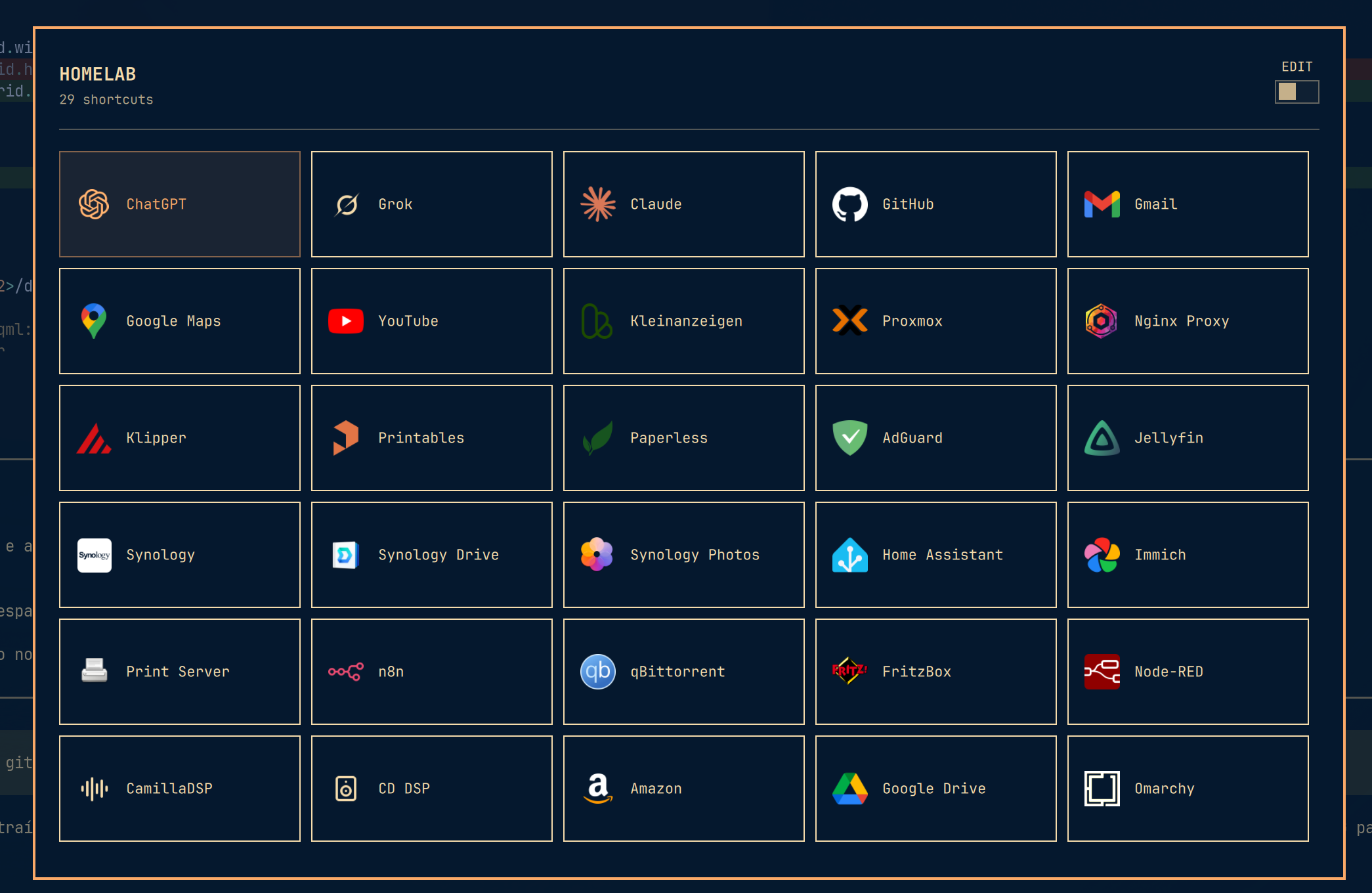
Keep the services you use every day one keystroke away. Search instantly, navigate without leaving the keyboard, and switch into edit mode whenever you want to add, remove, or rearrange a shortcut. Personal links live outside the plugin checkout, so updates never replace your setup.
Features
- Native Omarchy colors, typography, borders, and controls
- Compact five-column layout with stable card sizing while searching
- Keyboard navigation with arrow keys,
h/j/k/l, andTab - Instant search by typing or pressing
/ - Add, edit, remove, and drag-to-reorder shortcuts
- HTTP and HTTPS shortcut addresses with validation before opening
- SVG and PNG icons from absolute paths or the plugin's
assets/directory - Validated icons copied to
~/.config/omarchy/homelab-launcher/icons/ - Personal data stored in
~/.config/omarchy/homelab-launcher/services.json
Install
omarchy plugin add https://github.com/Elvis-Christian/omarchy-homelab-launcher.git --enable
Add a keybinding to ~/.config/hypr/bindings.lua:
Super + Y is a particularly nice fit on German keyboards — easy to reach, with no layout gymnastics.
o.bind("SUPER + Y", "HomeLab launcher", "omarchy-shell shell toggle io.github.elvis-christian.homelab-launcher")
If SUPER + Y is already bound, unbind it immediately before the new binding:
hl.unbind("SUPER + Y")
Apply and validate the Hyprland configuration:
hyprctl reload
hyprctl configerrors
Use
Super + Y: open or close- Arrow keys or
h/j/k/l: navigate Tab/Shift + Tab: next or previous itemEnter,Space, or click: open/or normal typing: searchEsc: clear search, then closeEDITswitch: add, remove, or reorder links
The Omarchy card is shown only when needed to complete the unfiltered grid.
Update
omarchy plugin update io.github.elvis-christian.homelab-launcher
Remove
Remove the SUPER + Y binding from ~/.config/hypr/bindings.lua, then run:
omarchy plugin remove io.github.elvis-christian.homelab-launcher
Personal links and imported icons remain in ~/.config/omarchy/homelab-launcher/. Delete that directory manually only if you also want to remove your launcher data.
Dependencies and permissions
- Omarchy Quattro with
omarchy-shell - Quickshell and Hyprland as provided by Omarchy
xdg-opento launch URLs
The plugin runs unsandboxed as part of omarchy-shell. It creates and updates ~/.config/omarchy/homelab-launcher/services.json and its private icons/ directory, and opens validated HTTP or HTTPS URLs through xdg-open. The launcher accepts up to 50 shortcuts. Its services file is limited to 512 KiB and read only through a nonblocking, no-follow regular-file descriptor; writes use an atomic replacement. Icons must be local PNG or SVG files, are read and copied through validated descriptors, and are stored atomically under a content-derived name. Before decoding, managed files are reopened with no-follow and nonblocking flags, revalidated against their content hash, and delivered as bounded data URLs so QML never reopens a mutable managed pathname. PNG and SVG files are limited to 128 KiB, PNG dimensions to 512×512, and SVGs to 1000 elements; DTDs, entities, event handlers, executable, embedded, recursive, animated, or external content are rejected. The per-icon and shortcut-count ceilings also bound the aggregate in-shell icon cache. Helper processes have deadlines. Remote icon URLs are never fetched by omarchy-shell. It does not require root privileges, network downloads, install hooks, or additional packages beyond Python as provided by Omarchy.
Test
omarchy plugin validate .
python3 -m unittest discover -s tests -v
License
MIT — see LICENSE.