
Tuber
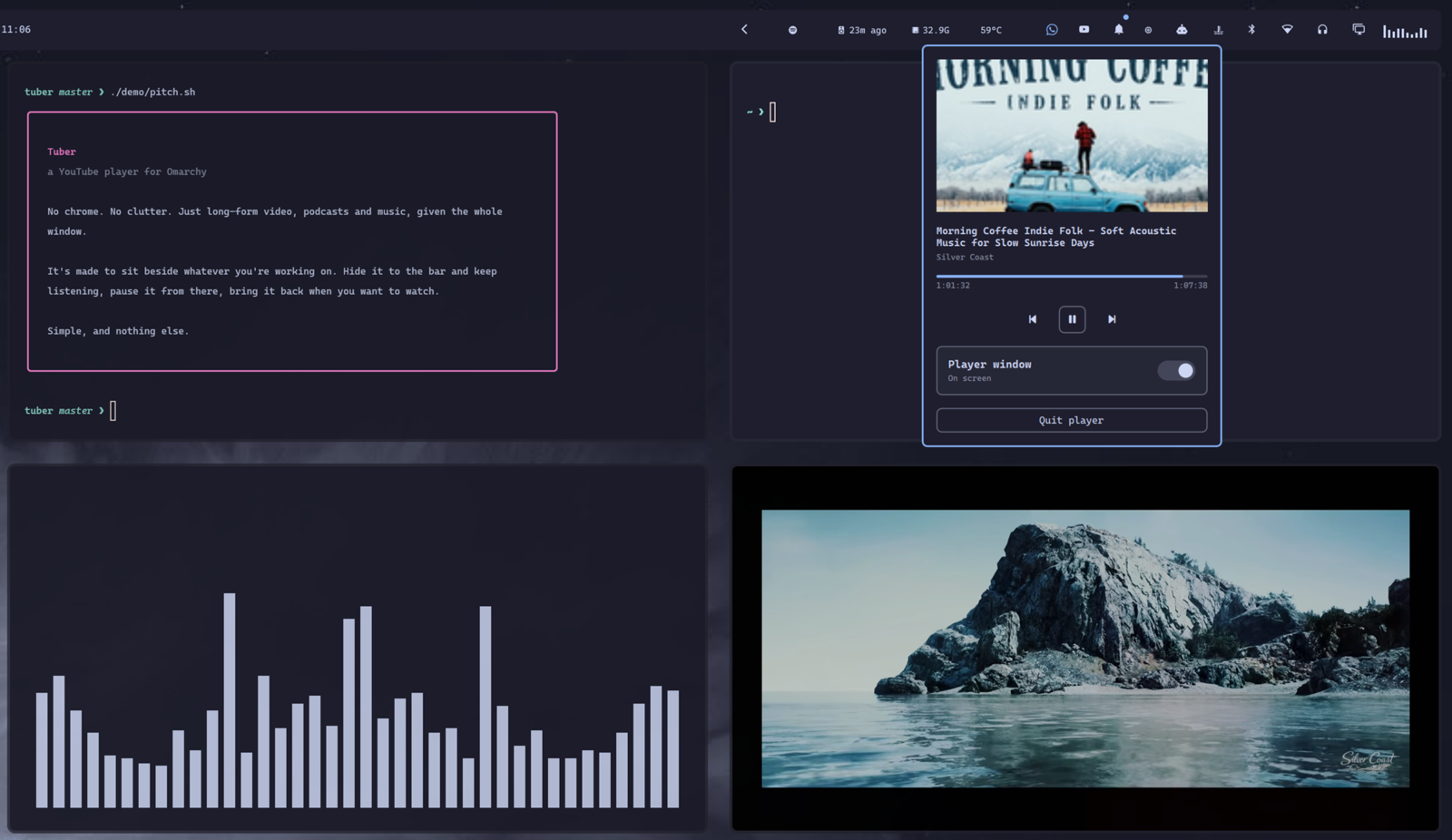
A chrome-less YouTube window for Omarchy. No tab bar, no address bar, no menu - just YouTube filling the window. Click the bar icon for controls, toggle the window away, and it keeps playing.
Why it is an Electron app
Because of one setting.
The obvious build is a browser in app mode (chromium --app=...). That fails
at the thing that matters: Chromium suspends a renderer once its window is
hidden or occluded, so playback stops the moment you tuck the window away or
move focus off it. None of the --disable-*backgrounding switches reach it.
Electron exposes backgroundThrottling: false, which does. Measured with a
timer-tick page that needs no YouTube session: 2.0 ticks/sec visible, 2.0
ticks/sec hidden. So hiding is window.hide(), the process stays alive, and
the audio carries on.
It is not a fork of youtube-tv-desktop-app. That project's webpack build
fails on OpenSSL 3 with an MD4 error, and it does not set
backgroundThrottling either, so cloning it would have reproduced the bug. All
that was needed was ~110 lines of Electron main process, in app/.
Requirements
omarchy pkg add electron jq
Install
omarchy plugin add https://github.com/epicbagel/tuber.git --enable
omarchy-restart-shell
The restart matters: omarchy plugin update reloads a plugin's service but
does not re-instantiate its bar widget. Only a shell restart does.
Optionally put the CLI on your PATH:
ln -sf ~/.config/omarchy/plugins/io.github.epicbagel.tuber/bin/tuber ~/.local/bin/tuber
Removing it
tuber quit                                        # stop the player if it is running
omarchy plugin remove io.github.epicbagel.tuber
omarchy-restart-shell
That takes the plugin and its bar widget away. It leaves nothing behind except two directories you can delete yourself:
rm -rf ~/.local/share/tuber   # the Electron profile, including the YouTube sign-in
rm -rf ~/.config/tuber        # only exists if you added a config file
rm -f  ~/.local/bin/tuber     # only if you made the symlink above
Use
| Action | Result |
|---|---|
| Left click the bar icon | open the control panel |
| Middle click | play / pause |
| Right click | show or hide the player window |
The panel shows the artwork, title and channel, a progress line, transport controls, a toggle for the window, and an explicit quit.
tuber toggle      # open it, or hide it if it is already up
tuber show | hide
tuber quit        # actually exit the app
tuber pause       # play/pause  (also: next, prev)
tuber status      # one JSON object
tuber doctor
Hyprland keybinds (Omarchy 4 uses Lua; pick keys that are free):
o.bind("SUPER + Y",       "YouTube",        "tuber toggle")
o.bind("SUPER + ALT + Y", "YouTube: pause", "tuber pause")
Signing in
YouTube's TV interface uses a pairing flow, not a password box: the window
shows a QR code and a short code for yt.be/activate. Scan it with your phone
or type the code elsewhere. You do it once.
The app keeps its own Electron profile under
~/.local/share/tuber/electron, so this sign-in is separate from your normal
browser session.
Configuration
There is almost nothing to configure. Two environment variables are honoured,
and ~/.config/tuber/config is sourced if it exists:
ELECTRON- the electron binary to use (defaultelectron)APP_DIR- where the Electron app lives (defaults toapp/beside the CLI)
Notes
The panel is drawn entirely from Omarchy theme tokens, so it follows whatever theme is active.
Artwork, title, channel, position and duration all come from the MPRIS session Chromium publishes. The thumbnail it offers is only 150x84, so at panel width it is scaled up and looks a little soft; there is no higher-resolution image in the metadata to reach for.
The TV interface is only served to a TV or console user agent, which the app sets. Google could stop honouring it; if the window ever starts showing the ordinary site, that is the first thing to check.
Playing YouTube outside YouTube's own player is against their terms of service. Your call, but worth knowing.
License
MIT