
Todoist Today for Omarchy Quattro
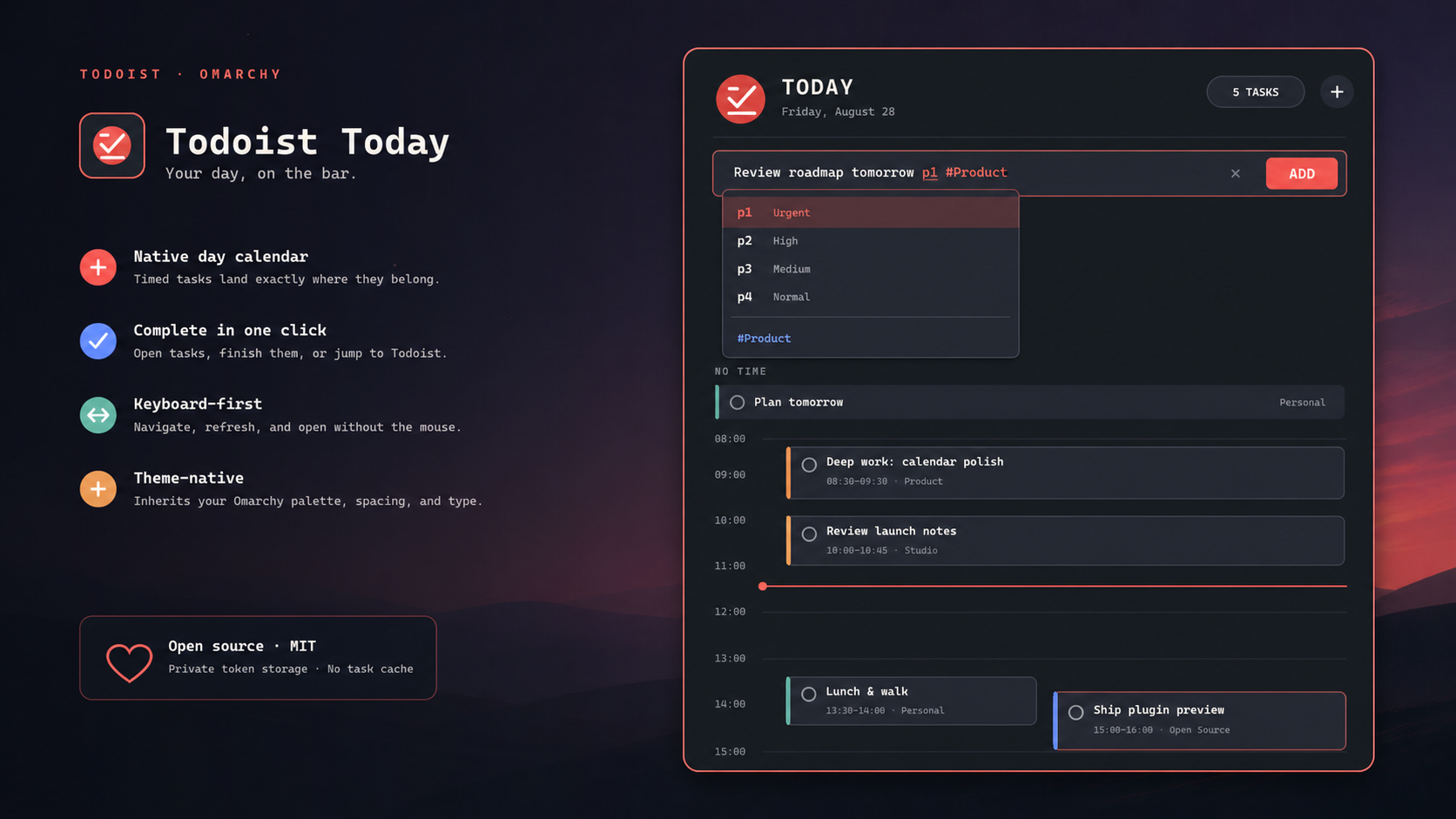
A theme-native Todoist day calendar for the Omarchy bar. It puts date-only tasks in an all-day strip, lays timed tasks onto a day rail, resolves overlaps into lanes, and follows the active Omarchy theme.
Install
omarchy plugin add https://github.com/Erscheinung/omarchy-todoist-today.git --enable
Connect Todoist
Open the new bar widget and paste a
Todoist personal API token
into its setup card. The token is passed to the local setup helper over stdin
and stored in ~/.config/todoist/omarchy-token with mode 600; it is never
written inside the plugin checkout or placed in a process argument.
For terminal-only setup, run:
~/.config/omarchy/plugins/io.github.erscheinung.todoist-today/scripts/configure-token
Calendar dependencies are curl and jq, both included with Omarchy. Quick
Add uses Todoist's official CLI:
npm install -g @doist/todoist-cli
td auth login
Use
- Left-click the bar count to toggle the calendar.
- Middle-click refreshes; right-click opens Todoist Today.
- Click a task to open it, or its circle to complete it.
- Click
+in the panel to add a task with Todoist Quick Add syntax through the officialtdCLI. Task text is sent to the helper over stdin. Typingpsuggests priorities, while#searches projects fetched throughtd. Todoist natural-language dates, recurring schedules, deadlines, reminders, and durations are highlighted as you type, with completions for forms such astom 14:30 for 15mandevery day from 10 May until 20 May. Use Up/Down and Tab or Enter to accept a suggestion. - Use
j/kand Enter in the panel, orr(refresh),n(now),o(open), and Escape.
The panel refreshes every five minutes and when opened after two minutes of inactivity. Completing a recurring task advances it exactly as Todoist does.
Remove
omarchy plugin remove io.github.erscheinung.todoist-today --yes
The credential is intentionally kept when the plugin is removed. To remove it
too, delete ~/.config/todoist/omarchy-token.
Privacy and permissions
The calendar helper makes HTTPS requests only to api.todoist.com. Quick Add
runs the official td CLI, which manages its own OAuth credential. The plugin
reads today's active tasks and project names, and sends a close request only
when you click a task's completion circle. Task contents stay in memory and
are not cached.
Acknowledgements
The current/next task label is inspired by
Gardy Armand's omarchy-todoist.
The secure td Quick Add bridge is adapted from
David Ojeda Lopez's omarchy-todoist.
Both are MIT-licensed; see THIRD_PARTY_NOTICES.md.
Development
omarchy plugin validate .
qmllint -I /usr/share/omarchy/shell BarWidget.qml Panel.qml
bash -n scripts/todoist scripts/configure-token
python -m py_compile scripts/quick-add