
RunPod Monitor for Omarchy
RunPod Monitor is a read-only Omarchy 4 bar plugin for keeping an eye on Runpod without opening the console. The bar shows a compact Runpod cube with a gray/offline, orange/transition, green/ready or red/error indicator; the popup adds balance, costs, storage, every Pod in the account, and safe links to ComfyUI and the Runpod console.
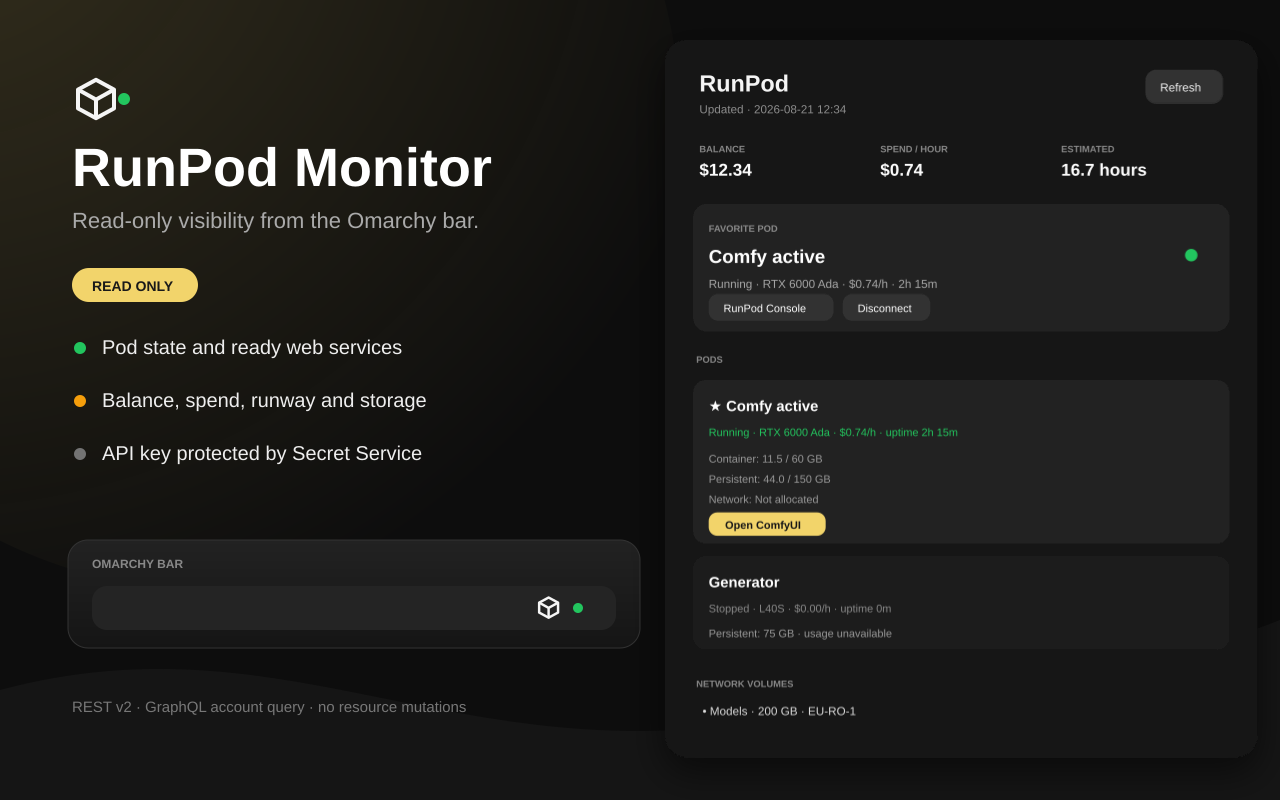
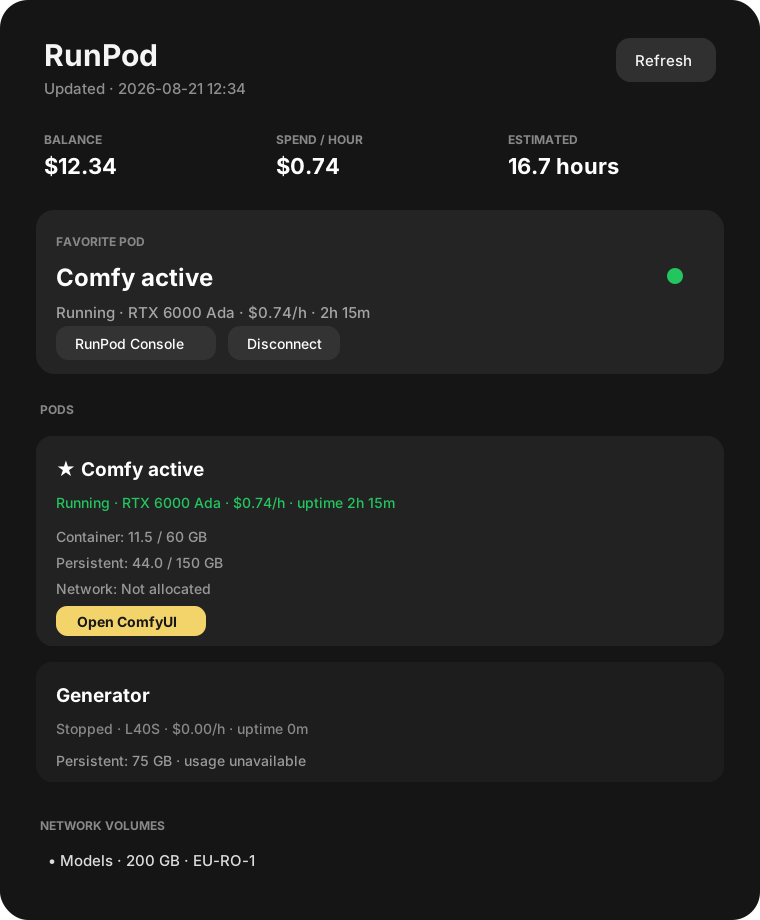
Preview values are fictional. Demo mode is never enabled by default and writes no RunPod or credential data.
Features
- Balance visible in the panel, including from a secure local snapshot during brief outages.
- Favorite Pod indicator: green when running, gray when stopped, amber while transitioning, and red for low balance or stale data.
- All Pods with state, GPU, hourly cost, uptime, container disk, persistent volume, and network volume.
- Assigned storage is always shown. Used space is queried with read-only
dfover SSH only when the panel opens or a manual refresh is requested. - Web-service buttons live on each running Pod. They are enabled only after the exposed HTTP proxy responds.
- Labels are derived from the Pod template/image and exposed ports. Built-in detection includes ComfyUI, AI Toolkit (Ostris), JupyterLab, Kohya SS, Forge/A1111, Fooocus, InvokeAI, TensorBoard and generic HTTP services.
- Deduplicated low-balance and long-running Pod desktop notifications.
- API key stored in Secret Service, never in
shell.json, the repository, cache files, logs, or process arguments. - First-run setup inside the popup validates the key before saving it and explains how to create a Read Only key.
- No start, stop, edit, or delete operation exists in the plugin.
Requirements
- Omarchy 4 /
omarchy-shell - Python 3 (standard library only)
secret-toolfromlibsecretnotify-sendfromlibnotifyfor alerts- A RunPod Read Only API key
- Optional: OpenSSH client and key-based Pod access for used-space readings
Create the API key in RunPod Settings with Read Only access. RunPod recommends minimum permissions for API keys; this plugin only calls read endpoints.
Install
Once this repository is published:
omarchy plugin add https://github.com/glitzypanic/omarchy-runpod-monitor.git --enable --yes
For local development from this checkout:
omarchy plugin validate /home/glitzypanic/Projects/omarchy-runpod-monitor
omarchy plugin add /home/glitzypanic/Projects/omarchy-runpod-monitor --enable --yes
If the local-path form is not supported by your Omarchy build, initialize a local Git repository and install it through a file:///... URL.
After installation, click the RunPod icon in the bar. The popup focuses the API-key field immediately, provides a shortcut-independent Paste button, and links directly to RunPod Settings → API Keys. It requests a Read Only key, validates both the account query and Pod listing, and only then stores it in Secret Service. The key is sent to the helper over standard input and is never printed or placed in process arguments. bin/connect-key.sh remains available as a terminal fallback.
Use Disconnect in the connected popup to remove the plugin's Secret Service item, cached snapshot, and local favorite. The first-run setup will appear again immediately.
Configuration
Use Omarchy's bar settings UI or place these fields inline on the widget entry in ~/.config/omarchy/shell.json:
{
  "id": "io.github.glitzypanic.runpod-monitor",
  "refreshIntervalSec": 60,
  "lowBalanceThreshold": 5,
  "longRunningHours": 2,
  "comfyPort": 8188
}
The favorite Pod is selected from the popup and stored separately at ~/.config/runpod-monitor/favorite.json with mode 0600. It is deliberately not mixed with Omarchy's public widget settings.
Mouse actions:
- Left click: open the information panel and refresh storage usage.
- Middle click: manual refresh, including storage usage.
- Right click: open the general RunPod Pods console.
Keyboard actions:
- The API-key field accepts normal typing, selection, Backspace/Delete and the desktop's regular paste shortcut.
- The Paste button works independently of the user's shortcut configuration.
- Tab and Shift+Tab visit every visible action; Enter or Space activates the focused button.
- Escape closes the panel from the input or any action.
MIT. See LICENSE.