
OmaGrid
Press a key → the screen becomes a lettered grid → type a label → the mouse jumps there and clicks. A mouse-free keyboard interaction layer for Omarchy (Hyprland).
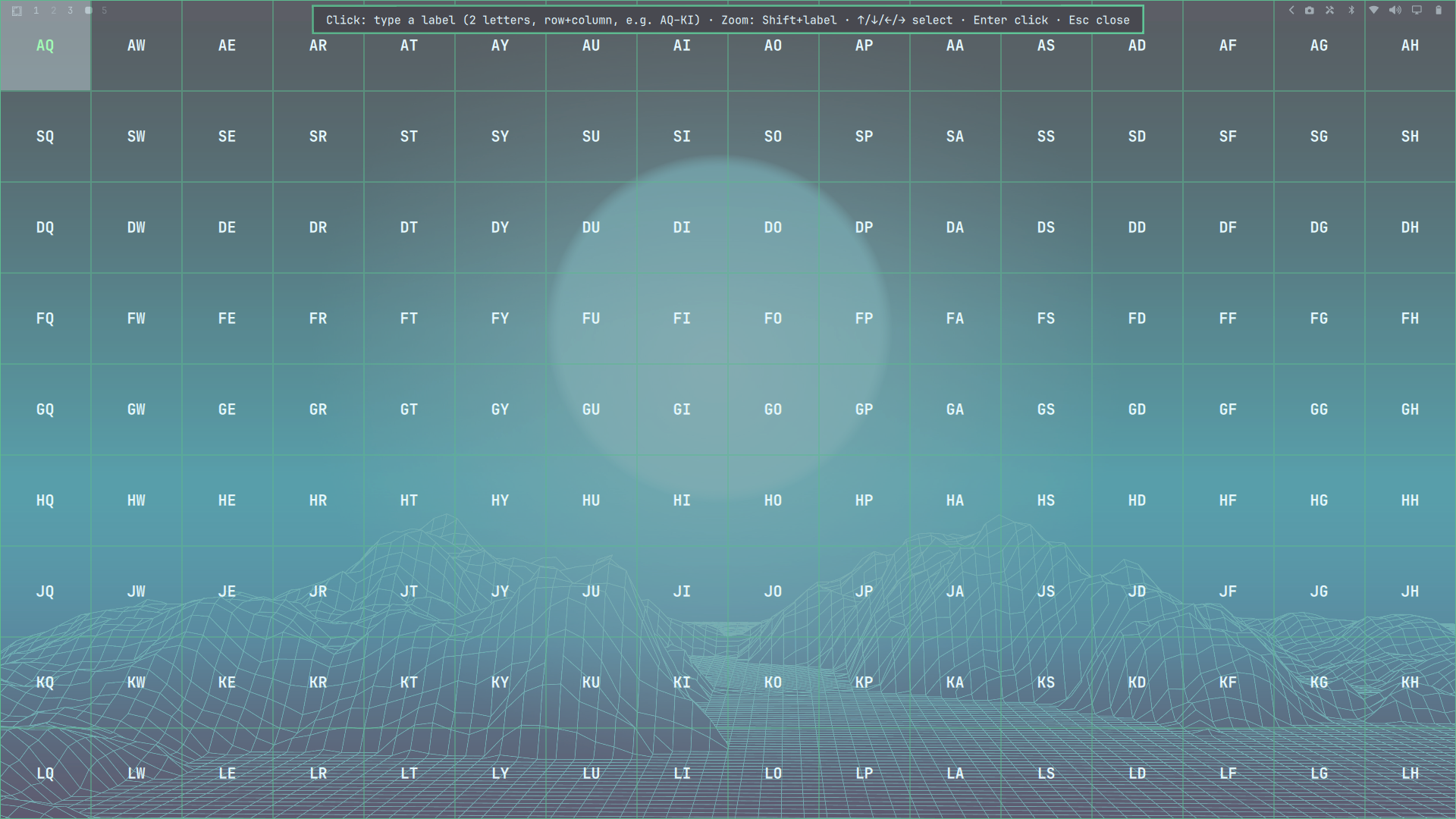
- Full-monitor grid — the focused monitor is divided into cells, each
labeled with a two-letter combo (row letter + column letter, e.g.
AQ). - Precision zoom — hold
Shiftand type a label to zoom into that cell for a more precise click. Up to 3 levels (8×8 → 4×4 → 2×2 by default). - Keyboard-only — no mouse needed to open, navigate, or click. Arrow keys
move a selection highlight,
Enterclicks it. - Fully configurable — grid size per zoom level, letter sets, uneven cell
proportions, and single-letter mode, all via a
config.jsonyou edit live.
Requirements
- Omarchy (Quickshell-based shell) with Hyprland
- ydotool — the synthetic mouse driver used to move and click. Install it before the plugin, or the grid will open but clicking will be disabled (the overlay shows the install command in that case).
Install
# 1. Required: ydotool (synthetic mouse)
sudo pacman -S ydotool
systemctl --user enable --now ydotool

# 2. Install the plugin (fetches from git, validates, and enables it)
omarchy plugin add https://github.com/GrzeskoByte/OmaGrid.git --enable

# 3. Add the activation keybinding to ~/.config/hypr/bindings.lua
o.bind("SUPER + SHIFT + T", "OmaGrid", "omarchy-shell shell toggle io.github.grzeskobyte.omagrid")
#    then reload Hyprland: hyprctl reload
If the plugin doesn't respond after a while, restart the shell:
omarchy restart shell.
Update / remove
omarchy plugin update io.github.grzeskobyte.omagrid   # pull the latest version
omarchy plugin remove io.github.grzeskobyte.omagrid   # uninstall
Usage
Press SUPER + SHIFT + T. The screen dims and the focused monitor becomes a
grid. Type a cell's label to click it; the overlay closes.
| Goal | Keys |
|---|---|
| Show grid | SUPER + SHIFT + T |
| Click a cell | type its label (e.g. AQ) |
| Zoom into a cell (precision) | Shift + label |
| Step back one zoom level | Esc |
| Select a cell (highlight) | ↑ / ↓ / ← / → |
| Click the selected cell | Enter |
| Close without clicking | Esc |
Typing is typeahead-based: type just enough letters to identify a cell,
Backspace corrects, Esc clears the buffer.
Configuration
The plugin reads config.json from its plugin folder
(~/.config/omarchy/plugins/io.github.grzeskobyte.omagrid/config.json) on
every open — edits apply immediately, no shell restart needed:
{
  "rowLetters": "ASDFGHJK",
  "colLetters": "QWERTYUI",
  "levels": [
    { "cols": 8, "rows": 8, "labelSize": 16 },
    { "cols": 4, "rows": 4, "labelSize": 24 },
    { "cols": 2, "rows": 2, "labelSize": 48, "singleLetter": true }
  ]
}
-
levels— one entry per zoom level; level 0 covers the whole monitor, eachShift+label zoom steps to the next entry. Anycols × rowsup to 676 cells works.labelSizesets that level's label font size in pixels. -
singleLetter: true— use one-key selection (A–Z) instead of two-letter labels, handy on small grids. -
rowLetters/colLetters— override the label letters (up to 26 chars each; grids larger than your sets fall back toAA,AB, …). -
colWeights/rowWeights— uneven cells; weights are scaled to the grid, so[1, 2, 1]makes the middle column twice as wide. Cells keep their proportions through zoom and clicks:{ "cols": 3, "rows": 2, "colWeights": [1, 2, 1], "rowWeights": [1, 3] } -
labels— an explicit per-level label array; must contain exactlycols × rowsentries.
How it works
Cell centers are computed from the focused monitor's geometry. Picking a cell runs:
ydotool mousemove --absolute -x <cx> -y <cy> && ydotool click 0xC0
ydotool needs its daemon ydotool running (a user systemd service) with
/dev/uinput access. If the binary or the daemon socket is missing, the
overlay shows an install hint and clicks are disabled until it's available.
Troubleshooting
- Overlay won't open —
omarchy-shell shell ping, thenomarchy plugin listto confirm the id is enabled, and check thebindings.lualine; the binding only fires after ahyprctl reload. If the plugin was changed on disk while running,omarchy restart shellpicks up the new code. - Grid shows but clicking does nothing —
ydotoolis missing or theydotooldaemon isn't running:systemctl --user status ydotool; the socket should exist at$XDG_RUNTIME_DIR/.ydotool_socket. - Typed label didn't register — the overlay grabs the keyboard exclusively; make sure no other overlay is open.
Development
sync.sh copies the repo files into the installed plugin folder
(~/.config/omarchy/plugins/io.github.grzeskobyte.omagrid) — useful while
iterating, since symlinks are rejected by plugin validation.
License
MIT — see LICENSE.