
Game of Life
A tiny living world in your Omarchy bar: Conway's classic Game of Life, rendered as a retro LED matrix. The grid follows your active Omarchy theme automatically — no separate theme code.
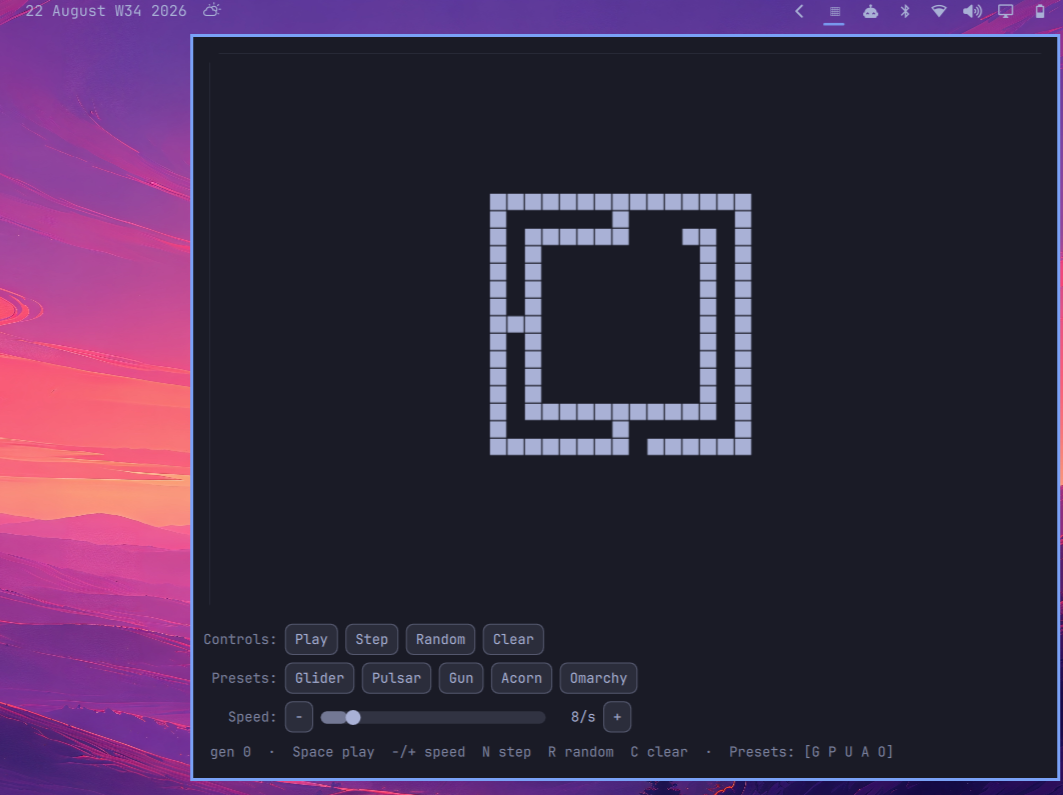
Features
- Retro pixel LED grid rendered on a canvas (no per-cell items — stays light).
- CRT-style ghosting trails (configurable).
- Theme-synced colors via the active Omarchy shell theme.
- Click / drag to draw (left = alive, right = erase).
- Seed presets: Glider, Pulsar, Gosper Glider Gun, Acorn, and an Omarchy-logo easter egg, plus Random and Clear.
- Session speed control with a 1–60 steps/sec slider,
−/+buttons, and keyboard shortcuts. - Full keyboard control:
Spaceplay/pause,−/+speed,Nstep,Rrandom,Cclear,Gglider,Ppulsar,Ugun,Aacorn,OOmarchy.
Install
omarchy plugin add https://github.com/guillechuma/gameoflife.git --enable
Usage
Click the ▦ widget to open or close the panel. Press Escape to close.
When open, every control has a keyboard shortcut: Space play/pause, N step,
−/+ speed, R random, C clear, G glider, P pulsar, U gun, A acorn, and O Omarchy.
Configure
All options live in the widget's shell.json settings:
| Key | Type | Default | Description |
|---|---|---|---|
| cols | number | 48 | Cells horizontally (8–64) |
| rows | number | 32 | Cells vertically (8–40) |
| speed | number | 8 | Steps per second while playing (1–60) |
| wrap | boolean | true | Loop edges (torus) |
| trail | number | 0.35 | 0 = no ghosting, 1 = long CRT fade |
Values outside these ranges are clamped to keep the popout responsive. Presets that do not fit the selected grid are disabled. The in-panel speed control is session-only: it starts from this configured value and resets to it on reload.
omarchy bar move io.github.guillechuma.gameoflife --section right
Privacy and safety
Game of Life runs entirely locally. It makes no external connections, launches no external programs, and does not read or write files or change configuration while running. The simulation state exists only in memory and is rendered in the bar panel.
Remove
omarchy plugin remove io.github.guillechuma.gameoflife