Overview
Ask DeepSeek
Current Version: 1.2.1 ( added different pane sizes, can be set in the Settings tab, and Selectable messages, see below)
Chat with DeepSeek from your desktop — ask a question and get an answer in a pane that appears in the middle of your screen, with the conversation shown as a scrollable thread. This plugin is mostly usefull for if you suddenly have a question and you want a quick answer.
Note: To make use of this plugin, you need to have a deepseek API key.
Some features:
- Very fast threaded conversation: each question paired with its answer
- Selectable messages: drag with left-mouse button to select part or all of a message to copy it to the clipboard; double-click selects the whole message
- Optional conversation history for follow-up context
- When history is enabled in the settings, You can clear history in the chat panel at anytime to start with fresh context.
- Live model list from DeepSeek (Settings - Refresh). Set the model you prefer.
- Options like role, Temperature can be set to your liking
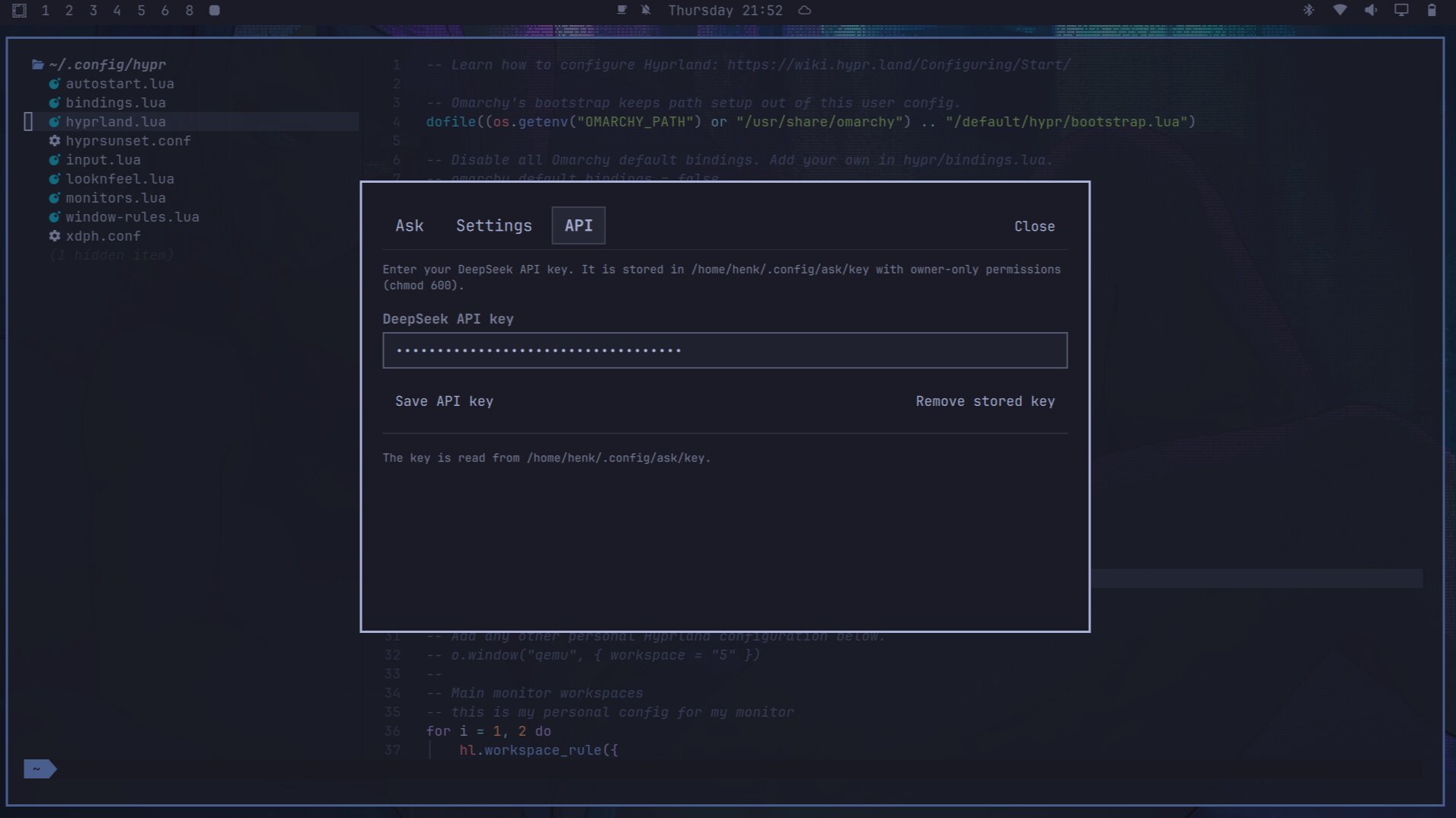
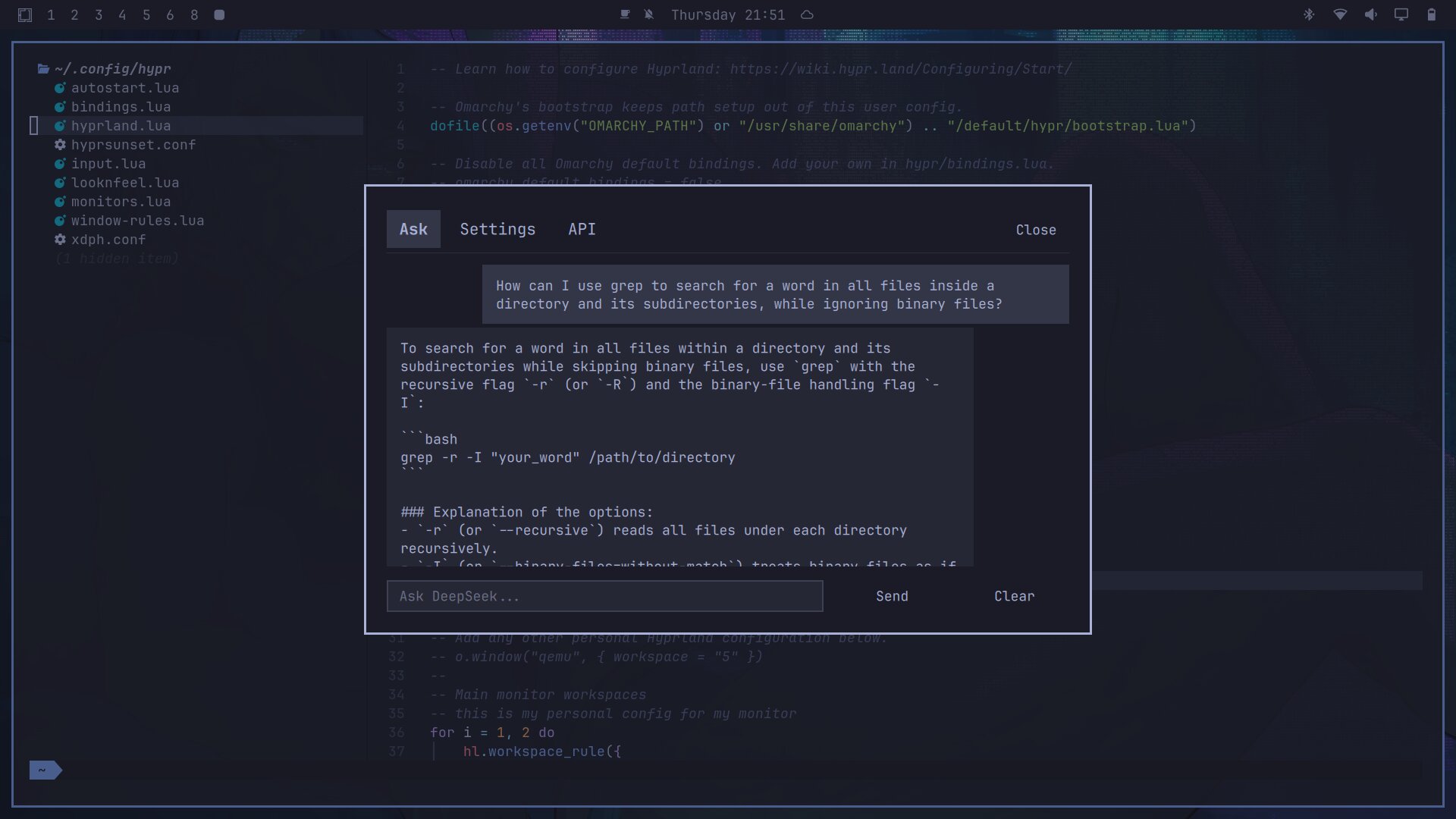
Sceenshot of the Chat pane:
Install
omarchy plugin add https://github.com/henksys/omarchy-ask-deepseek.git --enable
Usage
To configure SUPER + A as your short-key to run the "Deepseek Ask" panel, Add the following lines to your ~/.config/hypr/bindings.lua ( user keybindings) file:
-- Ask DeepSeek panel (omarchy-ask-deepseek plugin)
o.bind("SUPER + A", "Ask DeepSeek", "omarchy-shell shell toggle io.github.henksys.ask")
Then press SUPER + A to open the panel (or summon it from any launcher):
omarchy-shell shell toggle io.github.henksys.ask
- Type a question and press Enter (or click Send).
- The conversation is shown as a thread: each question with its answer.
- Select any part of a message to copy it to the clipboard (double-click selects the whole message).
- Escape or the Close button closes the panel.
- Clear empties the conversation and deletes the history file.
Settings tab
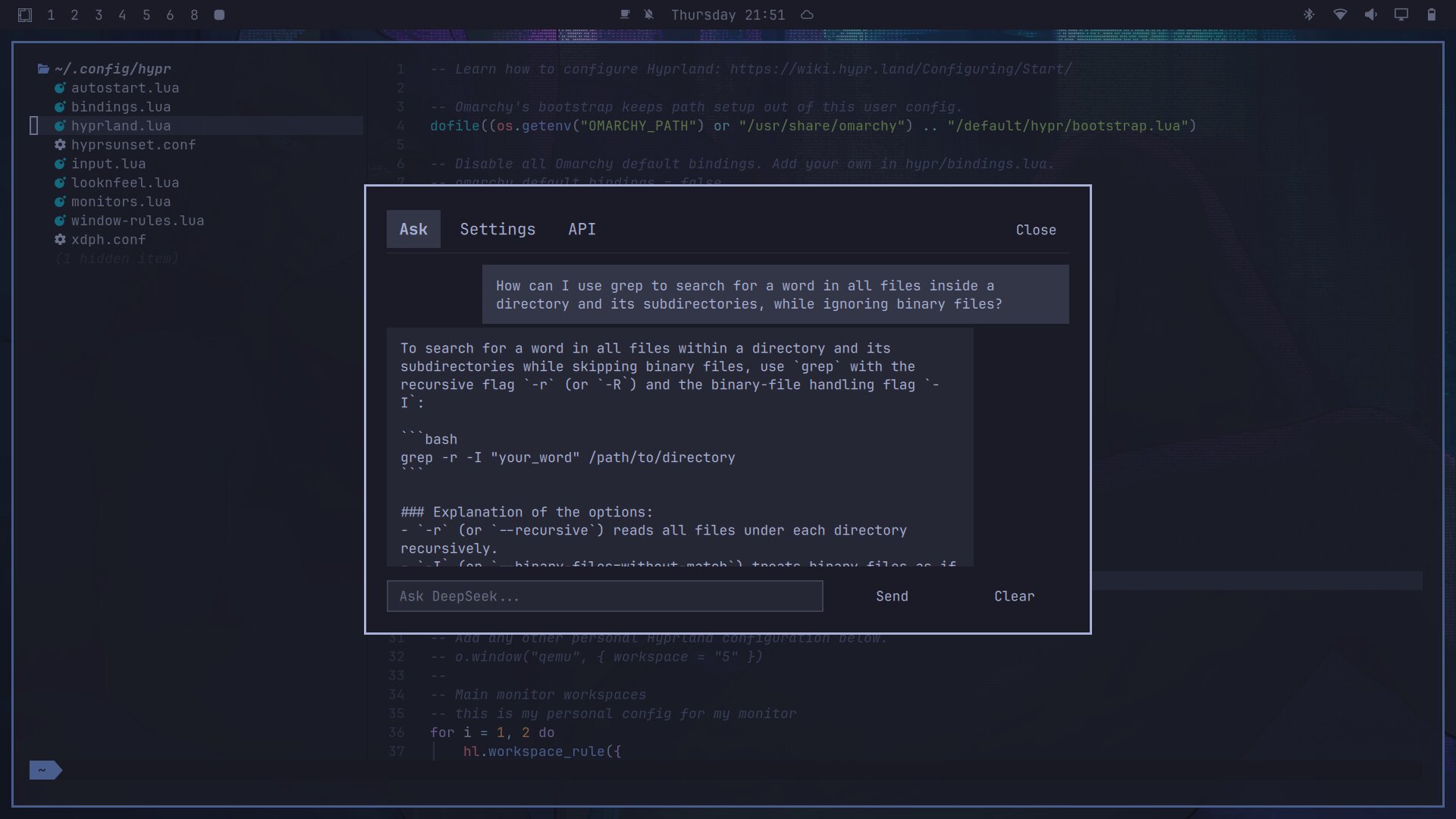
Opens from the panel header. You can change:
- Role / system prompt
- Model (fetched live from DeepSeek; use Refresh to update the list)
- Thinking mode and Reasoning effort
- Temperature and Top P
- Output format (text or json_object)
- Save conversation history (on/off)
- Screensize (small / medium / full)
- Restore defaults resets the config and clears history
Changes are saved to ~/.config/ask/config and apply immediately.
API tab
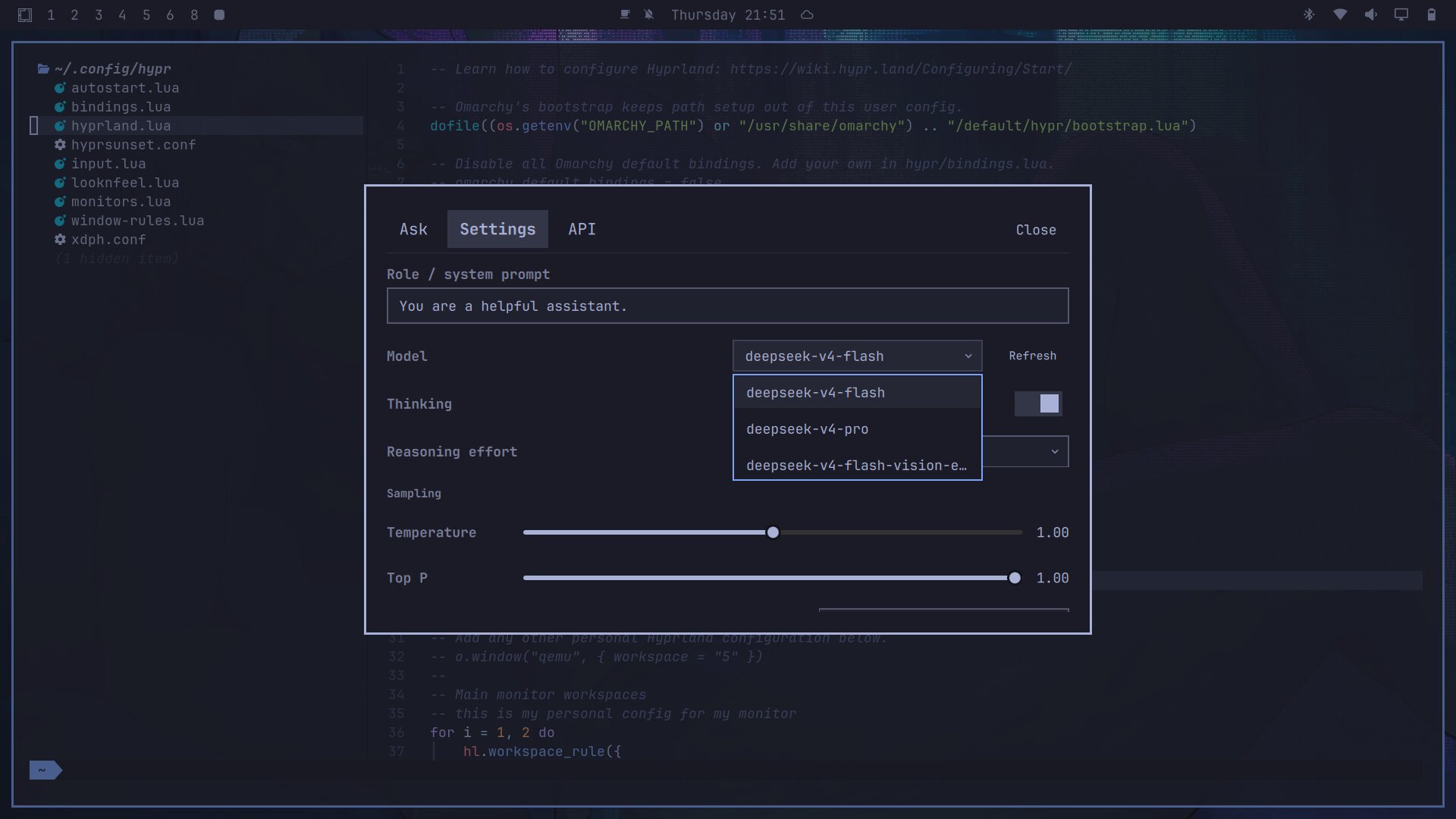
Enter or change your DeepSeek API key in the API tab (panel header). The
key is saved to ~/.config/ask/key with owner-only permissions (chmod 600),
and the Remove stored key button deletes it.
Configuration
Files shared with the terminal ask script:
| File | Purpose |
|---|---|
~/.config/ask/config |
Settings (JSON, editable in the panel or by hand) |
~/.config/ask/key |
DeepSeek API key (managed from the API tab) |
~/.local/share/ask/history.jsonl |
Conversation history (JSONL, one message per line) |
The DeepSeek API key is read from ~/.config/ask/key. The file is created and
kept owner-only (chmod 600) when you save a key from the API tab.
Remove
omarchy plugin remove io.github.henksys.ask
Update
omarchy plugin update io.github.henksys.ask
Requirements
- Omarchy (Hyprland + quickshell). Tested with Omarchy Quattro.
- curl (used for the DeepSeek API call)
- python3 (descriptor-based safe file reads)
- A DeepSeek API key (enter it in the API tab)
Fully open code - NO binaries (except for the screenshot directory)
- This public repo contains exactly five files: Ask.qml, AskModel.js, manifest.json, README.md, LICENSE — all plain text/source.
- License: MIT (LICENSE), which is permissive — anyone can view, use, modify, and redistribute it.
- Everything is inspectable: the whole UI, the logic, and even the API call (it runs curl and parses JSON — all visible in Ask.qml/AskModel.js). There are no compiled artifacts, no obfuscation, nothing hidden.
Security
- The API key and the conversation/request body are never passed as command-line arguments and never placed in a process environment. The key is handed to a header-writer over a private stdin pipe into a 0600 header file that curl reads; the request body goes to curl over stdin. Nothing sensitive appears in any process argv or environ.
- Requests enforce strict limits: connect timeout 10s, transfer timeout 120s (chat) / 30s (models), and a hard response-size cap (10 MiB chat / 1 MiB models). Timed-out, oversized, and truncated responses are rejected. Requests are HTTPS-only and never follow redirects, so credentials cannot be forwarded cross-origin.
- Private files (
~/.config/ask/and~/.local/share/ask/) are kept at 0700 and their config/history/key files at 0600. Reads use a descriptor-based check (O_NOFOLLOW, regular-file only, byte-capped); writes use unpredictable same-directory temp files with an atomic rename, so nothing follows a symlink and no check-then-open race exists.
License
MIT
Screenshots
Chat tab:
Settings tab:
API tab: