
Catch
Save what just happened. Catch is a private, hardware-aware instant replay buffer for the Omarchy bar. Arm it, work normally, and save the previous 15, 30, or 60 seconds only when something worth keeping occurs.
The icon is a rewind ring shaped like a C wrapped around a capture dot. Its arc fills with the live replay buffer, sparkles when Catch is ready, and spins while a clip is being finalized.
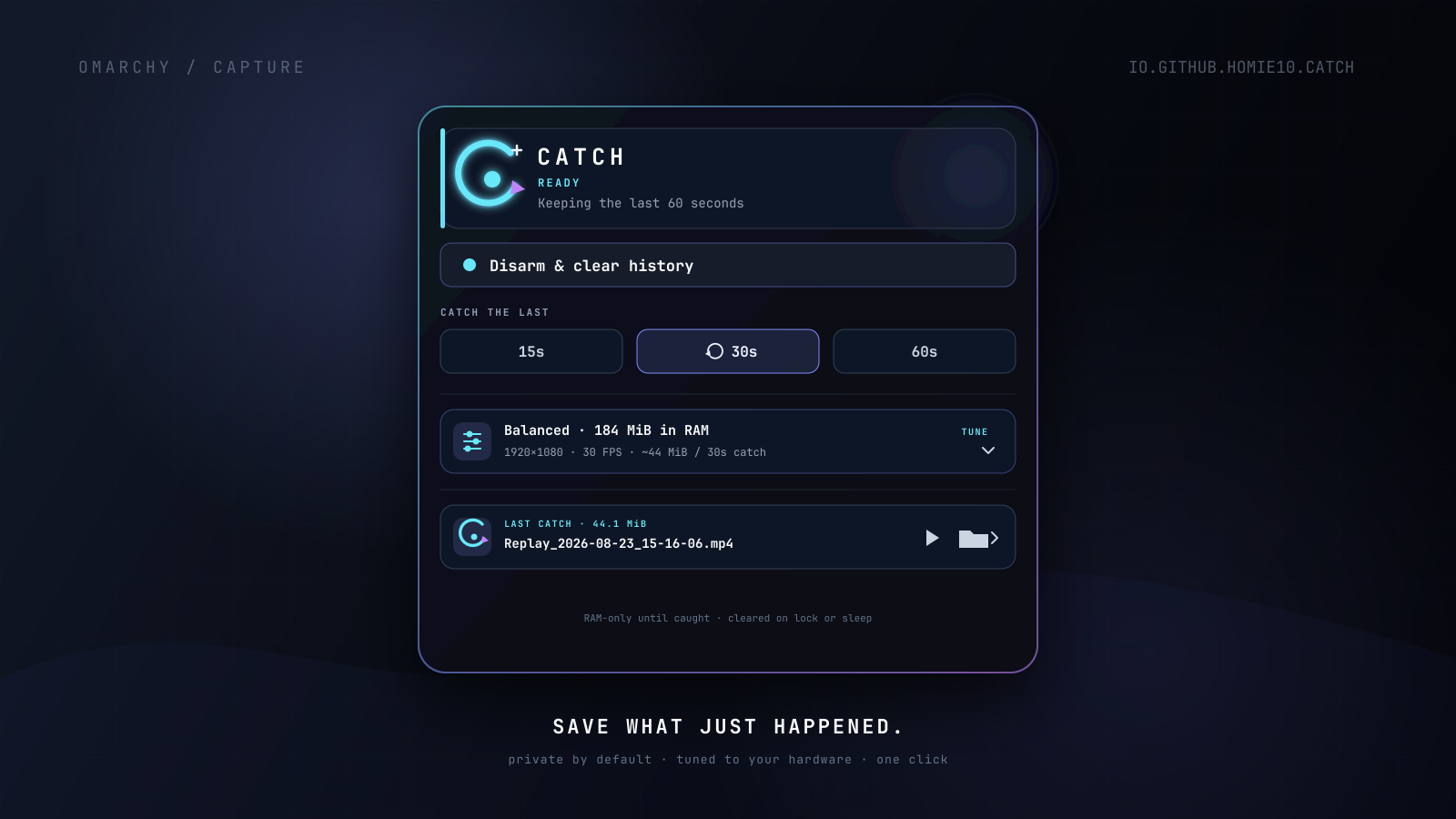
Why Catch feels instant
Catch continuously sends one selected monitor through GPU Screen Recorder's hardware encoder into a compressed circular buffer in RAM. Saving is a fast buffer write, not a real-time re-encode:
monitor → hardware H.264 encoder → RAM replay ring → Catch → finished MP4
No replay file is intentionally written before the user presses Catch. The ring keeps rolling after a save.
Highlights
- One-click save of the previous 15, 30, or 60 seconds
- Auto, Efficient, Balanced, Crisp, Smooth, and Custom quality profiles
- Hardware and monitor capability detection
- Live memory and default clip-size estimates
- Resolution, frame rate, bitrate, codec, history, cursor, and monitor controls
- Desktop audio as an explicit opt-in; microphone capture is intentionally absent
- Lock and suspend privacy shutter: stop the recorder and discard history
- Automatic yielding to Omarchy's regular screen recorder
- Private runtime socket and a shell-owned recorder process that cannot become an orphan
- Recent clips with Play, Reveal, and Copy Path actions
- Theme-native popup and a stateful buffer-progress icon
Requirements
- Omarchy 4.0 or newer with the Quickshell plugin host
- GPU Screen Recorder 6.0 or newer:
gpu-screen-recorderandgsr-cli - A supported Intel, AMD, or NVIDIA hardware encoder
- Capture detection:
hyprctl,jq,lspci,pgrep, anddbus-monitor - Clip integration:
ffmpeg,mpv,wl-copy, andxdg-open - Optional: Nautilus enables selecting the saved clip instead of opening only its containing directory
These are present in a standard current Omarchy installation.
Install
omarchy plugin add https://github.com/homie10/Catch.git --enable
Catch installs disarmed. It never starts capturing merely because it was installed. To place its bar icon immediately before Omarchy's power widget:
omarchy bar move io.github.homie10.catch --section right --before omarchy.power
Remove
omarchy plugin remove io.github.homie10.catch
Removal stops Catch through the normal Omarchy plugin lifecycle. Saved clips
are deliberately preserved under ~/Videos/Catch; delete that directory
separately only if you also want to remove your recordings.
Controls
| Gesture or command | Result |
|---|---|
| Left-click while ready | Save the configured default duration |
| Left-click while off | Open Catch |
| Right-click | Open Catch settings |
| Middle-click | Arm or disarm |
omarchy-shell catch arm |
Arm using the configured/focused monitor |
omarchy-shell catch save 30 |
Save the previous 30 seconds |
omarchy-shell catch disarm |
Stop and discard history |
omarchy-shell catch status |
Print JSON status |
Suggested optional Hyprland binding:
Super + Shift + R → omarchy-shell catch save 30
Catch documents the binding but never edits a user's keybindings itself.
Adaptive profiles
Auto resolves to Efficient when the computer is on battery and Balanced while connected to AC. A live buffer is never silently restarted when power or settings change. Instead, Catch shows Apply & clear, because changing an encoder profile necessarily discards the current history.
| Profile | Default target | Intent |
|---|---|---|
| Efficient | Up to 1080p24, approximately 8 Mbps | Longer battery life |
| Balanced | Up to 1080p30, approximately 12 Mbps | Everyday capture |
| Crisp | Native/4K30, resolution-scaled bitrate | Text and fine detail |
| Smooth | Up to 1080p60, approximately 24 Mbps | Games and animation |
| Custom | User-selected resolution/FPS/bitrate/codec | Full control |
Bitrates scale with the actual output pixel count. Auto also reduces a 60-second history to 30 seconds on machines with less than 5 GiB of RAM.
Privacy model
- First use is always disarmed.
- A visible bar icon communicates every state.
- Lock and suspend stop the recorder and discard the replay ring.
- Resume after unlock is off by default and must be explicitly enabled.
- Desktop audio is off by default; microphone recording is not implemented.
- Catch records exactly one selected monitor and never silently switches to a different one.
- Catch has no network behavior.
- Saved files are created under
~/Videos/Catchwith a restrictive process umask and personal metadata excluded.
“RAM-only” is not encryption. Sensitive pixels can still exist in process/GPU memory while Catch is armed, and whole-monitor capture cannot exclude a password manager or individual private window.
Permissions and system changes
Like every Omarchy shell plugin, Catch runs unsandboxed with the current user's permissions. It never requests administrator privileges, installs packages, modifies system services, changes Hyprland configuration, or downloads remote code.
Catch executes only the dependencies listed above plus Omarchy's own
notification command. It creates an owner-only runtime directory under
$XDG_RUNTIME_DIR, creates ~/Videos/Catch with restrictive permissions, and
writes a video only after an explicit Catch action. It has no network behavior.
Architecture
Service.qml is the single recorder owner. It launches one non-detached GPU
Screen Recorder child through a private socket under $XDG_RUNTIME_DIR. The
Omarchy/Quickshell lifecycle therefore kills capture if the plugin is disabled,
removed, hot-reloaded, or the shell exits.
BarWidget.qml and Panel.qml are views/controllers over that singleton. They
never search for or kill arbitrary recorder processes. Catch uses only its own
socket, and its executable argv begins with the absolute path so Omarchy's
regular recorder remains independently controllable.
Bounded subprocess protocol
No raw recorder or system-command stream enters the long-lived Omarchy Shell
process. catch-helper applies the following producer-side contracts before
QML can collect or parse anything:
| Boundary | Hard limit |
|---|---|
| Each finite capability producer | 64 KiB and a 2–4 second deadline |
| Capability document | 32 KiB, 16 monitors, 24 audio devices |
| Monitor/device fields | 64–160 characters depending on the field |
| Recorder status document | 128 bytes |
| Save result document | 8 KiB; saved path must resolve inside ~/Videos/Catch |
| Recent-clips document | 48 KiB, 5 results from at most 512 candidates |
| Suspend monitor | 512-byte input chunks, 4 KiB parser state, fixed JSON events |
GPU Screen Recorder stdout and stderr are discarded at the producer while it
runs. Status, save, and stop commands are deadline-bound; only versioned,
field-bounded JSON results reach QML. CatchModel.js independently validates
the document sizes, schemas, counts, numeric ranges, and string lengths before
retaining them.
Development checks
omarchy plugin validate .
bash -n catch-helper
tests/test_helper.sh
qmllint -I /usr/share/omarchy/shell *.qml
QT_QPA_PLATFORM=offscreen /usr/lib/qt6/bin/qmltestrunner \
  -input tests -import . -import /usr/share/omarchy/shell
License
MIT © 2026 Archie