
Hive Status for Omarchy
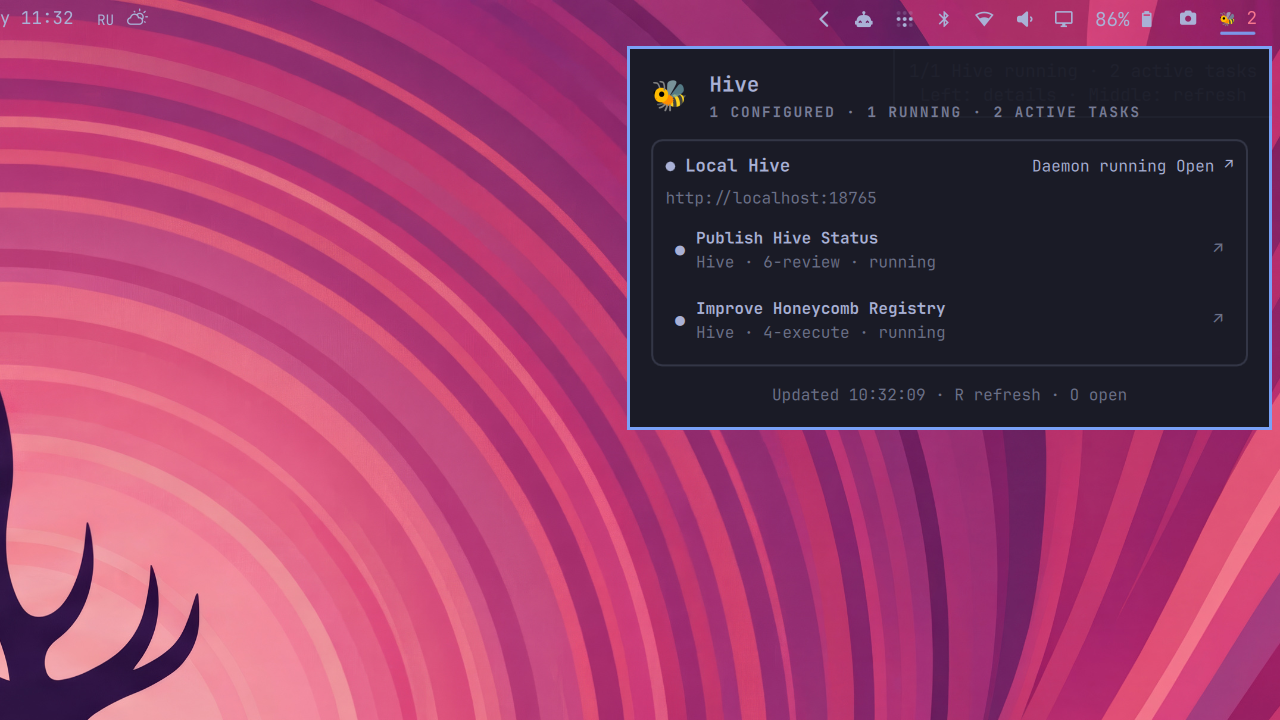
Monitor one or more Hive instances from the Omarchy Quattro bar. The widget shows aggregate daemon health and active-task count; its popup lists every Hive, each currently running task, and links back to the corresponding Hive web interface.
The plugin supports a local Hive, remote Hives, or any mix of them. Health and task access are intentionally independent: every web URL is checked through Hive's public deep-health endpoint, while task status uses the local Hive CLI or batch-mode SSH. No Hive or GitHub credentials are copied into the plugin.
Requirements
- Omarchy 4 / Quattro
curl,jq, and GNUtimeouthivefor a local task feed- OpenSSH and key-based or Tailscale SSH for a remote task feed
Install the plugin
omarchy plugin add https://github.com/ivankuznetsov/hive-omarchy.git --enable
Open omarchy plugin bar settings, select Hive Status, and set Hive instances (JSON).
Configure instances
Local Hive:
[
  {
    "name": "Local",
    "url": "http://127.0.0.1:4567",
    "transport": "local"
  }
]
Remote Hive over SSH:
[
  {
    "name": "Hivebox",
    "url": "https://hivebox.mellori-lime.ts.net",
    "transport": "ssh",
    "sshHost": "hivebox"
  }
]
sshHost may be an SSH config alias, hostname, or user@host. Hive Status adds batch mode, connection timeout, no TTY, and RemoteCommand=none; this works with aliases that normally attach an interactive tmux session.
Local plus several remotes:
[
  {
    "name": "Local",
    "url": "http://127.0.0.1:4567",
    "transport": "local"
  },
  {
    "name": "Hivebox",
    "url": "https://hivebox.mellori-lime.ts.net",
    "transport": "ssh",
    "sshHost": "hivebox"
  },
  {
    "name": "Build box",
    "url": "https://build-hive.example.ts.net",
    "transport": "ssh",
    "sshHost": "build-hive"
  }
]
Use "transport":"web" when only daemon health and an open-web link are needed. Task data is unavailable in this mode because Hive web deliberately keeps its task board behind owner authentication.
An optional hiveCommand selects another Hive executable, for example "hiveCommand":"/usr/local/bin/hive".
For predictable shell resource use, configuration is limited to 32 KiB and 16 Hive instances. Each health response is limited to 64 KiB, each CLI or SSH status response to 1 MiB, and each instance to 100 active tasks. Oversized inputs are rejected with a visible status error.
Interaction
- Left click: open the Hive status popup.
- Middle click: refresh every instance.
- Right click: open Hive web when exactly one instance is configured.
- In the popup: click a Hive header to open its web interface, or a task to open its task page.
- When Tailscale SSH requests an additional check, click Authorize Tailscale to open its login URL in your browser.
- Keyboard:
Rrefreshes,Oopens the first Hive, andEsccloses the popup.
Helper CLI
The QML widget delegates network and CLI work to a small JSON-producing helper:
scripts/hive-status --instances '[{"name":"Local","url":"http://127.0.0.1:4567","transport":"local"}]'
scripts/hive-status --instances '[]' --check
Instances are probed concurrently, so one slow or offline remote does not serially delay all the others. A failed task feed remains visible alongside independently observed daemon health.
Development
Keep the source in ~/Dev/hive-omarchy and link it into the Quattro plugin directory:
ln -s ~/Dev/hive-omarchy ~/.config/omarchy/plugins/io.github.ivankuznetsov.hive-status
omarchy plugin rescan
omarchy plugin enable io.github.ivankuznetsov.hive-status --section right
Validate it with the same workflow as screenote-omarchy:
omarchy plugin validate .
qmllint -I /usr/share/omarchy/shell Panel.qml Service.qml
shellcheck scripts/hive-status tests/run tests/fakes/*
tests/run
Remove
omarchy plugin remove io.github.ivankuznetsov.hive-status --yes
Removal leaves Hive, SSH configuration, and every Hive instance untouched.
License
MIT