
Block distracting websites from the Omarchy bar
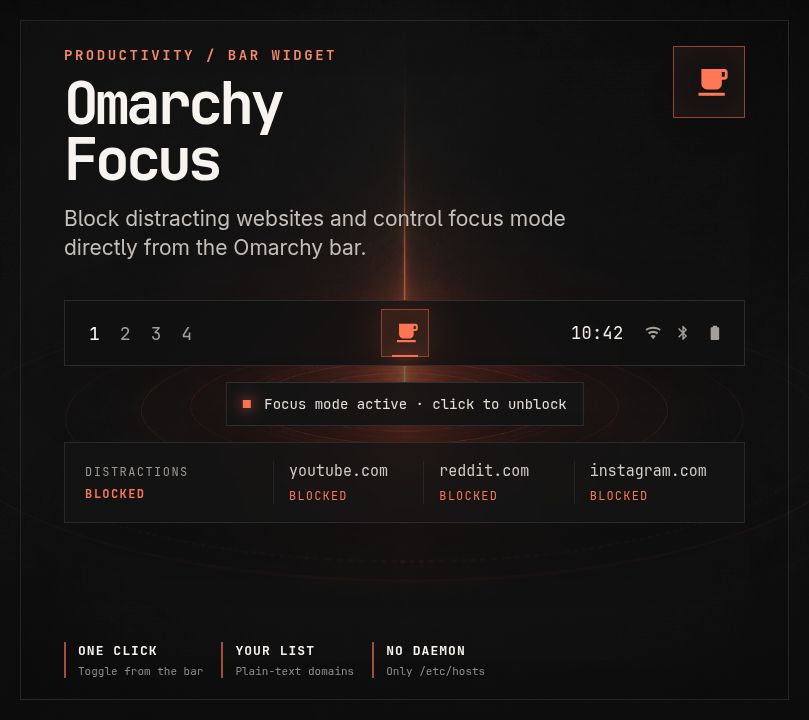
Turn focus mode on or off without leaving the desktop. Omarchy Focus blocks your chosen domains through /etc/hosts and shows the current state in the Omarchy 4 bar.
Install
You need Omarchy 4 or newer.
omarchy plugin add https://github.com/janhesters/omarchy-focus.git --enable
The widget appears in the center section. Move it when needed:
omarchy bar move io.github.janhesters.focus --section right
The icon is dimmed while focus mode is off and uses your theme's urgent color while active. Turn off Show when inactive in the widget settings if you only want to see the active indicator.
Use the widget
Click the icon to switch focus mode. Omarchy asks for your password through Polkit because the plugin updates /etc/hosts.
The plugin only changes the block between these markers:
# >>> omarchy-focus >>>
# <<< omarchy-focus <<<
Repeated clicks don't create duplicate entries.
Add the focus command
Omarchy plugins can't install commands automatically. Add an optional link when you want the original terminal command:
mkdir -p ~/.local/bin
ln -s ~/.config/omarchy/plugins/io.github.janhesters.focus/focus ~/.local/bin/focus
If ~/.local/bin/focus already exists, move or remove it before creating the link.
focus          # Turn focus mode on
focus off      # Turn focus mode off
focus toggle   # Switch the current state
focus status   # Print on or off
focus list     # Print the configured domains
Terminal commands use sudo. Bar clicks use pkexec so Omarchy can show a graphical authentication prompt.
Configure blocked sites
Copy the default list into your Omarchy configuration:
mkdir -p ~/.config/omarchy
cp ~/.config/omarchy/plugins/io.github.janhesters.focus/default-sites \
  ~/.config/omarchy/focus-sites
Edit ~/.config/omarchy/focus-sites. Add one domain per line. List subdomains separately.
youtube.com
www.youtube.com
reddit.com
www.reddit.com
Blank lines and lines starting with # are ignored. The helper validates every domain before it asks for root access.
Update
omarchy plugin update io.github.janhesters.focus
Your site list stays in ~/.config/omarchy/focus-sites, outside the plugin checkout.
Remove
Turn focus mode off before removing the plugin:
focus off
rm ~/.local/bin/focus  # Only remove this if it is the optional link above.
omarchy plugin remove io.github.janhesters.focus
If you removed the plugin while focus mode was active, remove its marked block manually:
sudo sed -i '/^# >>> omarchy-focus >>>$/,/^# <<< omarchy-focus <<<$/{d;}' /etc/hosts
Migrate from the Waybar version
The v0.1.0-waybar tag preserves the old release. Before installing the Omarchy 4 plugin:
focus off
mv ~/.local/bin/focus ~/.local/bin/focus.waybar-backup
Install the plugin, test the widget, and add the optional command link. The plugin does not edit old Waybar files.
Security and dependencies
Omarchy plugins run as unsandboxed user code. This plugin invokes a small Bash helper with authenticated root access to update /etc/hosts. It does not add a sudoers rule, install packages, download code, or run a background service.
Dependencies supplied by Omarchy and Arch Linux:
- Bash
- GNU coreutils,
awk,grep, andsed flockfrom util-linuxsudoand Polkit- Omarchy 4 and its Quickshell runtime
Review focus before enabling the plugin.
Develop
omarchy plugin validate .
qmllint -I "$OMARCHY_PATH/shell" BarWidget.qml
shellcheck focus test/focus-test.sh
./test/focus-test.sh