
See Taskwarrior priorities without leaving your desktop
Omarchy Tasks keeps your next Taskwarrior priorities in the Omarchy bar. See due work at a glance, hover for an urgency-ranked list, and open taskwarrior-tui with one click.
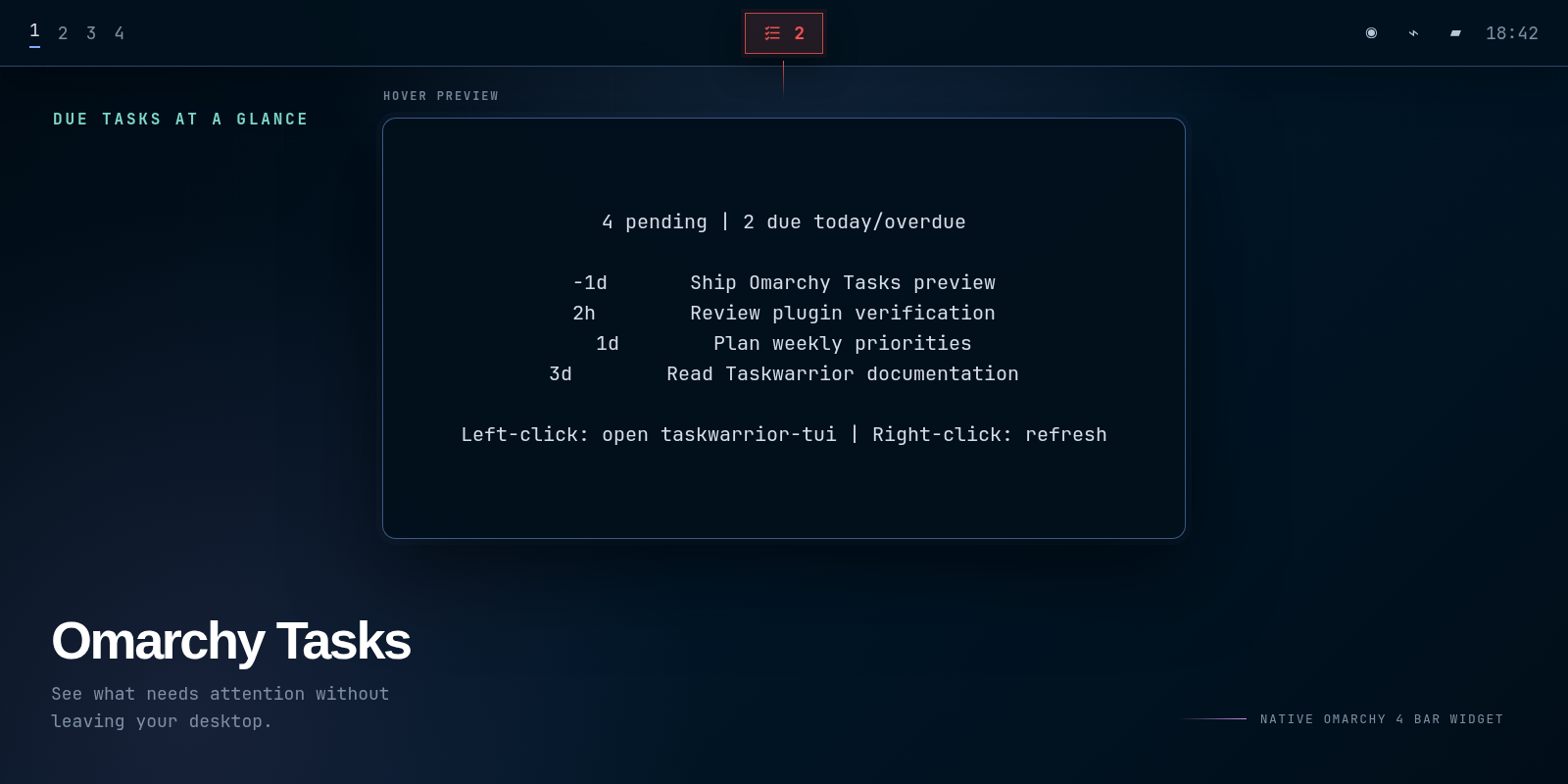
Your tasks stay in Taskwarrior. The plugin reads them through the task command and stores no separate data.
Quick start
Install Taskwarrior and its terminal UI through Omarchy, then add the plugin:
omarchy pkg add task taskwarrior-tui
omarchy plugin add https://github.com/janhesters/omarchy-tasks.git --enable
The standard omarchy plugin add … --enable flow clones, validates, and enables the plugin but does not install system packages, so the marketplace marks this plugin as requiring manual setup. If you add the plugin first, left-click its warning icon to run the required Omarchy package installation in a visible terminal.
What you get
- A red count for overdue tasks and tasks due today.
- A standard count when pending work has no immediate deadline.
- Up to 10 pending tasks in the tooltip, ranked by Taskwarrior urgency.
- One-click access to
taskwarrior-tui. - A right-click refresh and an IPC refresh command for scripts.
- A guided install action when Taskwarrior or its TUI is missing.
Use and configure
- Hover to see pending tasks ranked by urgency.
- Left-click to open
taskwarrior-tui. - Right-click to refresh now.
The plugin refreshes every 60 seconds by default. Change the interval or hide the empty-state icon in the Omarchy bar settings.
The widget starts in the center section. Move it with the standard Omarchy bar command:
omarchy bar move io.github.janhesters.tasks --section center --before omarchy.system-update
Scripts can request an immediate refresh after changing a task:
omarchy-shell io.github.janhesters.tasks refresh
Dependencies and privacy
taskprovides the Taskwarrior data.taskwarrior-tuiprovides the terminal interface opened on left-click.jqserializes the helper output and ships with Omarchy.
Normal task display is local and read-only. The plugin starts package installation only after you explicitly left-click a missing-dependency warning, in a visible terminal, and it may prompt for sudo.
Update or remove
omarchy plugin update io.github.janhesters.tasks
omarchy plugin remove io.github.janhesters.tasks
Removing the plugin leaves your Taskwarrior data untouched.
Omarchy 3 migration
Version 2 replaces the old Waybar module. It no longer edits Waybar CSS, installs a helper in ~/.local/bin, or adds a Hyprland keybinding. Keep your existing Taskwarrior data and follow the quick-start commands above.
License
MIT