
📽️ Projector & Cast — Omarchy Status Bar Plugin



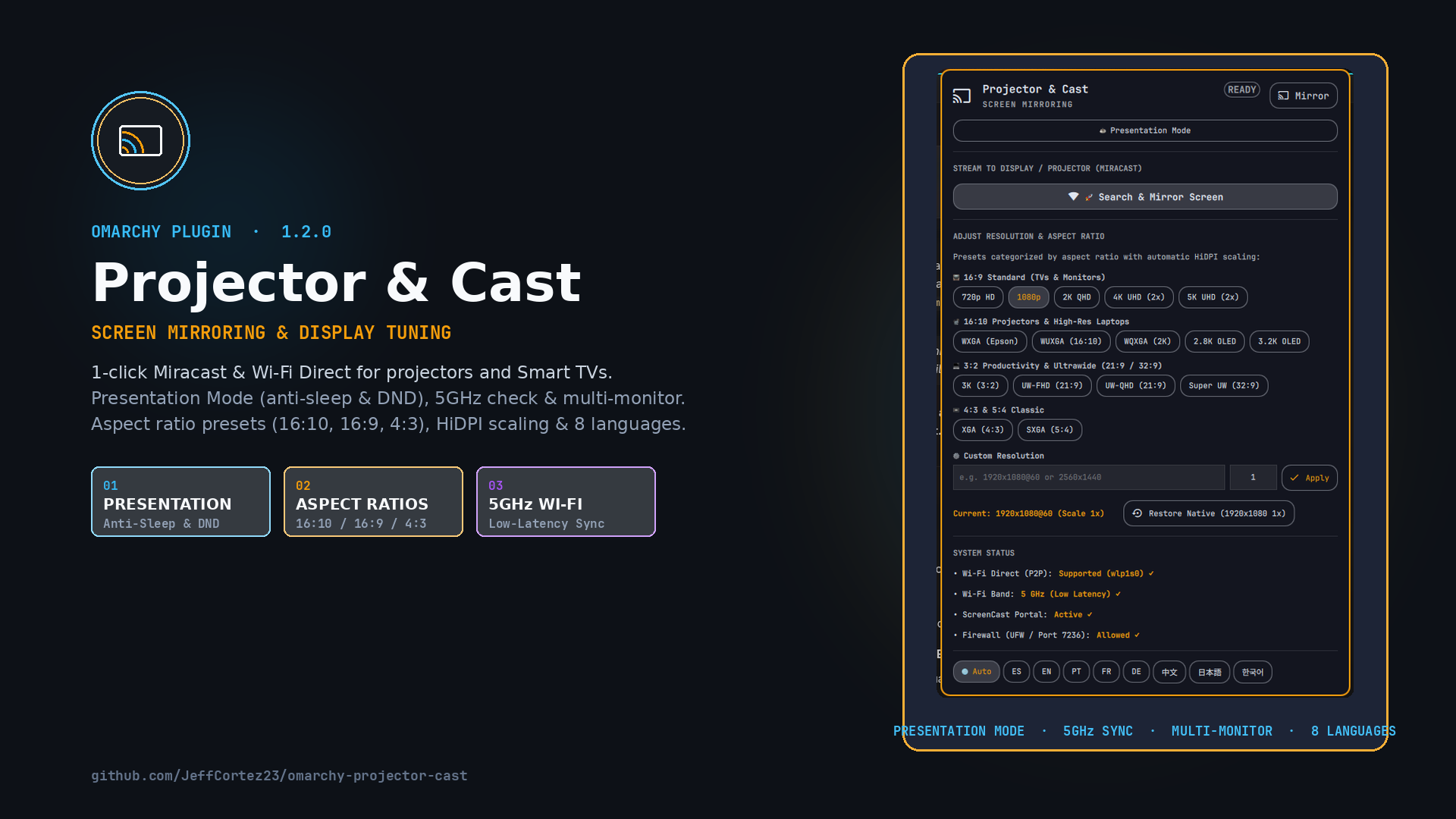
Projector & Cast (io.github.jeffcortez23.omarchy-projector-cast) is a bar widget and popup panel for Omarchy Linux and Hyprland. It enables 1-click screen mirroring (Miracast / Wi-Fi Direct) to classroom/auditorium projectors (such as Epson 3LCD laser projectors) and Smart TVs (TCL, Samsung, LG, Sony), with instantaneous resolution switching, intelligent HiDPI auto-scaling, and extensive multi-aspect ratio presets (16:9, 16:10, 3:2, 21:9, 32:9, 4:3).
✨ Features
- 📡 1-Click Screen Mirroring (Miracast): Seamlessly launches and manages
gnome-network-displayswith automatic PipeWire video streaming over Wi-Fi Direct (P2P). - 🛡️ Presentation Mode (Anti-Sleep & DND): 1-click toggle that inhibits desktop sleep/idle lock and silences desktop notifications during slide presentations.
- ⚡ Smart Wi-Fi Band & Portal Diagnostics: Real-time detection of 5 GHz vs 2.4 GHz bands with low-latency tips, ScreenCast portal readiness check, and non-privileged firewall verification.
- 🖥️ Multi-Monitor Target Selection: Easily select which connected display to resize or project when using multi-monitor setups.
- 🖱️ Top Bar Quick Action: Right-click on the bar icon to instantly stop casting or reset to native resolution without opening the popup.
- 📐 Multi-Aspect Ratio & Resolution Presets:
- 16:9 Standard (TVs & Monitors):
1080p FHD,2K QHD (1.25x),4K UHD (2x HiDPI),5K UHD (2x HiDPI),720p HD Ready. - 16:10 Classroom Projectors & High-Res Laptops:
WXGA (Epson 1280x800),WUXGA (1920x1200),2.8K OLED (2880x1800 1.5x),3.2K OLED (3200x2000 1.6x),WQXGA (2560x1600 1.25x). - 3:2 Productivity (Surface / MateBook):
3K (3000x2000 1.5x). - 21:9 & 32:9 Ultrawide:
UW-FHD (2560x1080),UW-QHD (3440x1440 1.25x),Super UW (5120x1440 1.25x). - 4:3 / 5:4 Classic:
XGA (1024x768),SXGA (1280x1024).
- 16:9 Standard (TVs & Monitors):
- 🔄 Hardware-Aware Native Auto-Detection: Automatically detects any laptop or monitor's exact factory resolution and HiDPI scale (1080p, 2.8K, 3.2K, 4K, 5K, ultrawide) and provides a 1-click restore.
- 🌐 Multilingual Support (i18n): Auto-detects system locale or allows quick manual switching between English (EN), Español (ES), Português (PT), Français (FR), Deutsch (DE), 中文 (ZH), 日本語 (JA), and 한국어 (KO).
- 🪟 Hyprland Universal Compatibility: Supports Omarchy's Lua runtime API with fallback to standard Hyprland keyword dispatching.
📦 Prerequisites
-
GNOME Network Displays (for Miracast wireless casting):
sudo pacman -S gnome-network-displays -
Hyprland Window Rule (Recommended): To keep the connection window floating and centered, add this rule to
~/.config/hypr/hyprland.lua:o.window({ class = ".*[nN]etwork[dD]isplays.*" }, { float = true, center = true, size = "800 580" })(Or in standard
hyprland.conf:windowrule = float, class:.*[nN]etwork[dD]isplays.*) -
Firewall (UFW - Optional): If UFW is active on your machine, allow the RTSP control port (7236/tcp) and the RTP media stream ports (7236-7250/udp):
sudo ufw allow 7236/tcp comment 'Miracast-RTSP'
sudo ufw allow 7236:7250/udp comment 'Miracast-RTP'
(The plugin includes a 1-click clipboard button in the UI if UFW is detected active).
🚀 Installation & Removal
Installation via Omarchy CLI
omarchy plugin add https://github.com/JeffCortez23/omarchy-projector-cast --enable
Removal
omarchy plugin remove io.github.jeffcortez23.omarchy-projector-cast --yes
📜 License
MIT License © 2026 Jeff Cortez