

Omahub
← All plugins
J

Capture Conveyor

by Jeremy Longshore

Capture Conveyor turns Omarchy screenshots into a keyboard-first inbox, not a forgotten folder. The bar counts captures; open the panel for the newest 24, select with arrow keys, start a screenshot or OCR region, copy its path, or reveal its folder. It refreshes every 20 seconds. Its bounded scanner reads only top-level screenshot PNG names, paths, sizes, and timestamps. It never reads image pixels, OCRs existing files, watches your clipboard, uploads data, opens an account, or uses the network.

Security review

Potentially dangerous behavior detected · 4 findings

Deterministic scan — not a security guarantee

High
Risk level
High
Analyzed commit
11f1230
Scanned
1 week ago
  • high destructive_filesystem scripts/rig-verify.sh:76

    Destructive operation on the root filesystem or a block device.

    rm -rf /tmp/$NAME && mkdir -p /tmp/$NAME && tar xzf /tmp/$NAME.tgz -C /tmp/$NAME' || exit 3
  • high destructive_filesystem scripts/rig-verify.sh:97

    Destructive operation on the root filesystem or a block device.

    rm -rf /tmp/$NAME /tmp/$NAME.tgz >/dev/null 2>&1
  • low obfuscation tests/model.test.js:10

    Augments a command with octal/hex escape sequences.

    \x00b'), 'img src="http://x"ab')
  • Augments a command with octal/hex escape sequences.

    \x89PNG\r\n\x1a\n" or raw[12:16] != b"IHDR":

Automated analysis only — not a security guarantee.

AI advisory review

No obvious issues detected

Language-model assessment · ~deepseek/deepseek-v4-flash-latest — advisory only

Low
AI risk level
Low
Recommendation
install
Model
~deepseek/deepseek-v4-flash-latest
Analyzed commit
11f1230
Reviewed
1 week ago

The plugin is a benign QML bar widget that inventories local screenshots and triggers Omarchy's native capture actions. The high-severity deterministic findings point to developer/rig tooling (scripts/rig-verify.sh) that never runs on a user's machine, and the low-severity obfuscation hits are in tests and gate scripts, not the runtime. The runtime code sanitizes filenames, uses fixed argv arrays, and makes no network calls or destructive changes.

  • The shipped binary bin/capture-conveyor-scan was not included in the sample; its exact behavior should be confirmed to ensure it only reads metadata and does not perform unexpected actions.
  • The scanner may buffer large directories (a performance concern, not a security issue), but no evidence of abuse was found.
How this check works

This review combines the deterministic scan (the rule-based results above) with an independent look at the plugin's code by a language model. The model reads a trimmed sample of the repository's files, the manifest, and the README, then gives a plain-language risk level and a recommendation: install (no notable danger), review (look closer first), or avoid (clearly dangerous).

It runs on the same analyzed commit as the deterministic scan and is strictly advisory — it is not a security guarantee and never blocks a plugin by itself. A human moderator still reviews plugins before they are listed.

AI advisory only — automated analysis, not a security guarantee.

Install
$ omarchy plugin add https://github.com/jeremylongshore/omarchy-capture-conveyor-entry --enable
Widgets #bar #quickshell

Capture Conveyor

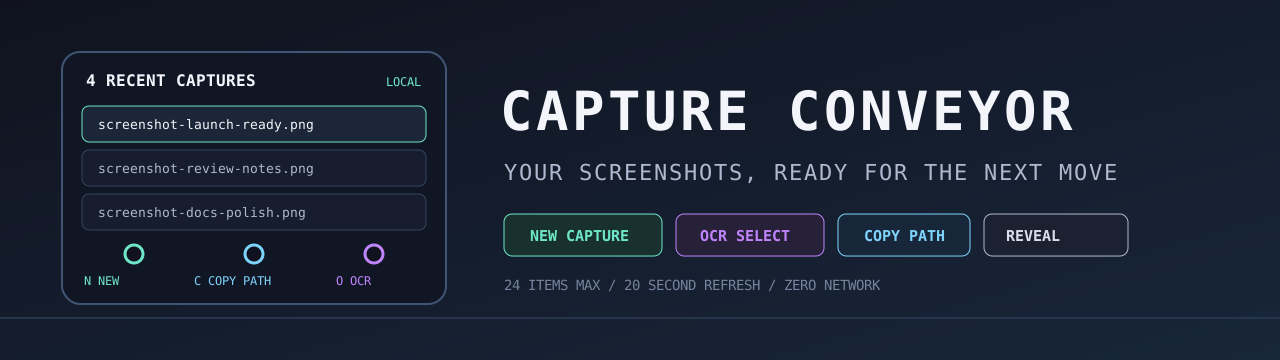
Capture Conveyor banner

ko-fi

Capture Conveyor turns saved Omarchy screenshots into a fast, keyboard-friendly local inbox. It shows the newest 24 captures, keeps the current selection obvious, and provides explicit actions for a new capture, path copy, folder reveal, and a fresh OCR selection.
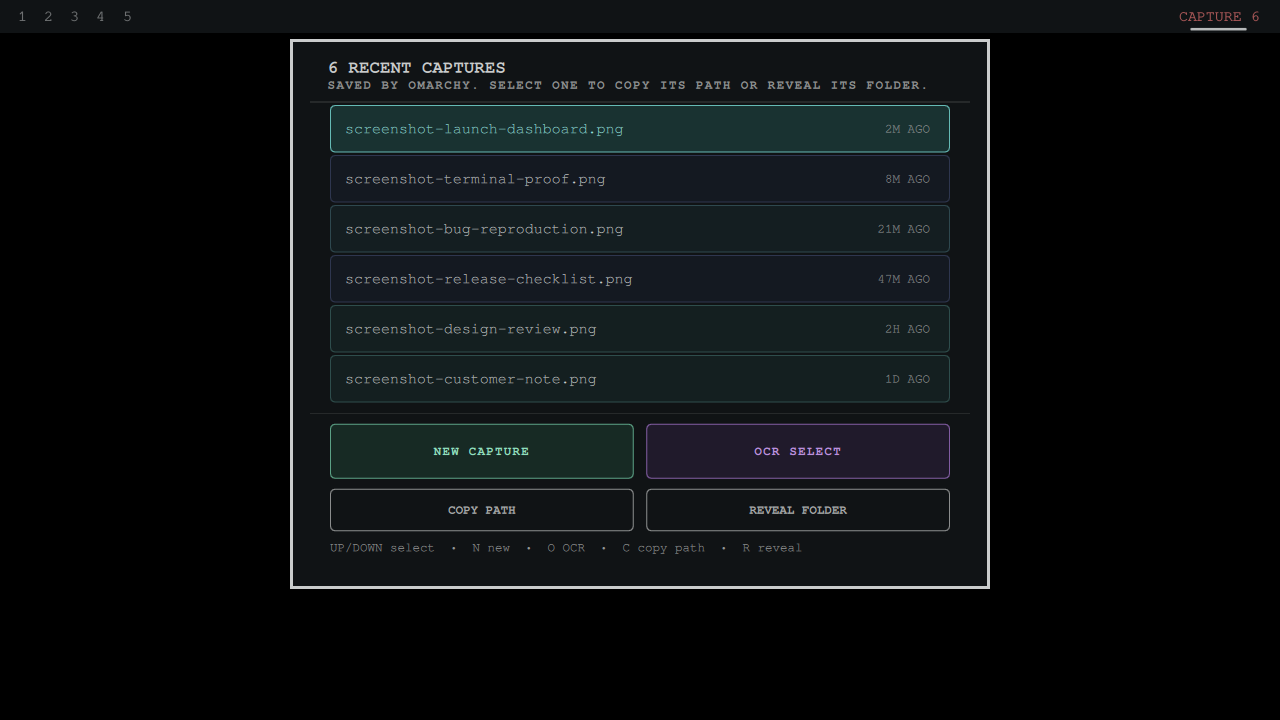
Capture Conveyor showing a selected local screenshot inbox in Omarchy

It follows Omarchy's omarchy capture interface and directory precedence: OMARCHY_SCREENSHOT_DIR, then XDG_PICTURES_DIR, then user-dirs.dirs, then ~/Pictures. It inventories only top-level screenshot-*.png files. Stored images are never OCRed or uploaded automatically.

All actions use fixed argv arrays. The scanner holds directory and file descriptors while it reads metadata, rejects symlinked XDG config entries, bounds every directory entry and filename byte before sorting, and never creates a replaceable records file. Ready/attacked race fixtures prove config and capture directory swaps cannot redirect the inventory. The QML model validates returned paths again and clears stale selections before an action can receive one.

Why it is different

  • Arrow keys move through the recent-capture inbox.
  • N starts Omarchy's native screenshot flow; O starts its native OCR selection.
  • C copies the selected path; R reveals the configured capture folder.
  • Failed external actions are visible in the panel instead of disappearing.
  • No account, network request, upload, automatic OCR, or image-content read.

Install

omarchy plugin add https://github.com/jeremylongshore/omarchy-capture-conveyor-entry --enable

Click a row to select it. Middle-click, right-click, or press C to copy its path.

Verify

npm test
npm run test:race
npm run test:mutation
npm run audit
bash scripts/run-plugin-gates.sh
bash scripts/check-lane-freshness.sh
npm run test:e2e

Maintainers wanted

These plugins are growing, and we are looking for dependable Omarchy users who want to review issues, test releases, and keep a plugin healthy over time. Start with a small pull request or open a maintainer interest issue titled Maintainer interest. Tell us which plugin you use and how you want to help. Consistent contributors can earn maintainer responsibility.

License

MIT