
Fleet Shepherd for Omarchy
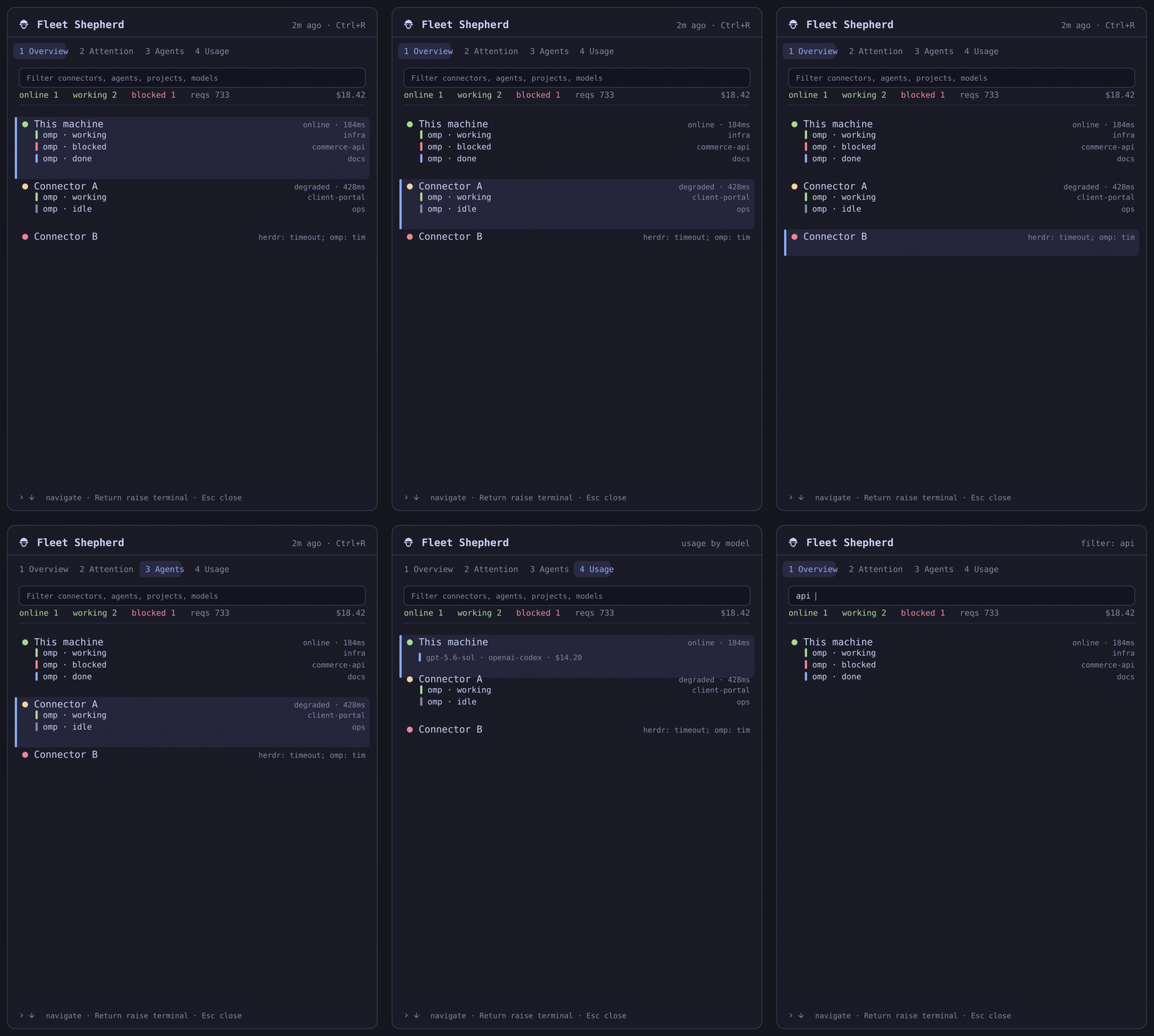
Animated walkthrough rendered from synthetic fixture data (scripts/make_preview.py) — it never contains a live fleet screenshot.
One read-only operations panel for Herdr agents and OMP usage across a local and SSH connector fleet.
Fleet Shepherd answers three questions from the bar: are all connectors healthy, does any agent need attention, and what is the fleet’s aggregate OMP usage?
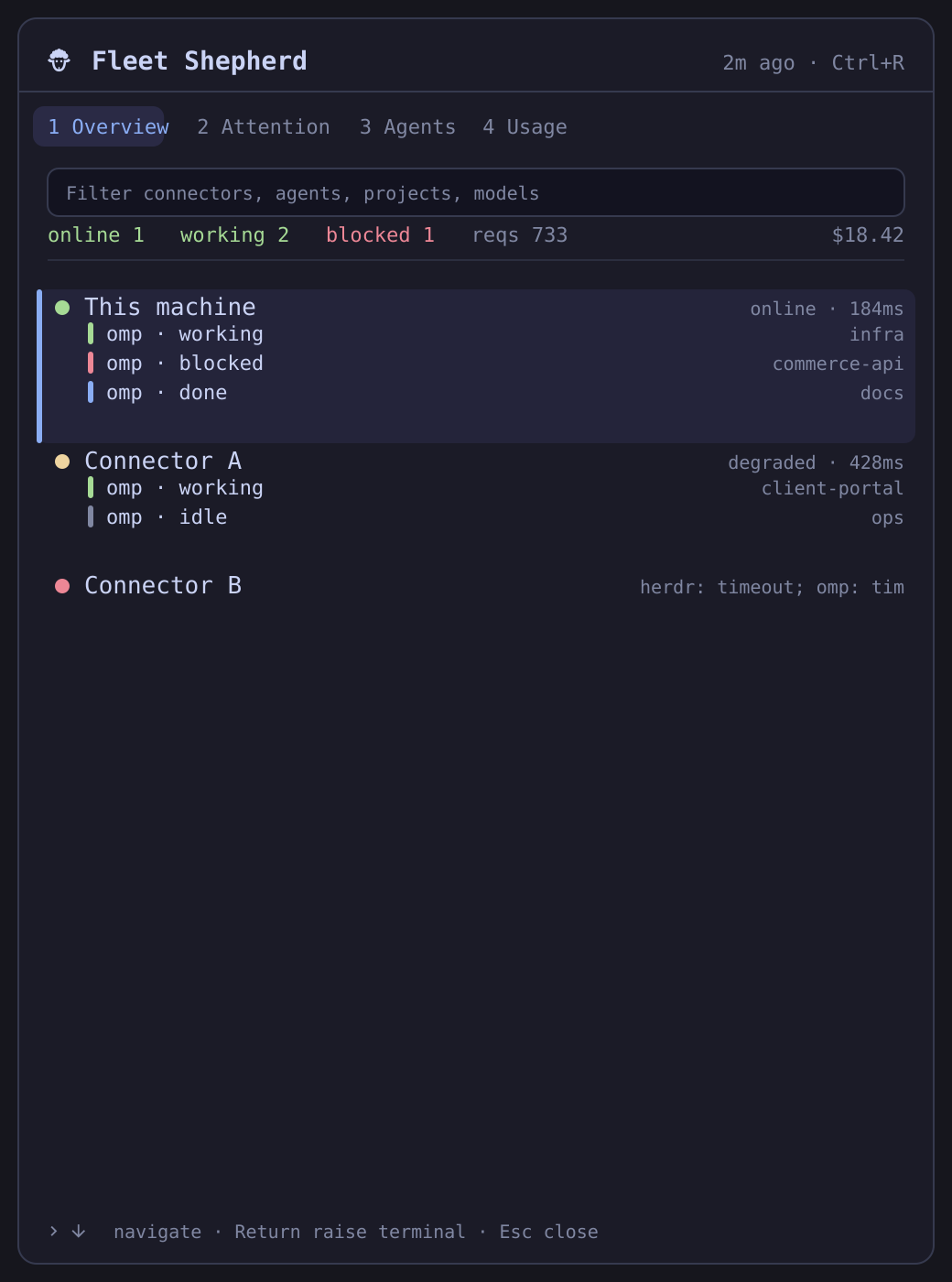
The preview uses synthetic connector, agent, project, usage and error data.
Status: v0.1.1 local beta. Read-only fleet snapshots are implemented and live-tested; remote mutation is intentionally not implemented.
Features
- Local connector plus optional SSH connectors
- Herdr working/blocked/done/idle agent state by connector
- Workspace, project, cwd, and current activity
- OMP requests, cost, tokens, cache/error summaries and top models
- Partial-failure and stale/offline states without discarding the last valid snapshot
- Shared locked runtime cache keeps bar and panel on the same exact snapshot
- Live cross-fleet filter and keyboard navigation
- Strict byte/item/string/concurrency/time bounds
- No network listener, database, raw-session scraping, credentials, or elevated service
Architecture
The QML plugin starts one bundled Python helper. That helper invokes only fixed commands—herdr api snapshot and omp stats --json—locally or through a fixed SSH argv. See DESIGN.md and REQUIREMENTS.md.
Omarchy panel → fleet-snapshot helper → local / SSH connectors
                                   ↘ bounded normalized JSON
Requirements
- Omarchy Quattro / Quickshell
- Python 3.11+ (stdlib only)
- Herdr and/or OMP on each participating connector
- For remote connectors: noninteractive SSH aliases with verified host keys
The plugin does not install, configure, authenticate, or manage Herdr, OMP, SSH, or Tailscale.
Configuration
Copy the example and edit connector aliases:
mkdir -p ~/.config/fleet-shepherd
cp connectors.example.json ~/.config/fleet-shepherd/connectors.json
chmod 600 ~/.config/fleet-shepherd/connectors.json
{
  "schemaVersion": 1,
  "connectors": [
    { "id": "local", "label": "This machine", "mode": "local" },
    { "id": "connector-a", "label": "Connector A", "mode": "ssh", "target": "connector-a" }
  ]
}
target is an OpenSSH Host alias from ~/.ssh/config. Put username, port, identity, proxy and host-key policy in OpenSSH—not this JSON. Unknown or changed host keys fail closed.
Keyboard
- Start typing: filter connectors, agents, projects and models
Up/Down: move connector selectionReturn/Enter: raise the terminal running the selected connector's Herdr1–4: Overview / Attention / Agents / UsageCtrl+R: refreshEsc: clear filter, then close
Troubleshooting
- Panel shows "contacting fleet…" for a long time on first ever run — the cache is empty, so the helper performs one full fleet sweep (up to 60 s). Every later open paints from cache instantly.
- A connector reports
no local herdr windowwhen raising —Return/click raises a terminal on this machine running Herdr for that connector (herdrfor local,herdr --remote <target>); it never SSHes to raise a window. Open one first. herdr: command failedon a remote — verify noninteractivity by hand:ssh <host> herdr api snapshotmust return JSON without a password prompt.- OMP shows zero for a connector — check
ssh <host> "omp stats --json"exits 0; usage appears only where OMP is installed and has history. - Panel did not appear after reinstall — restart the shell (
omarchy-shell), thenomarchy plugin listto confirmenabled=true. - Stale data after editing
connectors.json— the cache is keyed to the config; changes invalidate it on the next poll.
Install
Install directly:
omarchy plugin add https://github.com/joshuaswarren/omarchy-fleet-shepherd.git --enable
Remove
omarchy plugin remove io.github.joshuaswarren.fleet-shepherd
Optional config cleanup:
rm -rf ~/.config/fleet-shepherd
Privacy and security
Fleet Shepherd renders potentially sensitive project paths and terminal titles locally. It does not persist snapshots, transmit telemetry, or read raw OMP sessions. Connector configuration is read via a bounded no-follow, nonblocking descriptor. SSH is BatchMode and StrictHostKeyChecking=yes. Every subprocess and response has a hard deadline and byte ceiling.
Development
Tests:
python3 -m unittest discover -s tests   # helper, focus, stream isolation, doc claims
node --test tests/                      # Model.js + QML contract tests
Preview assets are generated, never screenshotted:
python3 scripts/make_preview.py # writes preview.png + preview.gif from tests/fixtures/fleet_demo.json
python3 -m unittest discover -s tests -v
node --test tests/*.test.mjs
qmllint -I /usr/share/omarchy/shell BarWidget.qml Panel.qml
omarchy plugin validate .
License
MIT — see LICENSE.