
Shiplog
A captain's log of what you shipped, for the Omarchy bar.
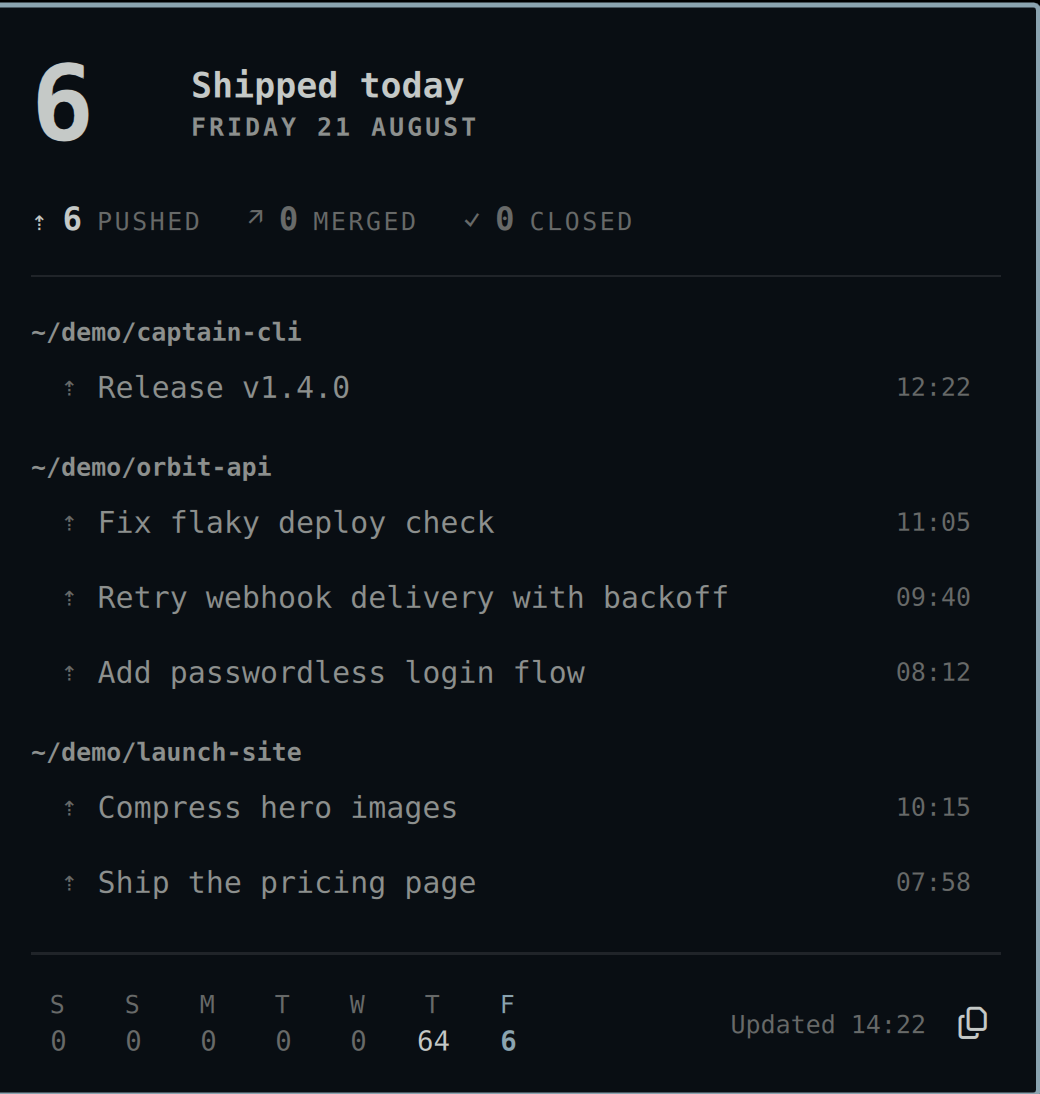
Most developer widgets show work you still owe: inboxes, queues, pipelines. Shiplog shows work you finished. It counts merged PRs, pushed commits, and closed issues since midnight, right in the bar. The full log for the day is one click away. Proof of done, not a todo list.
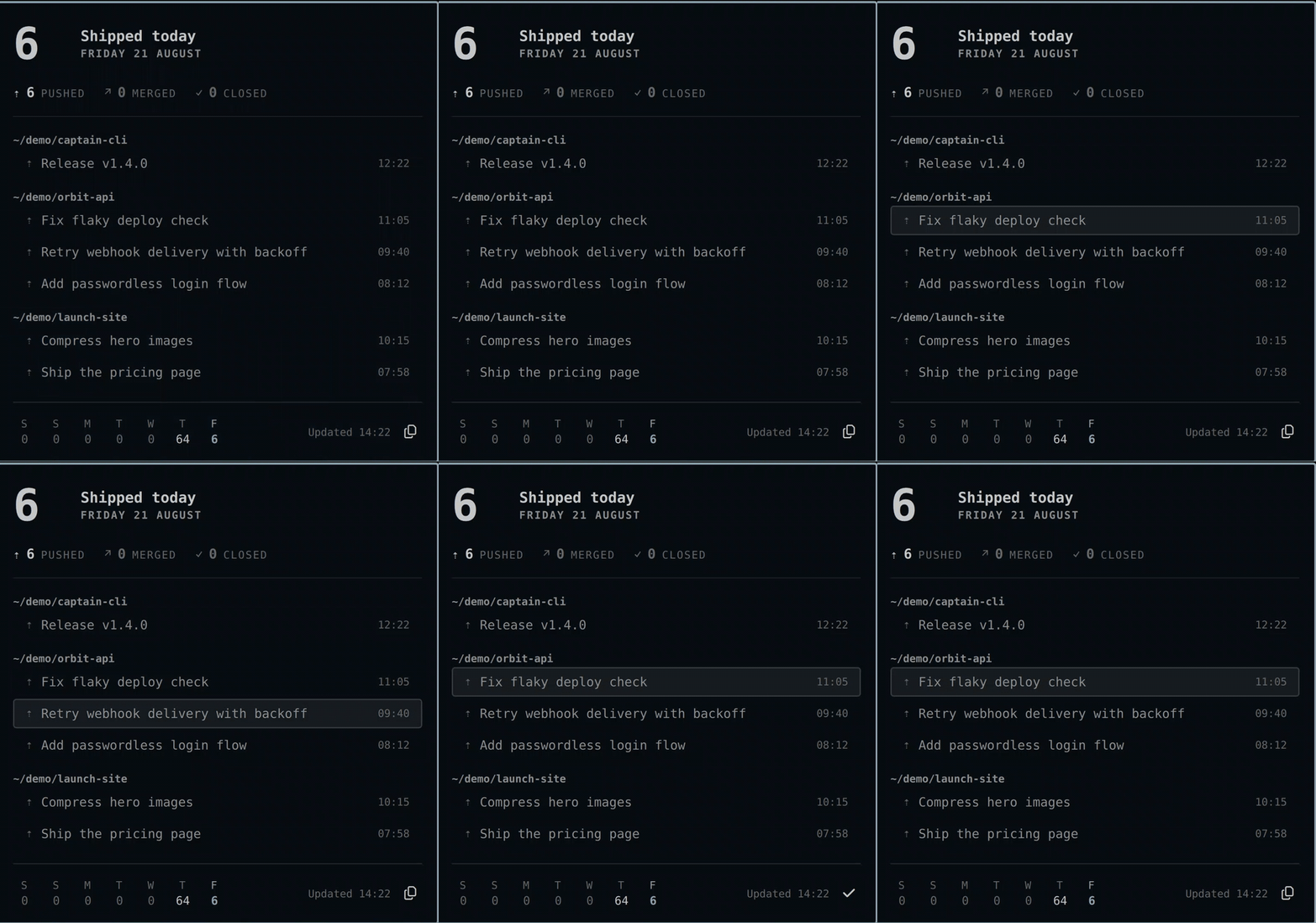
A seven-second interaction recording lives in assets/demo.mp4.

Features
- Shipped-today count in the bar: commits, PRs, issues
- Click-through panel with the day's log, grouped by repo, with deep links
- GitHub via the
ghCLI (read-only search; your auth stays ingh) - Local-repos source that works offline and with any remote
- Seven-day strip. Receipts, not analytics: no streaks, no badges, no guilt
- One-click "copy day as Markdown" recap
- Day boundary you can move for night-owl hours
- Follows your theme, in tall and wide bars alike
Plugin contract
- ID:
io.github.joshuaswarren.shiplog - Kind:
bar-widget(the panel is the widget's popout, per the Quattro convention) - Works with: Omarchy 4 / Quattro shell
Requirements
gh(GitHub CLI), signed in. Only for the GitHub source.git. Only for the optional local-repos source.wl-copy. Only for the Markdown recap action.
Installation
omarchy plugin add https://github.com/joshuaswarren/omarchy-shiplog
Remove it the same way:
omarchy plugin remove io.github.joshuaswarren.shiplog
Usage
- Left-click the chip to open the day's log. Right- or middle-click to refresh now.
- In the panel: arrows move, Enter opens the item, Esc closes. Press
rto refresh,cto copy the day as Markdown, andsto save it to the recap archive. omarchy-shell shell toggle io.github.joshuaswarren.shiplog '{}'toggles the panel. The plugin's own IPC target answersopen,close,toggle,refresh,copy, andsave:
quickshell ipc -p "$OMARCHY_PATH/shell" call io.github.joshuaswarren.shiplog copy
quickshell ipc -p "$OMARCHY_PATH/shell" call io.github.joshuaswarren.shiplog save
Configuration
Settings live inline on the plugin entry in ~/.config/omarchy/shell.json:
{
  "id": "io.github.joshuaswarren.shiplog",
  "sources": ["github"],
  "localRepoDirs": ["~/src"],
  "pollMinutes": 5,
  "countCommits": true,
  "countMergedPrs": true,
  "countClosedIssues": true,
  "hideWhenZero": false,
  "dayBoundary": "00:00",
  "recapDir": ""
}
- Add
"local"tosourcesto scan repos one level under eachlocalRepoDirsentry. The scan counts commits made under each repo's ownuser.email. Local-only commits show the repo path instead of a link. They work offline. pollMinutesis clamped to a 5-minute minimum.dayBoundary("HH:MM") lets the "day" end at 04:00 for night owls. Counts reset at the boundary. The finished day moves into the week strip.recapDirturns on the recap archive. Empty disables it. Set it to a directory ("~/Documents/shiplog") and each day's log is saved there asYYYY-MM-DD.md: automatically when the day rolls over (only for days that shipped something), and on demand with theskey or thesaveIPC method. The filename is always generated from the date, the write is atomic, and a failed write changes nothing.
Data sources
All GitHub traffic is REST search via gh api, one small burst per poll. Merged PRs and closed issues come from /search/issues. Commits come from /search/commits. Commit search covers default branches. The local source covers every branch and non-GitHub remotes. The events API is not used, because GitHub now sends PushEvent payloads with no commit data.
Security
Strictly read-only toward GitHub. The plugin runs gh and git with argument arrays only. No user setting ever passes through a shell. It never touches tokens. It renders remote strings as plain text, opens only http(s) links, and never writes to any remote. Local writes are limited to the day-count cache at ~/.local/state/omarchy/shiplog.json and, only when you set recapDir, date-named recap files inside that directory (atomic, generated filenames, fail-closed). Details in docs/REQUIREMENTS.md §7.
Development
node --test tests/model.test.mjs tests/local-commits.test.mjs
omarchy plugin validate .
Model.js holds every parse and derivation as pure functions. Panel.qml owns polling and UI. BarWidget.qml is the chip. Architecture notes live in docs/ARCHITECTURE.md.