
Fleet SSH for Omarchy
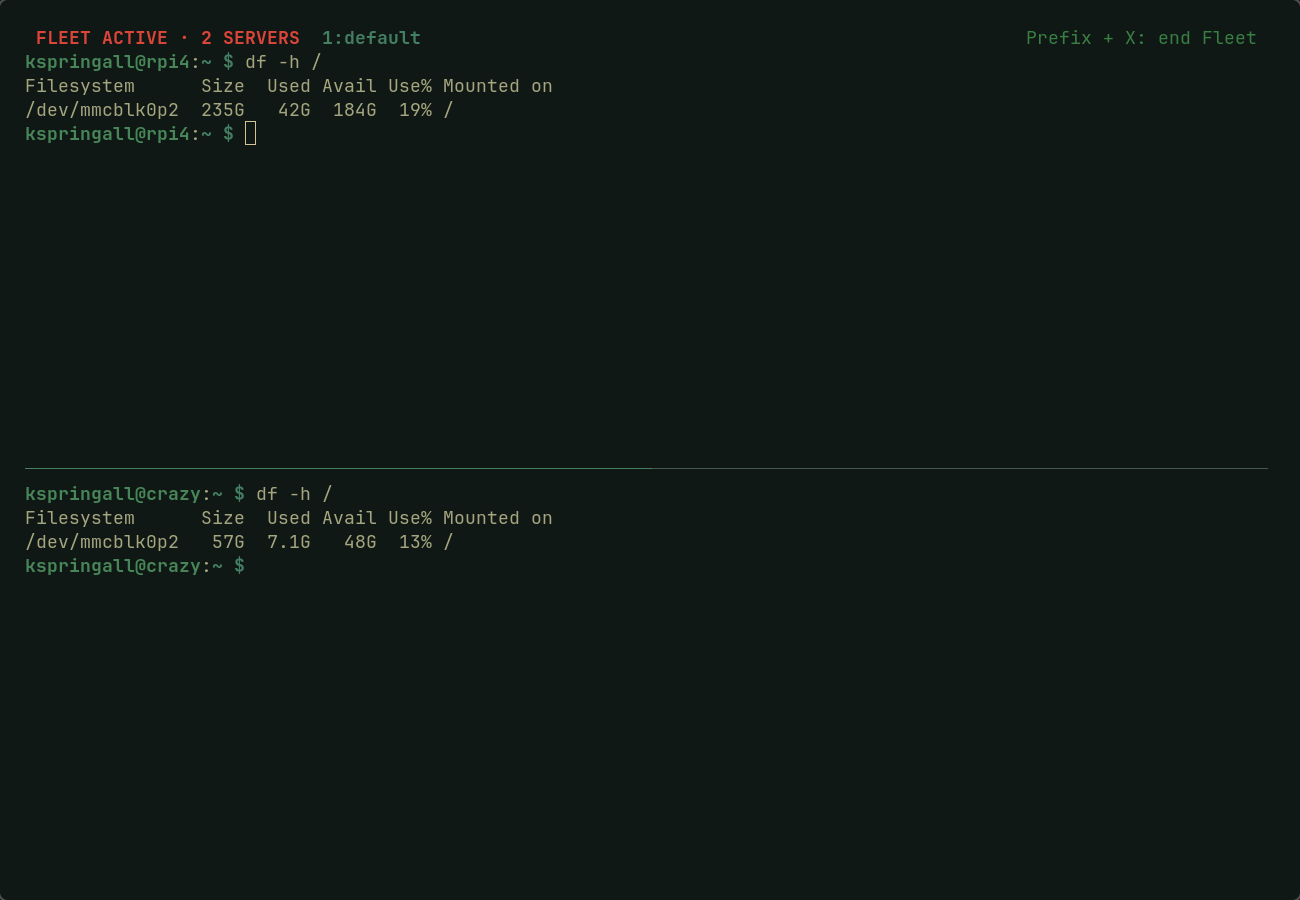
Fleet SSH opens one SSH connection per host in a dedicated tmux session. It is for sending the same reviewed input to several servers while keeping each server's output visible.
Safety model
- Fleet SSH does not create, read, copy, upload, or store SSH private keys, passwords, passphrases, agent sockets, or host keys.
- Host aliases are resolved by your existing OpenSSH configuration. The launcher
forces
ForwardAgent noand never weakens host-key verification. - It preflights every target with non-interactive OpenSSH authentication before creating a session. If one target is unavailable, it creates no session.
- Commands typed into a Fleet session go to every server in its group. A failed SSH connection exits its pane instead of dropping into a local shell.
Fleet SSH cannot make divergent interactive programs safe. Do not broadcast passwords, MFA codes, editor input, or commands whose effects you have not reviewed for every target.
Requirements
- Omarchy 4.0 or later with Quickshell plugin support
ssh,tmux, andxdg-terminal-exec- SSH aliases configured in
~/.ssh/config - Key or agent authentication that succeeds without a password prompt during the connection preflight
Example OpenSSH alias:
Host web-01
  HostName 203.0.113.10
  User deploy
  IdentityFile ~/.ssh/id_ed25519_ops
  IdentitiesOnly yes
  ForwardAgent no
SSH key setup
Fleet SSH requires every host in a group to accept key or agent authentication without an interactive password prompt. Your private key always stays on your local computer; only its public-key counterpart is installed on each server.
Create a dedicated key if you do not already have one:
ssh-keygen -t ed25519 -f ~/.ssh/id_ed25519_fleet -C "fleet-ssh"
Install the public key on each server, once per server. Substitute your remote account and host address:
ssh-copy-id -i ~/.ssh/id_ed25519_fleet.pub user@server.example.com
Load the key into your running SSH agent for the current login session:
ssh-add ~/.ssh/id_ed25519_fleet
Then configure each host as an alias in ~/.ssh/config and test it before
adding it to a Fleet group:
ssh web-01
If ssh-add reports that it cannot connect to an authentication agent, start
one first with eval "$(ssh-agent -s)", then run ssh-add again. Do not put a
password, passphrase, private key, or MFA code in a Fleet SSH session.
Install
omarchy plugin add https://github.com/kszx11/omarchy-fleet-ssh-plugin.git --enable
Create a private group configuration. This command refuses to overwrite an existing file:
~/.config/omarchy/plugins/io.github.kszx11.fleet-ssh/bin/fleet-ssh init
Edit ~/.config/fleet-ssh/groups.conf, replacing the commented examples with
your SSH aliases. Then check the group before starting it:
~/.config/omarchy/plugins/io.github.kszx11.fleet-ssh/bin/fleet-ssh check default
~/.config/omarchy/plugins/io.github.kszx11.fleet-ssh/bin/fleet-ssh start default
Left-click the Fleet SSH bar icon to hide the currently open Fleet. When that
Fleet is not open, left-click shows a picker listing every group in
groups.conf; selecting one opens or resumes that Fleet.
Right-click ends the Fleet most recently selected in the picker.
Click the Fleet SSH bar icon to open or resume its group. Click it again to hide the visible terminal while keeping its SSH connections alive. A later click resumes the same session without reconnecting. To end every connection, right-click the Fleet SSH icon, then select End Fleet in the Omarchy confirmation popup.
From inside a Fleet terminal, press the tmux prefix (Omarchy uses
Ctrl+Space), then press X, and confirm with y to end the Fleet and
disconnect every server.
Inside a Fleet SSH session, every command you type goes to every server in the selected group. The tmux status bar shows FLEET ACTIVE · N SERVERS. Never type passwords, MFA codes, or other secrets into a Fleet session.
Development
./tests/run
omarchy plugin validate .
Removal
omarchy plugin remove io.github.kszx11.fleet-ssh
Removal does not touch ~/.ssh, your keys, tmux sessions, or
~/.config/fleet-ssh/groups.conf.
License
MIT. See LICENSE.