
Clipboard Button
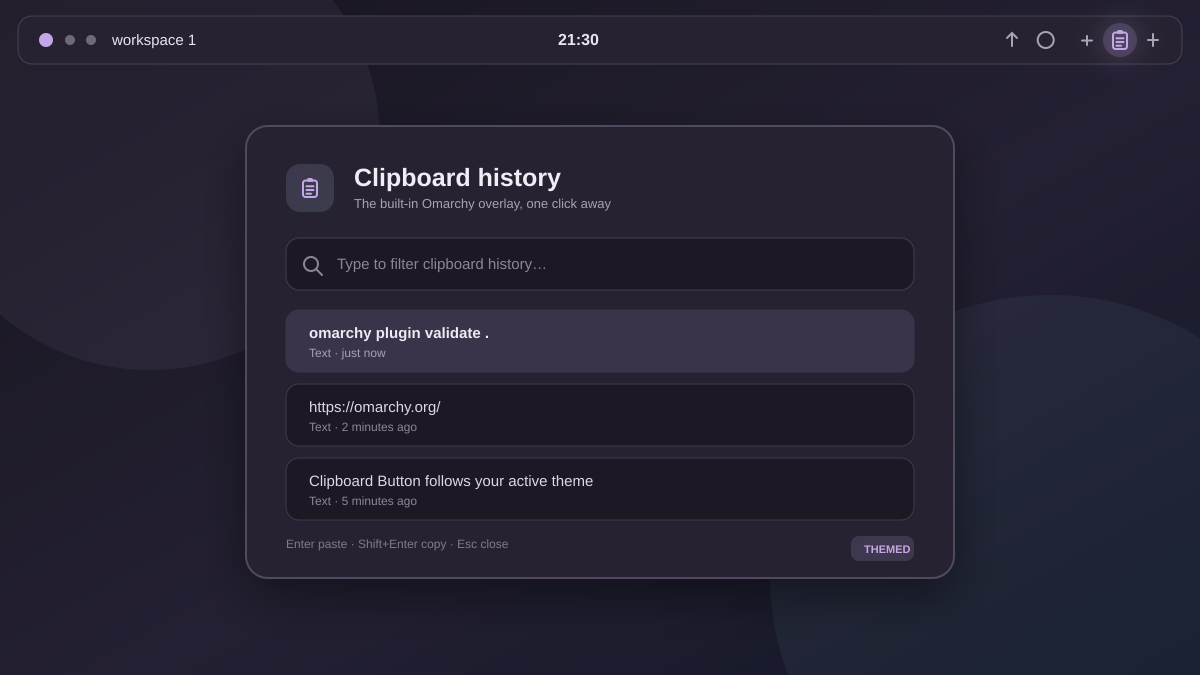
A small, native bar button for Omarchy Quattro's built-in clipboard history. It opens the clipboard you already use—there is no second clipboard daemon, database, or competing overlay.
Features
- One-click access to Omarchy's stock clipboard history.
- Theme-aware symbolic icon that follows the active bar foreground color.
- HiDPI-aware rendering and horizontal or vertical bar compatibility.
- Accessible button label and the stock
Super+Ctrl+Vshortcut in its tooltip. - No external dependencies, network access, elevated privileges, or stored data.
Requirements
- Omarchy 4 (Quattro) with
omarchy-shell. - The built-in
omarchy.clipboardplugin enabled (the Omarchy default).
Install
omarchy plugin add https://github.com/majesticio/omarchy-clipboard-button.git --enable
The widget lands in the right section by default. Move it anywhere with the normal bar command:
omarchy bar move io.github.majesticio.clipboard-button --section right
Usage
- Left-click the clipboard icon to open or close clipboard history.
- Continue using
Super+Ctrl+Vwhenever the keyboard is faster.
Update
omarchy plugin update io.github.majesticio.clipboard-button
Remove
omarchy plugin remove io.github.majesticio.clipboard-button
Removal deletes only this button. It does not disable Omarchy's clipboard manager or remove clipboard history.
Privacy and security
Clipboard Button never reads or stores clipboard contents. Its only action is
asking the running Omarchy shell to toggle the built-in omarchy.clipboard
overlay. It ships no executable helper, installer, service, or remote code.
Like every Omarchy shell plugin, its QML executes with your user permissions.
Review the three runtime files before enabling it: manifest.json,
BarWidget.qml, and icon.svg.
Development
Validate the repository against the installed Omarchy manifest contract:
omarchy plugin validate .
For runtime changes, copy the repository to
~/.config/omarchy/plugins/io.github.majesticio.clipboard-button/, enable it,
and inspect shell errors with:
qs log -p "$OMARCHY_PATH/shell" --tail 100
License
MIT. The clipboard icon is original project artwork and is covered by the same license.