
Keyboard layouts
An Omarchy bar plugin for managing Hyprland keyboard layouts and remapping keys, without leaving the bar.
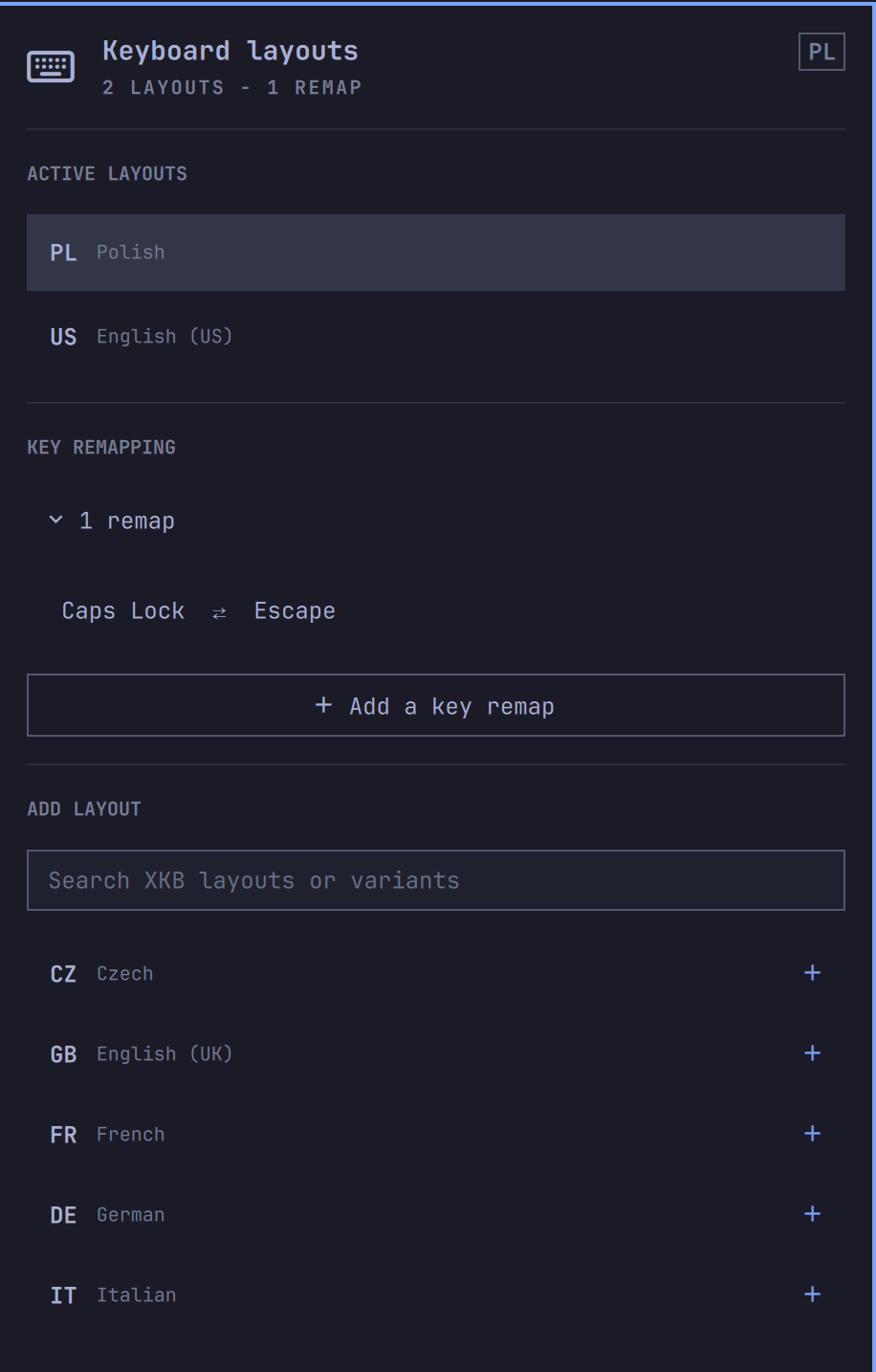
Features
- Shows the active layout in the bar.
- Opens a native Omarchy-style popup with the configured layouts.
- Activates, adds, and removes layouts without editing files manually.
- Searches the installed XKB layout and variant catalogue.
- Remaps any key to any other key by just pressing the two keys (e.g. swap Caps Lock and Escape), validated before anything is written.
- Persists
kb_layoutandkb_variantin~/.config/hypr/input.lua. - Applies changes immediately through Hyprland.
- Full keyboard navigation: arrow keys (or
h/j/k/l), Enter to activate,xto remove,/to search,ato add a remap,rto reload.
The plugin intentionally manages Hyprland only. It does not require sudo and
does not change localectl, the virtual console, or fcitx5 profiles.

Requirements
- Omarchy with
omarchy-shell(Quickshell-based bar). - Hyprland, reachable through
hyprctl. xkbcli(ships withlibxkbcommon) for the layout/variant catalogue and for validating a key remap before it's applied.awk,base64,jq, andbash(all part of a base Omarchy install) to read the currentkb_optionsand rewrite~/.config/hypr/input.luaand the generated remap file.
No package is installed, no daemon is started, and no sudo is required.
Install
omarchy plugin add https://github.com/Majkelll/omarchy-keymaps.git --enable --yes
omarchy bar move io.github.majkelll.omarchy-keymaps --after omarchy.clock
To remove it and restore the built-in widget:
omarchy plugin remove io.github.majkelll.omarchy-keymaps --yes
Removing the plugin only removes its files under
~/.config/omarchy/plugins/; it does not revert ~/.config/hypr/input.lua,
so your last applied layout selection is kept.
Usage
Click the layout label in the bar. The active layouts are listed first. Click
a layout to activate it, use the search field to find another XKB layout or
variant, and click + to add it. The last remaining layout cannot be
removed.
Keyboard navigation is available with the arrow keys (or h/j/k/l) and
Enter. Press x to remove the selected layout or remap, / to focus the
search field (Escape returns to the panel), a to start a key remap, and r
to reload the XKB catalogue.
Key remapping
Click + Add a key remap (or press A), then simply press the key you
want to remap, and press the key it should act as. Every key counts as
a real choice while capturing — Escape included, since Caps Lock ⇄ Escape is
the whole point — so use the Cancel button to back out.
Leave Map both ways checked (the default) and the two keys trade places,
which is a single Caps Lock ⇄ Escape row in the list rather than two
one-way entries; removing it clears both directions at once. Existing
mappings collapse into an "N remaps" row — click it to expand.
Remappable keys are letters, digits, function keys, modifiers (left and right
told apart), and the navigation cluster — no numpad or multimedia keys yet
(see Model.js's KEY_TABLE).
Under the hood this generates a small XKB symbols file at
~/.config/xkb/symbols/omarchy-keymaps and prefixes it to kb_layout
(libxkbcommon reads ~/.config/xkb by default — no system files are
touched, so this still needs no sudo). The file spells out all four XKB
groups itself, so a remap stays active whichever layout you switch to, and
your per-layout names keep working. Before writing anything, the fully
composed keymap is compiled with xkbcli compile-keymap --test against a
scratch copy of the file; if that fails, or if it merely logs an XKB error
while recovering, nothing on disk changes and the popup shows an error
instead.
How it works
The bar widget and its popup panel are plain QML, driven by
Model.js for parsing and list logic (kept dependency-free so it
can be unit tested outside Quickshell). Applying a change shells out to
scripts/omarchy-keymaps-set, a small bash
script that:
- Validates its arguments (layout list, variant list, active index, and a base64-encoded key-remap payload).
- Compiles the fully composed keymap with
xkbcli compile-keymap --test(against a scratch copy of the symbols file when a remap is configured) and stops without touching anything real if that reports an error. - Rewrites
kb_layout/kb_variantin~/.config/hypr/input.luain place (via a temp file plus atomicmv) and, if a remap is configured, the symbols file at~/.config/xkb/symbols/omarchy-keymaps. - Runs
hyprctl reloadand, if a keyboard device was detected,hyprctl switchxkblayoutto apply the active layout immediately.
Development
omarchy plugin validate .
node tests/model.test.js
The plugin runs inside omarchy-shell and can execute the bundled layout
writer. Review changes before enabling plugins from repositories you do not
control.