
Lodestar
Learn Omarchy by doing it. Lodestar shows one task at a time, you perform it for real on your own desktop, and it confirms the task happened by listening to Hyprland's own window and workspace events. Guided practice, not guided reading.
It reads events, never your screen. It makes no network calls and collects nothing.
The Omarchy manual is dozens of chapters. Lodestar is 8 tasks, about ten minutes, on the desktop you are going to keep using. It is an on-ramp to the manual, not a replacement for it.
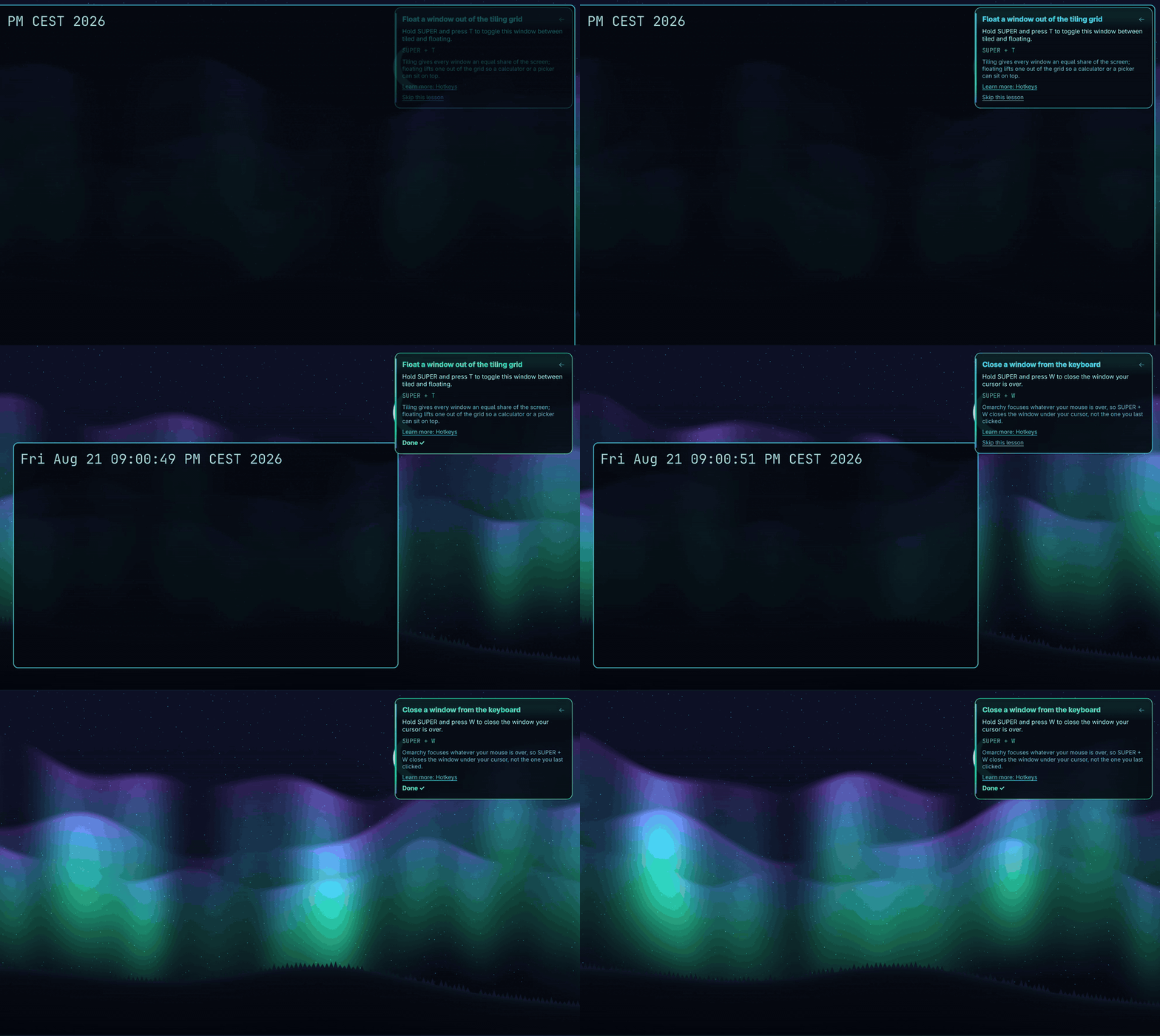
Two lessons on a live desktop: the window floats out of the tiling grid, then the window closes. Each card turns green when Lodestar detects the real effect.
The three surfaces
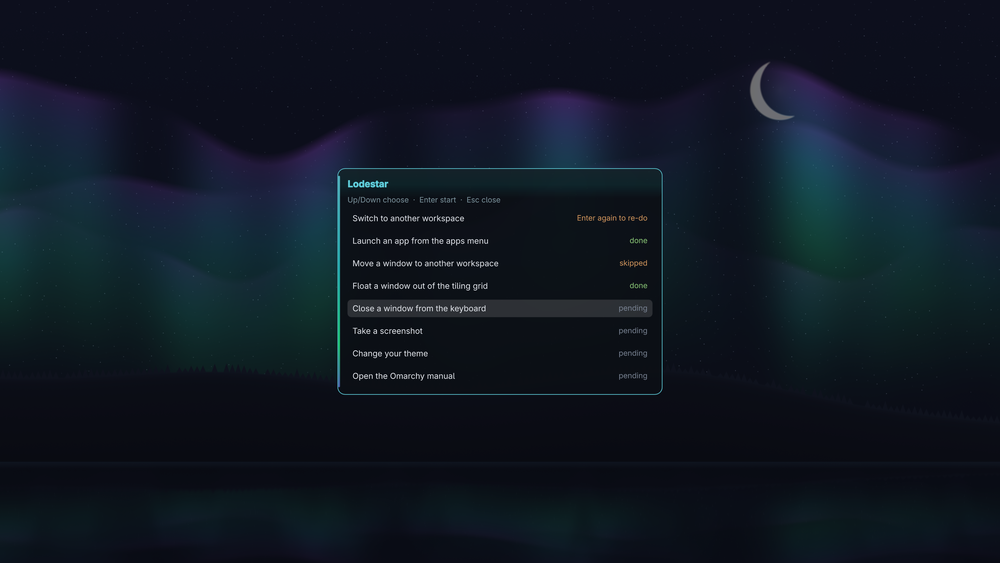
The course list, with each lesson's state kept honest: done, skipped, or waiting.
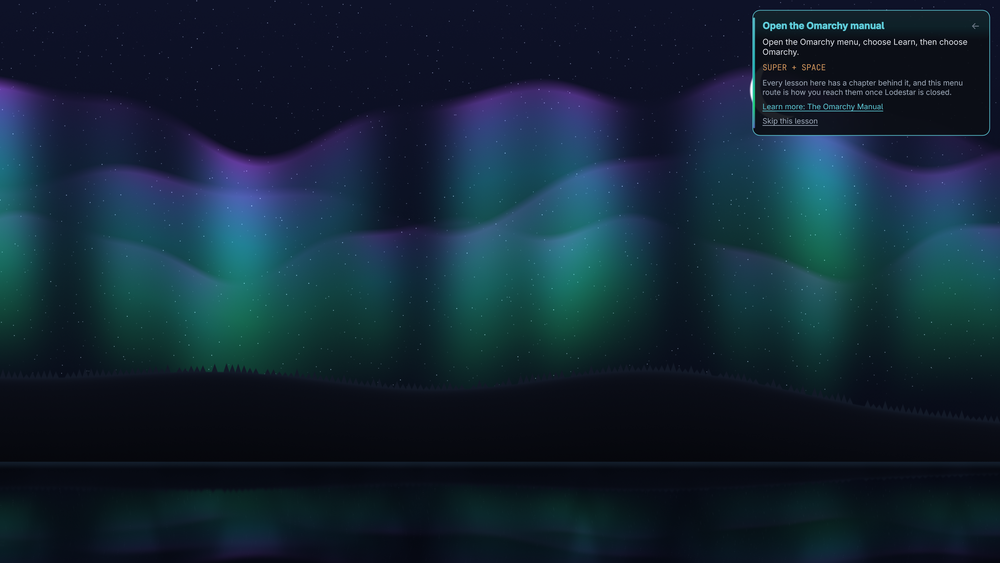
A lesson card. It sits in the corner, holds no keyboard focus, and shows the binding you actually have rather than the stock default.
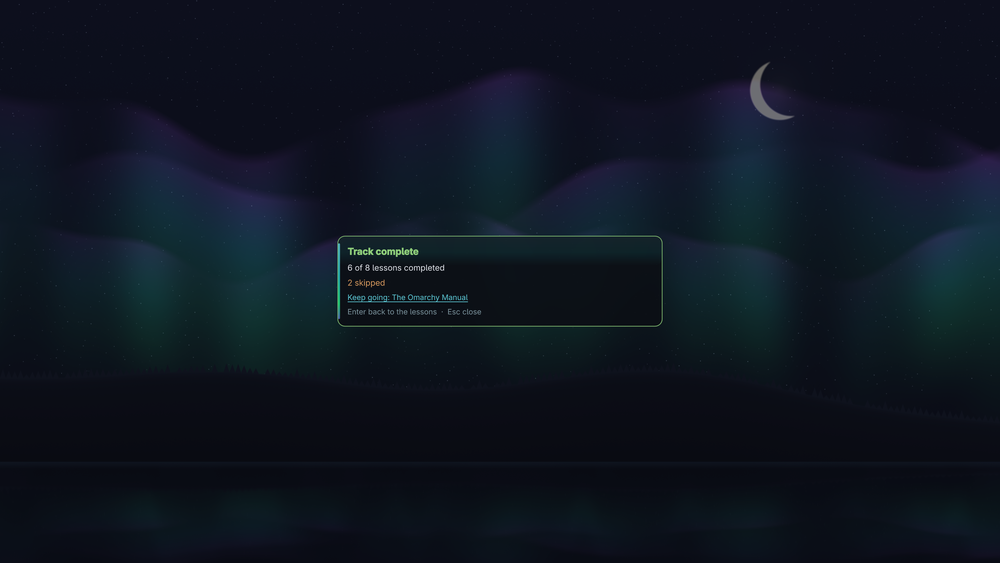
The summary, once every lesson is done or skipped.
Install
omarchy plugin add https://github.com/marko-builds/lodestar --enable
Remove it the same way:
omarchy plugin remove io.github.marko-builds.lodestar
Removing the plugin leaves one file behind, your progress. Delete it if you want it gone:
rm -rf ~/.local/state/omarchy/tutorial
No dependencies beyond a stock Omarchy install.
Updating an already-installed copy needs one extra step. The shell keeps plugins loaded, and
rescanPlugins registers a plugin without replacing a component it has already loaded, so new
code does not take effect until the shell restarts:
omarchy restart shell
A first install does not need this.
Open it
Try it right now, no config:
omarchy-shell shell summon io.github.marko-builds.lodestar
If you keep it, give it a permanent home. Plugins cannot add their own menu rows or keybinds, so this part is one line in a file you already own. Pick either.
A row in the Learn menu, which puts Lodestar next to the manual it teaches from. Add this to
~/.config/omarchy/extensions/omarchy-menu.jsonc:
"learn.lodestar": { "icon": "", "label": "Lodestar", "action": "omarchy-shell shell summon io.github.marko-builds.lodestar" }
Open the menu, choose Learn, choose Lodestar.
A keybind. Add this to ~/.config/hypr/bindings.lua:
o.bind("SUPER + ALT + L", "Lodestar", "omarchy-shell shell summon io.github.marko-builds.lodestar")
The lessons
Up and Down choose, Enter starts, Esc closes. Once a lesson starts, the card moves to the corner and stops taking keyboard focus, so the keys you are learning reach the desktop and not the tutorial.
- Switch to another workspace
- Launch an app from the apps menu
- Move a window to another workspace
- Float a window out of the tiling grid
- Close a window from the keyboard
- Take a screenshot
- Change your theme
- Open the Omarchy manual
Every lesson links to the manual chapter it came from. Skip is always available, and a skipped lesson is recorded as skipped, never as done.
What it actually checks
Lodestar watches for the effect, not the keypress. Switching a workspace completes when the workspace changes. Launching an app completes when a window appears. Taking a screenshot completes when a new image lands in the directory your capture settings point at. Changing the theme completes when the theme changes. Nothing advances on a timer, and nothing asks you to mark your own work.
It also shows the binding you actually have. Lodestar reads your live keymap rather than printing the stock default, so a remapped desktop gets its own keys on the card. When it cannot answer honestly, it says the stock binding instead of guessing: two binds sharing one description and disagreeing, or a binding that only exists inside a submap, both fall back rather than teach you a key that will not work.
Where your progress lives
~/.local/state/omarchy/tutorial/progress.json, keyed by lesson name, written 0600 in a 0700
directory. Lodestar refuses to write through a symlinked path or a symlinked parent directory,
and says so on the card instead of writing somewhere you did not intend. It also refuses to read
or overwrite a progress file larger than 64 KiB (a real one is about 1 KB), and it reads at most
1 MiB of hyprctl binds and 64 KiB of user-dirs.dirs, so a corrupted file or an oversized
compositor response cannot make the shell allocate it.
Limits, stated
- Eight curated lessons, not the whole manual. This is an on-ramp, not a reference.
- The launcher, the menu and the notification panel are shell layers, and Hyprland emits no window event for them. The launcher lesson is confirmed by the app window you open with it, not by the launcher appearing.
- Hyprland 0.56 emits no event for a window resize, verified against the event socket, so there is no resize lesson. A lesson that cannot be checked honestly is not shipped.
- A lesson completes when its effect happens, whichever route you took. Opening the manual from a bookmark completes the manual lesson. That is deliberate.
- An incidental effect can complete a lesson. If an unrelated window closes while the close lesson is armed, the lesson counts it.
- Keybinding display covers Omarchy-managed bindings. A raw Hyprland rebind carries no description, so Lodestar falls back to the stock hint for it.
- English only.
Dev harness
selftest.qml drives every lesson against the live compositor: it switches workspaces, spawns
and closes real windows, writes a screenshot into a throwaway directory, changes the theme and
changes it back, and asserts the plugin's own persisted state after each one. It runs beside
your live shell and needs the foot terminal for its throwaway windows.
OMARCHY_SCREENSHOT_DIR="$XDG_RUNTIME_DIR/lodestar-selftest-screenshots" \
  flock -w 900 "$XDG_RUNTIME_DIR/lodestar-selftest.lock" \
    -c 'quickshell -p selftest.qml'
It takes about four minutes and it moves your workspace while it runs, so leave the desktop
alone until it finishes. It renders the real overlay, so you will see lesson cards appear and,
at one point, a red "Couldn't save your progress" card: that is the symlink-refusal test
passing, not a fault. The gate exits 0 for pass, 1 for fail, and 2 for inconclusive, which
means the shell restarted or the workspace drifted underneath the run and you should re-run it
on an idle desktop. Everything it writes lands under $XDG_RUNTIME_DIR, never in your
real progress file.
lookdev.qml renders the three surfaces (course list, lesson card, summary) for
visual review.
demo.qml records the GIF at the top of this file. It parks on an empty workspace, drives two
lessons at reading pace against the real detectors, and records the corner of the screen the card
sits in. It needs gpu-screen-recorder for the capture and ffmpeg for the GIF, both dev-side
only and neither required to run the plugin. The exact record and convert commands are in the
header of demo.qml.
License
MIT