
Quick Capture
Capture a thought without opening your notes app.
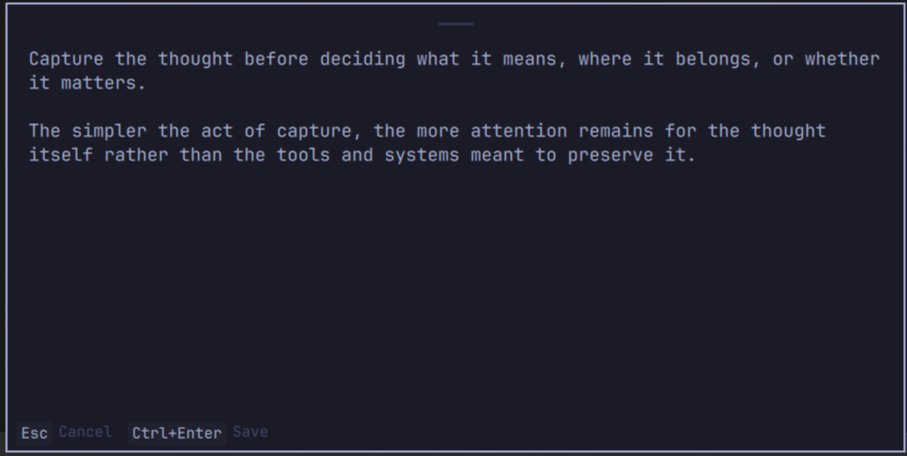
Quick Capture is a system-wide Markdown capture panel for Omarchy. Press a shortcut anywhere, write a thought, save it, and immediately return to what you were doing.
It is inspired by Org-mode capture, but it does not require Emacs—or any particular notes application.
Why Quick Capture?
Omarchy's scratchpad is instant but not note-aware. Full editors such as Omawrite, Obsidian, or Neovim understand notes but require opening an application. Quick Capture occupies the useful middle ground: instant, Markdown-aware, and editor-independent.
Quick Capture does not replace your notes application. It removes the friction of opening one every time you want to capture a thought.
Features
- Native Omarchy
panelplugin hosted by the existingomarchy-shell - Focused multiline editor on the currently active monitor
- Always-on-top, mouse-draggable card that stays on its current monitor
- Click-through space outside the card, so text can be selected and copied from underlying applications
Ctrl+Enterto append and close;Escto cancel- Configurable Markdown path, timestamp, tags, source context, template, size, and position
- Pre-focus application and window-title context
- Theme-aware colors, typography, spacing, and corner radius
- Serialized append-only writes with confirmation before the editor is cleared
- Clear retryable errors that preserve typed content
- Completely local; no telemetry, network services, or note uploads
Installation
Quick Capture targets Omarchy 4.0.0 / manifest schema 1.
1. Install the plugin
omarchy plugin add https://github.com/matt-aaz/omarchy-quick-capture.git --enable
2. Add the global shortcut
Check your current bindings before assigning Super + N:
omarchy menu keybindings --print
Plain Super + N is free in the stock Omarchy 4.0.0 bindings. If it is already assigned on your system, choose another shortcut. Otherwise, add this to ~/.config/hypr/bindings.lua:
o.bind(
  "SUPER + N",
  "Quick Capture",
  "omarchy-shell shell summon io.github.matt-aaz.quick-capture '{}'"
)
Hyprland reloads the Lua configuration automatically. The binding sends IPC to the already-running Omarchy shell; it does not launch another Quickshell process.
Configuration
User configuration lives outside the plugin at:
~/.config/omarchy/quick-capture.json
That location survives plugin updates and uninstall. Create or reset it from the example:
cp config.example.json ~/.config/omarchy/quick-capture.json
Defaults:
{
  "capture_file": "~/Documents/Notes/Capture.md",
  "default_tags": ["capture"],
  "include_timestamp": true,
  "timestamp_format": "%Y-%m-%d %H:%M",
  "include_app": true,
  "include_window_title": true,
  "panel_width": 700,
  "panel_height": 230,
  "panel_position": "center",
  "notify_on_save": false,
  "template": "## {{timestamp}}\n{{tags}}\n\n{{content}}\n\n{{source}}"
}
To change the destination, edit only capture_file, for example:
"capture_file": "~/Documents/Knowledge/Inbox.md"
Paths beginning with ~/ and absolute paths are supported. Missing parent directories are created. panel_position accepts center, top, or bottom. Timestamp tokens supported in v0.1 are %Y, %m, %d, %H, %M, %S, and %%.
The minimal template supports:
{{timestamp}}
{{tags}}
{{content}}
{{app}}
{{window_title}}
{{source}}
Configuration is reloaded each time the panel opens. A descriptor-validated reader limits configuration to 64 KiB and saved position state to 4 KiB before either reaches Omarchy Shell.
Usage
- Press the configured global shortcut.
- Type a note;
Entercreates a new line. - Press
Ctrl+Enterto save.
The subtle grip at the top marks the draggable area. Move the card anywhere within the current monitor; its last position is restored the next time it opens. The card remains visible above other windows. Click an underlying application to select and copy text, then click the editor and paste; the unfinished capture stays intact throughout.
A successful write clears the editor and closes the panel. Esc closes without saving. A failed write leaves the panel open with every character intact so the destination can be fixed and the save retried.
Rendered notes are limited to 256 KiB of UTF-8 data. The editor blocks input beyond that boundary, and the append helper enforces the same limit independently. Text already in the editor is preserved when a note is rejected.
Markdown output
## 2026-08-22 21:17
#capture #reading

This section makes a useful distinction that I want to revisit later.

Source: Reader — Chapter 4
The timestamp is generated at save time. New captures are separated by one blank line. Existing content is never truncated or replaced.
Privacy
Quick Capture stores notes locally in the Markdown file you configure. It does not send note content anywhere.
There is no telemetry, analytics, remote logging, cloud API, or automatic upload.
Shell IPC exposes only whether the panel is open, saving, or visible. It does not expose or accept draft text, the destination path, source application/window metadata, errors, or panel geometry.
The append helper accepts only regular destination files. It atomically opens the final path without following symbolic links, verifies and locks the opened file descriptor, then appends and flushes through that same descriptor. Symlinks, directories, FIFOs, sockets, devices, and other non-regular destinations are rejected.
Security assumptions that remain:
- Parent directory components are controlled by the user. This permits normal setups where a notes directory itself is symlinked; hostile parent-directory traversal would require descriptor-relative resolution of every component.
flockis advisory and serializes cooperating writers. A process allowed to rename entries in the parent can make the opened file unreachable under its original name, but cannot redirect the descriptor-only append through a replacement symlink.- Existing hard links are regular files and cannot be distinguished from their other names by this check.
fsynccovers the opened file, matching the prior persistence guarantee. New-file creation does not separatelyfsyncthe parent directory entry.
Troubleshooting
The panel does not open
omarchy plugin list --json
omarchy-shell shell ping
omarchy-shell shell summon io.github.matt-aaz.quick-capture '{}'
journalctl --user -u omarchy-shell -n 100 --no-pager
Confirm that the plugin is listed and enabled, and that the Omarchy shell responds to ping.
The note cannot be saved
Quick Capture keeps the editor open and displays a short error. Check that capture_file is an absolute or ~/ path and that its parent filesystem is writable. Fix the configuration and press Ctrl+Enter again; the text remains available.
Configuration changes do not appear
Validate the JSON:
jq . ~/.config/omarchy/quick-capture.json
Then reopen the panel. If needed:
omarchy restart shell
Development
Runtime dependencies are limited to Omarchy, Quickshell, and Python 3 from the standard Omarchy/Arch environment. notify-send is used only when notify_on_save is enabled. No third-party Python package or daemon is installed.
The test suite additionally uses Node.js to execute the pure QML JavaScript logic; Node.js is not a runtime dependency.
bash tests/test-release.sh
This runs append-safety tests, template/config logic tests, privacy checks, and the current Omarchy manifest validator.
To test a local checkout without Git installation, copy it into Omarchy's third-party plugin directory and enable it:
PLUGIN_ID='io.github.matt-aaz.quick-capture'
mkdir -p "$HOME/.config/omarchy/plugins/$PLUGIN_ID"
cp -a manifest.json QuickCapture.qml CaptureLogic.js config.example.json bin \
  "$HOME/.config/omarchy/plugins/$PLUGIN_ID/"
omarchy-shell shell rescanPlugins
omarchy plugin enable "$PLUGIN_ID"
Uninstall
omarchy plugin remove io.github.matt-aaz.quick-capture
Uninstall removes plugin code and disables it in the shell. It intentionally does not delete:
~/.config/omarchy/quick-capture.json- the configured Markdown capture file
Captured notes are user data, not plugin-owned data.
Contributing
See CONTRIBUTING.md. Keep v0.1 focused on reliable local capture; proposed later features belong in ROADMAP.md.