
Omahub
← All plugins
E

Mesh Peek

by Eugene Ray / Senior Engineer

Keyboard-first STL/3MF glance: Chromium+Three.js (cached under ~/.cache); optional f3d.

Security review

No obvious issues detected

Deterministic scan — not a security guarantee

None
Risk level
None
Analyzed commit
c00f4cb
Scanned
1 month ago

No potentially dangerous behavior detected in the analyzed commit.

Automated analysis only — not a security guarantee.

AI advisory review

No obvious issues detected

Language-model assessment · ~deepseek/deepseek-v4-flash-latest — advisory only

Low
AI risk level
Low
Recommendation
install
Model
~deepseek/deepseek-v4-flash-latest
Analyzed commit
c00f4cb
Reviewed
1 month ago

Mesh Peek is a keyboard-first STL/3MF viewer that launches a local, token-protected Chromium/Three.js session or f3d. The code is transparent, well-commented, and includes good hygiene like SHA-256-pinned CDN downloads, temp-file atomic writes, and cache verification. No malicious, obfuscated, or destructive behavior was found; the only side effects are opt-in config changes and a short-lived localhost server.

  • The temporary local HTTP server in scripts/open-web.sh serves the entire state directory without authentication on non-model paths; the token file is readable at /token if a local process can guess the random port, though the state directory is user-only (0700) and the practical exposure is minimal.
  • scripts/install-bind.sh modifies ~/.config/hypr/bindings.lua and the resulting keybind simulates Ctrl+C in Nautilus to copy a selected file. This is documented and user-invoked, but it is still a configuration mutation and synthetic keypress behavior.
  • The viewer relies on a localhost server and Chromium; if the browser is compromised while a model is open, the copied model file is accessible on the local server until cleanup (up to 5 minutes or window close).
How this check works

This review combines the deterministic scan (the rule-based results above) with an independent look at the plugin's code by a language model. The model reads a trimmed sample of the repository's files, the manifest, and the README, then gives a plain-language risk level and a recommendation: install (no notable danger), review (look closer first), or avoid (clearly dangerous).

It runs on the same analyzed commit as the deterministic scan and is strictly advisory — it is not a security guarantee and never blocks a plugin by itself. A human moderator still reviews plugins before they are listed.

AI advisory only — automated analysis, not a security guarantee.

Install
$ omarchy plugin add https://github.com/monomyth/omarchy-meshpeek --enable
Hardware #Hyprland #quickshell

Mesh Peek

Keyboard-first STL / 3MF glance for Omarchy Quattro.

One shortcut opens a clay-shaded Three.js viewer in Chromium. Not a slicer, not a CAD suite. Just a quick look at the mesh. STL, 3MF, OBJ, glTF, and glb are supported. Print/CAD files are Z-up by default.
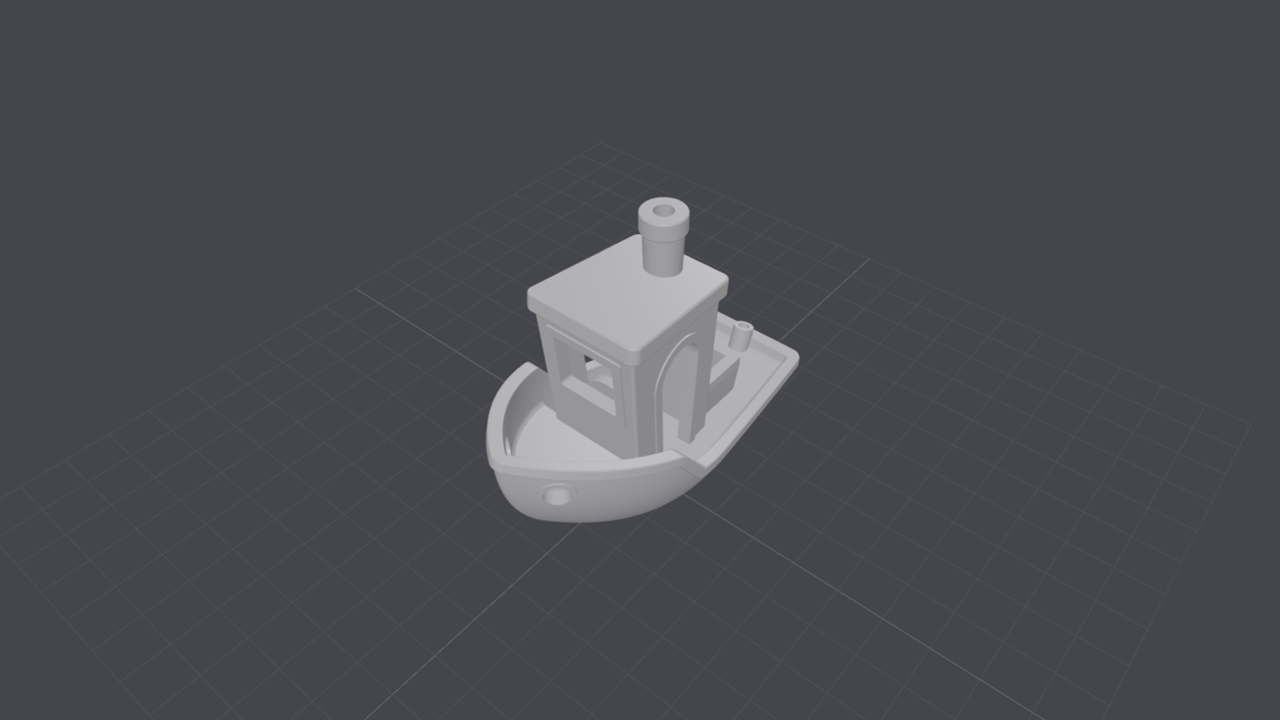
preview

Install

omarchy plugin add https://github.com/monomyth/omarchy-meshpeek.git --enable

Then add Super+Shift+Ctrl+V either way:

bash ~/.config/omarchy/plugins/io.github.monomyth.meshpeek/scripts/install-bind.sh

Or paste bindings.hypr.lua.example into ~/.config/hypr/bindings.lua yourself.

The install script checks whether that chord is free (Omarchy keybindings print plus your bindings.lua). If Mesh Peek already owns it, it does nothing. If something else owns it, it prints the conflict and exits 2. Otherwise it appends the portable meshpeek_open() helper (os.getenv("HOME"), no hardcoded path).

Needs Chromium (or Chrome), plus wl-paste, jq, and hyprctl. First open caches Three.js under ~/.cache/omarchy/meshpeek/ (once; refreshes about weekly).

Shortcut

Super+Shift+Ctrl+V

Situation What happens
Files focused, model selected Opens that model
Files focused, nothing selected Picker (won't reopen a stale clipboard file)
Any other app Picker near newest model under Downloads / Prints

In the viewer

Input Action
Drag Orbit
Scroll Zoom
Right-drag Pan

Close the Chromium window when you're done. An optional bar icon exists; the keybind is the intended UI.

Remove

omarchy plugin remove io.github.monomyth.meshpeek

Optional

Default backend: f3d if installed, otherwise Three.js.

export MODELVIEW_UP=+Z            # or +Y / -Z / -Y
export MODELVIEW_BACKEND=threejs  # or f3d (must be installed)

License

MIT