
<img src="icon.png" width="40" align="top" alt=""> Dockhand Control
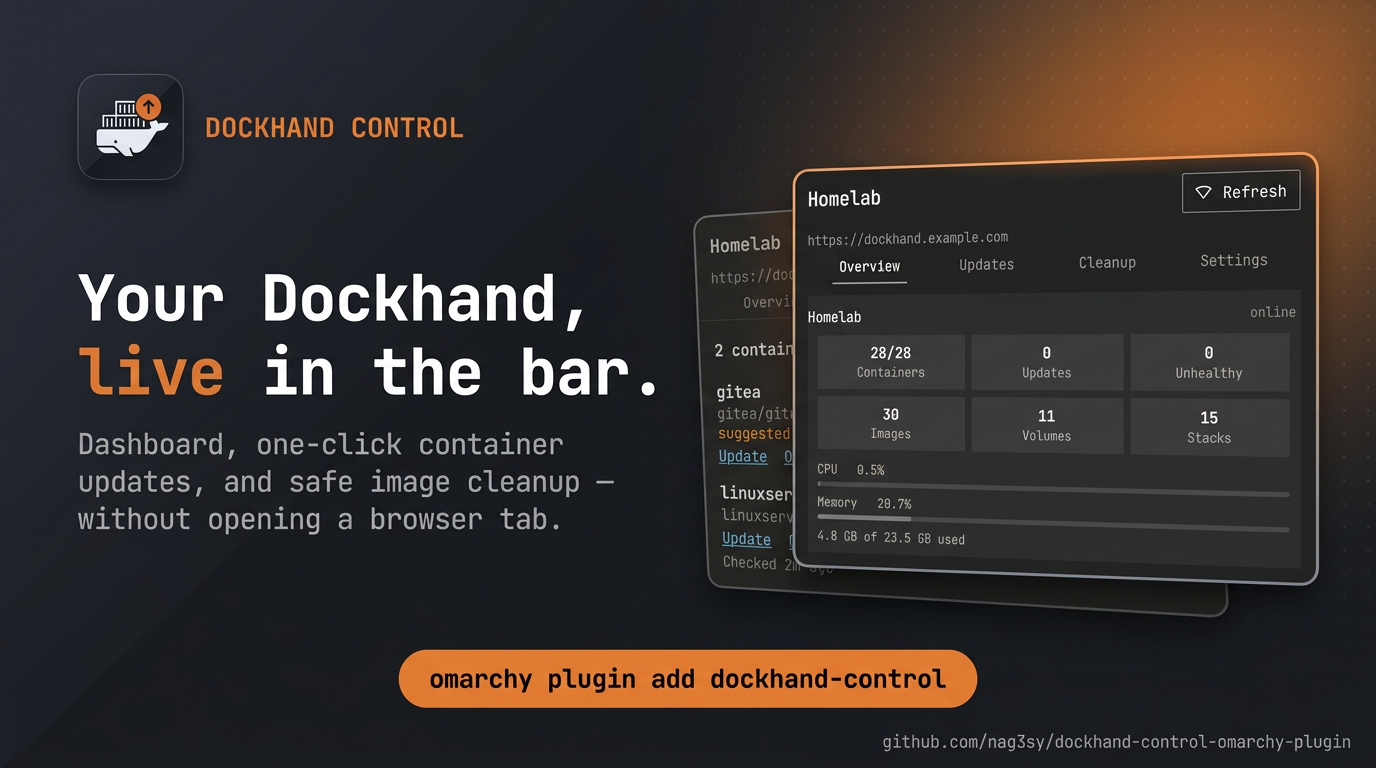
A bar-widget plugin for Omarchy that turns your Dockhand instance into a control center one click away: a live update badge, a dashboard of every Docker host Dockhand manages, one-click container updates, and safe image cleanup — without opening a browser tab.
Upgrading from Dockhand Updates? Your connection and token migrate automatically on first launch — nothing to reconfigure. (Remove the old plugin first so two widgets don't overlap.)
Works with a Dockhand instance reached by local IP (http://192.168.1.50:3000)
or by a domain you've exposed publicly (https://dockhand.example.com) —
it's just a URL. If Dockhand manages more than one Docker host, every
environment it knows about is included.
Features
Overview — a card per Docker environment:
- Container counts: running/total, pending updates, unhealthy — with an online/offline status dot.
- Image, volume, and stack totals.
- Live CPU and memory bars from Dockhand's own host metrics collector.
- Host line: platform, architecture, CPU count, Docker version, image disk usage, and uptime.
Updates — everything the badge counts, now actionable:
- One-click update per container, or Update all in one shot. Updates
run through Dockhand's own
batch-updateendpoint — the same tested recreate path its web UI button uses; the widget only ever sends container IDs, never a hand-built recreate payload. Recreating a container briefly interrupts it, so the action asks for confirmation first (configurable). - Live per-row progress and a result summary — including per-container failure reasons when an update doesn't take.
- Changelog links — one click through to Dockhand's resolved GitHub/Gitea/Forgejo release notes, for images on a pinned version.
- Open in Dockhand — deep link to that container on Dockhand's own Containers page.
- Check now — triggers a real registry check on demand, separate from the cheap automatic poll.
Cleanup — reclaim disk space, safely:
- See where Docker's bytes live per environment: image layers on disk, container layers, build cache, volumes.
- Prune dangling images — removes only untagged images nothing references.
- Prune all unused images — also removes tagged images no container is currently using. Dockhand still skips everything in use and shields its own scanner/backup helper images; this is the one action that always asks for confirmation, even with confirmations turned off.
- Result feedback: how much space each prune reclaimed.
Settings — everything configurable lives in one tab:
- Connection (URL + API token), with an inline cleartext-HTTP warning.
- Refresh interval: 5/10/15/30/60 minutes.
- Confirmations on/off for updates and prunes.
Screenshots
Every tab, one click from the bar:
| Overview | Updates |
|---|---|
| <img src="screenshots/overview.png" width="380"> | <img src="screenshots/updates.png" width="380"> |
| Cleanup | Settings |
| <img src="screenshots/cleanup.png" width="380"> | <img src="screenshots/settings.png" width="380"> |
(The Updates screenshot shows demo data; everything else is the real UI. The connect flow is the first thing you see — it's the Settings tab before a connection is saved.)
Setup
- Click the widget in the bar.
- Enter your Dockhand URL.
- If your instance has Dockhand's own login enabled, log into Dockhand in a browser, click your avatar at the bottom of the sidebar → Profile, find the API tokens card, click Generate token, and paste the value in. Leave the token blank if the instance has no authentication.
- Save.
Dockhand has no scoped/read-only token type — a token carries whatever permissions its owning user has (containers, stacks, everything). That was already true of the read-only version of this plugin; now that the widget can actually update and prune, it matters more. Create a dedicated user for this if you want to limit the blast radius of a leaked token; otherwise treat the value the same as your Dockhand password.
If you've put your Dockhand instance behind a reverse-proxy SSO gate
(Authelia, Cloudflare Access, Pomerium, etc.) instead of, or in addition to,
Dockhand's own login, a Dockhand API token alone won't get past that
gate — the proxy redirects the request to its own login page before
Dockhand ever sees it, and the widget will show ! ("Couldn't read
Dockhand's response" — it got login-page HTML back instead of JSON).
Either add a bypass rule for /api/* on that proxy host (Dockhand's own
token auth still protects it once you're past the proxy), or point the
widget at Dockhand's local IP instead, which skips the public-facing proxy
entirely.
What the badge means
- A number — how many containers across every environment have a real
image update pending (Dockhand's own
hasImageUpdateflag: a newer digest exists for the image tag you're running). - Nothing shown — everything's up to date.
!— the widget couldn't reach Dockhand or the token was rejected; open the popup for the specific error.
The "Newer version tags available" section (when present) covers Dockhand's advisory semver-tag detection for pinned versions — informational only, never counted in the main badge, never auto-applied by Dockhand or this plugin.
Refreshing
- Automatic, every 5–60 minutes (your choice, default 10): a read of
Dockhand's own cached state (
GET /api/containers/pending-updatesandGET /api/dashboard/stats) — no registry calls of their own, so this is cheap and safe to poll. - On popup open: the above, plus per-environment host facts and Docker
disk usage (
GET /api/host,GET /api/system/disk) — static-ish values that don't need a timer. - "Check now": triggers a real check against each container's registry
(
POST /api/containers/check-updates) across every environment, then re-reads the cached result. This is the expensive path — same as clicking "Check for updates" in Dockhand itself — so it's manual-only, never on the poll timer.
Toggling from a keybind
The widget registers an IPC handler, so you can open it without the mouse:
omarchy-shell dockhand-control toggle   # or: open / close
omarchy-shell dockhand-control tab updates   # jump straight to a tab: overview | updates | cleanup | settings
For example, in Hyprland config:
bind = SUPER, D, exec, omarchy-shell dockhand-control toggle
Migrating from Dockhand Updates
omarchy plugin remove io.github.nag3sy.dockhand-updates
omarchy plugin add https://github.com/nag3sy/dockhand-control-omarchy-plugin --enable
On first launch the new plugin reads the old one's settings file
(~/.local/state/omarchy/settings/dockhand-updates.json) and re-persists it
under dockhand-control.json — your URL, token, and connection carry over
untouched. The old file is left in place; delete it yourself for a clean
slate.
Install
Dependencies: none beyond a stock Omarchy install. The state-file helpers
use only the system perl (read side) and python3 (write side) — both
present on a default Arch/Omarchy system — and the widget talks to your
Dockhand instance over HTTP(S) directly from Quickshell. No packages, build
steps, or bundled binaries.
omarchy plugin add https://github.com/nag3sy/dockhand-control-omarchy-plugin --enable
Or manually:
git clone https://github.com/nag3sy/dockhand-control-omarchy-plugin \
  ~/.config/omarchy/plugins/io.github.nag3sy.dockhand-control
omarchy-shell shell rescanPlugins
omarchy plugin enable io.github.nag3sy.dockhand-control --section right
Remove
omarchy plugin remove io.github.nag3sy.dockhand-control
This stops all network activity from the plugin. It does not delete
~/.local/state/omarchy/settings/dockhand-control.json (your URL, token, and
preferences); delete that file yourself for a clean slate.
How it works
Dockhand API endpoints, called directly via QML's XMLHttpRequest — no
helper scripts for networking, no eval/shell usage anywhere in the plugin:
| Endpoint | Used for | Called |
|---|---|---|
GET /api/environments |
List the Docker hosts Dockhand knows about | Every poll, and before "Check now" |
GET /api/containers/pending-updates?env={id} |
Cached result of the last check — the source of the badge count | Every poll (5–60 min) |
GET /api/dashboard/stats |
Per-environment counts, sizes, and the host CPU/memory sample | Every poll (5–60 min) |
GET /api/host?env={id} |
Platform, CPUs, Docker version, uptime | On popup open, and after a prune |
GET /api/system/disk?env={id} |
Docker image layer disk usage | On popup open, and after a prune |
POST /api/containers/check-updates?env={id} |
Runs a fresh registry check | Only from "Check now" |
POST /api/containers/batch-update |
One-click updates — Dockhand's own recreate path; the body is only ever { containerIds: [...] } |
Only from a confirmed "Update"/"Update all" |
POST /api/prune/images?env={id}&dangling= |
Image cleanup; with Accept: application/json Dockhand answers synchronously with the final result |
Only from a confirmed prune button |
GET /api/containers/{id}/version-notes?versions=…&env={id} |
Resolved GitHub/Gitea/Forgejo release notes for a newer-version-tag suggestion | Only from a row's "Changelog" link |
Plus browser navigations, Qt.openUrlExternally, for a row's "Open in
Dockhand" link and a row's "Changelog" link.
An optional Authorization: Bearer <token> header is sent with every API
request when a token is configured; requests go out with no auth header at
all otherwise. Every request goes only to the base URL you typed in — never
a redirect target or anything derived from a response.
Security
This plugin's v1 was self-reviewed against the Omarchy plugin marketplace's security baseline. v2 keeps every discipline below and adds actions, so the review notes around those are expanded.
- No command execution for networking. Every Dockhand call is a plain
XMLHttpRequest; there is nosudo,pkexec,doas,eval, or shell invocation anywhere in the plugin. The only processes ever spawned are two fixed-argument helper scripts acting on the plugin's own settings file — the read-side and write-side helpers described below — and a one-argument allowlisted IPC method. No helper takes attacker-influenced input. - Every entry point is mouse, timer, or local IPC — and the IPC surface
only drives the popup. Besides the bar pill's click/hover and the poll
timer, the widget registers one Quickshell
IpcHandler(omarchy-shell dockhand-control toggle|open|close|tab <name>) so the popup can be bound to a key. Its methods take no arguments excepttab, whose argument is compared against a fixed allowlist of tab ids before it selects anything; no IPC method performs a network request, an update, or a prune on its own —toggle/openjust open the popup and refresh data exactly as a click would. - One user-supplied host, validated before use. The base URL must match
^https?:\/\/[^\s/]+before Save is even enabled, and every request is built from that stored value — never a redirect target, header, or response body. Every response is aborted mid-transfer the moment it crosses an endpoint-specific byte cap — checked against the declaredContent-Lengthas soon as headers arrive, and again against bytes buffered so far as the body streams in — rather than downloaded in full and only then discarded. Every request also has an explicit timeout (up to 5 minutes for update/prune actions, which legitimately pull images or delete layers; 10 seconds for reads). - A real credential, handled like one — protected from the moment it
hits disk, and bound to the object it was verified against. Unlike
most Omarchy plugins, this one can hold a genuine bearer token
(Dockhand's own per-user API tokens — there's no scoped/read-only
variant). Writes go through a helper script
(
scripts/write-state-file, python3, stdlib only) that opens the temp file exactly once and holds that descriptor for the whole lifecycle: mode0600and ownership are verified withfstaton the descriptor before any byte is written; the content arrives on stdin (the token never crosses process argv or environment) through a bounded incremental copy that aborts mid-stream past the 64KB cap;fsync,fchmodand re-verification all target the same descriptor; and the publish is descriptor-bound too — the validated inode is hardlinked via/proc/self/fd(the kernel resolves that to the open file, never re-resolving the replaceable temp pathname) and the hardlink is renamed over the destination, followed by an identity check that the published object is the exact file that was written and verified. Anything else — a swapped temp path, a non-regular destination, a payload over the cap, a destination directory that isn't a real user-owned directory — fails loudly and the old state file stays intact. Reads re-tighten too: any file carrying group/other bits (e.g. written by an older version) is reduced to0600on the open descriptor before its contents are read, failing closed if that can't be completed. The token field in the popup is masked by default with an explicit Show/Hide toggle, never logged, and only ever sent as anAuthorization: Bearerheader to the one configured host. - Every outbound browser link is scheme-checked at the point it opens.
Both
Qt.openUrlExternallycall sites — "Open in Dockhand" and a row's "Changelog" — go throughModel.isSafeExternalUrl, which requires anhttp(s)://prefix immediately before the call. That matters most for "Changelog": that URL comes from Dockhand'sversion-notesresponse (resolved from GitHub/Gitea/Forgejo, not typed by you), so it's the one link target this plugin doesn't fully control the shape of. A non-http(s) value there is refused and shown as "Couldn't open changelog" instead of ever reachingQt.openUrlExternally. - A cleartext-token warning, not just documentation. If the URL in the
setup form is
http://to something outside a private IP range (RFC1918/loopback) while a token is entered, the form shows a warning inline —Model.isCleartextRisk— rather than only mentioning the risk in this README. Non-blocking (some setups have legitimate reasons for plain HTTP on a private network this check doesn't recognize), but it's in front of you at the moment it matters. - Actions go through Dockhand's own tested paths, and nothing destructive
is silent. Updates are
POST /api/containers/batch-updatewith a list of container IDs Dockhand already knows — the widget never constructs the recreate payload (image, env, ports, volumes, secret resolution) that a raw container update would need, because getting that subtly wrong from outside Dockhand risks breaking a running container. Prune targets images only — never volumes, never containers — and Dockhand's own protections (in-use checks, scanner/backup helper shielding) apply on top. Every update and prune passes through an in-popup confirmation dialog first; "prune all unused images" and container updates ask even when confirmations are turned off in settings. No action ever fires automatically, on a timer, or without a click. - Local storage is one file. Your URL, token, and preferences live in
~/.local/state/omarchy/settings/dockhand-control.json. Removing the plugin doesn't delete it; see Remove. It's read through a helper script (scripts/read-state-file) that opens the path with a singleO_NOFOLLOW|O_NONBLOCKdescriptor, validates regular-file type and size against that same descriptor, and only then reads up to a 64KB cap — no separate check-then-open window for a symlink/FIFO/oversized-file swap to land in. Quickshell'sFileViewis used only to watch the path for external edits — it never reads the file (it has no size-limited or streaming read of its own) and never writes it (writes go through the 0600-from-creation helper above). The v1 migration reads the olddockhand-updates.jsonthrough the same helper, once, only when the new file doesn't exist yet. - Dockhand-sourced text is never treated as rich text. Container,
image, and environment names come from your own Dockhand API and are
rendered with
textFormat: Text.PlainTexteverywhere they're shown, so a container named to look like markup can't be interpreted as one. The one sink this plugin doesn't render itself — the sharedConfirmDialog's message label — is fed through the same sanitizer (Model.plainText, which strips</>entirely) before anything Dockhand-sourced reaches it, so no confirmation string can carry markup into it either. - No privileges. Never requests
sudo/pkexec, never touches system configuration, and never reads or writes any file other than its own settings file above.
The one residual risk worth naming: QML's XMLHttpRequest has no exposed
API to restrict redirect targets or protocols, so a DNS-hijack or
compromised-cert scenario against your configured host isn't something this
plugin can defend against at its own layer — that's a platform limitation,
not something specific to this code. If your Dockhand is only reachable
locally, prefer http:// to a private IP over exposing it publicly; if you
do expose it via a domain (as this author does), put it behind HTTPS and
Dockhand's own authentication.
License
MIT — see LICENSE.