
Hyprland Dock
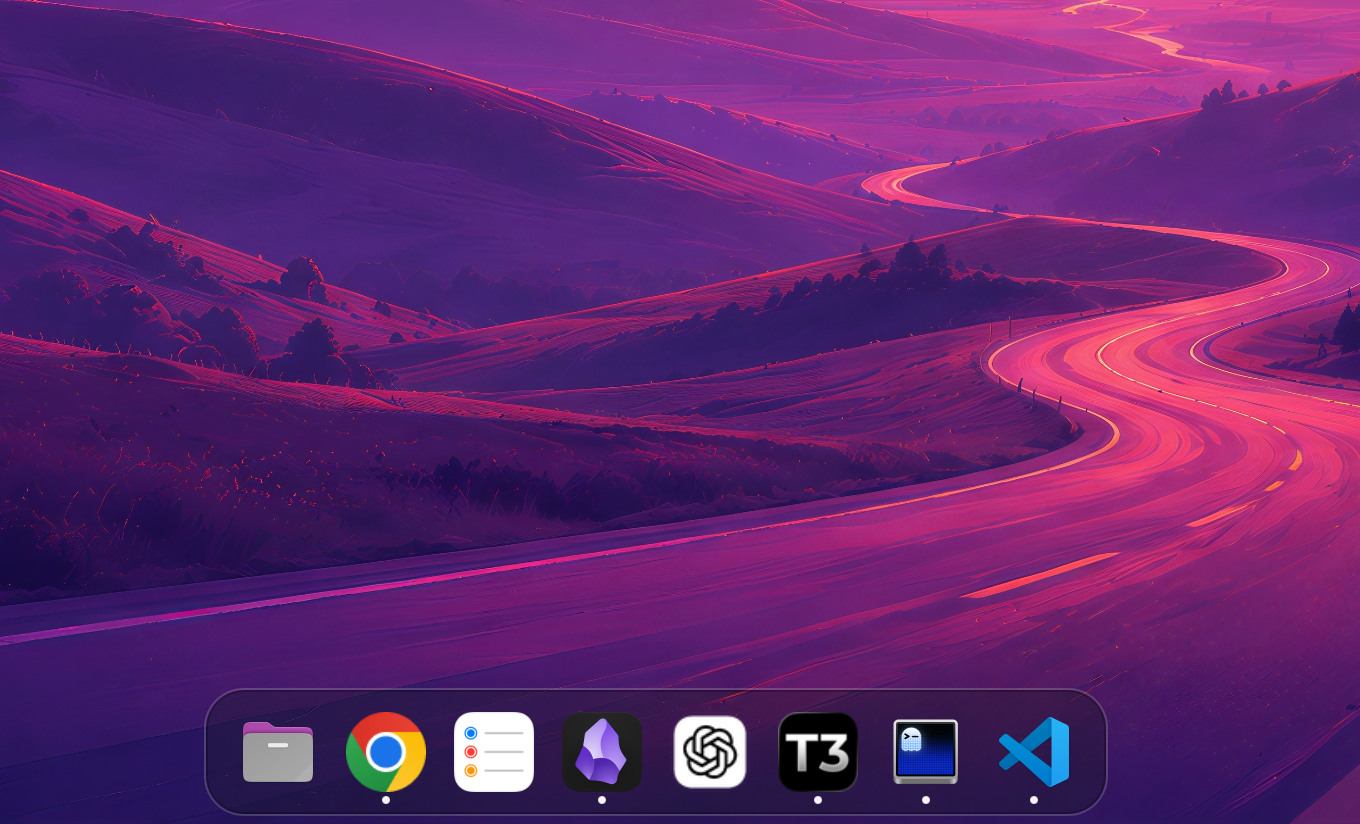
A lightweight macOS-inspired application dock for Hyprland, built with Quickshell and Qt/QML.
Features
- Smooth pointer-distance magnification
- Freedesktop application icons and launching
- Focuses an existing application on another workspace
- Running-application indicators
- Drag-to-reorder with persistent pinned-app order
- Right-click actions to launch, close, pin, or unpin applications
- Fuzzy application search for adding dock items
- Configurable dock background transparency
- Optional reserved screen space
- Optional auto-hide with screen-edge reveal
- Live JSON configuration reload
- Multi-monitor support
Requirements
- Hyprland
- Quickshell 0.3 or newer
- A working freedesktop icon theme
Install
Make sure Quickshell is installed, then run:
curl -fsSL https://raw.githubusercontent.com/nick-friedrich/hyprland-dock/master/install.sh | bash
The installer uses only user directories, requires no sudo, and creates an XDG autostart entry. To install without autostart:
curl -fsSL https://raw.githubusercontent.com/nick-friedrich/hyprland-dock/master/install.sh | bash -s -- --no-autostart
Run the dock immediately with:
hyprland-dock --daemonize
Installed copies also appear as Hyprland Dock in application launchers. Selecting it safely starts or restarts the dock.
Manage autostart later from the CLI:
hyprland-dock autostart status
hyprland-dock autostart enable
hyprland-dock autostart disable
Run hyprland-dock help to see every available command.
If your Hyprland session does not process XDG autostart entries, add one of these manually:
-- Omarchy: ~/.config/hypr/autostart.lua
o.launch_on_start("hyprland-dock")
# Standard Hyprland: ~/.config/hypr/hyprland.conf
exec-once = hyprland-dock
Update or remove
hyprland-dock update
hyprland-dock restart
hyprland-dock uninstall
The older --update, --restart, and --uninstall forms remain supported. Uninstalling preserves the configuration; remove it too with hyprland-dock uninstall --purge.
Install as an Omarchy plugin
Omarchy Quattro users can run the dock inside the existing Omarchy shell instead of starting a second Quickshell process. If the standalone dock is already running, disable its autostart and stop it first:
hyprland-dock autostart disable
hyprland-dock stop
Then install and enable the plugin:
omarchy plugin add https://github.com/nick-friedrich/hyprland-dock.git --enable
The plugin uses the same ~/.config/hyprland-dock/dock.json configuration as the standalone version. On a plugin-only installation, create it from the bundled defaults:
mkdir -p ~/.config/hyprland-dock
cp ~/.config/omarchy/plugins/io.github.nick-friedrich.hyprland-dock/config/dock.json \
  ~/.config/hyprland-dock/dock.json
Update or remove the plugin with:
omarchy plugin update io.github.nick-friedrich.hyprland-dock
omarchy plugin remove io.github.nick-friedrich.hyprland-dock
Do not run the standalone and plugin versions together, or two docks will appear.
Development
Clone the repository and run directly from it:
./scripts/run
Quickshell watches the QML files, so UI changes reload while developing.
Configure
Installed copies use ~/.config/hyprland-dock/dock.json. When running from the repository, edit config/dock.json:
{
  "iconSize": 42,
  "magnification": 1.2,
  "magnificationRadius": 95,
  "margin": 10,
  "backgroundOpacity": 0.88,
  "position": "bottom",
  "fullLength": false,
  "reserveSpace": true,
  "autoHide": false,
  "clickAction": "focus-or-launch",
  "pinned": [
    "org.gnome.Nautilus",
    "com.mitchellh.ghostty",
    "chromium"
  ]
}
Options
| Option | Description |
|---|---|
iconSize |
Base icon size in pixels |
magnification |
Maximum icon scale under the pointer |
magnificationRadius |
Distance over which nearby icons magnify |
margin |
Distance between the dock and screen edge |
backgroundOpacity |
Dock background opacity from 0.0 (transparent) to 1.0 (opaque) |
position |
Screen edge: top, bottom, left, or right |
fullLength |
Fill the screen width, or height for a vertical dock |
reserveSpace |
When true, tiled windows stop beside the dock |
autoHide |
Hide the dock until the pointer reaches its screen edge; can also be toggled from the right-click menu |
clickAction |
focus-or-launch focuses an existing window; launch always starts a new instance |
pinned |
Ordered desktop-entry IDs displayed in the dock |
Pinned values are desktop-entry filenames without the .desktop suffix. List available IDs with:
find /usr/share/applications ~/.local/share/applications \
  -type f -name '*.desktop' 2>/dev/null \
  | sed 's#.*/##; s/\.desktop$//' | sort -u
The configuration file is watched and updates automatically. Drag a dock icon to another slot to reorder it; the new pinned order is written back to this file. When auto-hide is enabled, the dock overlays windows instead of reserving screen space.
For a full-height vertical dock on the left, use:
{
  "position": "left",
  "fullLength": true
}
Disable cursor warping
Hyprland controls whether the pointer moves when focus switches to a window on another workspace. This is compositor-wide behavior and cannot be reliably overridden by the dock.
On Omarchy, add this override to ~/.config/hypr/looknfeel.lua:
hl.config({
  cursor = {
    warp_on_change_workspace = 0,
  },
})
Hyprland normally reloads after the file is saved. Validate the configuration with:
hyprctl reload
hyprctl configerrors
This disables cursor warping for all workspace changes, not only dock clicks.
Roadmap
- Theme integration