
Alt-tab switcher
Windows-style ALT+TAB for Omarchy. Cycles every
window on every workspace, ordered by most recently used.
Hold ALT, tap TAB to move down the list, release ALT to jump to the
highlighted window.
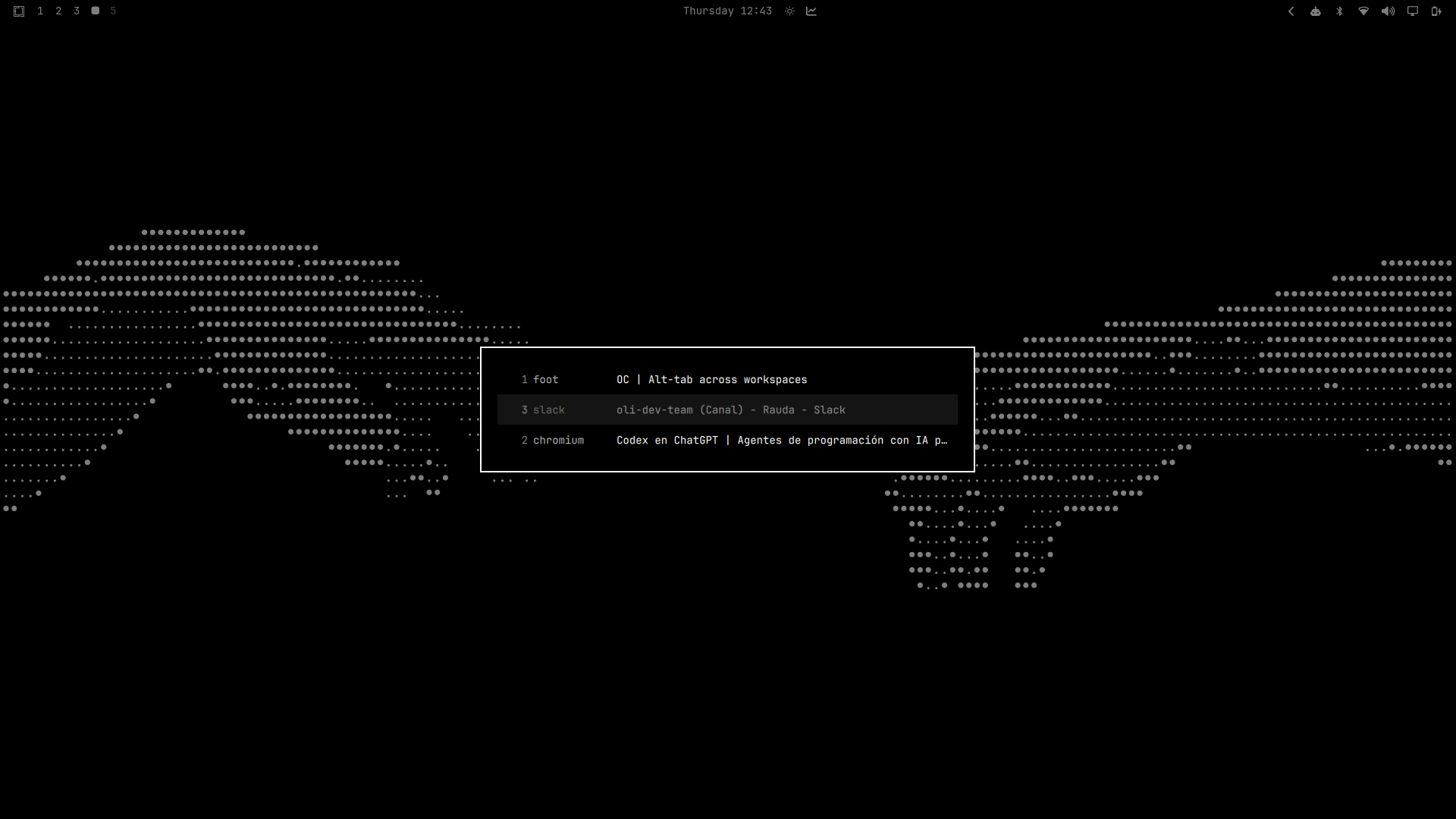
Behaviour
| Keys | Action |
|---|---|
ALT+TAB |
Open the switcher and select the previous window |
ALT+TAB again, ALT still held |
Move one further down the list |
ALT+SHIFT+TAB |
Move back up the list |
Release ALT |
Switch to the highlighted window |
ALT+ESCAPE |
Cancel without switching |
Two things make this behave like Windows rather than like Hyprland's
cyclenext:
- The window list is snapshotted when the switch starts and then frozen, so the order cannot shuffle underneath you while you tab through it.
- Selection is virtual. Focus moves once, when you release
ALT. Focusing on every tap would drag you across workspaces on the way past.
Special and scratchpad workspaces are excluded. Every monitor is included.
Requirements
- Omarchy Quattro, for the shell plugin system
- Hyprland 0.56 or newer, configured in Lua
No other dependencies, and nothing to install beyond this repository.
Install
Add the plugin and enable it:
omarchy plugin add https://github.com/Pablo-Merino/omarchy-altswitch.git --enable
Then load the keybindings from ~/.config/hypr/bindings.lua:
dofile(os.getenv("HOME") .. "/.config/omarchy/plugins/io.github.pablo-merino.altswitch/altswitch.lua")
Apply it with hyprctl reload.
That line replaces Omarchy's four default ALT+TAB bindings (cyclenext and
bring_to_top, in both directions). It unbinds them itself, so no other edit is
needed.
Settings
Application icons are shown by default. Hide them with:
omarchy-shell altswitch set showIcons false
| Command | Effect |
|---|---|
omarchy-shell altswitch set showIcons true |
Show application icons |
omarchy-shell altswitch set showIcons false |
Hide application icons |
Changes apply immediately and persist in the plugin's entry in
~/.config/omarchy/shell.json.
The equivalent manual setting is:
{ "id": "io.github.pablo-merino.altswitch", "showIcons": true }
Remove
Delete the dofile line from ~/.config/hypr/bindings.lua, then:
hyprctl reload
omarchy plugin remove io.github.pablo-merino.altswitch
Omarchy's default ALT+TAB bindings come back on the next reload.
How it works
The plugin is two halves that talk over Omarchy's shell IPC.
altswitch.lua runs inside Hyprland and owns all state and all keys. It reads
the window list from hl.get_windows(), sorted by Hyprland's own
focus_history_id, and drives the panel with omarchy-shell altswitch show|select|hide.
AltSwitch.qml runs inside omarchy-shell and only draws the list. It takes no
keyboard focus, so it cannot trap your keyboard, and it hides itself after ten
seconds if an ALT release is ever missed.
Two Hyprland details are worth knowing if you plan to modify this:
- Committing on
ALTrelease cannot be a keybind. A release bind on a modifier only fires when that modifier is tapped alone; pressingTABin between cancels it. The rawinput.keyboard.keyevent stream is read instead. - Focusing a window from inside a key callback updates Hyprland's active window
but does not settle until the next input event, so the focus dispatch is sent
through
hyprctlfrom outside that callback.
Known limitations
- Keys that the switcher does not bind still reach the window underneath while the list is open. Blocking them needs an exclusive keyboard grab, which risks trapping the keyboard if a switch is ever left open.
- There are no window thumbnails.