
OmaMoney
A live multi-currency exchange rate status bar widget and currency converter for Omarchy.


Overview
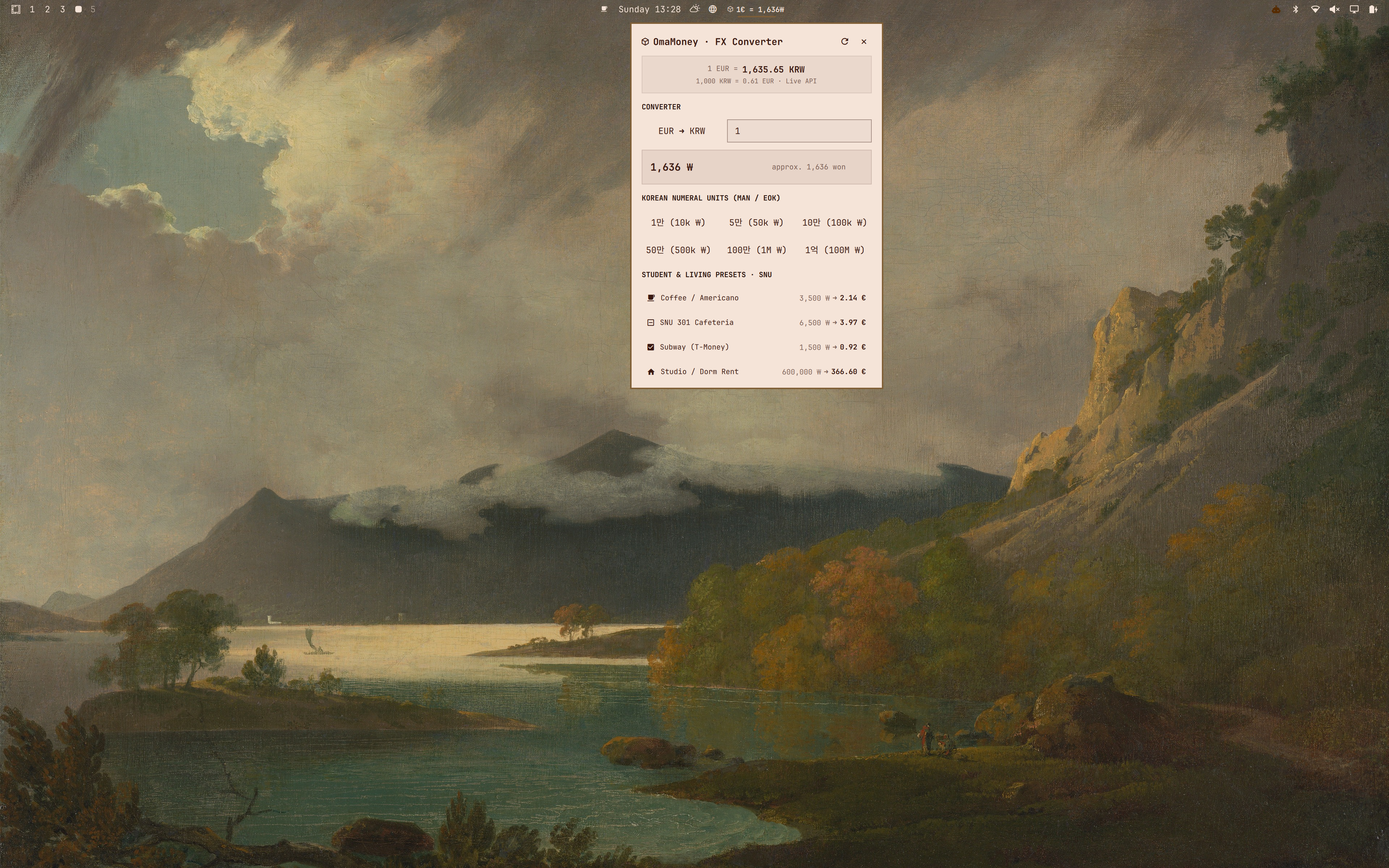
OmaMoney brings real-time currency conversion directly to the Omarchy status bar. Designed for expats, international developers, and students, it provides instant live exchange rates, bidirectional conversions, and customizable expense presets while staying ultra-lightweight and integrated with your active theme.
Gallery
| View | Preview |
|---|---|
| Global Desktop | |
| Converter Panel | 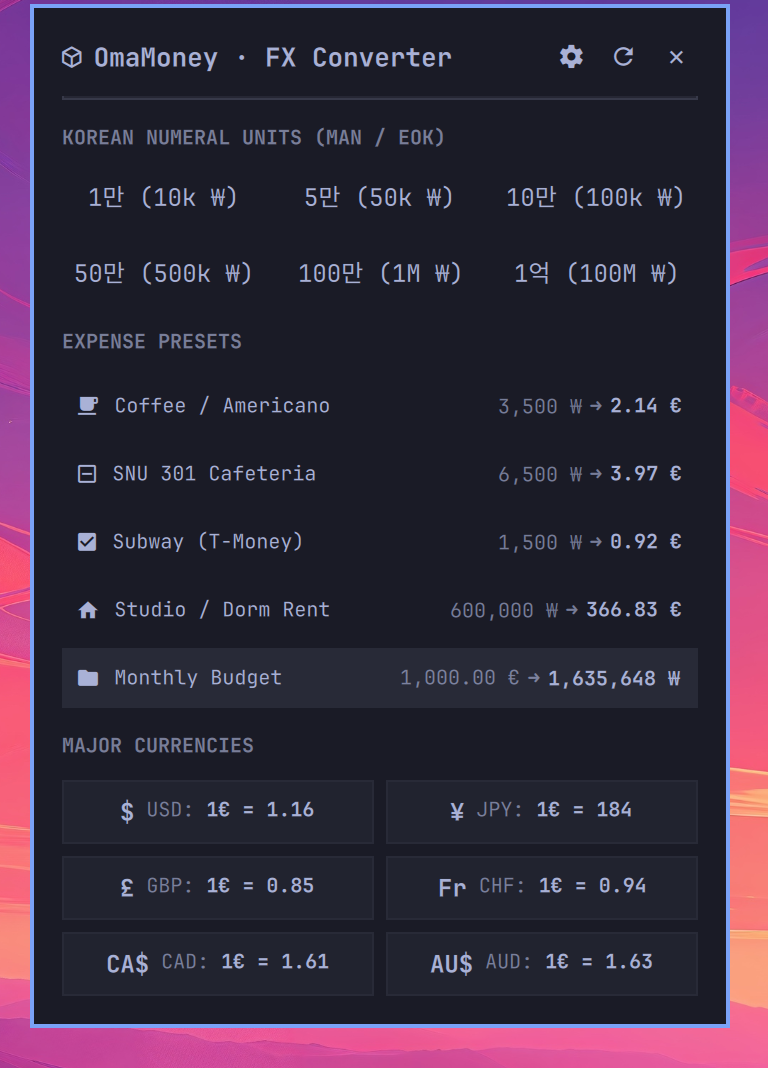 |
Features
- Live Status Bar Pill: Compact display on the Omarchy status bar showing real-time rates (e.g.
1 EUR = 1,635 KRWor1 USD = 159 JPY). - Interactive Quickshell Panel: Fast bidirectional currency calculator with instant typing calculation.
- Customizable Currencies: Track any pair of world currencies (EUR, KRW, USD, JPY, GBP, CHF, CAD, AUD, and 160+ more).
- Custom Expense Presets: Define typical daily and monthly living expenses with custom amounts and icons.
- Korean Numeral Units: Built-in support for Korean denomination units (
만/억). - Theme-Adaptive Design: Native Quickshell vector styling that automatically harmonizes with your active Omarchy theme.
- Offline Durability: Hourly local caching ensures instant startup and full offline reliability.
Installation
Install OmaMoney directly using the Omarchy plugin manager:
omarchy plugin add https://github.com/promaaa/omamoney.git --enable
OR
- Open the Omarchy menu (Super + Alt + Space).
- Go to Install > Plugins.
- Paste this repo URL:
https://github.com/promaaa/omamoney.git - Hit Enter.
Configuration
OmaMoney automatically watches ~/.config/omarchy/omamoney.json. Any changes saved to this file hot-reload immediately without restarting the shell.
{
"baseCurrency": "EUR",
"targetCurrency": "KRW",
"presets": [
{ "icon": "", "name": "Coffee / Americano", "amount": 3500, "isBase": false },
{ "icon": "", "name": "Lunch / Cafeteria", "amount": 6500, "isBase": false },
{ "icon": "", "name": "Subway / Transit", "amount": 1500, "isBase": false },
{ "icon": "", "name": "Studio Rent", "amount": 600000, "isBase": false },
{ "icon": "", "name": "Monthly Budget", "amount": 1000, "isBase": true }
],
"majorCurrencies": [
"USD",
"JPY",
"GBP",
"CHF",
"CAD",
"AUD"
]
}
Controls
| Action | Result |
|---|---|
| Left Click | Open/close the interactive currency converter panel |
| Middle Click | Force an immediate live exchange rate refresh |
| Right Click | Cycle between bar display modes |
Keybinding / CLI
Summon the converter panel from the terminal or bind it to a Hyprland shortcut:
omarchy-shell shell toggle io.github.promaaa.omamoney
Contributing
Contributions, bug reports, feature requests, and suggestions are welcome. Feel free to open an issue or submit a pull request.
License
This project is licensed under the MIT License. See the LICENSE file for details.