
Quickdex
Search any Pokémon and see its stats, types, and weaknesses, right from the Omarchy bar.
Click the pokeball icon, type a name, hit enter to see the full breakdown. Built for a simple reason: mid game, you want to know what a Pokémon is weak to without alt tabbing to a browser.
Not affiliated with or endorsed by Nintendo, Game Freak, Creatures Inc., or PokeAPI.
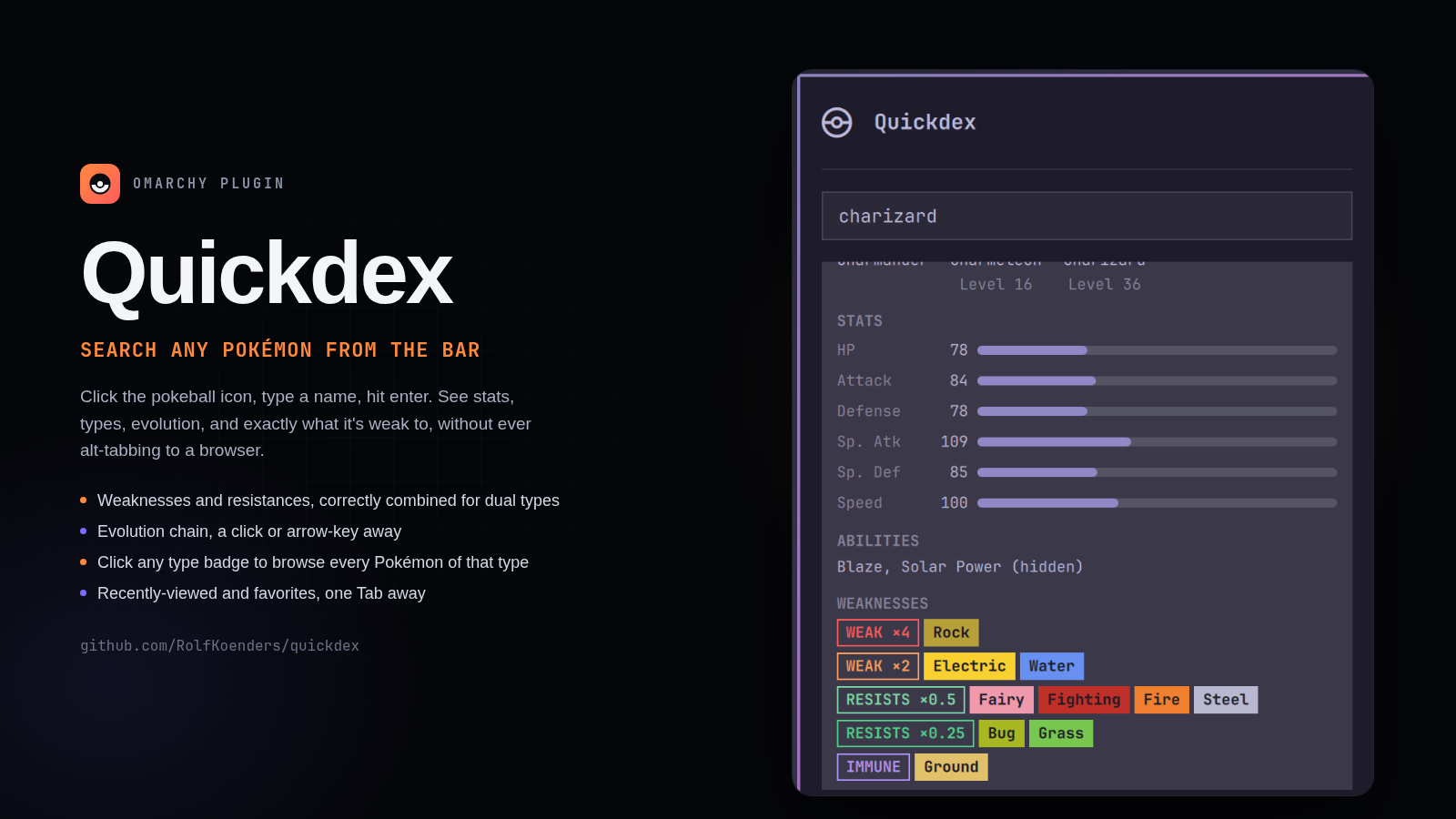
Screenshot
Keyboard
With the panel open, type to search. Arrow keys move the highlighted result, or scroll the breakdown once one's open. Enter opens the full breakdown, or closes it if it's already open. Left/Right jump to the previous or next stage in a Pokémon's evolution chain while its breakdown is open. Tab cycles between search, Pokémon you've recently looked up, and your favorites; type again to go back to search. Escape clears the search field, escape again closes the panel.
Open it with a shortcut
You can also toggle the panel from a keybind instead of clicking the bar icon. Add one line to your Hyprland config and reload:
-- ~/.config/hypr/bindings.lua
o.bind("SUPER + SHIFT + P", "Quickdex", "omarchy-shell quickdex toggle")
# ~/.config/hypr/bindings.conf (older Omarchy)
bindd = SUPER SHIFT, P, Quickdex, exec, omarchy-shell quickdex toggle
Change the keys to any free combo. You can test the command first by running omarchy-shell quickdex toggle in a terminal. Quickdex's settings view (the cogwheel) shows the command with a copy button.
What you get
- Base stats (HP, Attack, Defense, Sp. Atk, Sp. Def, Speed)
- Types and abilities, with hidden abilities flagged
- Height and weight
- Official artwork
- Evolution chain, with each stage a click or arrow-key away
- Weaknesses and resistances, correctly combined for dual type Pokémon, grouped as Weak x4, Weak x2, Resists x0.5, Resists x0.25, and Immune
- Click any type badge to browse every Pokémon of that type
- Recently-viewed Pokémon, reachable with Tab
- Favorites: star a Pokémon from its detail view to pin it, reachable with Tab
- A settings view (the cogwheel, top right): the toggle command, whether the panel opens on Recents or Favorites, and buttons to clear recents, favorites, or cached data
- A small chance any lookup shows a Pokémon's shiny sprite instead of its normal one — no way to trigger it on purpose
Covers the full national dex, including forms that actually differ in type (Alolan Vulpix, Mega Charizard X, and so on) as their own searchable entries. Variants that are cosmetic only, or that share the same type as the form they're based on, are left out of search so results stay clean.
Not included: move lists, flavor text, breeding info. A team weakness calculator is on the roadmap; the design is still being worked out.
Data
Pulled from PokeAPI, a free API with no account or token needed. The Pokémon list is fetched once and cached locally. Each Pokémon you look up gets cached after its first fetch, so looking it up again, even after restarting your shell, needs no network at all.
See THIRD_PARTY_NOTICES.md for attribution.
Install
omarchy plugin add https://github.com/RolfKoenders/quickdex.git --enable
Configure
The bar icon defaults to the right side of the bar. To move it:
omarchy bar move quickdex --section right
Everything else lives in Quickdex's own settings view: click the cogwheel in the panel's top right corner.
Remove
omarchy plugin remove quickdex
This removes the plugin but not its local cache. Delete that too if you want a clean uninstall:
rm -rf ~/.config/omarchy/quickdex
License
MIT, see LICENSE.