
Umarchy
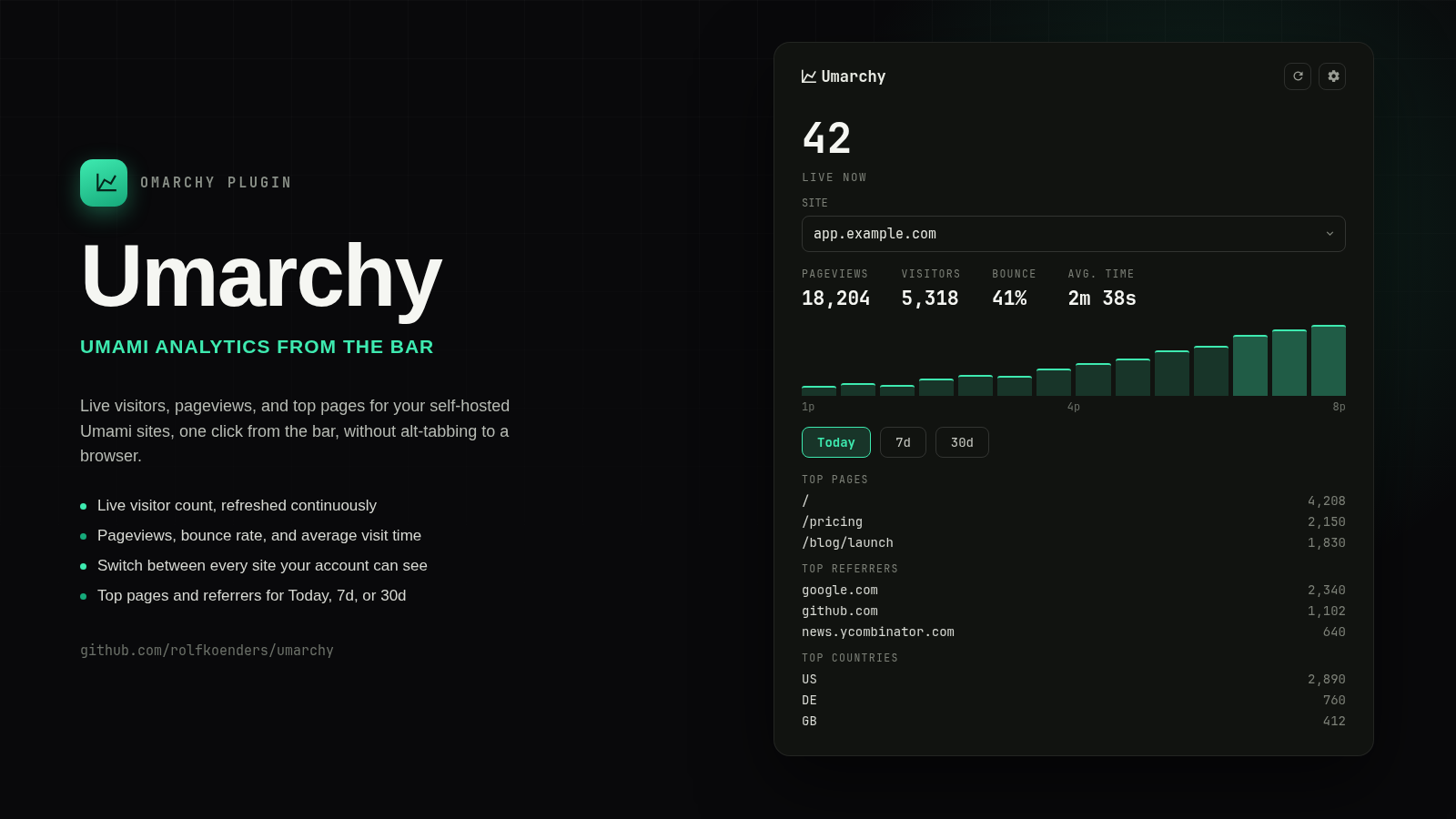
Umami analytics in the Omarchy bar. Live visitor count, pageviews, bounce rate and average visit time, a pageviews-over-time chart, and top pages/referrers/countries — switchable between every site your account can see, one at a time.
Not affiliated with or endorsed by Umami Software, Inc.
Install
omarchy plugin add https://github.com/rolfkoenders/umarchy.git --enable
Setup
Umarchy connects directly to your self-hosted Umami instance's API. It does not use Umami Cloud.
- In Umami, create a dedicated View Only team member account scoped to the site(s) you want in the bar, rather than using your admin login — this plugin never needs write access to anything.
- Open the Umarchy widget, select Settings.
- Enter your instance URL (e.g.
https://analytics.example.com), the view-only username, and its password, then Save & Connect.
Self-hosted Umami has no simple API key (that's a Cloud-only feature) — the
password is used once to log in and get a session token, then stored in your
system's GNOME Keyring via secret-tool so it isn't needed again until the
token expires or is rejected. The password is never written to this
plugin's own config file.
Configuration
| Setting | Description |
|---|---|
| Instance URL | Your Umami server, e.g. https://analytics.example.com |
| Username | A view-only Umami account's username |
| Password | That account's password (kept only in the system keyring) |
| Live count on the bar | Show the live visitor count next to the icon, or just the icon |
Site and time-period selection live in the panel itself (a site picker when your account can see more than one site; Today / 7d / 30d chips), not in these settings.
Features
- Live visitor count ("LIVE NOW"), refreshed continuously while configured.
- Pageviews, visitors, bounce rate and average visit time for the selected period.
- A pageviews-over-time chart (hourly for Today, daily for 7d/30d).
- Top pages, top referrers, and top countries for the selected period.
- Switch between every site the account can see — including sites owned by a team the account belongs to, at any role, not only sites it directly owns — no aggregation across sites, since unrelated websites' traffic isn't meaningfully summable.
- Middle-click the bar icon to refresh; right-click to open the instance in your browser.
- Automatic re-login, once, if the session token is rejected — you're only ever prompted again if the saved password itself no longer works.
Security
- The login password lives only in GNOME Keyring (
secret-tool), keyed by instance host and username. It is never written to this plugin's config file or passed on any process's command line. - Every Umami API call — including login — happens in a short-lived Python
helper process (
bin/umami-api), not inside the long-lived Quickshell process. QML's ownXMLHttpRequestcan't safely bound an untrusted response: Qt materializes every received byte into memory as it streams in, before any JS callback gets a chance to inspect or abort it. The helper instead enforces a byte cap and a wall-clock deadline during its own socket read, refuses to follow HTTP redirects (which could otherwise resend the session token to an unintended host), and only ever hands the shell process already-bounded output. - Response shape (list length, individual field length) is capped again on the QML side before anything is bound to a list — a response under the byte cap can still be an enormous list of tiny records, and either becomes real UI cost once rendered.
- The instance URL is validated as a plain
http(s)://hostbefore it's saved or ever used, including for the "open in browser" action, which only ever opens that saved URL — never anything server-supplied.
Requirements
- Omarchy Quattro v4.
python3(stdlib only — no pip dependencies).secret-tool(GNOME Keyring) for password storage.- A reachable Umami instance and a view-only account on it.
License
MIT — Copyright (c) 2026 Rolf Koenders