
OmaSSH
OmaSSH is a small, read-only SSH launcher for the Omarchy bar. Click the server icon, type part of an alias, hostname, or user, and press Enter to connect in your configured Omarchy terminal.
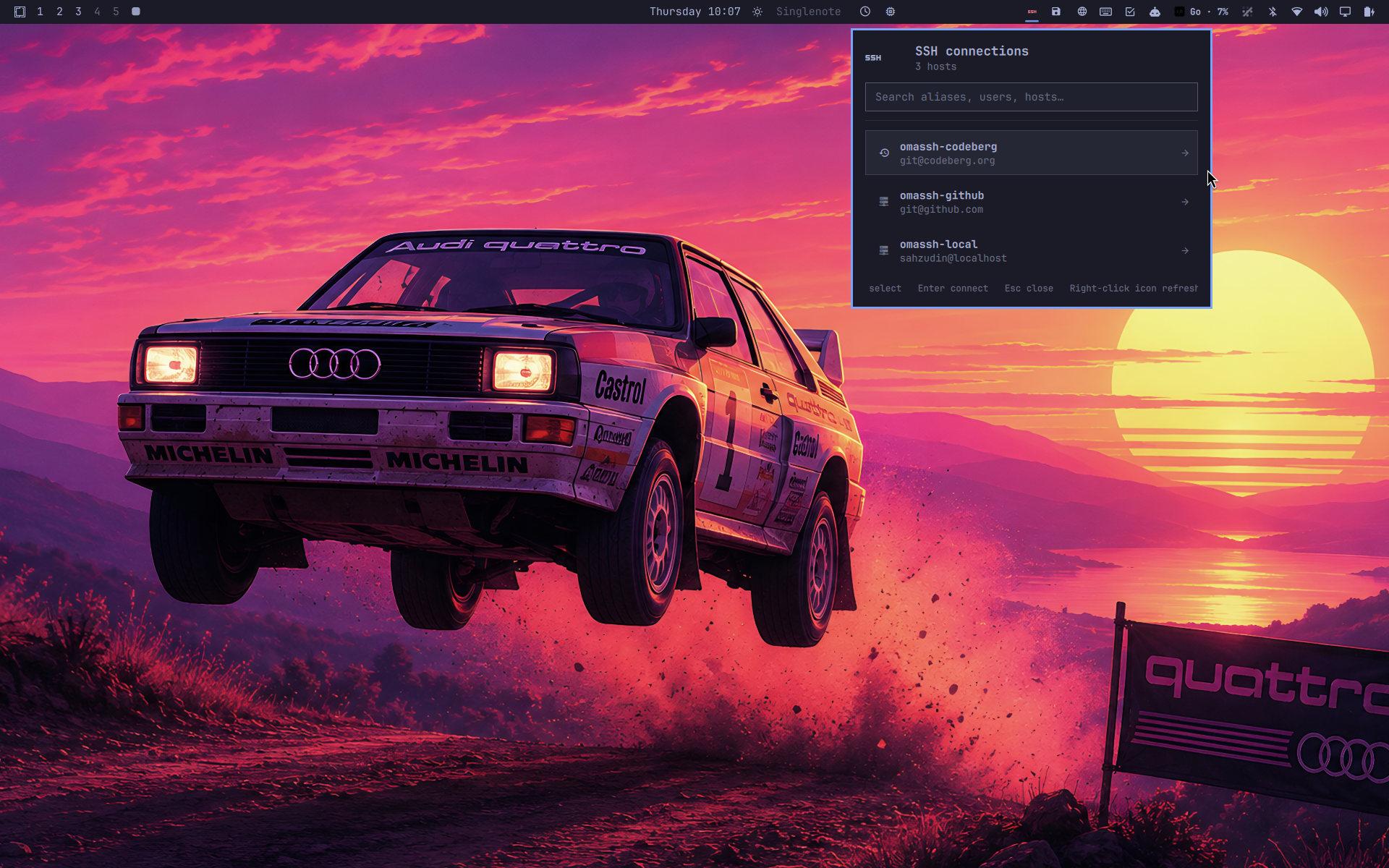
It uses your OpenSSH configuration as the source of truth. Connections are
launched as ssh -- <alias>, so OpenSSH still applies identity files,
ProxyJump, forwarding, Match rules, and every other option in the config.
Features
- Reads literal
Hostaliases from~/.ssh/config. - Follows globbed
Includedirectives. - Fuzzy-searches aliases, hostnames, users, ports, and jump hosts.
- Opens the selected connection in Omarchy's configured terminal.
- Places recently used hosts first without modifying the SSH config.
- Refreshes when the main config changes and periodically for included files.
- Uses argument-array process launching; aliases are never interpolated into a shell command.
- Adapts to the active Omarchy theme and horizontal or vertical bars.
Wildcard patterns such as Host * and Host web-* are intentionally excluded
from the list because they describe rules rather than directly selectable
destinations.
Requirements
- Omarchy Quattro with the Quickshell plugin system.
- Python 3 using only the standard library.
- OpenSSH and Omarchy's configured terminal launcher.
OmaSSH runs entirely as your normal user account and needs no background service, stored credentials, or additional Python packages. It accesses the network only when you deliberately select a host, at which point the normal OpenSSH client handles the connection.
Install
Use Omarchy's normal plugin workflow:
omarchy plugin add https://github.com/sahzudin/omassh.git --enable
Plugins execute unsandboxed inside omarchy-shell; review third-party plugin
source before installing it.
The widget defaults to the right section. Move it at any time with:
omarchy bar move io.github.sahzudin.omassh --section right
Right-click the bar icon to refresh immediately. The popup supports fuzzy typing, Up/Down selection, Enter to connect, and Escape to clear or close.
Configuration
Open Omarchy's bar settings to change:
configPath: defaults to~/.ssh/config.refreshIntervalSec: polling interval for included config files; defaults to 30 seconds.maxHosts: maximum number loaded into the panel; defaults to 200.
Recent connections are stored at
${XDG_STATE_HOME:-~/.local/state}/omassh/recent.json with mode 0600. OmaSSH
never writes to your SSH config.
Remove
omarchy plugin remove io.github.sahzudin.omassh
Removing the plugin leaves its small recent-host history in place so a later
reinstall can reuse it. Delete ~/.local/state/omassh/recent.json as well if
you want to remove that optional local state.
Development
Run the parser tests and Omarchy manifest validator:
make test
make validate
For live QML development, copy the plugin into
~/.config/omarchy/plugins/io.github.sahzudin.omassh/ and let Omarchy's plugin
watcher reload edits. The runtime files are manifest.json, Panel.qml,
Model.js, and bin/omassh-hosts.
License
MIT