
OmaOneDrive
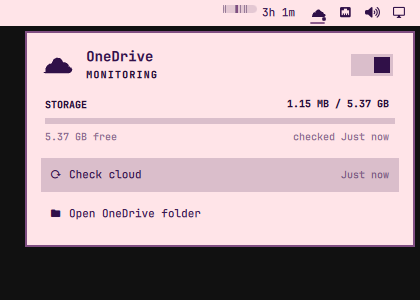
OneDrive in the Omarchy bar. OmaOneDrive follows the installed OneDrive Client for Linux and its systemd user service: sync status, cloud storage, recent activity, and pause/resume — in a panel like Omarchy's own Dropbox widget.
Demo
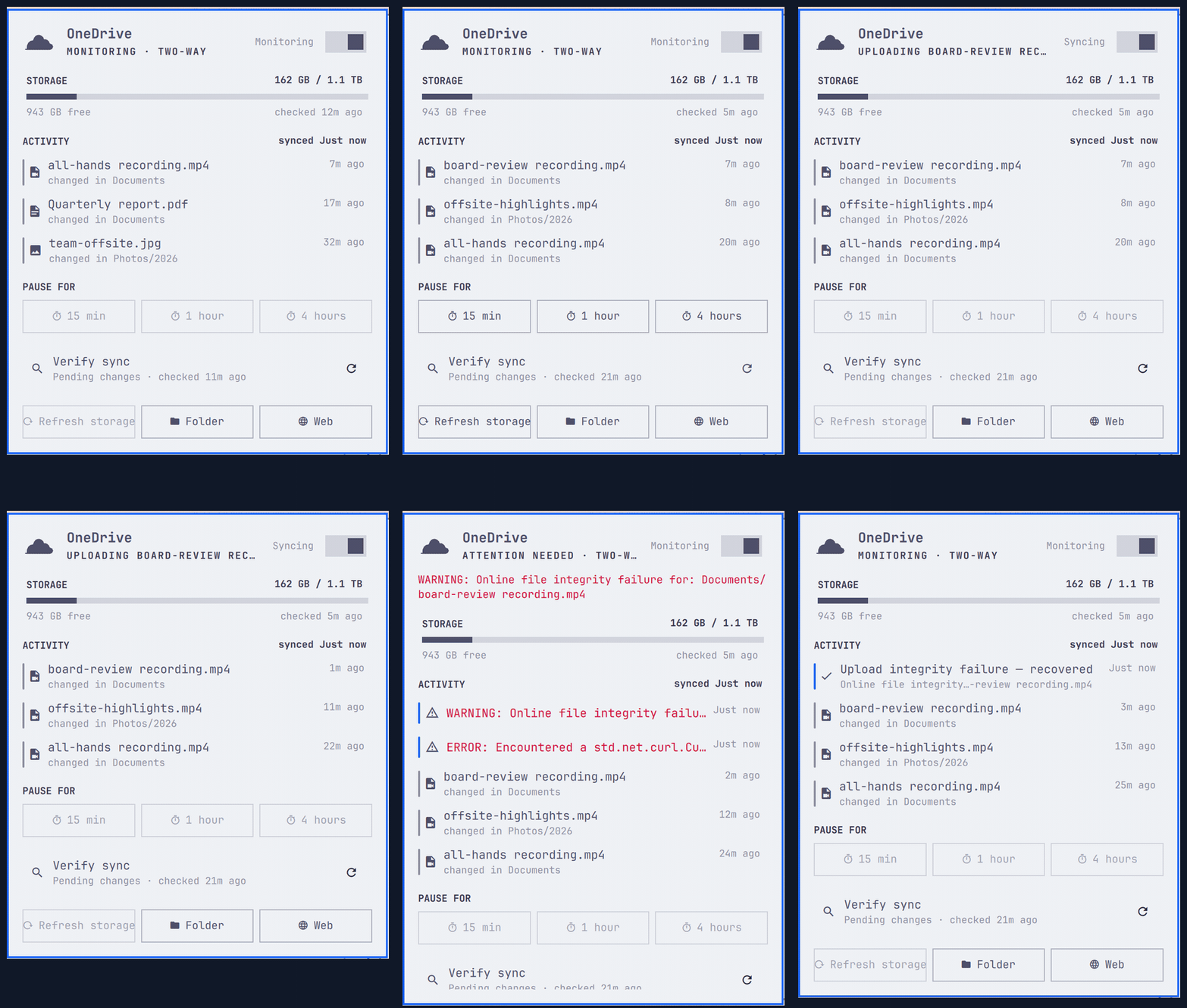
Screenshots
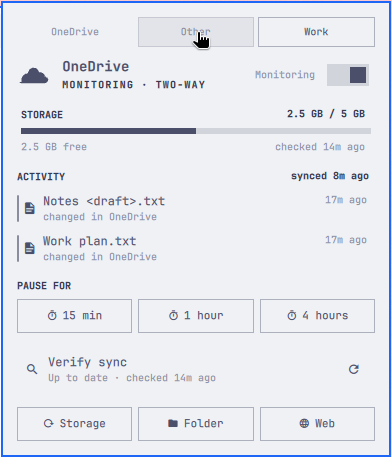
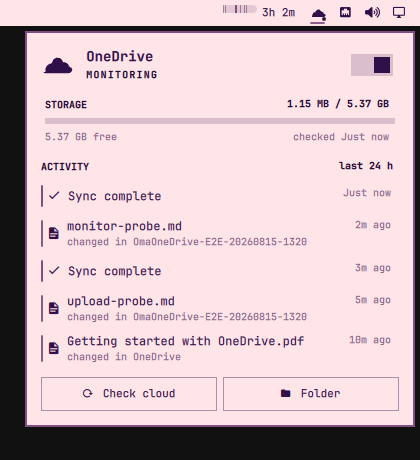
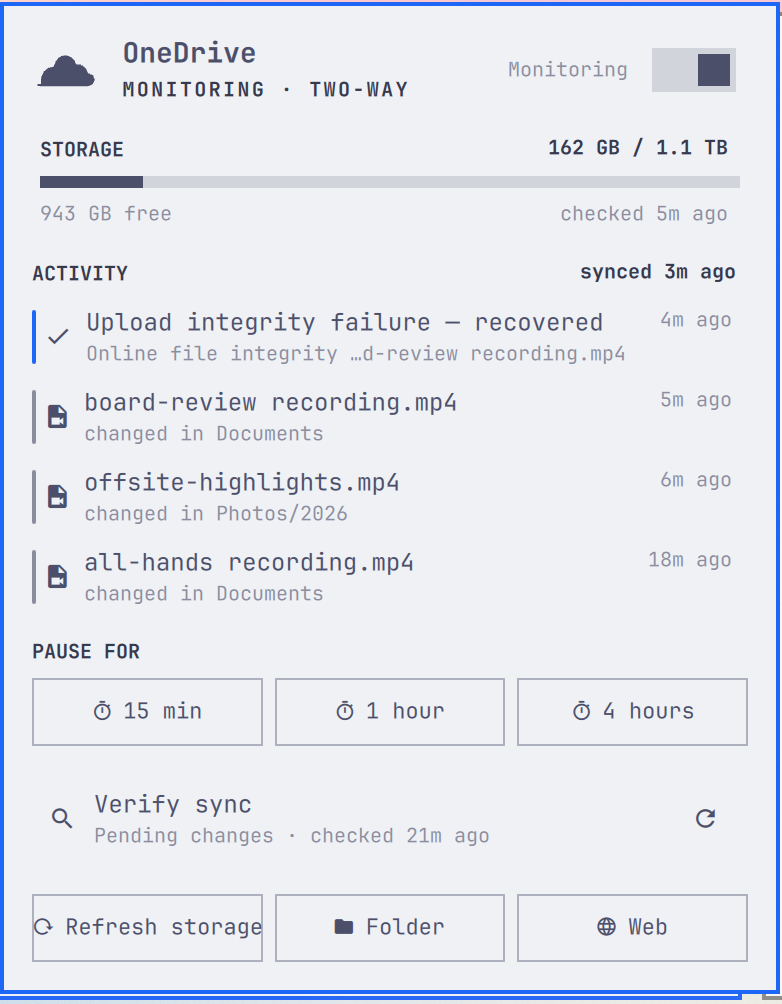
Highlights
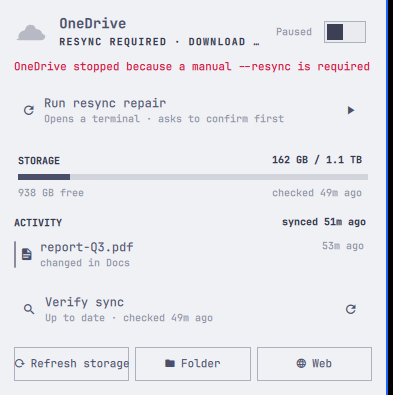
- Live status — monitoring, syncing, paused, or needs attention, with the file currently transferring and its progress. Interruptions show as "retrying", never as a frozen percentage.
- Multiple accounts — every configured account is discovered from its own systemd unit, with a selector row in the panel, per-account pause, login and repair, and one bar badge showing whichever account most needs attention. A single-account setup keeps its existing controls and panel layout.
- Notifications when OneDrive fails, needs a resync or reauthentication, recovers, or storage passes 90% full. Clicking one opens the panel or starts the repair. Events from several accounts are grouped into one notification that names them. Optional.
- Guided repair — opens the CLI's own interactive
--resyncflow in a terminal, which asks before it touches anything. - Pause and resume with 15-minute, 1-hour and 4-hour timed pauses.
- Storage meter that turns urgent past 90%.
- Honest activity feed — service errors and recent local changes, benign client noise filtered out, resolved errors shown as recovered.
- Full and Compact layouts; arrow-key navigation.
- Distinct bar badges for missing client, login needed, paused, syncing and healthy.
Controls
- Left click toggles the panel; middle click opens the OneDrive folder; right click refreshes cloud storage. With several accounts, the panel's selector row chooses which account every control acts on; there is deliberately no pause-everything button.
↑↓move,Enteractivates.Rrefreshes storage,Fverifies sync,Ppauses or resumes,Oopens the folder,Wopens OneDrive on the web,Shift+Lopens login,Esccloses. Lowercaselfollows Omarchy's Vim-style right-arrow navigation.
Routine refreshes are local (service, journal, sync folder). Microsoft is
contacted only by Refresh storage (onedrive --display-quota) and
Verify sync (onedrive --display-sync-status, slow on large drives,
never automatic) — plus one storage retry when you open the panel onto a
failed check older than five minutes.
With several accounts the refresh interval is shared rather than multiplied: in steady state each account is polled once per interval, staggered across it, and only one account is read at a time. At startup a faster ramp runs until every account has reported once. Cloud checks stay manual and run one at a time across all accounts.
Accounts are found by reading each onedrive systemd user unit's own
ExecStart for its --confdir, so an instance pointed at an unrelated
directory is still found correctly. Nothing is guessed from unit names.
Requirements
- Omarchy 4 (Quattro)
- Python 3
- The abraunegg
onedriveCLI (tested with 2.5.11) and itsonedrive.serviceuser unit
omarchy-pkg-add onedrive-abraunegg
onedrive                                   # sign in once
systemctl --user enable --now onedrive.service
Install
omarchy plugin add https://github.com/salemsayed/omaonedrive.git --enable
Update
omarchy plugin update io.github.salemsayed.omaonedrive
omarchy restart shell
Restart the shell after updating so the running panel uses the new code. Check the installed version and commit with:
jq -r .version ~/.config/omarchy/plugins/io.github.salemsayed.omaonedrive/manifest.json
git -C ~/.config/omarchy/plugins/io.github.salemsayed.omaonedrive rev-parse HEAD
Marketplace verification covers an exact commit. The update command follows upstream HEAD, so compare the installed commit with the marketplace snapshot when checking verification coverage. See the marketplace's official verification workflow for publishing and verifying a newer commit.
Configure
omarchy bar set io.github.salemsayed.omaonedrive refreshIntervalSec 30 --json   # 10–3600
omarchy bar set io.github.salemsayed.omaonedrive recentFileLimit 20 --json      # 5–50
omarchy bar set io.github.salemsayed.omaonedrive panelStyle Compact             # Full | Compact
omarchy bar set io.github.salemsayed.omaonedrive notifications false --json
IPC, for keybindings:
omarchy-shell io.github.salemsayed.omaonedrive open      # also: status, refresh, check
omarchy-shell io.github.salemsayed.omaonedrive pause     # pauseFor 60, resume
omarchy-shell io.github.salemsayed.omaonedrive folder
The pause, pauseFor, resume, and toggleSync replies report whether the
control was accepted. ok means it started; busy means a refresh or another
control is still running, so retry after it finishes. This can happen immediately
after selectAccount, which refreshes the selected account. Other replies explain
why the control cannot start. Check the account's status to confirm completion.
Remove
omarchy plugin disable io.github.salemsayed.omaonedrive
omarchy plugin remove io.github.salemsayed.omaonedrive
OneDrive itself is untouched. To drop the status cache as well:
rm -r -- "$HOME/.local/state/omarchy/io.github.salemsayed.omaonedrive"
What it never does
No uploads, downloads, deletions, resyncs, logouts or configuration edits
of its own. Pause and resume are systemctl --user stop/start onedrive.service; a timed pause is a transient user timer that only starts
that service again. Login and reauthentication open the client in a
terminal. The refresh token is never read, copied or stored.