
WakaTime for Omarchy Quattro
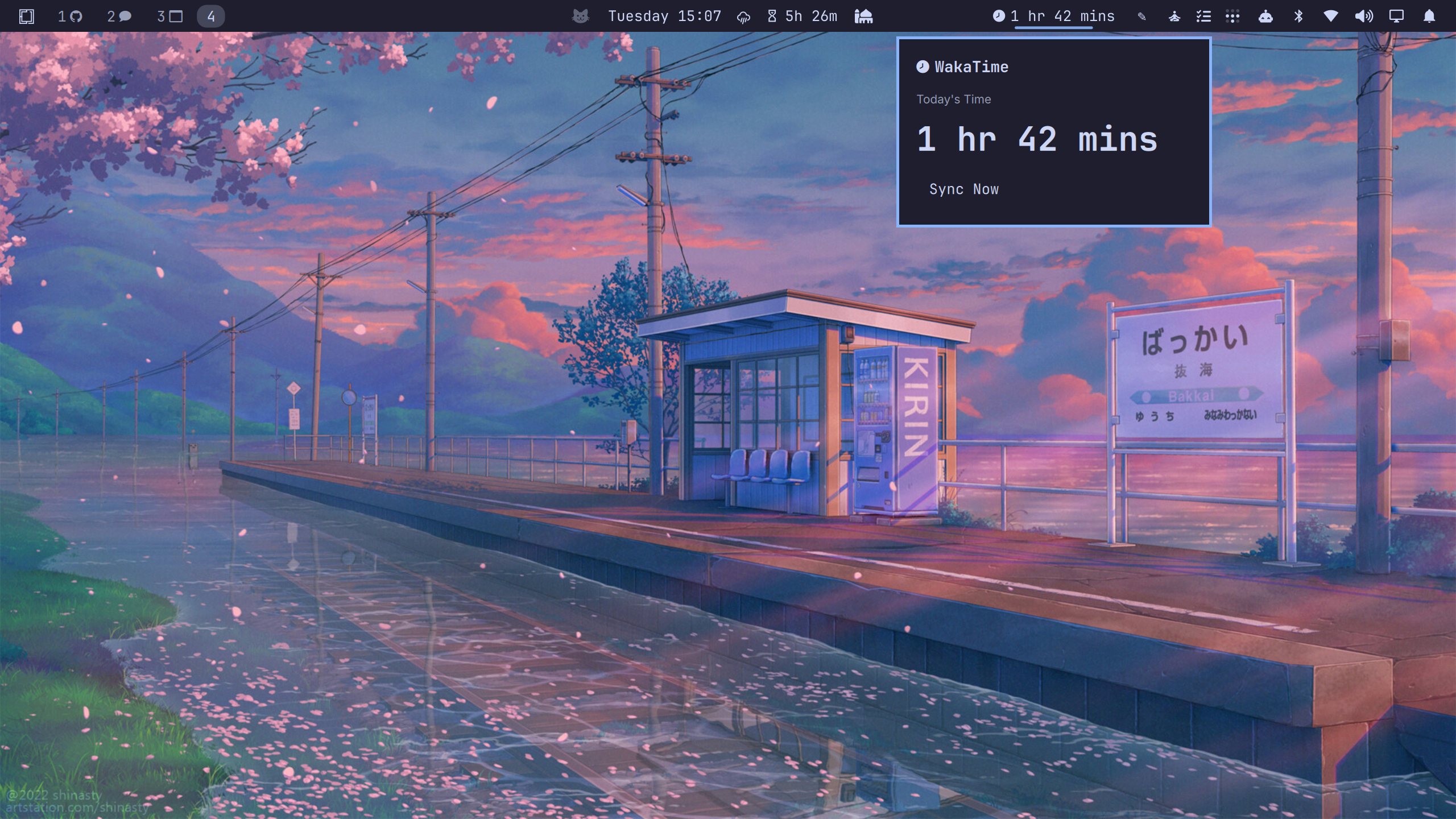
WakaTime coding-time tracker for the Omarchy Quattro bar, showing today's time spent coding and surfacing your daily stats in a popup panel.
Requirements
- Omarchy Quattro (
omarchy-shell) - wakatime-cli — the command-line client used to fetch coding stats. Install it from the WakaTime CLI releases and make sure
wakatime-cliis on yourPATH. - A WakaTime API key — sign up at https://wakatime.com, then copy your key from your account settings (
waka_...). Your editors (VS Code, Neovim, etc.) keep sending heartbeats on their own — this plugin only reads and displays the stats.
Install
omarchy plugin add https://github.com/salimhabeshawi/wakatime-omarchy-plugin.git --enable
The plugin appears as a WakaTime widget in the bar, showing today's coding time. Left-click it to open the panel.
Usage
- If you have not set an API key yet, the panel shows the setup form: paste your
waka_...key and click Save API Key. - Once configured, the panel shows a Today's Time dashboard with a Sync Now button, and the bar widget refreshes automatically every 5 minutes.
Configure
The API key and settings live in ~/.wakatime.cfg (the standard WakaTime config). Saving a key from the panel merges it into the existing file without wiping any other entries. You can also set the key manually:
[settings]
api_key = waka_xxxxxxxx-xxxx-xxxx-xxxx-xxxxxxxxxxxx
The bar widget only appears in the bar if it is present in your shell layout; move it like any other widget with omarchy bar move. Toggle it on/off with omarchy plugin <enable|disable> io.github.salimhabeshawi.wakatime.
Remove
omarchy plugin remove io.github.salimhabeshawi.wakatime