
RSS-Reeder 
A native RSS and Atom reader for the Omarchy bar, with OPML import/export, categories, unread tracking, search, and configurable retention.
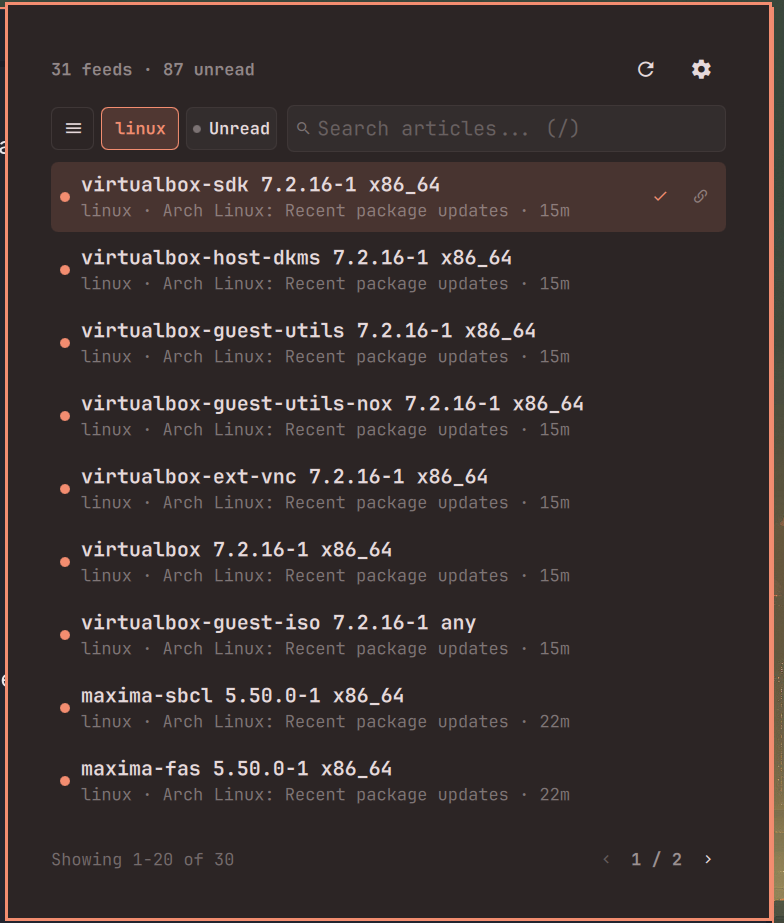
Features
- RSS & Atom Support: Fetches RSS 2.0 and Atom 1.0 feeds over secure HTTPS.
- Omarchy Bar Integration: Seamless desktop bar widget with clean unread status and quick popup launcher.
- Category Drawer: Group subscriptions into folders and filter articles instantly by category.
- Category Selection & Creation: Choose existing categories with alphabetical sorting or create new categories inline when adding feeds.
- Search & Filtering: Live instantaneous search across article titles, snippets, feed sources, and categories.
- Unread Tracking: Mark articles as read/unread manually or automatically upon opening; filter to unread-only articles anytime.
- OPML Import & Export: Full OPML 2.0 file import and export with folder preservation via native desktop file choosers.
- Configurable Retention: Automatically prunes stale articles from local cache based on custom retention days (1–3650 days).
- Keyboard Navigation: Fast vim-friendly navigation for browsing, searching, refreshing, and toggling categories.
- Subscription Management: Add feeds with autodiscovery, rename titles, enable/disable feeds, or delete feeds with one click.
- Persistent State: Read status and cached articles persist across desktop reboots and shell reloads.
Screenshots
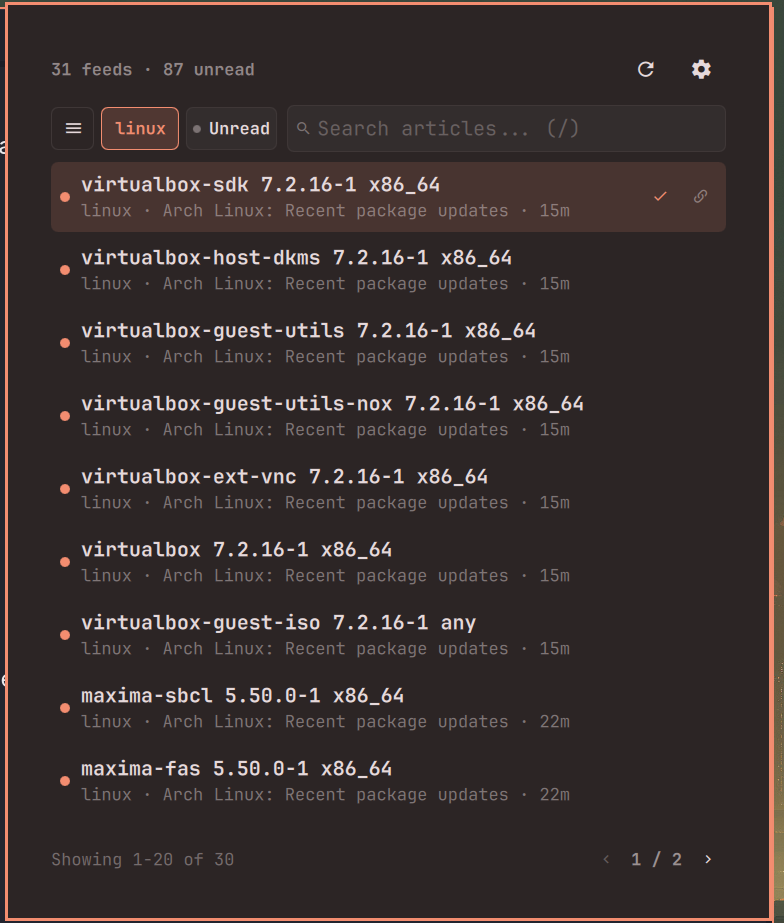
Reader
Categories
<details> <summary>View screenshot</summary>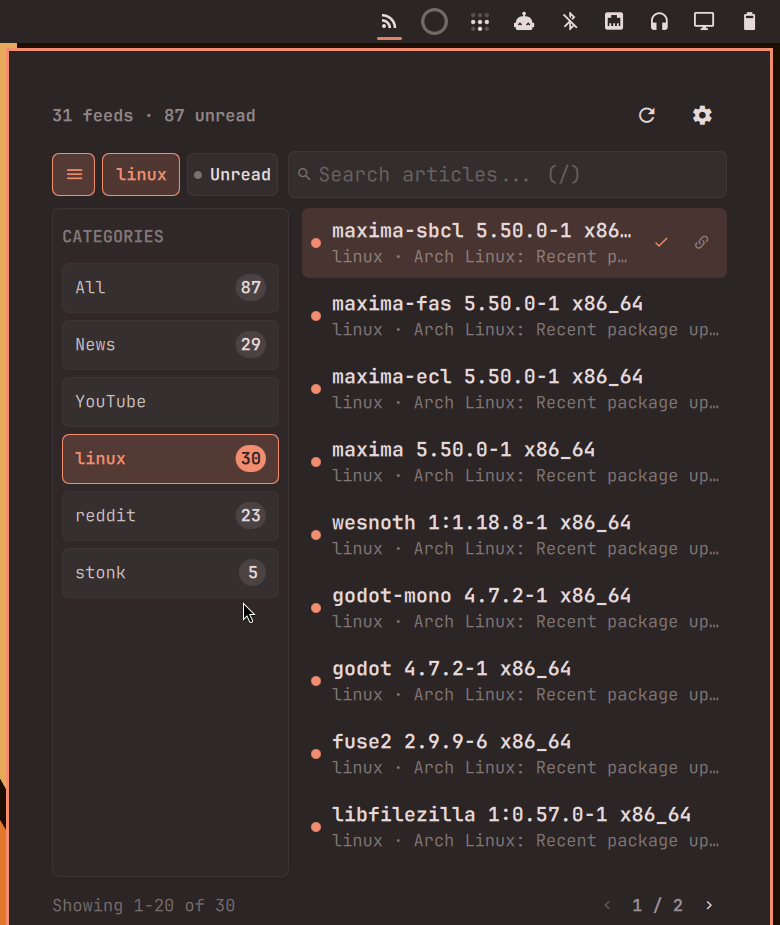
OPML Import & Export
<details> <summary>View screenshot</summary>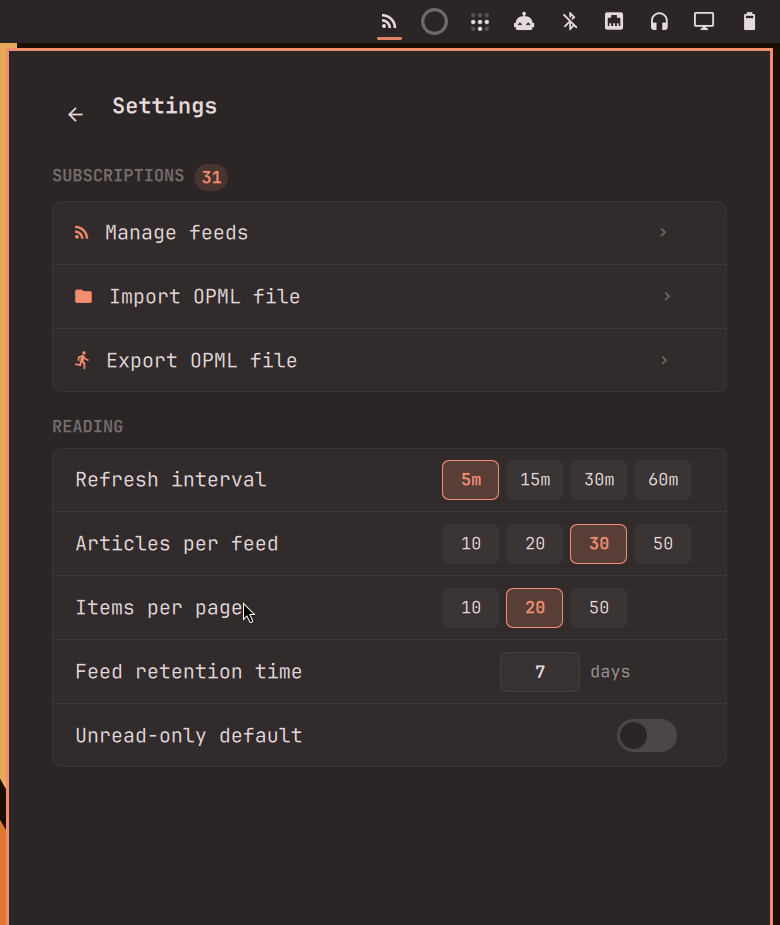
Settings
<details> <summary>View screenshot</summary>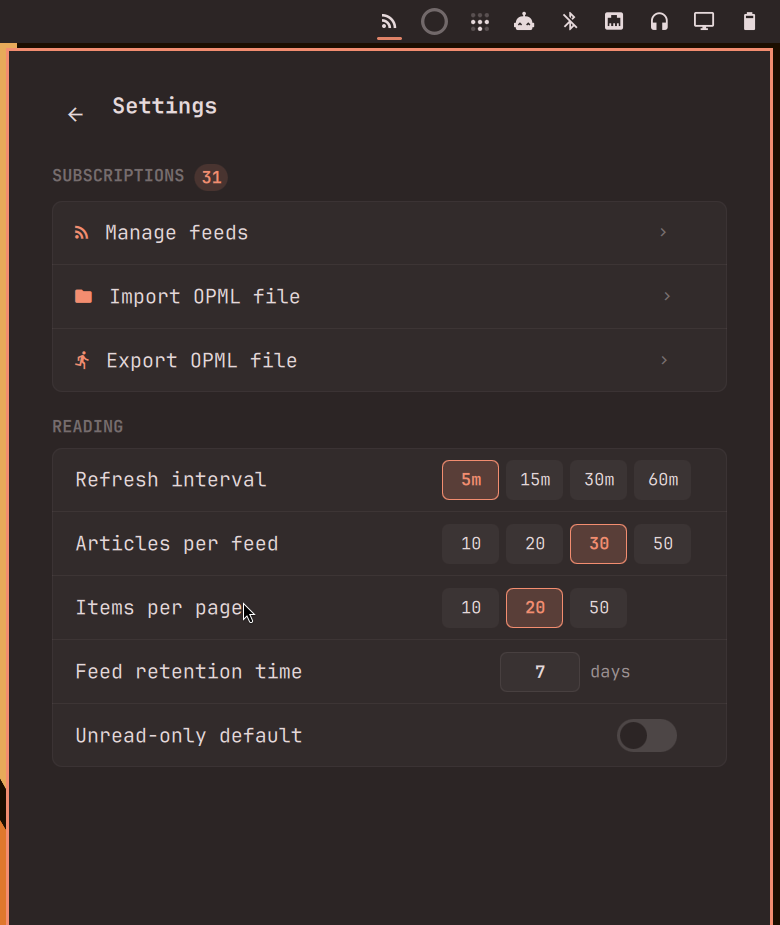
Installation
RSS-Reeder is a third-party Omarchy plugin. You can install and enable it directly using the Omarchy CLI:
omarchy plugin add https://github.com/sanjyay/rss-reeder.git --enable
After installation, reload the desktop shell if needed:
omarchy-restart-shell
The RSS-Reeder icon () will appear in the right section of your Omarchy bar.
Updating
To update to the latest release:
omarchy plugin update io.github.sanjyay.rss-reeder
omarchy-restart-shell
Usage
- Open the Reader: Click the RSS-Reeder icon in your bar or summon it via keyboard shortcut.
- Add Feeds: Open Settings (
) → Manage feeds (+ Add feed) to add feed URLs manually. - Import Subscriptions: Click Import OPML file in Settings to load an existing
.opmlor.xmlsubscription list. - Browse & Read:
- Press
/to search articles. - Press
cor clickto open the Category Drawer and filter by topic. - Click
● Unreadto show only unread news. - Click any article (or press
Enter) to open it in your default web browser.
- Press
OPML Import & Export
RSS-Reeder provides native desktop integration for OPML subscription management:
- Import OPML File: Opens the native desktop file chooser to select
.opmlor.xmlfiles. Imports all valid HTTPS feed URLs and restores their category folders. The import operation runs in the background and safely completes even if the popup closes. - Export OPML File: Generates standard OPML 2.0 XML containing all your active subscriptions, feed titles, URLs, and folder structures, saving it to your chosen directory via the native save file picker.
Keyboard Shortcuts
When the RSS-Reeder popup is open:
| Shortcut | Action |
|---|---|
j / Down |
Select next article |
k / Up |
Select previous article |
Enter / Return |
Open selected article in default browser |
m |
Mark selected article as read / unread |
r |
Refresh all configured feeds |
/ |
Focus search bar |
c |
Toggle Category Drawer |
Escape |
Unfocus input or close active layer |
Settings
Click in the reader header to access Settings:
- Refresh Interval: Choose background polling frequency (
5m,15m,30m,60m). - Articles Per Feed: Maximum recent articles loaded per subscription (
10,20,30,50). - Items Per Page: Number of articles displayed per page (
10,20,50). - Feed Retention Time: Number of days (1 to 3650 days, default:
30) to keep cached articles. Articles older than this threshold are pruned from local history during cleanup; your subscriptions themselves remain untouched. - Unread-Only Default: When enabled, the reader starts in unread-only mode every time it is opened.
Data & State
- Plugin Configuration: Settings and subscriptions are stored in standard Omarchy configuration (
~/.config/omarchy/shell.json). - Local Cache & Read History: Cached articles and read status identities are saved locally in:
(Legacy state from~/.local/share/omarchy-rss-reeder/state.json~/.local/share/omarchy-rss-plugin/state.jsonis automatically migrated on initial run).
Removal
To disable and remove the RSS-Reeder plugin:
omarchy plugin remove io.github.sanjyay.rss-reeder
omarchy-restart-shell
Optional Data Cleanup
To completely remove local cached articles and read history:
rm -rf ~/.local/share/omarchy-rss-reeder
Dependencies
RSS-Reeder uses native utilities already included in standard Omarchy installations:
curl: Secure background feed fetching with size and redirect limits.python3(withpython-gobject/Gio): Non-blocking native desktop portal integration (org.freedesktop.portal.FileChooser) for file selection.
No additional third-party dependencies need to be installed.
Security & Privacy
- HTTPS Only: Only secure
https://URLs are fetched and launched. Insecurehttp://or non-web protocols are rejected. - Local Processing: Feeds are fetched directly from source servers. No intermediate proxy, tracking, or telemetry is used.
- Safe File Operations: OPML import and export operations interact strictly with user-selected files using argument-safe execution without shell string interpolation.
- Native Execution: Like all Omarchy plugins, code executes locally with user permissions.
Acknowledgements
RSS-Reeder was inspired by rafaelvzago/omarchy-rss-plugin, which provided useful reference points for building an RSS reader as an Omarchy bar plugin.
RSS-Reeder has since evolved with its own UI, category workflow, OPML import/export flow, subscription management, retention controls, and other functionality.
Thanks to Rafael Vzago for publishing the original project and making it available as open source.
License & Acknowledgements
RSS-Reeder is licensed under the MIT License.