
OmTeleprompt
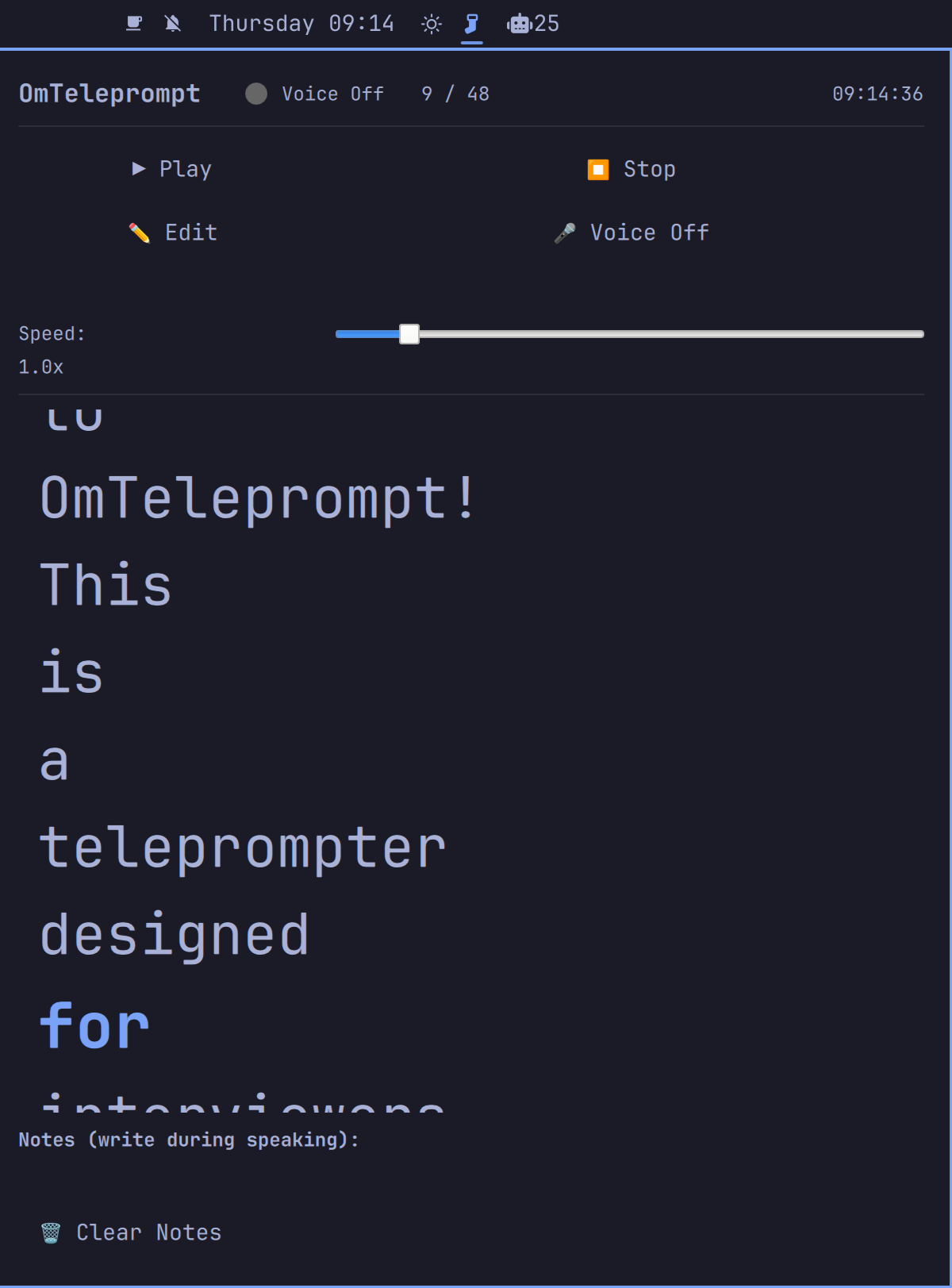
A teleprompter for Omarchy Linux — built for interviewers and streamers, with word tracking, voice activation, and pause-on-speak.
Install
omarchy plugin add https://github.com/seyhunak/omteleprompt.git --enable
Usage
- Click the 📝 icon in your Omarchy bar to open OmTeleprompt
- Click ✏️ Edit and paste or type your script
- Click 📖 Read Mode to start the teleprompter
- Use ▶ Play to start auto-scrolling
- Enable 🎤 Voice On to activate pause-on-speak
- Use the Notes panel to write while the teleprompter is running
Voice Activation
Voice activation uses real-time audio analysis to detect when you're speaking. When enabled:
- The teleprompter automatically pauses when you speak
- A green indicator shows "Listening" when ready
- A red indicator shows "Speaking..." when voice is detected
- The teleprompter resumes when you stop speaking
Dependencies
Voice activation requires one of these Python audio backends:
# Option 1: PyAudio (recommended)
sudo pacman -S python-pyaudio

# Option 2: sounddevice
pip install sounddevice

# Option 3: arecord (usually pre-installed on Arch/Hyprland systems)
sudo pacman -S alsa-utils
If no backend is available, the teleprompter will still work in manual mode.
Configure
# Move the widget in your bar
omarchy bar move io.github.seyhunakyurek.omteleprompt --section center

# Change settings
omarchy bar set io.github.seyhunakyurek.omteleprompt fontSize 40 --json
omarchy bar set io.github.seyhunakyurek.omteleprompt scrollSpeed 1.5 --json
omarchy bar set io.github.seyhunakyurek.omteleprompt voiceEnabled true --json
omarchy bar set io.github.seyhunakyurek.omteleprompt vadThreshold 400 --json
Remove
omarchy plugin remove io.github.seyhunakyurek.omteleprompt
Keyboard Shortcuts
- Escape: Close the teleprompter panel
- Tab: Switch between panels (when multiple are open)
Troubleshooting
- Voice not working: Install
python-pyaudioorsounddevicePython packages - Panel won't open: Run
omarchy-shell shell rescanPlugins - Text not scrolling: Make sure you have words in the script editor
- Permission denied: Ensure
bin/vad.pyis executable
License
MIT