
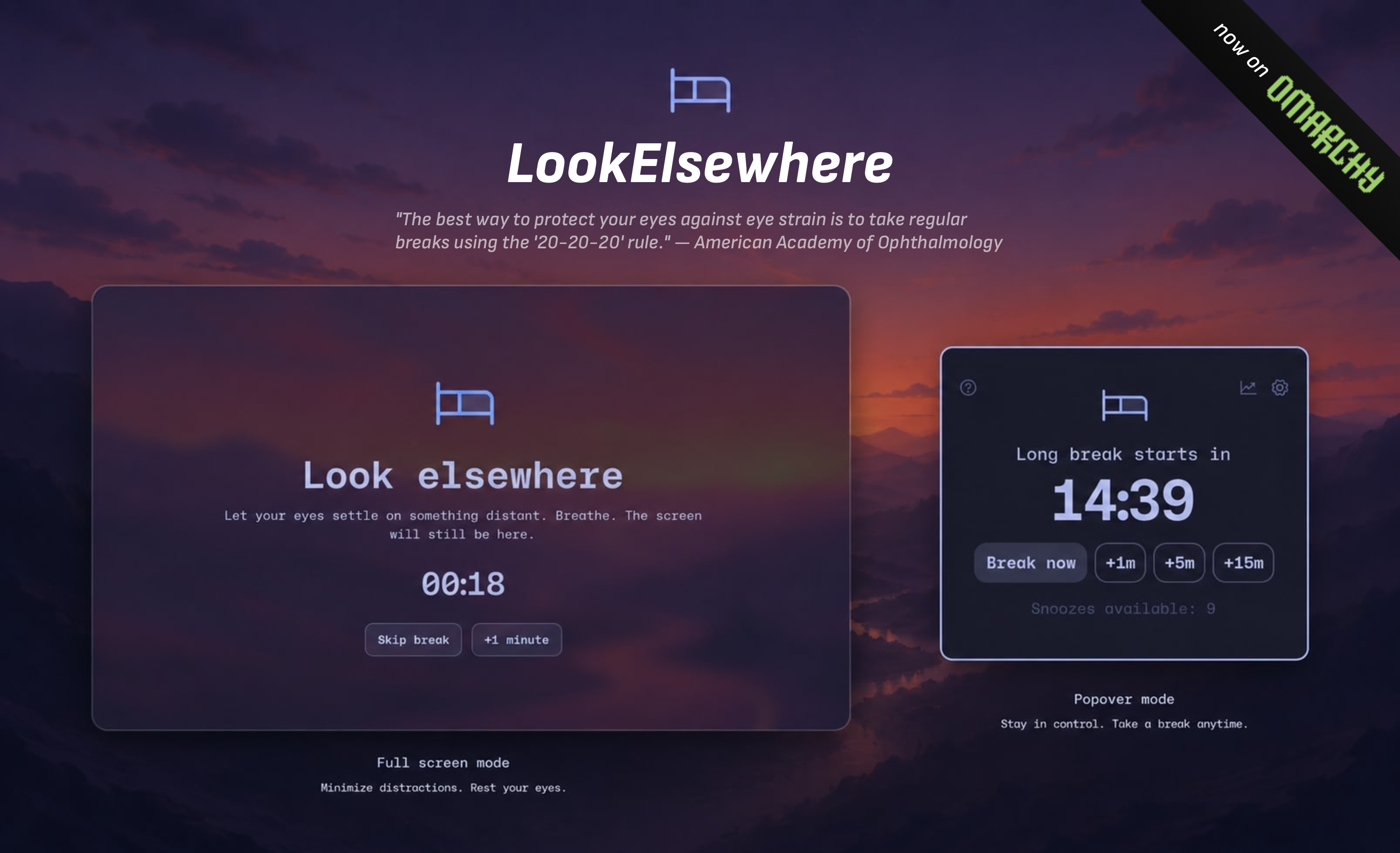
LookElsewhere
Reduce eye strain without breaking your flow.
Install
Requires Omarchy 4.x.
omarchy plugin add https://github.com/silouanwright/lookelsewhere.git --enable
Why LookElsewhere?
Let's face it: many of us look at screens for most of the day, whether for work, entertainment, or staying close to the people we love. That can mean digital eye strain, dry eyes, headaches, and fatigue.
The American Optometric Association recommends the 20-20-20 rule: every 20 minutes, look at something 20 feet away for 20 seconds. It is a simple habit, but remembering it is not. What if you are in a meeting, watching a video, using dictation, or finishing something important? What if you need another minute without abandoning the habit?
Enter LookElsewhere.
LookElsewhere counts active screen use and waits for a less disruptive moment to begin a break. It stays flexible enough for real work while helping you stay accountable to step away.
Inspiration
Thank you to Kushagra Agarwal, the developer of LookAway. LookElsewhere is undeniably inspired by his thoughtful Mac app, rebuilt with Omarchy and Linux flair.
Features
- First-class Omarchy integration that automatically follows your theme
- A self-contained Quickshell/QML plugin, not an Electron app
- Lightweight and responsive, built for Hyprland and Wayland
- Complete keyboard-first navigation, with full pointer support too
- Active-use scheduling that can wait through typing, dictation, focused video, meetings, full-screen apps, protected apps, and away time
- Optional Chromium integration that distinguishes playing foreground video and Picture-in-Picture from ordinary browser audio
- Optional Sundown integration that pauses the focus timer while an actual Steam, Proton, or Heroic-launched game is running
- Progressive warnings, short breaks, periodic long breaks, snoozing, office hours, enforcement modes, and configurable sounds
- Recurring planned breaks for lunch, prayer, walks, or shutdown routines, with weekday schedules, away-time credit, snoozing, and Skip Today
- Private by design: no account, telemetry, screen capture, audio recording, or retained window and media titles
- Private daily statistics for active screen time, breaks, snoozes, skips, and uninterrupted sessions, without app or website surveillance
- Free and open source; LookAway charges $14.99 per year
The menubar
LookElsewhere starts in the bar. At a glance, you can see how much active time remains until your next break. When scheduling is paused or protected, the bar shows why instead of leaving you to wonder whether the timer stopped.
The plugin panel
<img src="docs/assets/quick-panel.png" alt="LookElsewhere quick panel" width="560">A gentle warning
<img src="docs/assets/progressive-warning.png" alt="LookElsewhere top-centered warning" width="760">Full-screen breaks
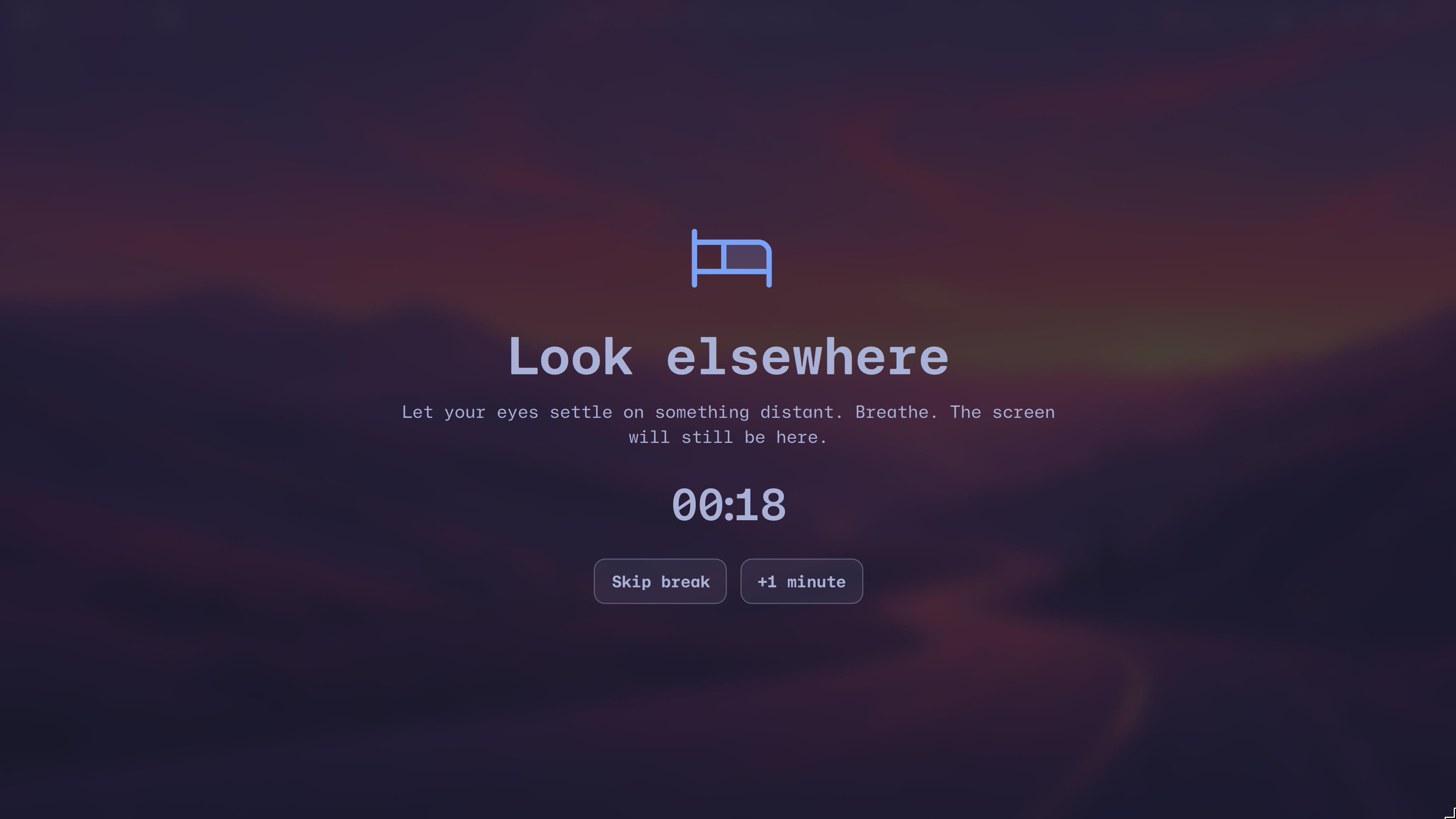
When it is time, LookElsewhere becomes a calm, theme-aware full-screen intermission. A short break gives your eyes a moment away. After a configurable number of short breaks, a longer one gives you time to walk, stretch, and properly leave the screen.
Short- and long-break titles and guidance, duration, cadence, sounds, output behavior, snoozing, and enforcement policy are all configurable.
Watch the 23-second warning-to-break demo. It uses synthetic state and restores the real schedule when it finishes.
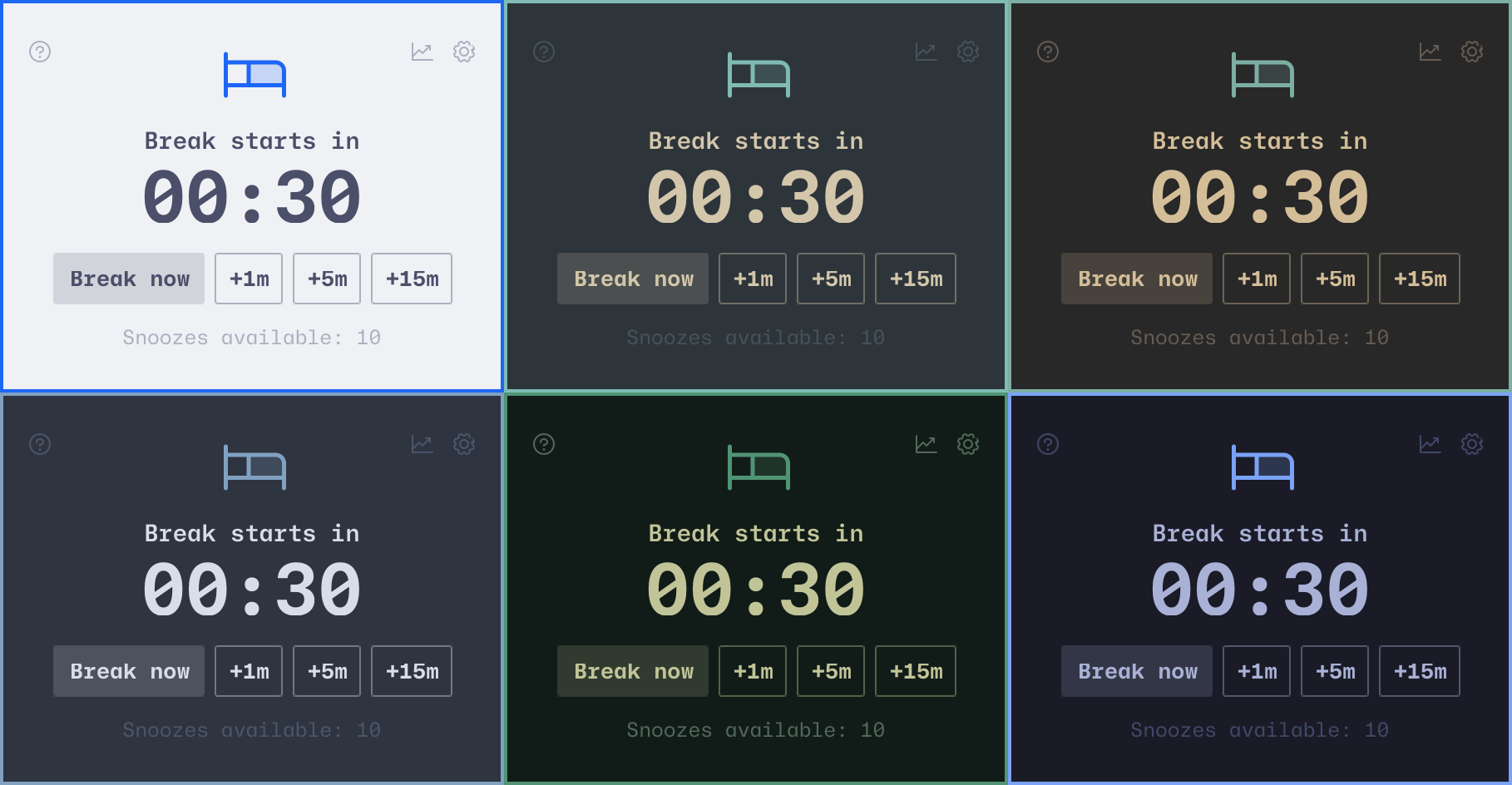
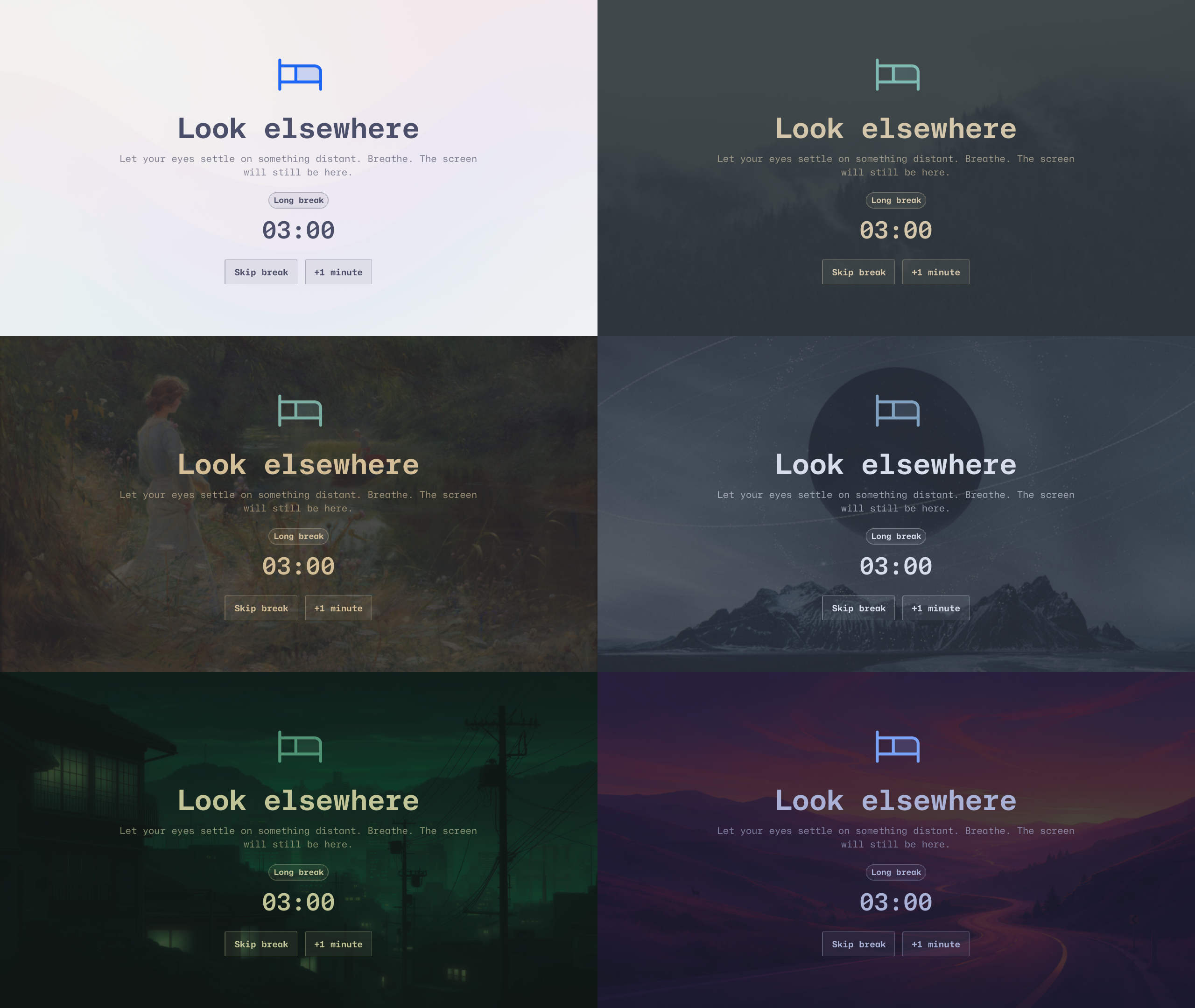
Themes
LookElsewhere inherits your Omarchy theme and looks beautiful on all of them.
Panel
Full-screen
Keyboard first
For global invocation, add the recommended Super+Alt+L Omarchy binding:
o.bind("SUPER + ALT + L", "LookElsewhere", "omarchy-shell look-elsewhere-panel toggle")
Press ? to reveal a command layer. Inspired by
Godspeed, every label is a live, configurable
shortcut.
- Jump directly to breaks, snoozes, history, options, or a settings category.
- Navigate the entire interface with arrow keys, Tab, and Shift+Tab.
- Use Enter or Space to activate controls and Escape to back out or close.
- Skip unavailable actions and keep focused settings visible while scrolling.
Shortcuts are window-local and can be changed in Configuration.
Accessible by design
- Screen readers receive named controls, selection and checked states, and timely announcements when a warning, break, or completion begins.
- Disabled actions stay unavailable to pointer, keyboard, and assistive technology alike.
- Reduce Motion keeps countdowns and transitions still. Reduce Transparency removes decorative patterns, blur, and translucent break backdrops.
- Primary and secondary text roles are verified on representative light and dark Omarchy themes.
Configuration
Open the gear in the plugin panel for categorized General, Breaks, Plans, Context, and Experience settings. Changes are saved directly to Omarchy's configuration; LookElsewhere does not maintain a second settings file.
The Context page can add or remove the currently focused application from the protected-app list without requiring you to discover its Wayland application ID manually.
For scripting or direct configuration, use Omarchy's CLI:
omarchy bar set io.github.silouanwright.look-elsewhere focusMinutes 25 --json
omarchy bar set io.github.silouanwright.look-elsewhere enforcement '"balanced"' --json
See Configuration for every setting, default, accepted value, behavior, and a complete JSONC reference.
Optional browser integration
LookElsewhere works without a browser extension. Chromium users can optionally enable enhanced video detection:
~/.config/omarchy/plugins/io.github.silouanwright.look-elsewhere/tools/install-browser-integration
Restart Chromium after installation. The Context settings page reports Enhanced when it is connected, Standard when LookElsewhere is using system signals alone, and Unavailable if an installed extension disconnects. See Browser integration for the privacy contract and setup details.
Optional game integration
LookElsewhere's built-in window matching delays due breaks while a focused Steam window is identifiable. If Sundown is installed, LookElsewhere automatically uses its policy-independent game signal for Steam, Proton, and Heroic, then pauses active-time accounting while a game is running. The integration is local, read-only, optional, and can be disabled under Settings → Context.
Limitations
- Hyprland and Omarchy are the supported and tested environment.
- MPRIS does not identify whether the current item has a video track. Standard
detection labels focused-app playback
Media; an explicit PipeWireMovierole or the optional Chromium integration upgrades it toVideo. Without either signal, browser audio and video cannot be distinguished reliably. - Wayland exposes coarse application and device state, not semantic intent. Screen sharing, recording, and every meeting state cannot yet be identified perfectly without upstream support.
- Without Sundown, game handling depends on the focused window matching a protected application. Some Steam and Heroic games use unrelated classes, so launcher/process-level detection is unavailable in the standalone plugin.
- The
Activestate means recent keyboard or pointer activity. Ordinary Wayland clients cannot tell which kind occurred, so scrolling or moving the pointer can hold the final ten seconds just like typing. LookElsewhere never reads keys or pointer coordinates; exact typing-only protection requires compositor support that does not exist today. DisablerecentInputDetectionif ordinary browsing should never hold the countdown. - PipeWire can identify active microphone capture and explicit Communication, Camera, Screen, and Movie roles, but applications are not required to set them consistently. Calls with no active input may still be missed.
- Hardcore prevents LookElsewhere's own skip actions, but it is not a security lock and cannot block compositor shortcuts, virtual terminals, or stopping Omarchy Shell.
- The scheduler currently lives inside Quickshell. Timestamp persistence makes shell reloads recoverable, but a reload can roll the visible countdown back by up to the five-second checkpoint interval. A separate daemon may become appropriate for broader Linux support later.
The platform improvements uncovered while building LookElsewhere are recorded in Upstream Opportunities.
Roadmap
- Per-detector application exceptions when a real misclassification needs one
- Calendar-backed planned breaks, after the native recurring scheduler has had real-world use
- Runtime screen-reader testing with Orca as the Linux accessibility stack continues to mature
- More sound choices and in-panel previews
New features should stay private, explainable, keyboard-accessible, and native to Omarchy. Helping your eyes should not require another dashboard demanding attention.
See the current product roadmap for priorities, recently shipped work, and the acceptance constraints behind them.
About the developer
I'm a lead frontend engineer who has been building software for over 20 years. I built LookElsewhere in close collaboration with an AI coding agent, combining its speed with research, product judgment, precise feedback, testing, and the visual refinement that turns working software into a product.
LookElsewhere represents the work I want to keep doing: building native plugins and bringing more of the thoughtful tools people love on the Mac to Omarchy and Linux. If this reaches DHH or the Omarchy team, I'd love to talk about a role doing more of this work. If you know them and think LookElsewhere makes the case, an introduction would mean a lot.
Removing LookElsewhere
Run omarchy plugin remove io.github.silouanwright.look-elsewhere. Unloading
the plugin stops its browser-context receiver. Saved break state remains at
${XDG_STATE_HOME:-$HOME/.local/state}/look-elsewhere/state.json; Omarchy's
plugin settings may remain in ~/.config/omarchy/shell.json. A socket left by
an abrupt shell shutdown is reclaimed on the next receiver start or removed
when the login runtime directory is cleared.
If you installed the optional Chromium integration, remove its extension
directory from the --load-extension line in ~/.config/chromium-flags.conf,
move ~/.config/chromium/NativeMessagingHosts/io.github.silouanwright.look_elsewhere.json
to Trash, and restart Chromium. The plugin removal command does not undo those
optional setup changes or remove a global keybinding you added yourself.
Development
Architecture decisions, research, verification evidence, deterministic demo states, and the completion matrix live under Documentation.
License
MIT. Created by Silouan Wright.