
Fast Note Todo

Fast Note Todo adds a secure multiline scratch note and a to-do list to the Omarchy bar — one icon next to the clock, saving both automatically.
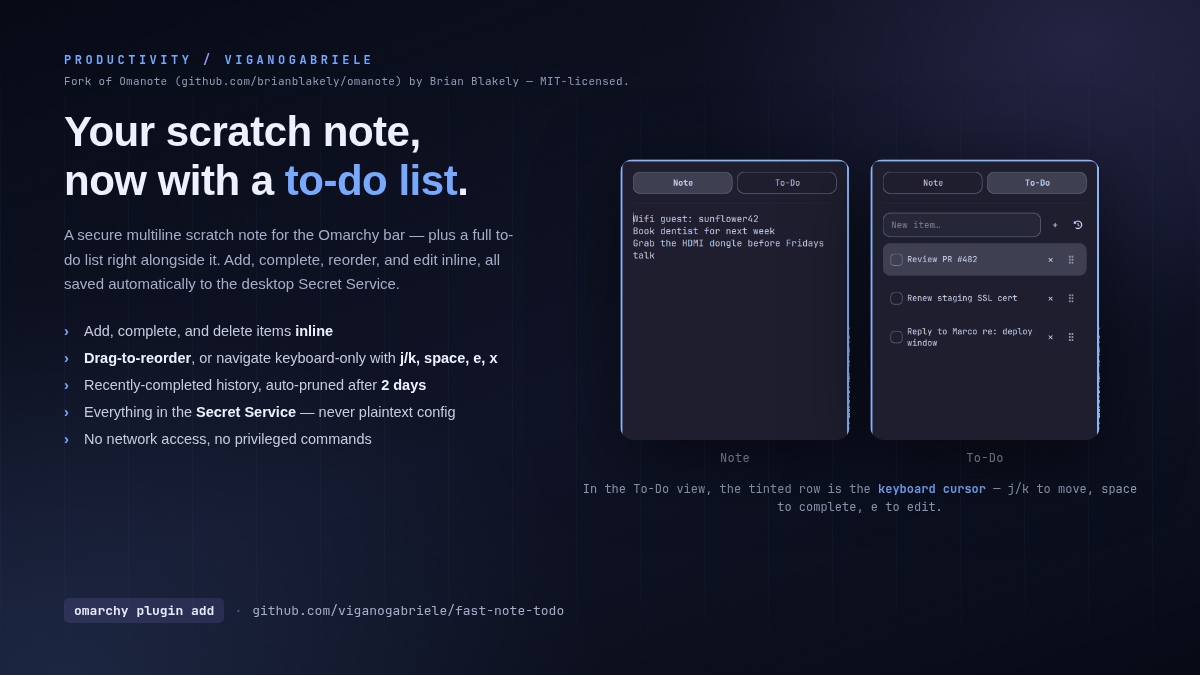
(Screenshots use placeholder example content, not real notes.)
Credit
This is a fork of Omanote by
Brian Blakely (MIT-licensed) — the note view, its Secret Service storage,
and the panel plumbing are his. The added To-Do tab (add/complete/delete,
drag-to-reorder, inline editing, keyboard navigation with j/k/space/e/x,
its own storage field) is new here. See LICENSE for the original
copyright notice.
Install
omarchy plugin add https://github.com/viganogabriele/fast-note-todo.git --enable --yes
Security
Notes and to-dos are stored in the desktop Secret Service rather than
~/.config/omarchy/shell.json. Automatic saves use a randomly named file in the
user runtime directory and delete it immediately afterward. The keyring
attribute is still b.omanote (the pre-fork plugin id) so a note saved
before the fork stays reachable after upgrading.
Update
omarchy plugin update io.github.viganogabriele.fast-note-todo
Uninstall
omarchy plugin remove io.github.viganogabriele.fast-note-todo