
Specimen
Your fonts, each one set in itself.
Omarchy ships hundreds of font families and gives you one way to see them:
$ omarchy font list
A list of names. No preview. And only the monospace ones — on the machine this was built on, 40 of 306. To change your font you have to already know the exact family name, type it blind, and hope.
Themes have a picker with previews. Wallpapers have a thumbnail picker. Lock
screens have an explorer. Fonts have grep.
Specimen is the missing picker.
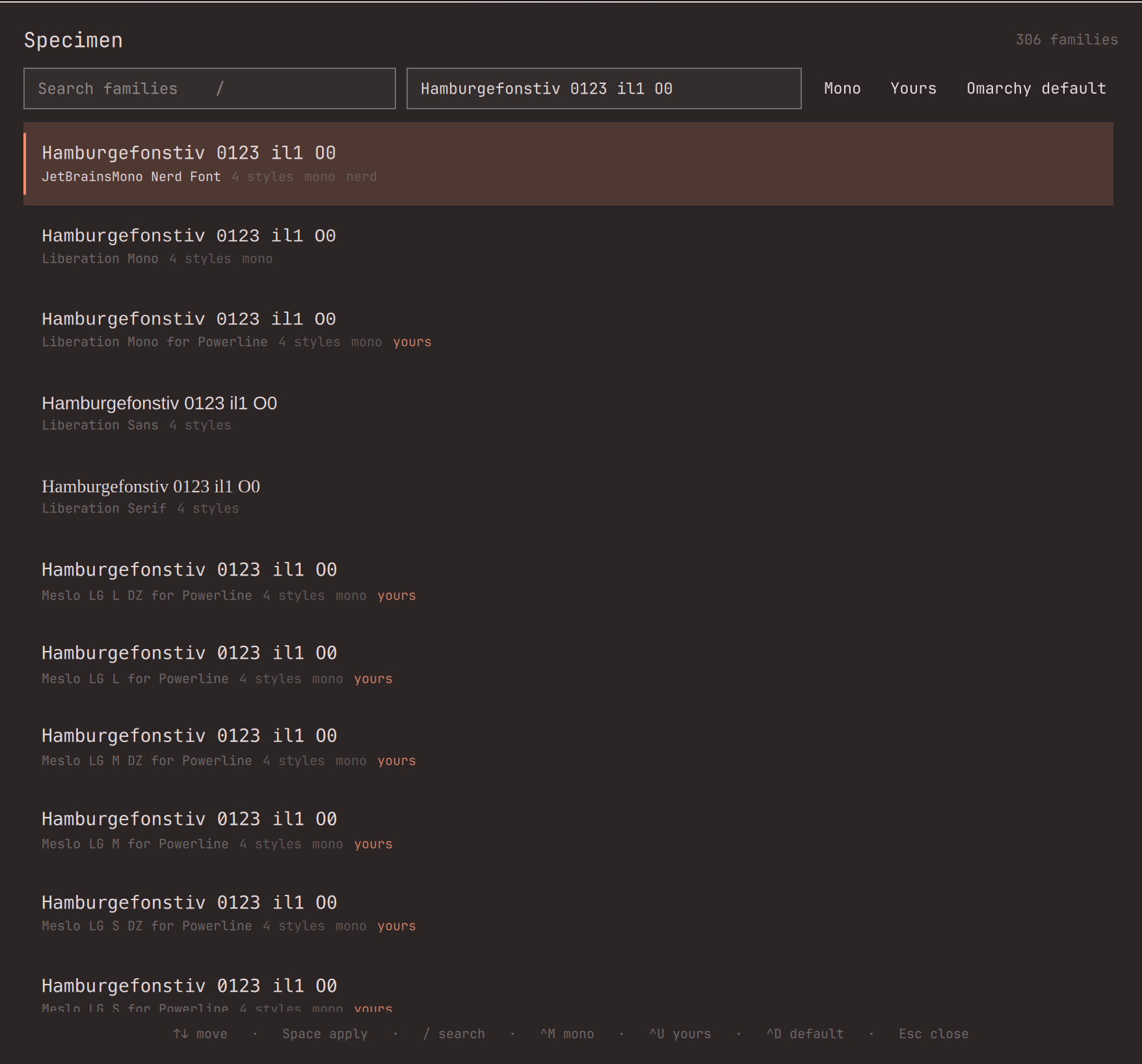
Every family rendered in its own face, against your own sample text. Search it, filter it, try one on for real — and change your mind afterwards.
Why it is safe to try a font on
omarchy font set restarts the shell. That is what makes fonts scary to
experiment with: the moment you apply one, the process holding "what I had
before" dies, and if you cannot remember the exact name of your old font you
are stuck reading fc-list output to find your way home.
Specimen writes the font you were using to disk before it applies anything. So after the restart the bar still knows where you came from:
- Backspace in the panel, or right-click the bar chip → back to your old font
- Y, or the Keep button in the try-on banner → keep the new one and stop asking
- The chip turns accent-coloured for as long as a try-on is unresolved
If the origin font is somehow gone (you uninstalled it mid-try-on), Specimen says so plainly and leaves the marker in place rather than silently losing the name of what you were using.
Putting the fonts back exactly as they shipped
There is one button for it: Omarchy default (or Ctrl+D).
It is a factory reset for your font settings only, and nothing else. It undoes
everything omarchy font set ever changed:
- every terminal config (Alacritty, Kitty, Ghostty, foot) back to the shipped family
- the user fontconfig override removed — that file does not exist on a fresh install, so removing it is what "as shipped" actually means
- your previous override is copied to
fonts.conf.specimen-backup.<timestamp>first, in case you had hand-written other rules into it
It touches nothing outside fonts, and because it is recorded as a try-on like any other, Backspace still undoes the reset itself.
The bar chip is a specimen too
The chip shows the name of your current font, set in that font. It is not a
generic glyph — it is live proof of what is actually applied. On a vertical bar
it shows Aa instead, because a font name does not fit in a column.
Install
omarchy plugin add https://github.com/vonsensey/specimen --enable --yes
Then add the widget to your bar from Omarchy menu → Bar → Add widget → Specimen, or open the panel directly:
omarchy-shell shell toggle io.github.vonsensey.specimen
Removal
omarchy plugin remove io.github.vonsensey.specimen
rm -rf ~/.local/state/omarchy/specimen
The second line removes the only file Specimen ever creates.
Keyboard
| Key | Action |
|---|---|
↑ ↓ / k j |
move through families |
PgUp PgDn Home End |
jump |
Space / Enter |
try the selected font on |
Backspace |
go back to the font you started from |
Y |
keep the font you are trying on |
Ctrl+D |
factory-reset the font settings to Omarchy's default |
/ |
focus search |
Ctrl+M |
monospace only |
Ctrl+U |
your own installed fonts only |
Esc |
close |
What it writes, and what it does not
Writes exactly one path of its own:
~/.local/state/omarchy/specimen/origin— a single line: the family to return to. Written with an unpredictable temporary filename and an atomic rename, so a pre-existing symlink cannot redirect it. Deleted when you keep or revert.
The Omarchy default button additionally removes
~/.config/fontconfig/fonts.conf — the file omarchy-font-set itself creates,
and which is absent on a fresh install — after copying it to a timestamped
backup beside it.
Changes your font only through Omarchy's own command. Applying calls
omarchy-font-set, the first-party path — Specimen never edits your
fonts.conf, your terminal configs, or anything else itself. What that command
touches is documented by Omarchy, not by this plugin.
Does not:
- use the network — at all, for anything
- ask for elevated permissions of any kind; it runs wholly as your own user and has no path to root
- install, delete, or modify font files
- read anything outside
fc-listoutput and its own state file - bundle dependencies —
fc-listandomarchy-font-setalready ship with Omarchy
The complete list of programs it can run, so you do not have to take the above on trust:
fc-list, fc-match, omarchy-font-set, omarchy-font-current, and the
coreutils setsid, mktemp, mv, rm, cp, mkdir, grep, head, sed,
date, printf, command. That is the whole surface — grep -rn the repo and
you will not find another.
Font family names are untrusted input (any font can name itself anything), so
every text element sets textFormat: Text.PlainText explicitly, and family
names are passed to processes as argv elements, never interpolated into a
shell string.
A caveat worth knowing
Because Specimen declares a bar widget, Omarchy anchors the whole plugin's
enabled state to its bar entry. Running omarchy bar defaults, or removing the
widget from your bar, disables the plugin entirely — panel and service
included. Re-enable with:
omarchy plugin disable io.github.vonsensey.specimen
omarchy plugin enable io.github.vonsensey.specimen
This is Omarchy's behaviour for every bar-widget plugin, not something Specimen chooses.
Themes
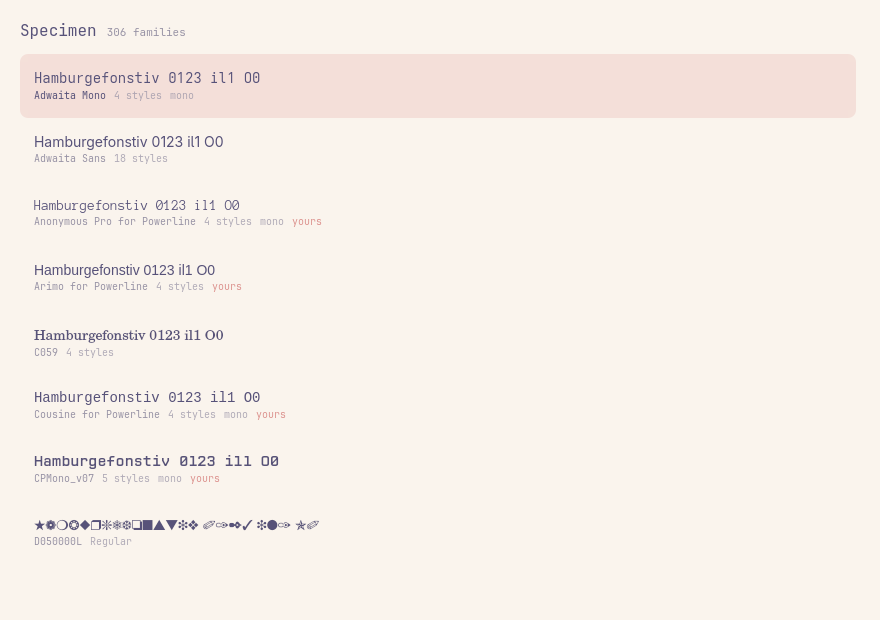
Every colour comes from the theme's Color singleton — nothing is hardcoded.
The screenshot above is Specimen picking up a warm Omarchy theme; below is the
same component rendered against a light palette by the test harness.
Sample text
The default sample is Hamburgefonstiv 0123 il1 O0 — Hamburgefonstiv is the
traditional typographer's specimen string, and il1 O0 is there because
telling those six characters apart is the entire job of a coding font. Change
it in the panel, or set a permanent default in the widget's settings.
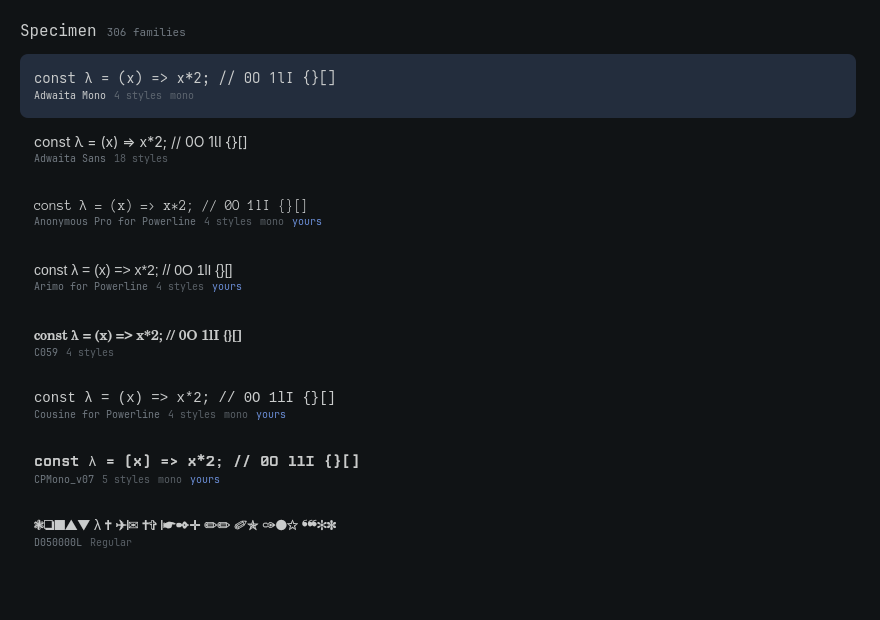
(The two images above come from test/harness.qml, which renders the real
SpecimenList component against your real fonts — that is how the visual core
is regression-tested without a compositor.)
Tests
./test/run.sh
Five suites, no framework:
specimen-apply(33 assertions) — ordering, argv safety, atomic writes, exact-vs-substring matching, and the revert path, all against a stubbedomarchy-font-setso no real font is touched.Fonts.js(40 assertions) — parsing, grouping, classification, malformed input, and hostile family names.- real
fc-list(10 assertions) — the parser against this machine's actual 935 font faces, not fixtures. - compile — loads
Panel.qml,BarWidget.qmlandService.qmlagainst the real Quickshell and the realqs.Uicomponents in a throwaway windowless instance. This is the one that matters:Ui/WidgetButtonemitspressed(int button)and has noclicked, so anonClicked:handler on it is a component-load error that stubs would happily accept and that would have shipped a panel which could never open. - render — instantiates the real
SpecimenListcomponent against real fonts and fails the suite on any QML binding or type error.
License
MIT