
Omahub
← All plugins
Q

QFetch

by QFetch contributors

A small native API client for testing HTTP requests from Omarchy.

Security review

No obvious issues detected

Deterministic scan — not a security guarantee

None
Risk level
None
Analyzed commit
f6cab36
Scanned
1 month ago

No potentially dangerous behavior detected in the analyzed commit.

Automated analysis only — not a security guarantee.

AI advisory review

No obvious issues detected

Language-model assessment · ~deepseek/deepseek-v4-flash-latest — advisory only

None
AI risk level
None
Recommendation
install
Model
~deepseek/deepseek-v4-flash-latest
Analyzed commit
f6cab36
Reviewed
1 month ago

QFetch is a straightforward HTTP client panel/bar widget. The reviewed QML code makes network requests only when the user explicitly clicks SEND and only to the URL and with the headers/body the user provides, with no installer hooks, hidden persistence, credential theft, or destructive actions. The deterministic scan's 'none' risk level matches this assessment.

How this check works

This review combines the deterministic scan (the rule-based results above) with an independent look at the plugin's code by a language model. The model reads a trimmed sample of the repository's files, the manifest, and the README, then gives a plain-language risk level and a recommendation: install (no notable danger), review (look closer first), or avoid (clearly dangerous).

It runs on the same analyzed commit as the deterministic scan and is strictly advisory — it is not a security guarantee and never blocks a plugin by itself. A human moderator still reviews plugins before they are listed.

AI advisory only — automated analysis, not a security guarantee.

Install
$ omarchy plugin add https://github.com/znxr/QFetch --enable
Developer Tools #bar #quickshell

QFetch

QFetch is a native Omarchy API client for making HTTP requests from the desktop shell.
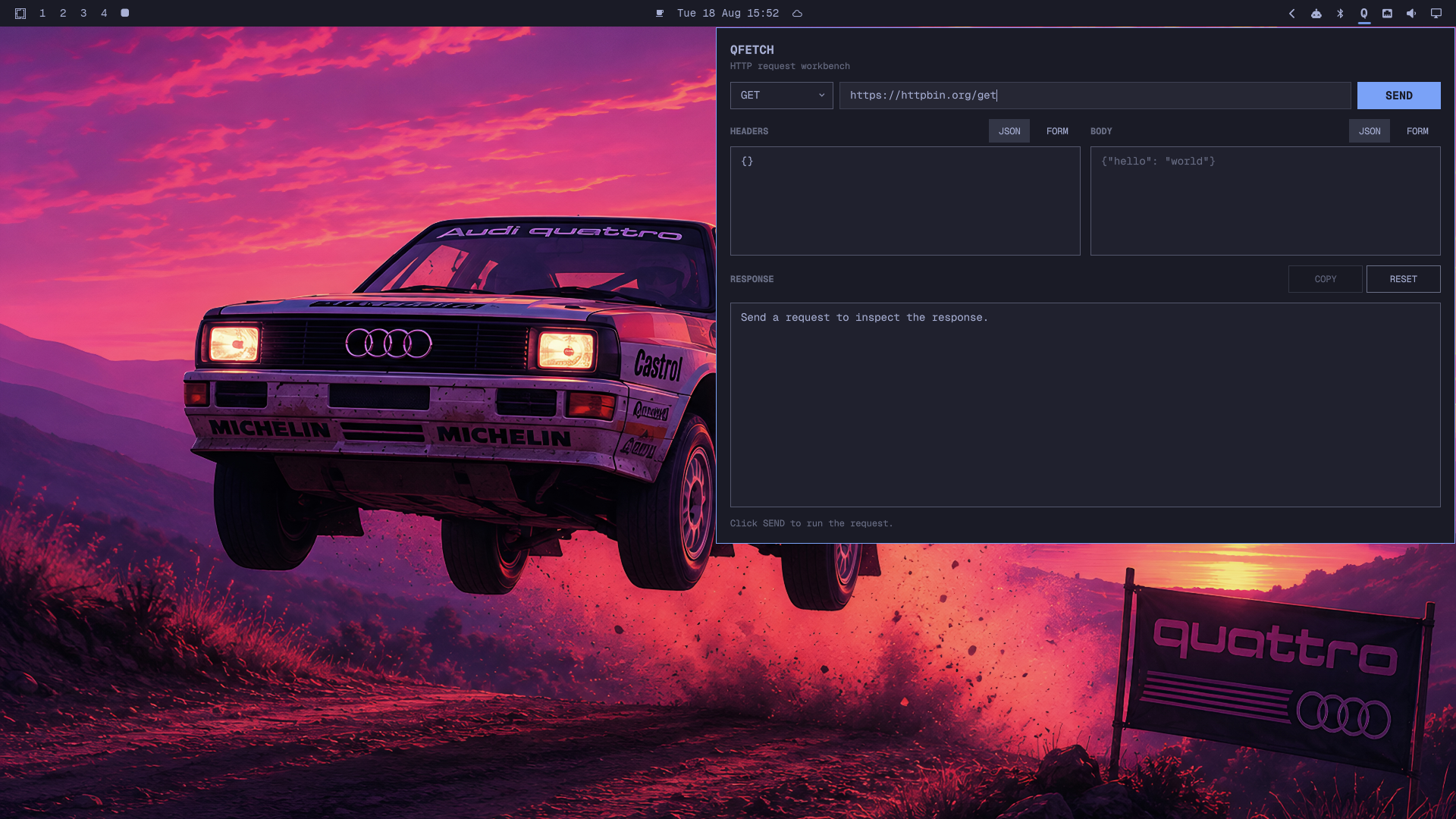
QFetch demo

Features

  • GET, POST, PUT, PATCH, DELETE and HEAD
  • JSON and form editors for headers
  • JSON and form editors for request bodies
  • Form fields converted to JSON before sending
  • Pretty-printed response bodies
  • Response status, headers and elapsed time
  • One-click response copying
  • A Q button in the right side of the Omarchy bar
  • Automatic panel dismissal when clicking outside or pressing Escape

Install

Run this in a terminal:

omarchy plugin add https://github.com/znxr/QFetch.git --enable --yes

QFetch will be added to the right side of the bar. Click Q to open it.

Use

  1. Select an HTTP method.
  2. Enter the request URL.
  3. Choose JSON or FORM for headers and the body.
  4. Enter the request data.
  5. Click SEND.
  6. Click COPY to copy the response body.

JSON mode accepts any valid JSON object. Form mode provides editable key/value rows and supports adding or removing fields.

The default request uses https://httpbin.org/get. Replace it before sending requests to another API.

Open From Terminal

omarchy-shell shell summon io.github.znxr.qfetch '{}'

Security

QFetch runs inside the existing omarchy-shell process with the permissions of the current user. It has no installer, service, external dependency or privilege requirement. Requests go directly to the URLs entered by the user. Do not paste secrets into requests unless the destination is trusted.

Validate

PLUGIN_DIR="$HOME/.config/omarchy/plugins/io.github.znxr.qfetch"
omarchy plugin validate "$PLUGIN_DIR"
qmllint -I "$OMARCHY_PATH/shell" \
  "$PLUGIN_DIR/Panel.qml" "$PLUGIN_DIR/BarWidget.qml"

Remove

omarchy plugin remove io.github.znxr.qfetch