
BlueFerry for Omarchy Quattro
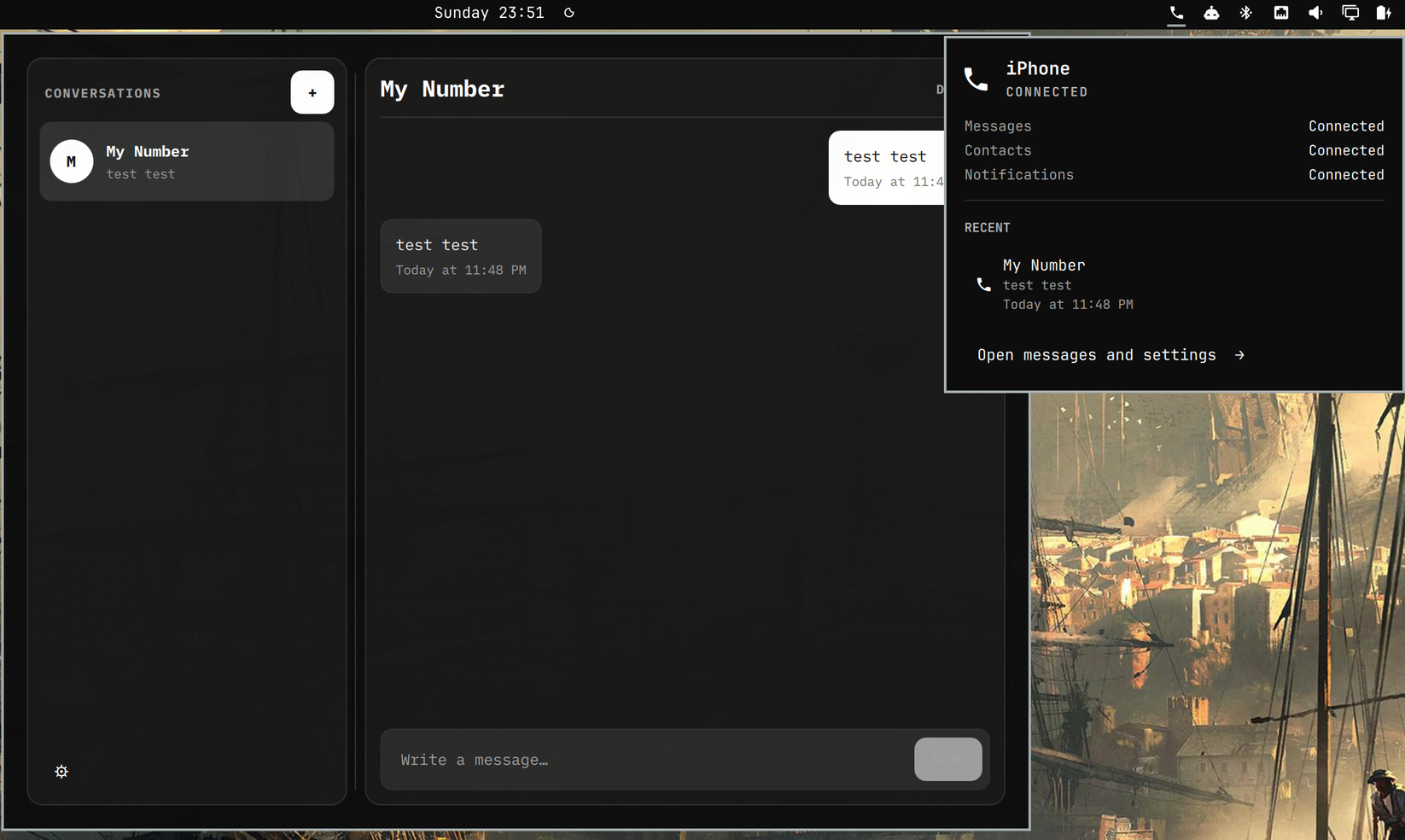
This is the native Omarchy panel for BlueFerry. It allows you to send and receive iMessages over Bluetooth while paired to your iPhone with no special software running on your phone, no proxies, and no cloud tricks.
This widget shows connection health and unread conversations in the bar popup. Write directly in the reply field beneath each unread conversation, then press Enter or click Send. Press Escape to leave the field; drafts stay available until sent or the shell restarts. Click a conversation's name or preview to open it in the full client, which also handles pairing and preferences.
Group replies use the members saved in BlueFerry. If a group's members need review, open it in the full client before replying. Failed sends keep your draft, and replies are never automatically retried.
Install it through Omarchy:
omarchy plugin add https://github.com/erikwb/omarchy-blueferry.git
Omarchy adds third-party plugins disabled. Review it, then enable BlueFerry from Setup › Plugins and place it on the bar.
Remove it with:
omarchy plugin remove io.weirdware.blueferry
The widget expects blueferry-backend and blueferry-quickshell 0.8.0 or
newer. If they are missing, clicking it opens a terminal with the source-build
commands; it does not run them for you.
Run the reply tests with python -m pytest -q tests (requires pytest and
PySide6). On Omarchy, the UI test also uses Quickshell and bubblewrap to test
the native controls in isolation with a fake backend. It cannot send messages
or access the running desktop.
Licensed under GPL version 2 only.