
Plugin Marketplace
A native Omarchy Quattro overlay for browsing and installing community plugins from Omarchy Plugins.
Requirements
- Omarchy Quattro with shell plugin support
- Network access to
plugins.omarchy.org,api.omarchyplugins.com, and GitHub - Standard Omarchy command-line tools, including Bash, curl, Git, jq, OpenSSH, and coreutils
No separate dependencies or install script are required on a standard Omarchy installation.
Install
omarchy plugin add https://github.com/Yasino55/omarchy-plugin-marketplace.git --enable
Omarchy validates the repository before installing it. When prompted, choose the bar section where the Marketplace icon should appear.
Usage
Click the Marketplace icon in the bar, or run:
omarchy-shell shell toggle io.yasino55.omarchy-plugin-marketplace '{}'
To add an optional Super+M shortcut, put this in
~/.config/hypr/bindings.lua:
o.bind("SUPER + M", "Plugin Marketplace", "omarchy-shell shell toggle io.yasino55.omarchy-plugin-marketplace '{}'")
The plugin does not modify Hyprland keybindings or application-launcher files.
Preview
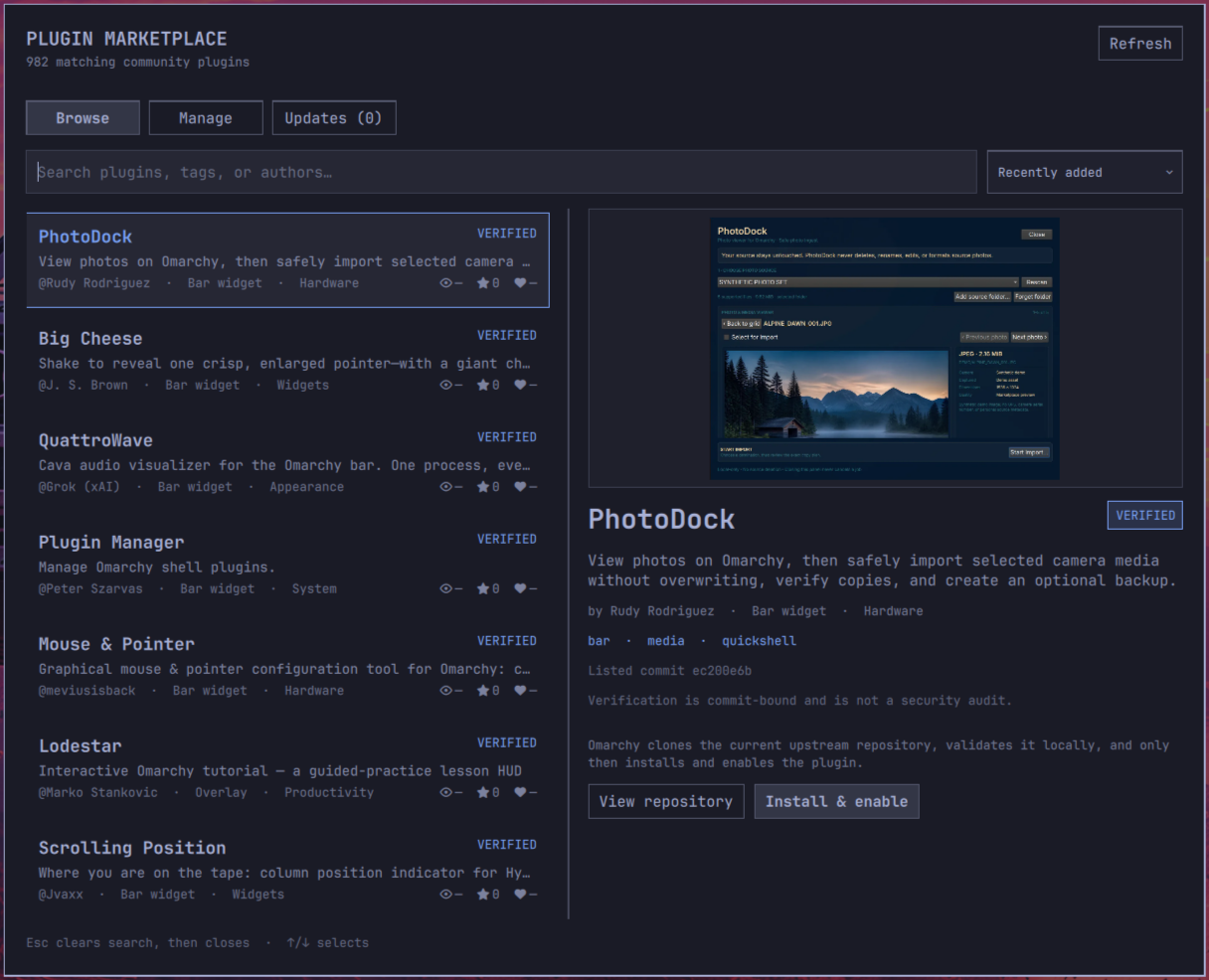
The catalog is loaded from https://plugins.omarchy.org/catalog.json. Search and
filtering happen locally. Installation is available only for entries explicitly
marked installable whose repository is a valid GitHub HTTPS URL.
Marketplace validates the repository manifest id before installing, then resumes plugin discovery and enablement after the shell reloads its plugin registry. An installed plugin remains marked installed even if enablement fails. Plugins that replace the full bar are installed without activation and must be activated from the command line so Marketplace cannot unload its own operation.
Community plugins run as unsandboxed code inside the long-running Omarchy shell. Marketplace verification is not a security audit or a guarantee of safety.
Updates
The Updates tab checks installed third-party Git plugins when their origin is
a recognizable GitHub HTTPS or SSH URL. It compares the local commit with the
remote repository's advertised HEAD without fetching or changing local Git
state. Checks run when Marketplace opens and when it is refreshed.
Updates are applied individually after confirmation. The checked update path requires the local and remote commits to remain identical to those displayed, then fast-forwards and runs Omarchy's standard plugin validation. The running Marketplace and active full-bar plugins remain CLI only so an update cannot unload the process performing it. A failed remote check is reported as unavailable rather than treating the plugin as up to date.
Marketplace cannot update itself while it is running. Update it from a terminal:
omarchy plugin update io.yasino55.omarchy-plugin-marketplace
Icon attribution
The marketplace icon uses cable geometry from Lucide Icons under the ISC License, copyright 2026 Lucide Icons and Contributors.
Remove
omarchy plugin remove io.yasino55.omarchy-plugin-marketplace