
Omahub
← All plugins
J

rclone OneDrive

by Jason Watts

One click. OneDrive mounted. Select your personal or work account; after browser sign-in, files are at ~/onedrive/{domain.name}.

Security review

No obvious issues detected

Deterministic scan — not a security guarantee

None
Risk level
None
Analyzed commit
6344fda
Scanned
1 month ago

No potentially dangerous behavior detected in the analyzed commit.

Automated analysis only — not a security guarantee.

AI advisory review

No obvious issues detected

Language-model assessment · ~deepseek/deepseek-v4-flash-latest — advisory only

Low
AI risk level
Low
Recommendation
install
Model
~deepseek/deepseek-v4-flash-latest
Analyzed commit
6344fda
Reviewed
1 month ago

The plugin is a well-structured rclone OneDrive manager that runs read-only status checks and user-initiated setup/removal actions. It uses safe subprocess calls without shell=True, validates executable paths, and does not contain obfuscated or malicious code. All destructive operations (removing remotes, deleting units) are explicitly user-triggered and clearly described.

How this check works

This review combines the deterministic scan (the rule-based results above) with an independent look at the plugin's code by a language model. The model reads a trimmed sample of the repository's files, the manifest, and the README, then gives a plain-language risk level and a recommendation: install (no notable danger), review (look closer first), or avoid (clearly dangerous).

It runs on the same analyzed commit as the deterministic scan and is strictly advisory — it is not a security guarantee and never blocks a plugin by itself. A human moderator still reviews plugins before they are listed.

AI advisory only — automated analysis, not a security guarantee.

Install
$ omarchy plugin add https://github.com/jason-watts/omarchy-rclone-onedrive --enable
Widgets #bar #quickshell #system

rclone OneDrive

One click. OneDrive mounted.

Select your personal or work OneDrive account and it mounts automatically after a browser authentication. Your files will be in ~/onedrive/{domain.name}.

Open in Files or Terminal.

1. Install

omarchy plugin add https://github.com/jason-watts/omarchy-rclone-onedrive.git --enable
omarchy bar move jason-watts.rclone-onedrive --section right

Click the cloud icon on the bar.

2. Authenticate
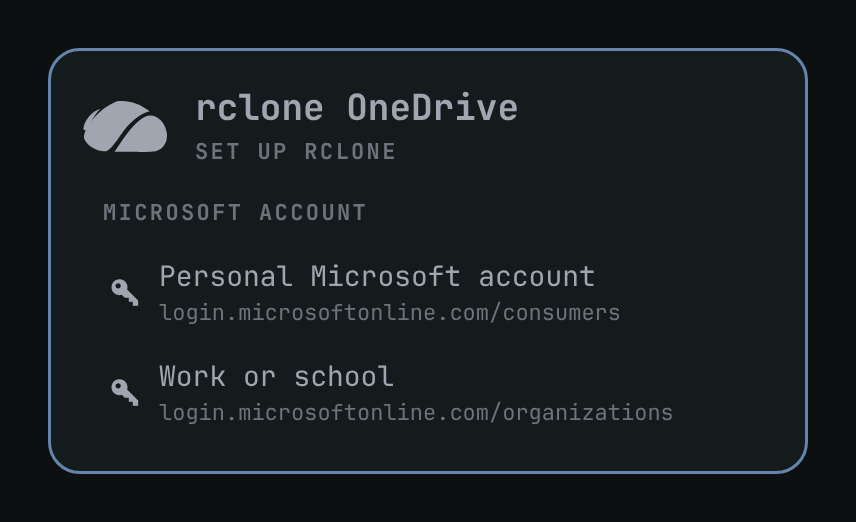
Setup

Click Personal Microsoft account or Work or school. Finish sign-in in the browser. The panel comes back, names the remote from the account domain (omarchy@hey.com → hey.com), and mounts it at ~/onedrive/<name>.

3. Open in Files or Terminal
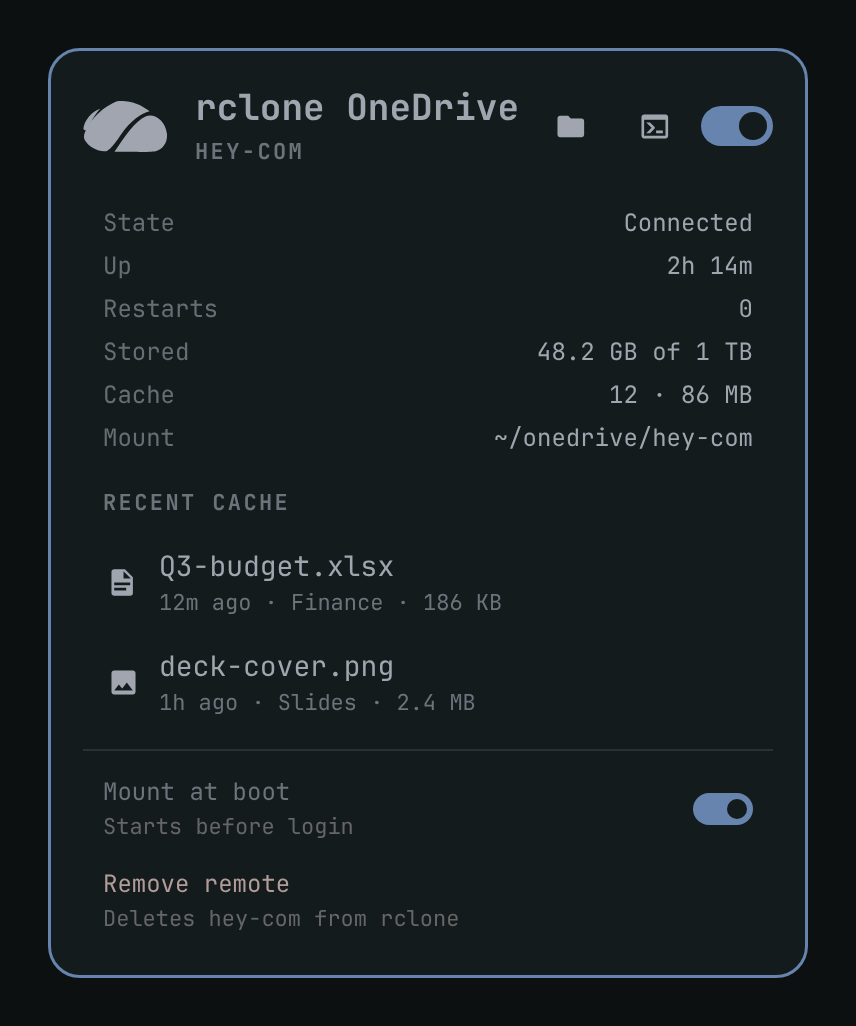
Configured

Use the folder and terminal icons in the panel header. Middle-click the bar icon for Files. o opens Files, t opens a terminal in the mount.

4. Remove

Remove remote at the bottom of the panel unmounts, deletes the rclone login, and removes the empty ~/onedrive/<name> folder. Cloud files stay in OneDrive.

omarchy plugin remove jason-watts.rclone-onedrive

That only removes the plugin. Use Remove remote first if you also want the mount gone.

MIT. Needs Omarchy Quattro, Python 3, and rclone.