
Swatch
A theme picker for Omarchy that tries the theme on.
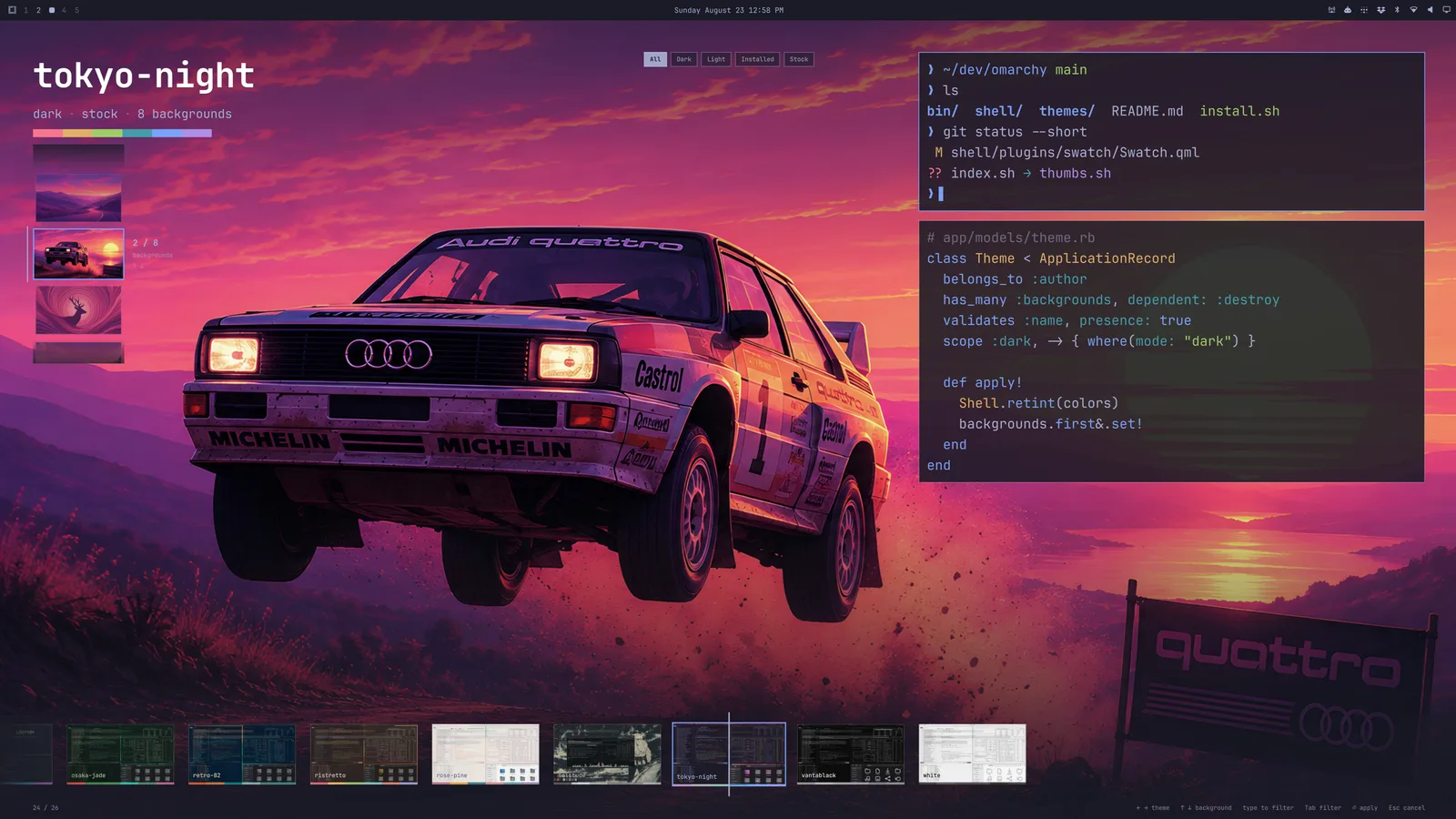
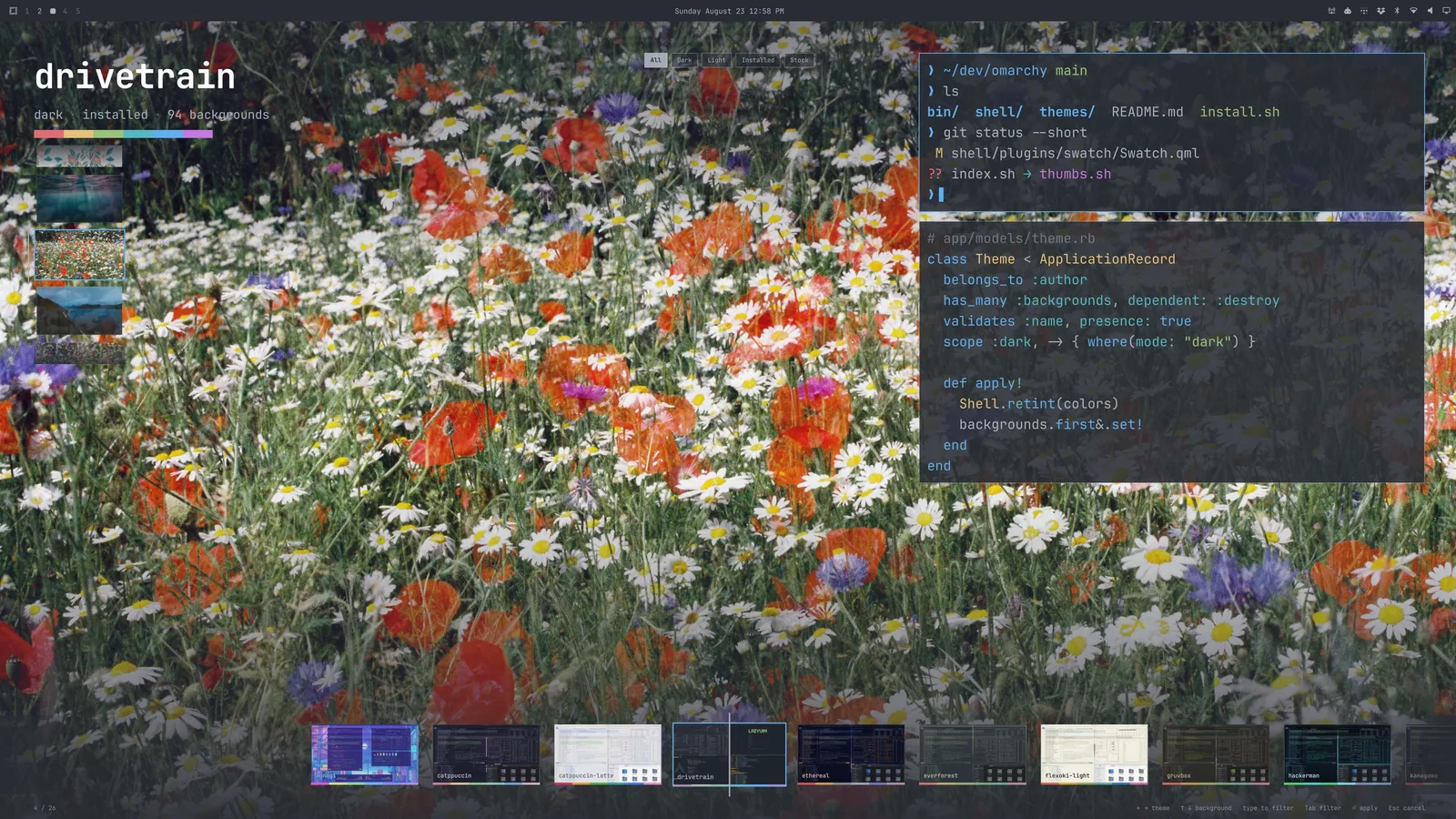
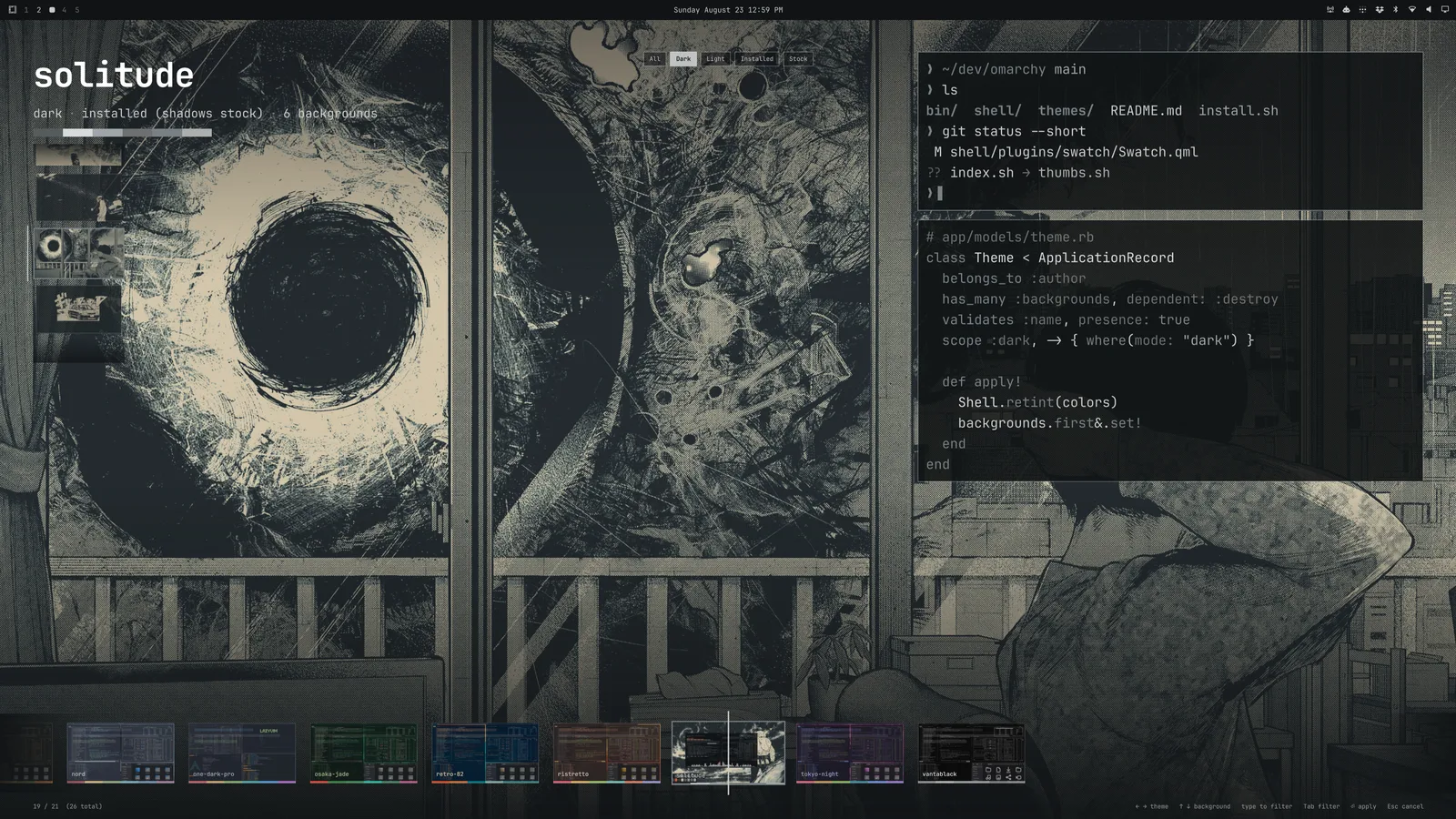
The candidate's wallpaper fills the screen, edge to edge. The shell — bar, menus, notifications, the picker itself — retints to its palette as you scrub, so what you land on is already wearing the theme. The only chrome that isn't the theme is a filmstrip under a fixed playhead.
Built to stay instant at any collection size: an incremental index of every colors.toml, cards painted from the palette before any image decodes, a recycled filmstrip, and at most five screen-size wallpapers resident at once.
Plugin id jmckible.swatch. MIT. Not affiliated with Omarchy or 37signals.
| Preview | Backgrounds | Filter |
|---|---|---|
 |
 |
 |
Install
omarchy plugin add https://github.com/jmckible/omarchy-swatch.git --enable
Then route the theme hotkey (Super+Shift+Ctrl+Space) and Style > Theme to Swatch by adding to ~/.config/omarchy/extensions/omarchy-menu.jsonc:
"style.theme": {"action": "omarchy-shell shell toggle jmckible.swatch"}
Remove that line to get the stock picker back. Swatch never edits your desktop configuration or theme files.
Requires jq, vips and python3 (all ship with Omarchy). Wallpaper previews are cached under ~/.cache/omarchy/swatch/ at the size of your largest monitor — roughly 1 MB per background at 1440p, 2 MB at 4K — and pruned as themes come and go.
Keys
| Key | Action |
|---|---|
← → or h l |
Previous / next theme |
↑ ↓ or k j |
Previous / next background |
PgUp PgDn Home End |
Jump |
Space or / |
Enter text search (or click the search field) |
Enter / double-click |
Apply (omarchy theme set, plus bg set if you picked a background) |
Esc |
In search: clear and return to navigation. Otherwise: cancel and revert the preview. |
Swatch opens in navigation mode. In search mode, letters (including hjkl) and spaces enter text; arrow keys still navigate results. In navigation mode, f stars a theme and Ctrl+F toggles Favorites. During search, f types normally and Ctrl+F is inactive.
Scroll the filmstrip with the wheel; click a card to select it.
Personal collection (proof of concept)
- Favorite theme (
fin navigation mode) stars the selected theme. Favorites (Ctrl+Fin navigation mode) toggles favorites-only browsing. A muted Favorites label inside the search field indicates that the filter is active. The star beside a theme name marks that individual theme. - Hide background (
Delete) hides the selected wallpaper in Swatch. Undo hide (Ctrl+Z) restores the last hidden wallpaper. A small, noninteractive eye-off marker at the end of the background list shows how many are hidden. It scrolls with the list. PressCtrl+Hto reveal or collapse hidden backgrounds. Hidden thumbnails are muted and carry an eye-off badge; select one for a full preview and pressDeletein navigation mode to restore it.
Swatch opens with Favorites enabled when the current theme is a favorite; otherwise it opens with the full collection. You can toggle Favorites freely while browsing. Typing searches all themes, temporarily bypassing Favorites. The field shows All themes while searching; clearing the search restores Favorites. Hidden-background preferences stay in effect.
Hiding affects Swatch only: Omarchy's own background picker and cycling commands still see the original files. The last visible background cannot be hidden. If a theme update removes all remaining visible backgrounds, Swatch shows its first remaining background as a fallback, which can be restored through the same control.
Favorites and hidden backgrounds survive restarts and cache clearing. They are stored in ~/.local/state/omarchy/swatch/preferences.json ($XDG_STATE_HOME is honored). Background choices follow the theme slug and filename, with separate identities for theme backgrounds and user-added backgrounds; renaming a file makes it a new choice. Corrupt or unsafe preference files are refused and left untouched; the picker remains usable and reports the error. Theme files and desktop configuration are never modified by collection actions.
Browse additional themes at Omarchy Themes. Theme hiding/archiving and installation inside the picker are outside this proof of concept.
Scripting
pick.sh opens Swatch and prints the chosen theme name without applying it, the same contract as omarchy-theme-switcher:
theme=$(~/.config/omarchy/plugins/jmckible.swatch/pick.sh) && omarchy theme set "$theme"
How it works
index.shwalks~/.config/omarchy/themesand the stock themes, resolves eachcolors.tomlthroughomarchy-theme-color(so legacy keys and aliases match whattheme setproduces), and writes~/.cache/omarchy/swatch/index.json. Records are reused when a theme's signature (dir mtime +colors.toml/shell.toml/preview stat) is unchanged; only changed themes are re-resolved.thumbs.shmakes, for every wallpaper the index names, a stage copy at your largest monitor's size (never upscaled) and a 640×360 filmstrip thumb. It runs on every open and does nothing when nothing is missing. The shell shows only these copies — it never opens a theme's own image file — which is also why webp wallpapers preview withoutqt6-imageformats.- Live preview is the same call
omarchy theme setmakes over IPC (shell applyTheme) — shell-only, reverted on cancel, never written to disk. Terminal palettes and Hyprland borders change on apply, not during preview. - Themes are treated as untrusted input. Every theme file the plugin reads is opened exactly once, without following symlinks, and verified on that descriptor (regular file, size ceiling, inside the theme's directory) before its bytes go anywhere; a file that grows past the ceiling is refused, not truncated. Images are decoded only from such a snapshot, single-threaded under a timeout and memory limit, at most four at a time, after a header check (loader allowlist, 50 MP). Ceilings: 32 KB TOML, 64 MB images, 200 backgrounds, 512 themes, 8 MB index. Image and index writes go to
~/.cache/omarchy/swatch/, through exclusively created temp files. Personal choices are saved separately as described in Personal collection. - Animated backgrounds: drop
3-sunset-lake.mp4into~/.config/omarchy/backgrounds/<theme>/and the wallpaper whose own file is3-sunset-lake.webpmoves when you rest on it — that directory rather than the theme's, so it works for a root-owned stock theme too. Clips are transcoded into the cache like every other derivative — the shell never plays a theme's own file — and audio is dropped. Needsqt6-multimedia, which Omarchy doesn't require; without it the picker shows stills and nothing else changes. How to add your own: Getting clips.
Remove
omarchy plugin remove jmckible.swatch --yes
Then delete the "style.theme" line you added to ~/.config/omarchy/extensions/omarchy-menu.jsonc to restore the stock picker, and optionally the cache at ~/.cache/omarchy/swatch/. Personal choices remain in ~/.local/state/omarchy/swatch/ (or $XDG_STATE_HOME/omarchy/swatch/); optionally remove that directory too.
Develop
ln -s "$PWD" ~/.config/omarchy/plugins/jmckible.swatch
omarchy-shell shell rescanPlugins && omarchy plugin enable jmckible.swatch
./index.sh | jq '.themes | length'
node test/model.test.js
python3 test/preferences.test.py
bash test/hostile.sh      # index/thumbs against a hostile theme collection, in an isolated HOME
After editing QML, omarchy restart shell. The shell's plugin hot-reload re-mounts the cached component (the engine has no Qt.clearComponentCache), so edits don't land without a restart. Scripts are read fresh every open.
Bump the echo vN line in sig() whenever resolve()'s record shape changes; that's what invalidates cached records.