
OmaTaskvomi: Tasks and Life Hub for Omarchy Desktop
A fast, keyboard-driven productivity flyout for Omarchy Desktop supporting local Obsidian Vault Markdown storage, optional self-hosted Yuvomi sync, or dual-backend operation with directional sync.
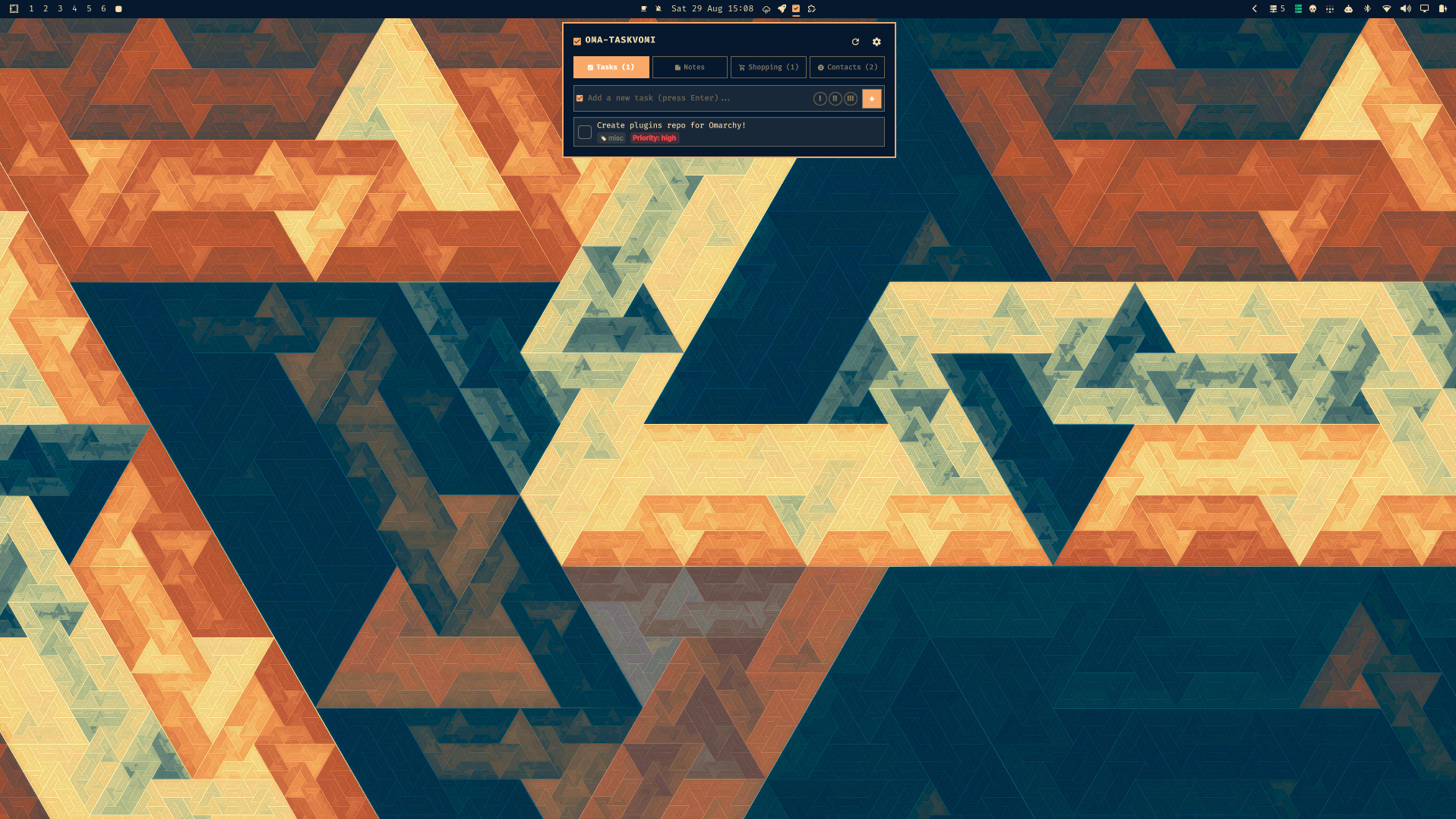
[!NOTE] Flexible Storage: OmaTaskvomi supports local Obsidian vault storage (Markdown files), self-hosted Yuvomi server sync, or both simultaneously.
Installation
Install using the Omarchy Plugin CLI:
omaplug install kiryuuki.oma-taskvomi
Features
- Tasks and Todos:
- Quick inline task entry (press Enter to save).
- Priority selector (None, Low, Medium, High, Urgent).
- 1-click status checkbox toggle (open and completed).
- Category tags and due date badges.
- Obsidian Tasks plugin syntax compatibility (due dates and priority markers).
- Notes and Scratchpad:
- Pinned notes with custom color swatches.
- Interactive markdown checklists.
- Stored as standard .md files with YAML frontmatter in your vault's Notes/ directory.
- Shopping Lists:
- Live checklist stored in Shopping.md.
- Interactive 1-click item check-off.
- Clear Completed action.
- Contacts Directory:
- Fast search filter across names, phone numbers, and emails.
- Click-to-copy Phone and Email (wl-copy) with visual feedback.
- Stored as individual markdown contact cards in Contacts/.
- Dual Backend and Directional Sync:
- Run Local Obsidian and Yuvomi Cloud independently or concurrently.
- Visual source badges (local, cloud, synced) indicate storage status for every item.
- Directional synchronization: Two-Way Full Sync, Cloud to Local, or Local to Cloud.
- In-panel sync card with real-time stats breakdown (tasks, notes, shopping, contacts).
- In-Panel Settings and Scaffolding:
- Native file browser dialog to select Obsidian vault directory.
- 1-click folder and file scaffolding for vault structure.
- Secure credential storage (enforcing descriptor-level 0600 permissions).
- Test Connection button with live status feedback.
- Visual feedback on Hub Refresh and Sync operations.
Storage Modes
1. Obsidian Vault (Local Markdown)
Configure your vault directory in the Settings panel:
- Click Browse to open the native folder picker.
- Click Set Vault and Initialize Structure.
- OmaTaskvomi scaffolds:
- Tasks.md
- Shopping.md
- Notes/
- Contacts/
- All changes made in Obsidian or the desktop flyout update seamlessly.
2. Yuvomi Server (Self-Hosted)
Enter your instance URL and API Bearer token in Settings. Test the connection with the in-panel button, and sync directly with your homelab server.
3. Dual Storage Mode (Simultaneous Local and Cloud)
Enable both Local Storage and Yuvomi Server:
- Browse and edit your local Markdown vault and cloud database in a single unified interface.
- Items present only in your local vault show a local badge.
- Items present only on your server show a cloud badge.
- Items synchronized across both display a synced badge.
- Run directional sync on demand:
- Two-Way Sync: Syncs newer items across both backends.
- Cloud to Local: Imports cloud entries into your local Obsidian Markdown files.
- Local to Cloud: Pushes local Markdown files into your Yuvomi server.
Keyboard Shortcuts
| Key | Action |
|---|---|
| 1 | Switch to Tasks tab |
| 2 | Switch to Notes tab |
| 3 | Switch to Shopping tab |
| 4 | Switch to Contacts tab |
| Up / Down or k / j | Navigate items list |
| Enter / Space | Toggle task completion / select item |
| Delete | Remove selected task or note |
| s / S | Toggle Settings |
| r / R | Refresh hub state |
| Esc | Close flyout |
Configuration
Settings can be managed directly in the Settings panel, or edited in ~/.config/omarchy/taskvomi.json:
{
  "storageMode": "dual",
  "localEnabled": true,
  "yuvomiEnabled": true,
  "vaultPath": "~/Documents/Vault",
  "vaultFolder": "OmaTask",
  "baseUrl": "https://yuvomi.example.com",
  "apiKey": "your-api-bearer-token"
}
License
Source-Available Non-Commercial License (PolyForm Noncommercial 1.0.0). Free for personal, educational, and homelab use. Commercial sale, distribution for fee, or commercial re-licensing is prohibited without author permission.